Table of contents1. Key Takeaways2. Why Construction Firms Are Reconsidering Off the Shelf Tools in 20263. What Is Custom Construction Management Software?4. Custom vs Off the Shelf Construction Software: Where Each Fits5. When to Build Software for Construction vs When to Buy Software6. Competitive Advantage in Construction: Where Custom Software Really Pays Off7. Ownership, Intellectual Property, and Full Control Over Your Platform8. Build vs Buy for Construction: Total Cost of Ownership in the Long Run9. Low Code, Common Builds, and Hybrid Approaches for Construction10. Architecture, Integration, and Data Strategy for Construction Firms11. Security, Compliance, and Risk Management in Construction Software12. How SoftDoes Helps You Decide: Buy Software, Build Software, or Go Hybrid13. Benefits of Working with SoftDoes on Custom Construction Management Software14. Practical Next Steps for Contractors Considering Custom Construction Software Key Takeaways
- Custom construction management software turns your unique bids, field workflows, and compliance requirements into a long term competitive advantage, especially for U.S. and Canadian contractors managing complex projects across multiple jurisdictions.
- The build vs buy software decision is not abstract. It directly affects margins on every project, change order, and pay app you submit in 2026 and beyond.
- Off the shelf tools are enough for standard estimating and generic project tracking, but building software or adding low code extensions is smarter for complex multi project portfolios, union payroll, and multi province or multi state compliance.
- Owning your intellectual property and having full control over data, integrations, and your product roadmap are often decisive in the long run for growing construction firms. Custom software can provide a competitive advantage that generic platforms simply cannot replicate.
- SoftDoes helps contractors and construction owners decide whether to buy, build, or go hybrid, and then delivers the custom solution if the business case supports it.
Why Construction Firms Are Reconsidering Off the Shelf Tools in 2026
If you run a commercial GC, a specialty trade operation, or an owner's rep firm in the U.S. or Canada right now, your tech stack probably looks familiar: a Procore subscription you only half use, a handful of spreadsheets that refuse to die, and two or three niche apps duct taped together. It works until it doesn't.
Many firms started by buying off the shelf software for project management, document control, and scheduling. But over time, the limits showed up: integration bottlenecks between your accounting system and your project tools, workarounds for union payroll or state specific lien waivers, and the slow realization that you're paying for features nobody touches. Off the shelf software often leads to those integration bottlenecks, and across industries, organizations waste $19.8 million annually on unused software licenses.
This article is a practical guide for construction leaders who are ready to ask the real question: when does it make sense to move from generic tools to custom construction management software or low code extensions built around your exact operations? We'll cover costs, timelines, ownership, and competitive advantage with a focus on what matters to contractors in the U.S. and Canada.
What Is Custom Construction Management Software?
Custom construction management software is a system built specifically around how your company actually works: your bidding process, RFIs, submittals, daily logs, scheduling, cost control, safety tracking, and compliance reporting. It is not a one size fits all platform where you adapt your processes to the software. The software adapts to you.
This is different from off the shelf systems that bundle standardized features but require workarounds whenever your processes are unique, whether that's complex union payroll, province or state specific lien waivers, or multi entity reporting across subsidiaries.
A typical custom software development project for construction includes:
- A web portal for office staff handling cost control and document management
- Mobile apps for field crews and superintendents with offline capability
- Executive dashboards for real time cost and schedule visibility
- APIs that tie into accounting tools, BIM, payroll, and scheduling software
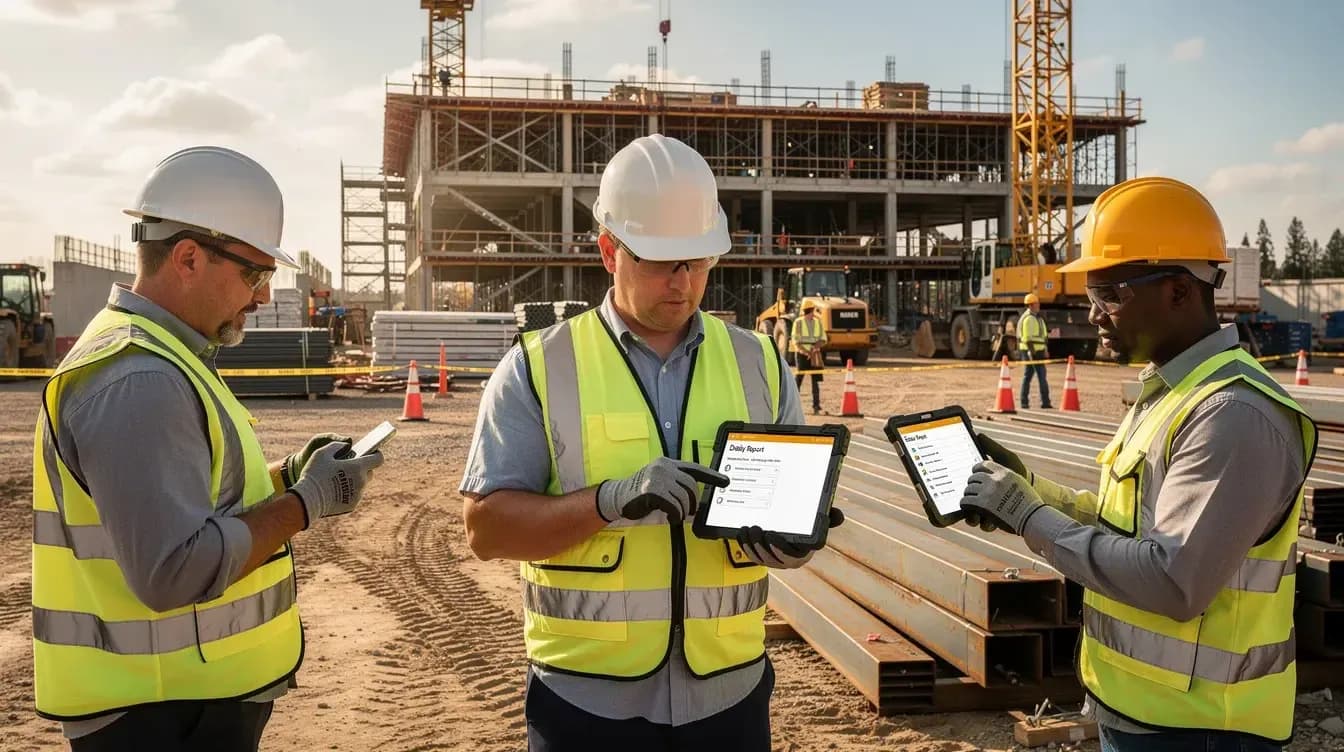
Custom construction management software centralizes schedules, costs, documents, and field data in one place. It can automate repetitive tasks, improve scheduling accuracy, and enable real time cost control. Document management with version control ensures the latest specifications are available to every team member. Field data capture with mobile access helps improve project management accuracy, even on remote jobsites.
SoftDoes typically designs such systems with scalable cloud backends on AWS, Azure, or GCP and modern front ends, aligning with its broader digital transformation services to ensure they remain adaptable for at least five to seven years.
Custom vs Off the Shelf Construction Software: Where Each Fits
Both custom software and off the shelf platforms have a place. The goal is knowing which is right for each part of your construction tech stack.
Where buying software off the shelf works well:
- Generic CRM and contact management
- Standard accounting and time tracking
- Simple project management for small teams
- Basic safety documentation with vendor support and maintenance included
Buying software is faster for standardized needs. Off the shelf software typically offers vendor support and maintenance that smaller firms find valuable when they lack in house tech capacity.
Where custom software or custom extensions win:
- Complex multi company projects with integrated cost and schedule control
- Owner, GC, and subcontractor portals with tailored access
- Union and cross border payroll compliance
- Unique risk reporting, estimating models, or compliance workflows
Custom software offers unparalleled flexibility and tailored functionality. Custom solutions can streamline operations beyond what off the shelf options deliver, especially when your business processes rely on spreadsheets and manual workarounds.
The first filter in any buy decision is simple: for every workflow, ask "Is this standard, or is it specific to us?"
When to Build Software for Construction vs When to Buy Software
This is the practical decision making section. Here's a checklist to help construction leaders decide whether to go custom or stick with shelf software for each major workflow.
Signs that buying off the shelf is enough:
- Your specific needs align 80% or more with a major vendor's features
- Speed to deployment matters more than differentiation
- Budget is fixed and predictable
- Your team lacks an internal development team or engineering team
- The opportunity cost of waiting for a custom build is too high
Signals that building software is justified:
- You have proprietary estimating methods or a proprietary algorithm that drives your win rate
- You run complex self perform operations or specialty trades
- Specialized reporting directly impacts your competitive edge
- Your team spends hours each week on duplicate data entry, manual exports, or reformatting reports
Custom software can be designed to accommodate future growth. Scalability allows custom platforms to evolve with new project types or shifting operational needs. Custom software enhances productivity by aligning with unique business processes rather than forcing your people into generic templates.
Revisit the buy decision every two to three years. Subscription costs, user counts, and workarounds tend to creep up in growing construction businesses.
Competitive Advantage in Construction: Where Custom Software Really Pays Off
In construction, competitive advantage comes from how fast and accurately you estimate, how reliably you hit schedules, and how transparently you communicate with owners and subs. These aren't areas where "good enough" software cuts it.
Custom construction management software lets you codify your best foremen's and project managers' workflows into systems. Standardizing how your team handles RFIs, change orders, and daily reports means fewer missed items, better documentation for disputes, and processes your competitors cannot easily copy. Custom software provides unique features for competitive differentiation that generic platforms never will.
Consider a mid sized GC in Texas or Ontario that built custom takeoff and bid packaging tools. By automating quantity takeoff and integrating their historical cost library, they reduced bid cycle times by roughly 30%. That's not a marginal improvement. That's winning work your competitors are still manually preparing for.
Tailoring features to business processes can enhance field to office communication and reporting. Better field to office communication can be achieved through mobile data collection tools that sync in real time. Custom workflows can automate tasks and reduce administrative overhead in construction management, and real time updates and centralized data reduce miscommunications and rework.
When you own your algorithms, templates, and rules, you can refine and protect your advantage over time instead of relying on the same tools everyone else uses.
Ownership, Intellectual Property, and Full Control Over Your Platform
Many construction firms in the U.S. and Canada find vendor lock-in and limited access to project data hinder innovation. When your software vendor controls data exports, feature roadmaps, and integration priorities, you build your business on someone else's foundation.
Custom software offers full ownership of intellectual property, code, data models, workflows, integrations, and reporting that make your operation unique. This ownership gives you control over feature additions, integration priorities (Sage, QuickBooks, Viewpoint, scheduling tools), and how you manage decades of project history, instead of waiting on a vendor's roadmap.
Custom ownership does come with responsibility for maintenance and security. That's why most firms partner with a reliable engineering team like SoftDoes instead of hiring a one off freelancer or relying on a single internal hire.
Build vs Buy for Construction: Total Cost of Ownership in the Long Run
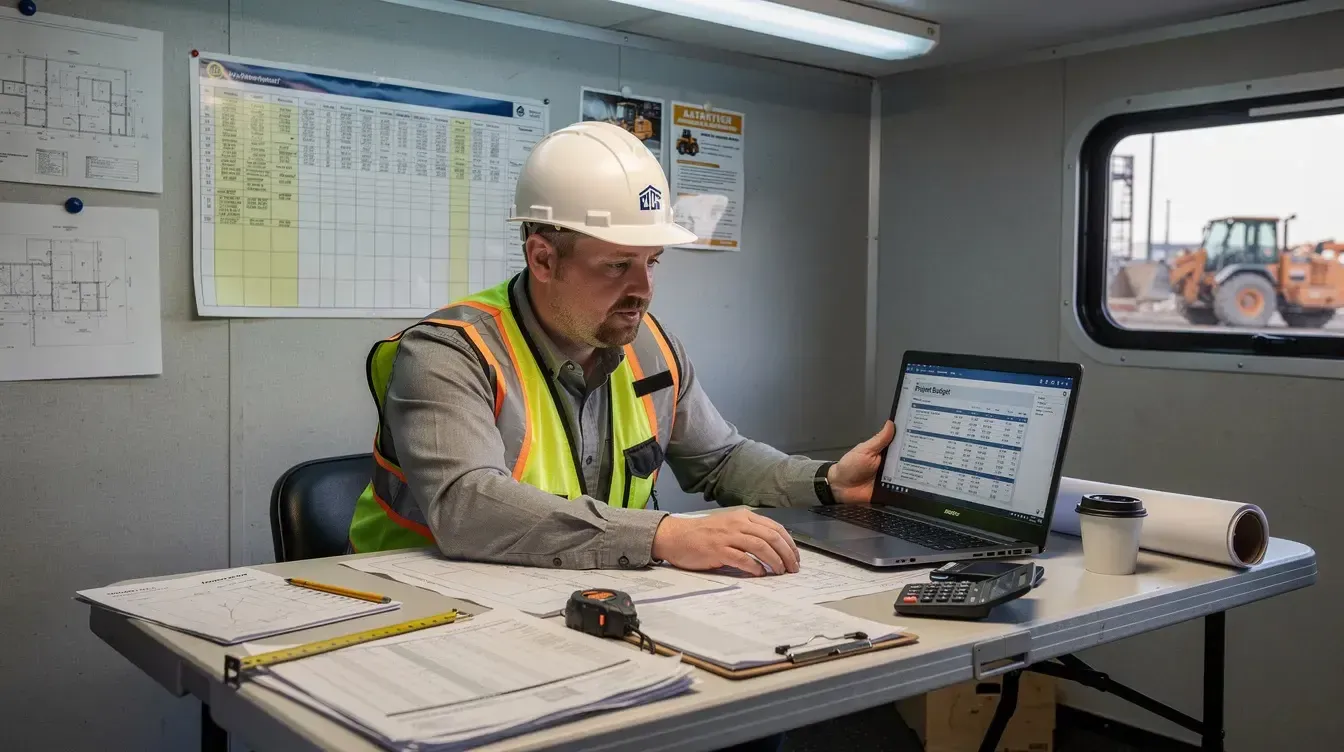
A realistic five-year total cost of ownership (TCO) often changes the build vs buy decision.
Costs when buying off the shelf:
- Per user licenses ($29–$49/user/month for small teams; $10,000–$200,000+/year for enterprises)
- Implementation costs (1 to 3 times the annual license)
- Integration fees, training, consulting
- Renewal uplifts (5–14% annually)
- Add-ons like financials or analytics
Buying software can cost 3–5 times more as user count grows.
Costs when building software:
- Discovery and design upfront
- Development sprints (MVP: $65,000–$85,000; full platform: $150,000–$300,000)
- Cloud infrastructure and hosting
- Ongoing support, bug fixes, feature upgrades
66% of software projects exceed budgets. Build TCO can triple initial costs. Maintenance often consumes over half the lifecycle cost and may exceed original build costs if unmanaged. Total cost of ownership often underestimates hidden costs by 2–3 times on both sides.
But dedicated support for custom software minimizes downtime and maximizes productivity. A California based contractor with $300M+ in revenue replaced multiple third party tools with a custom build, cutting over $150,000 per year in licensing alone. For firms spending $50,000 or more annually on SaaS vendors for features they barely use, a custom build often pays for itself in 18 to 24 months.
The key is running honest numbers for your specific situation.
Low Code, Common Builds, and Hybrid Approaches for Construction
Not every software decision is binary. There is a third option between building from scratch and purchasing a rigid off the shelf platform.
Low code platforms like Microsoft Power Apps let non-developer teams build workflows, forms, and lightweight apps quickly. These bridge the gap between full custom software and rigid shelf software but have tradeoffs: performance limits, scalability concerns, and lock-in similar to buying software from another vendor.
SoftDoes uses "common build" patterns: reusable modules for daily logs, photo and document capture, safety checklists, and punchlist tools tailored slightly for each client. This cuts development time without losing flexibility.
A hybrid approach works well in practice. You buy a core platform for project management, then use APIs and low code to build custom layers for dashboards, owner portals, or cross system reporting. Custom software allows seamless integration with existing systems and allows for tailored integration with specific workflows.
The critical rule: ensure you can export your data and, if needed, rebuild key components with full control. Otherwise, low code platforms become another form of lock-in.
Architecture, Integration, and Data Strategy for Construction Firms
Custom construction management software must solve the "islands of data" issue common in contracting.
Key integrations include:
- Accounting and ERP (Sage Intacct, QuickBooks, Viewpoint)
- HR and payroll
- BIM and CAD tools
- Scheduling software
- Safety and compliance systems
- Owner and subcontractor portals
Integration capabilities ensure smooth data exchange with existing accounting and ERP systems. Custom software can seamlessly integrate with existing systems when the architecture is designed around strong APIs and data pipelines. Integration density signals the need for strong APIs in software, and poor API design is where many internal tools fail.
Be aware that integration costs can add 30 to 40% to SaaS implementation budgets, a hidden expense often overlooked when buying off the shelf.
A unified project data model across bids, budgets, RFIs, changes, and field logs gives executives better forecasting and cash flow visibility. Centralized project information access cuts time spent searching emails and spreadsheets. Reporting and analytics dashboards provide customizable key performance indicators, and SoftDoes designs these with options to add AI and ML later for predicting schedule risk or cost overruns.
Security, Compliance, and Risk Management in Construction Software
Construction companies handle sensitive owner data, site photos, safety reports, and sometimes regulated information for healthcare or government projects in North America. Security is critical in any software decision.
SaaS vendors provide many security controls, but they may not fully align with your firm's policies or contract requirements. Custom software can be designed to comply with industry regulations and tailored to meet specific rules, including SOC 2, HIPAA, or Canadian data residency.
Risk, safety, and compliance tracking are essential in construction management software. Custom solutions enforce access controls per project, region, or role, protect data in transit and at rest, and maintain audit trails for disputes.
For firms doing public sector, energy, or critical infrastructure work, factor security and compliance into the build vs buy decision from day one, drawing on partners experienced in data-driven oil and gas software and other regulated domains.
How SoftDoes Helps You Decide: Buy Software, Build Software, or Go Hybrid
SoftDoes works with North American construction clients through a clear evaluation, not a sales pitch.
The process includes three steps:
- Map your processes, marking each as standard or unique.
- Inventory your current tools and calculate a 3-5 year total cost of ownership including subscriptions, workaround labor, and integration costs.
- Identify where custom development or low code offers measurable benefits versus where off the shelf software fits best.
SoftDoes stays vendor agnostic. If an off the shelf system meets 80% of your needs and the rest can be handled with small extensions, that's the recommendation. Custom software requires ongoing internal support and maintenance, so we recommend building only when the business case is clear. Custom construction management software boosts efficiency by aligning with your actual workflows, justifying the investment.
If you're committed to exploring this, bring your current construction tool stack and pain points to SoftDoes for a structured assessment and roadmap.
Benefits of Working with SoftDoes on Custom Construction Management Software
Here's what U.S. and Canadian construction companies get from partnering with SoftDoes as their construction and manufacturing software development company:
- Mission critical reliability. SoftDoes builds custom software, AI/ML solutions, and cloud infrastructure designed for uptime on active jobsites where downtime means lost labor hours.
- Construction domain understanding. We model real workflows: RFIs, submittals, inspections, safety checklists, change orders, and progress billing. This is not generic project management dressed up for construction.
- Flexible engagement models. Choose discovery consulting, full custom builds, or ongoing product teams that maintain and evolve your platform after launch.
- Ownership and knowledge transfer. You get stable code ownership, documentation, and knowledge transfer to your staff so your company is never dependent on a single vendor or developer, backed by a Kansas City-based custom software team that works directly with your stakeholders.
- Future ready roadmap. Your platform can later add AI scheduling, risk prediction, or site photo analysis, using data collected from day one.
Practical Next Steps for Contractors Considering Custom Construction Software
Here's an action oriented checklist to move from theory to concrete next steps over the next 30 to 90 days.
- List your pain points. Duplicate data entry, change orders slipping through cracks, slow RFIs, lack of real time cost visibility, or managing multiple disconnected tools.
- Audit your processes. For each phase (bidding, planning, field execution, closeout, maintenance), mark it as "works well with current tools" or "specific to us and problematic."
- Calculate your spending. Add subscription fees, per user costs, integration expenses, and hours spent on workarounds. Custom build may be cheaper than expected.
- Talk to your team. Field supers and project managers will highlight software shortcomings, driving better projects and adoption.
- Get a structured assessment. Share your findings with SoftDoes for a discovery call, leading to a written proposal that outlines whether to stick with existing platforms, extend them, or plan a phased custom build.
The software decision you make today shapes your efficiency, customer experience, and project margins for years. Whether you buy, build, or go hybrid, base your choice on real data, not assumptions.













Comments (0)
No comments yet.