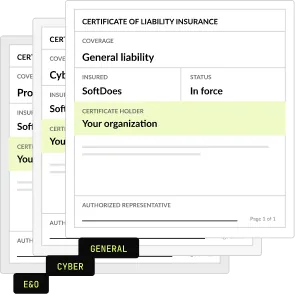


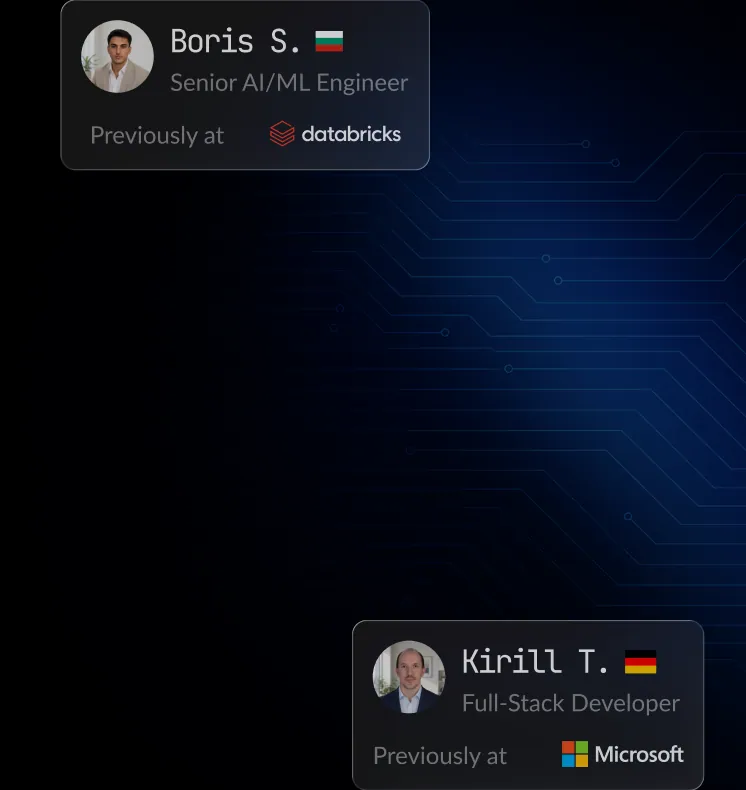

Hire HTML5 Developers With U.S. Support
Need predictive analytics and AI-driven insights? Hire expert HTML5 developer for smarter decision-making.
Senior HTML5 Engineers
Only vetted developers with 5+ years of experience.
24h Candidate Match
Receive the first matching profiles within one business day.
Delivery Team Included
We provide a complete delivery team to ensure results.
























Hire remote HTML5 Developer
Discover developers that match your project requirements.
Principal DevOps / Site Reliability Engineer with 14+ years of software engineering experience (including freelance development) and 9+ years of professional DevOps/SRE experience. Expert in designing and automating scalable cloud infrastructure across AWS, GCP, Azure, a company Cloud, with deep expertise in Kubernetes, Docker, OpenShift, Terraform, Ansible, GitOps (ArgoCD/FluxCD), CI/CD, Go, and Python. Experienced in building multi-cloud, high-availability platforms, infrastructure automation, cloud migrations, and developer platforms. Currently working as Principal Engineer at FOX, previously held senior engineering roles at Hippo Insurance, a company, and Morgan Stanley.

Lead React frontend engineer with 9+ years building enterprise web applications using React.js, Redux, HTML5, CSS3, and JavaScript from architecture through production support. Strong in accessibility, performance tuning, testable code, Webpack, Node.js, and translating product requirements into scalable, user-friendly interfaces for fast-paced teams. Known for leading frontend standards, improving application speed, and delivering clean, maintainable web applications across new development and legacy systems.
AG
Senior Node Developer with hands-on experience in JavaScript, TypeScript, Express.js.
AK
5+ years of experience contributing to architecture, design, and full lifecycle development of mobile software applications. Strong knowledge of mobile development best practices, modern frameworks, and libraries. Highly motivated and passionate, committed to delivering the best outcomes, and consistently pushing the boundaries of what's possible. In addition, his communication skills are strong, and he has experience mentoring colleagues.
AB
An experienced web developer with 6 years of expertise in backend development, specializing in Python-based frameworks. Skilled in building robust web applications and managing complex backend processes, with a strong understanding of both front-end and back-end technologies. Known for a proactive and collaborative approach, working effectively in team environments while also being able to take ownership of tasks and work independently. Possesses solid problem-solving and analytical skills, with a keen ability to adapt to new technologies and methodologies. Comfortable working in agile environments, and always encourages clear communication and transparency within teams to ensure project success.
AL
6+ years of production experience in Kotlin backend development for high-loaded apps. Strong expertise in microservice architecture, cloud-based systems, and implementing innovative gaming mechanics that improve user retention. Implemented a new type of gaming event with the integration of adjacent services that brought 500.000 regular users. Created new gaming mechanics and built microservice architecture for mobile applications with an audience of over 4.5 million users.
AK
Senior Node.js Developer offering 6+ years in the IT industry. My background includes expertise in developing web, client-server and other applications using Node.js, Express, Nest.js, LoopBack, and Sequelize. Highly motivated and passionate, committed to delivering the best outcomes, and consistently pushing the boundaries of what's possible. In addition, his communication skills are strong, and has experience mentoring colleagues. He is experienced in testing throughout the full system development life cycle.
AB
Senior+ Front-End Developer with hands-on experience in HTML5, JavaScript, ES6.
AN
Results-oriented .NET software developer with over 6 years of experience specializing in back-end development.
AN
Strong back-end developer has 5 years of experience on commercial projects. Confident with back-end development, strong in project architecture skills.
AS
With 6+ years of experience in web development, I have primarily focused on creating the frontend part of applications. My responsibilities include developing projects from scratch, starting with the idea and architecture prototyping, and concluding with delivering a final product. I possess a good understanding of OOP and design best practices, ensuring that I always deliver clean and optimized code, as well as a well-designed frontend layout. I am a good team player, but I can also work well independently. I have excellent communication and interpersonal skills, which I use to lead a team, coach newcomers, and provide technical training.
AS
React Native developer with 4,5+ years of experience in cross-platform mobile and web development. The technology stack includes JavaScript as the main programming language and some of the most popular front-end libraries (React Native, React). Responsible, attentive to details, and self-motivated person. An efficient team player with superior communication and interpersonal skills. Industries: FinTech, Multimedia, Enterprise, Product.
What our HTML5 Developers can build

Which engagement model is right for you?
One engineer, ongoing delivery support, or a complete product team. You set the dial. The firm stands behind every level.

Strengthen your existing engineering team with senior specialists who integrate seamlessly into your workflows while you retain full ownership of priorities, roadmap, and day-to-day management.
- Senior engineer(s) integrated into your team.
- Fast onboarding into your workflow.
- Flexible monthly engagement.
- Replacement guarantee if needed.
- Direct communication and full transparency.

Ideal for teams that need experienced engineers backed by technical leadership, ensuring faster onboarding, predictable execution, and consistent delivery without adding management overhead.
- Dedicated senior engineer(s).
- SoftDoes delivery oversight.
- Regular technical and delivery check-ins.
- Optional code reviews and QA support.
- Escalation management.
- Replacement support.
- Flexible team scaling.

Launch products faster with a ready-to-work cross-functional team that brings together the right expertise from day one, helping you scale without the complexity of hiring each role individually.
- Engineers, QA, Designers, PMs, Tech Leads - assembled to fit your project.
- Cross-functional collaboration.
- One engagement structure and one point of contact.
- Easy scaling up or down.
- Team continuity throughout the project.
Need the outcome, not the team?
SoftDoes also delivers complete projects end to end.
- End-to-end project ownership.
- Dedicated Project Manager.
- Engineering, QA, Design, and Product expertise.
- Delivery planning and sprint management.
- Quality assurance throughout development.
- Transparent communication and regular progress updates.
- One accountable partner responsible for successful delivery.


Not sure which engagement model fits?
SoftDoes takes full ownership of delivery, combining project management, engineering, design, and QA into one accountable team focused on successful outcomes.
FIND THE
RIGHT expert, FASTER
Choose a role. Filter by technology.
Discover developers that match your project requirements.
Hire developers by role


Hire developers by tech stack
































Hire developers by industry











What we do for you
From sourcing and vetting to onboarding and ongoing support, we handle the entire process so you can focus on building products instead of managing hiring.




$14.5 / per hour
- Personal Recruitment
- Payroll Management
- Time Management & Reports
- 24/7 Support
- Free Trial

ONE ENGAGEMENT, NO SURPRISES
Work with senior engineers on a flexible monthly engagement. No recruiting fees, no long hiring cycle, no surprises in the invoice. Every placement is vetted, guaranteed, and backed by a firm you can reach when something needs attention.
Whatever Your HTML5 Challenge, We've Solved It Before
Whether you're scaling your team, modernizing an application, or accelerating product delivery, our React engineers become an extension of your team from day one.



Great engineering talent, simplified.
Remote developers - interviewed, verified, and ready for you.
Frequently Asked Questions
Everything you need to know about working with SoftDoes. Can’t find an answer?
How long does it typically take to hire developers with proven HTML5 expertise?
Through traditional recruiting, finding a senior engineer with real HTML5 depth often takes several weeks to a few months, because you must source, screen and interview many candidates who list the skill without truly mastering it. Notice periods add more time on top of that. Working with a partner that keeps a bench of pre vetted engineers changes the timeline significantly. SoftDoes can usually present matched candidates within days and have a specialist or pod working in your repositories shortly after you approve them. The exact pace depends on how clearly your scope, seniority level and supporting stack are defined from the start.
What does it cost to hire a developer or team with deep HTML5 expertise?
Cost depends on seniority, location, the breadth of the supporting stack and the engagement model you choose. A full time in house senior hire in the US or Canada carries salary, benefits, recruiting fees and the internal time spent screening candidates. A dedicated engineer or pod through a delivery partner converts most of that into a predictable monthly rate with recruiting, replacement and management overhead already included. SoftDoes prices engagements based on your actual scope, so you are not paying senior rates for template work or junior rates for architecture decisions. A short discovery call is the fastest way to get an accurate estimate.
What engagement models are available for HTML5 projects, such as a dedicated hire, a pod, or a contract?
SoftDoes offers several flexible models so you can match the engagement to the work. A single dedicated specialist fits teams that already have frontend leadership and need extra capacity or accessibility expertise. A pod combines HTML5 engineers with frontend developers, QA and delivery management, which suits larger builds such as a redesign, a component library or a new product launch. Project based contracts work well for clearly scoped efforts like an accessibility remediation or a landing page program. You can start with one model and move to another as your roadmap evolves, without restarting the hiring process from scratch.
How do you ensure time zone alignment with a team skilled in HTML5?
SoftDoes is focused on clients in North America, so we build teams around your working hours rather than asking you to adapt to ours. Engineers commit to substantial overlap with your core business day, which means standups, design reviews and code reviews happen in real time instead of through overnight handoffs. We agree on communication channels, meeting rhythm and response expectations during onboarding so everyone knows how work flows. For pods, a delivery lead coordinates priorities and keeps your stakeholders updated. This setup lets your designers, marketers and product managers collaborate with the HTML5 team as easily as with colleagues in the same office.
How does SoftDoes technically vet developers for HTML5 expertise?
Our vetting goes well beyond reading resumes or running a multiple choice quiz. Senior engineers review candidates' shipped work by inspecting the actual markup for semantic structure, accessible forms, heading order and image handling. Candidates then complete a practical build task that requires native validation, responsive images, accessible components and sensible performance choices, and they explain their reasoning in a live session. We probe their knowledge of WCAG criteria, structured data, Core Web Vitals and platform features like the dialog element and Web Components. Finally, we assess communication, code review habits and teamwork, because strong markup skills only help when engineers collaborate well.
What support is available for scaling the team after launch as our HTML5 needs grow?
Launch is usually the point where frontend needs expand, not shrink. With SoftDoes you can add engineers to an existing pod, bring in complementary skills such as JavaScript framework work, QA or accessibility auditing, or scale down when a phase ends. Because our people work inside a team delivery model, new members inherit established conventions, documentation and review practices, which shortens their ramp up considerably. Our replacement guarantee means that if a fit is not right, we provide a new engineer without restarting your search. Your delivery lead reviews capacity with you regularly so the team grows in step with your product roadmap.
How to Hire Developers Skilled in HTML5


Most teams hire for HTML5 the same way: someone lists it as a skill, passes a quick quiz, and three months later your product is a tangle of clickable divs, broken forms and pages that screen readers cannot parse. The better outcome is a frontend built on clean, semantic markup that ranks well, loads fast, converts on mobile and keeps you clear of accessibility complaints. This guide shows you how to define what you actually need, where to find real HTML5 specialists, how to vet them beyond the resume, and how to onboard them so they ship production ready work quickly.
What HTML5 Really Does for Your Product
How HTML5 Shows Up in Day to Day Engineering Work
HTML5 is the foundation every browser reads first. In production it decides how your pages are structured, how assistive technology interprets them, how search engines index them and how quickly users see content. A strong HTML5 engineer treats markup as architecture, not as a wrapper around JavaScript. Typical daily work includes:
- Semantic page structure. Building layouts with header, nav, main, article, section, aside and footer so that search engines and screen readers get a real document outline. This replaces div soup, where every element is a generic container and the meaning of the page is lost entirely.
- Accessible components. Using native buttons and links instead of styled divs, tying labels to inputs, writing useful alt text, keeping heading order logical and adding ARIA only where native elements cannot do the job. The usual target is WCAG 2.1 or 2.2 level AA across every template.
- Forms that convert. Choosing the right input types such as email, date and number, applying required and pattern validation, and setting autocomplete attributes. This cuts custom JavaScript, brings up the correct mobile keyboard and lets password managers and payment autofill work smoothly during signup and checkout.
- Media and graphics. Shipping video and audio elements with captions through the track element, serving responsive images with srcset, sizes and picture, enabling native lazy loading, and using canvas or inline SVG for charts, icons and interactive graphics without pulling in heavy plugins or extra libraries.
- SEO and sharing markup. Keeping one clear h1 per page, writing meaningful titles and meta descriptions, setting canonical links and Open Graph tags, and adding structured data in JSON LD with schema.org types like Product, Article, FAQPage and Organization so pages qualify for rich results.
- Performance at the markup layer. Adding preload and preconnect hints, loading non critical scripts with defer or async, setting width and height on images to prevent layout shift, and keeping the DOM lean. These choices directly shape Core Web Vitals such as LCP, INP and CLS.
Why Strong HTML5 Skills Pay Off at the Business Level
Weak markup rarely breaks a demo, which is why it gets overlooked. It shows up later as lost traffic, legal risk and slow delivery. Investing in real HTML5 expertise protects you in four concrete ways:
- Lower legal and reputational exposure. In the US the ADA and in Canada the AODA create real liability for inaccessible websites. Since accessibility is mostly an HTML problem, engineers who write correct semantics and form labels from day one keep you out of costly remediation projects and demand letters later.
- Faster delivery cycles. Native browser features like form validation, the dialog element and details and summary replace custom code that someone would otherwise have to write, test and maintain. Less code means fewer bugs, shorter review cycles and features that reach production sooner with less rework.
- Less technical debt. Clean, semantic markup is easier to restyle, refactor and migrate between frameworks. When the HTML layer is solid, a redesign or a move to a new component library becomes a manageable project rather than a rewrite of every page and template.
- Scalable, discoverable architecture. Consistent structured data, canonical tags and fast loading templates scale across hundreds or thousands of pages. Your marketing site, product pages and documentation all benefit from the same patterns, so organic search and sharing improve as the site grows instead of degrading.
Getting Ready Before You Open the Role
Map Your Real HTML5 Needs Before You Start Sourcing
Before you write a job post, get clear on what kind of HTML work you actually have. HTML5 skills show up very differently in a marketing site, an email program, a design system and a complex web application. Talk to product, design, marketing and engineering leads to list the surfaces the hire will own, the quality bar you expect and the gaps in your current codebase. If you are planning a larger build, it helps to scope it alongside a partner experienced in custom web app development so the hire fits the architecture rather than the other way around.
Scope the Project and Audit Your Current Markup
Start with an honest audit of what exists. Run your key templates through an accessibility checker and a Core Web Vitals report, and review how forms, images and structured data are built today. Note whether you are fixing an existing site, launching new landing pages, building a component library or maintaining HTML email. Each of these demands a different focus. Landing pages need speed and SEO markup. Component libraries need Web Components or framework patterns with strong accessibility. Email needs table layouts and inline styles because clients support only a subset of HTML and CSS. Write this scope down before you talk to any candidate.
Choose the Right Seniority and Supporting Stack
Decide how much judgment the role requires. A junior developer can implement templates from a clear spec, but a senior engineer should own accessibility standards, performance budgets and markup conventions for the whole team. HTML5 rarely stands alone, so define the complementary stack as well. Most roles also need CSS3 and JavaScript, and many need a framework such as React or Vue, a static site generator or a headless CMS. Be specific about which tools matter on day one and which can be learned. Clear expectations here prevent you from paying senior rates for template work or hiring juniors into architecture decisions.
Decide Between In House Hires and a Dedicated Remote Pod
An in house hire makes sense when HTML5 work is core and permanent, and you have senior engineers to mentor and review. It takes longer to recruit and carries full employment cost. A dedicated remote pod fits when you need several skills at once, such as markup, accessibility, frontend engineering and QA, or when deadlines do not allow a long search. Pods arrive with established review habits and can scale up or down with your roadmap. Many companies combine both models: a small internal core that owns standards, supported by a dedicated team that expands delivery capacity when needed.
Writing a Requirement Profile That Attracts True HTML5 Experts
A vague post listing "HTML, CSS, JavaScript" attracts everyone and filters no one. A strong requirement profile tells experienced engineers exactly what problems they will solve. Cover these four elements:
- The technical mission. State the outcome, not just the tasks. For example, rebuild the product marketing templates to meet WCAG 2.2 AA and pass Core Web Vitals, or create an accessible component library used by three product teams. Senior candidates respond to concrete, measurable goals with clear ownership.
- The ecosystem and tooling. List the frameworks, build tools, CMS, testing setup and browsers you support. Mention accessibility tools like axe or screen readers you test with, performance monitoring, and whether email templates are in scope. This lets candidates judge fit quickly and signals that your team takes quality seriously.
- Team dynamics. Explain who the hire works with daily: designers, backend engineers, marketers or content editors. Describe how code review works, who owns design decisions and how releases happen. Engineers want to know whether they will set markup standards or follow existing ones, and how much influence they will have.
- System impact. Show how the role affects the business. Describe the traffic the pages serve, the conversion flows they power, or the products that depend on the component library. When candidates see that their markup decisions affect revenue, search visibility and legal compliance, the right people self select into your process.

Let’s Turn Your Idea into Scalable Software
Book a call with the representative to get answers to all the questions you may have.
Sourcing, Vetting and Onboarding HTML5 Talent
A Hiring Process That Separates Real HTML5 Skill from Keyword Matching
Almost every frontend resume lists HTML5, so the keyword tells you very little. Your process needs to surface how candidates think about structure, accessibility and performance, and how they behave when constraints get tight.
Where to Find Proven HTML5 Engineers
Standard outbound recruiting casts a wide net through job boards and LinkedIn searches, but it produces long lists of candidates who all claim the same skills. Screening them takes weeks of your senior engineers' time. Pre vetted talent networks work differently because candidates have already passed technical assessments and have a track record on real HTML5 projects. Tapping into a curated talent network lets you skip the first filtering rounds and spend interview time only on people who can already do the work. Whichever channel you choose, ask for live examples of shipped pages you can inspect directly in the browser.
How to Vet Candidates Beyond the Resume
Start by opening a candidate's past work and inspecting the markup. Look for semantic elements, labeled forms, sensible heading order and image dimensions. Then run a practical task: give them a design for a signup page and ask them to build it with accessible markup, native validation and responsive images, explaining each choice. Add a constraint, such as removing JavaScript or supporting an email client, to see how they solve problems under pressure. Finish with a conversation about how they review code, push back on design decisions and document standards. That reveals culture fit far better than generic behavioral questions.
Your First 90 Days with a New HTML5 Engineer or Pod
A good hire can still stall without a clear start. Structure the first three months so the engineer or pod gets access fast, learns your standards and ships real work early:
- Days 1 to 30: access and orientation. Grant repository, CMS, design file and staging access on the first day. Share your markup conventions, accessibility target and browser support matrix. Assign a small, real task such as fixing form labels or image attributes on one template, so they ship to production within the first two weeks.
- Days 31 to 60: ownership of a defined area. Hand over a complete surface, such as a landing page set, a group of components or the email templates. Expect them to run accessibility and performance checks on their own, raise issues in code review and propose improvements to existing markup patterns based on what they have learned so far.
- Days 61 to 90: standards and scale. By now a senior engineer or pod should be shaping conventions, documenting component usage and mentoring others on semantic markup. Review measurable outcomes like accessibility audit results, Core Web Vitals scores and delivery pace, then agree on the roadmap and whether the team needs to expand.
Choosing with Confidence
Warning Signs and Strong Signals in HTML5 Interviews
Use these signals during technical interviews to separate surface familiarity from real mastery.
Red flags:
- Div soup everywhere. The candidate builds everything with div and span elements and attaches click handlers to non interactive elements. When asked about buttons versus links or landmark regions, they struggle to explain the difference, which means accessibility and SEO problems will follow them into your codebase.
- ARIA as a first resort. They sprinkle role and aria attributes over custom widgets instead of using native elements that already work. Overusing ARIA often makes pages less accessible, and it signals that the candidate does not understand what the browser gives you for free.
- Ignoring forms and validation. Every input is type text, labels are missing, and validation lives entirely in custom JavaScript. This approach breaks mobile keyboards, confuses password managers and hurts checkout conversion, all problems that native HTML5 form features already solve with far less code.
- No view on performance. They cannot explain how markup affects loading speed, never set image dimensions and load every script synchronously in the head. Without that awareness, layout shift and slow rendering will quietly erode your Core Web Vitals, search rankings and user experience.
Green flags:
- Semantics by default. Their code naturally uses header, nav, main, article and footer with a clean heading outline. They can explain how screen readers and search engines read the page, and they treat structure as a design decision rather than an afterthought added at the end.
- Accessibility fluency. They test with a keyboard and a screen reader, reference WCAG success criteria comfortably, and know when native elements like dialog or details and summary beat custom widgets. They talk about accessibility as part of quality, not as a separate compliance checklist.
- Markup driven SEO and performance. They mention canonical tags, Open Graph, JSON LD structured data, preload hints, defer and responsive images without prompting. They understand how these choices connect to Core Web Vitals and organic traffic, and they can show pages where they made that impact.
- Range across HTML contexts. They have shipped work in more than one environment, such as Web Components, a design system and HTML email with table layouts and inline styles. This breadth shows they understand the browser platform deeply instead of relying on one framework's habits.
Why SoftDoes Is the Right Partner for HTML5 Delivery
SoftDoes is a software engineering and talent delivery partner focused on North America, serving clients across the US and Canada. We give you immediate access to senior engineers who have already been vetted on real HTML5 work, including semantic structure, accessibility, performance and SEO markup. You get a team delivery model rather than isolated freelancers, so reviews, QA and continuity are built in. Our replacement and scaling guarantees protect your roadmap if needs change. Engagements range from a single specialist to a full pod, and when your frontend also needs framework depth, you can extend the team with engineers who build React applications.
Ready to Build Your HTML5 Team?
If your frontend needs cleaner markup, stronger accessibility or faster pages, the right HTML5 engineers can make that happen quickly. Book a discovery call with SoftDoes and tell us about your product, your timeline and the gaps you see today. We will recommend the right mix of seniority and skills, introduce pre vetted candidates who fit your stack, and outline an engagement model that matches your budget. Schedule your consultation today and start shipping better HTML with confidence.