
Hire Tableau Designers With U.S. Support
Looking to hire a Tableau Designer? Our Tableau Designers bring senior-level expertise, backed by a U.S. delivery team.
100+
Fully Vetted Developers
24h
Average Matching Time
300
Project Delivered
























Hire remote Tableau Designer
Discover developers that match your project requirements.No exact match for this specialty yet — here are related experts from our network.

Software Engineer with 10+ years of AI/ML experience and proven expertise in developing LLM-powered applications, generative AI systems, and ad engines. Strong track record of scaling ML platforms from inception to 1,500+ users at a company, building production AI systems, and creating innovative ad solutions. Experienced in full software development lifecycle with deep knowledge of PyTorch, TensorFlow, and modern AI frameworks including LangChain, LangGraph, and various LLM APIs.
AN
Middle+ Business Analyst with hands-on experience in Hypothesis formulation, implementation, business owners.
LA
An experienced Business Analyst with almost 7 years of experience in analysis, research, Customer support, Customer engagement management, Requirements management and Scope framing. Roles played: Business Analyst, Team Lead, Product Analyst, Researcher, and Insurance Specialist • Strong knowledge in working with different types of Agile Software Development Methodologies. •Hands-on experience in gathering requirements, analyzing documentation, stakeholder management. • Proficiency in writing stories, acceptance criteria, and other Agile artifacts. • Familiarity with software development lifecycle (SDLC) and project management methodologies. • Great attention to detail when verifying the development team's work based on the requirements provided. • Experience in conducting different types of testing, writing defect reports, presenting, reviewing, analyzing the work done. • Great skills in organizing the work process with Scrum Framework. • Good communication and soft skills. • Prior experience in working and managing different groups of employees.
NS
Senior+ Business Analyst with hands-on experience in Business Analyst.
PV
As a Business Analyst with a product mindset and technical background, I apply empathy, organizational skills, and systems thinking to help grow my customers' businesses and products. I have hands-on technical experience in these domain areas: FinTech, Blockchain, Crypto, DeFi, Gov, Edu, Web3, AR / VR, GameDev. Additionally, I have solid experience working in presale, investigation /product discovery phases. and PMF validation. My professional interests include AI, product management and operations, natural language processing, and business automation.
RO
I am a persistent, organized, and creative person who is eager to continue my career path as a Business Analyst or Product Manager
SI
Senior Business Analyst with hands-on experience in Business analyst.
YK
I am a results-driven Business Analyst with great experience of commercial experience and a Bachelor's degree in IT and Business Analytics from UCU. Proficient in pre-sale activities and previously served as a Product Owner. Known for my responsibility, reliability, and self-management. Quick to grasp new concepts, highly motivated for continuous professional and personal growth. A creative thinker with strong communication skills. Thrive in fast-paced environments, adapt to change seamlessly, and excel under pressure
What our Tableau Designers can build

Which engagement model is right for you?
One engineer, ongoing delivery support, or a complete product team. You set the dial. The firm stands behind every level.

Strengthen your existing engineering team with senior specialists who integrate seamlessly into your workflows while you retain full ownership of priorities, roadmap, and day-to-day management.
- Senior engineer(s) integrated into your team.
- Fast onboarding into your workflow.
- Flexible monthly engagement.
- Replacement guarantee if needed.
- Direct communication and full transparency.

Ideal for teams that need experienced engineers backed by technical leadership, ensuring faster onboarding, predictable execution, and consistent delivery without adding management overhead.
- Dedicated senior engineer(s).
- SoftDoes delivery oversight.
- Regular technical and delivery check-ins.
- Optional code reviews and QA support.
- Escalation management.
- Replacement support.
- Flexible team scaling.

Launch products faster with a ready-to-work cross-functional team that brings together the right expertise from day one, helping you scale without the complexity of hiring each role individually.
- Engineers, QA, Designers, PMs, Tech Leads - assembled to fit your project.
- Cross-functional collaboration.
- One engagement structure and one point of contact.
- Easy scaling up or down.
- Team continuity throughout the project.
Need the outcome, not the team?
SoftDoes also delivers complete projects end to end.
- End-to-end project ownership.
- Dedicated Project Manager.
- Engineering, QA, Design, and Product expertise.
- Delivery planning and sprint management.
- Quality assurance throughout development.
- Transparent communication and regular progress updates.
- One accountable partner responsible for successful delivery.


Not sure which engagement model fits?
SoftDoes takes full ownership of delivery, combining project management, engineering, design, and QA into one accountable team focused on successful outcomes.
FIND THE
RIGHT expert, FASTER
Choose a role. Filter by technology.
Discover developers that match your project requirements.
Hire developers by role


Hire developers by tech stack































Hire developers by industry











Engagement Flexibility
Launch with a single senior engineer who can own development from day one. Validate ideas, ship faster, and scale only when your product requires additional capacity.
Expand naturally as new priorities emerge. Bring in frontend, backend, QA, DevOps, or design specialists without disrupting your existing workflow.
Transform individual contributors into a dedicated delivery pod. Combine engineering, QA, design, and product expertise working together toward shared outcomes.
Increase or reduce team size based on roadmap, funding, or workload. Stay lean during quieter periods and scale confidently when demand grows.
How to hire a Tableau Designer
Fill out a short form and see who's on the bench. Real profiles, verified histories.
Tell us what you need. We propose two or three candidates from the bench; you interview them directly.
Your engineer starts on your project. Contract, payments, and the guarantee run through us.
US VS. THE DATABASE

 >
>Frequently Asked Questions
Everything you need to know about working with SoftDoes. Can’t find an answer?
How long does it take to hire a Tableau Designer through SoftDoes?
A well defined full time search typically closes in five to eight weeks when run through traditional recruiting channels. SoftDoes compresses that timeline by maintaining a bench of pre vetted Tableau specialists who have already passed technical and cultural assessments. Depending on the specificity of your requirements, you can have a qualified designer introduced within days and working on your project within one to two weeks. The consultation process starts with understanding your stack, your data sources, and your business context so we match on substance, not just resume keywords.
What does it cost to hire a Tableau Designer?
Costs vary based on seniority, engagement model, and geographic market. Tableau developers typically charge between $40 and $120 per hour for contract or freelance work. Full time base salaries in the US range from roughly $60,000 to $85,000 for junior roles, $85,000 to $115,000 for mid level, and $115,000 to $150,000 or more for senior specialists. On top of base pay, factor in benefits overhead (typically 20% to 35% of base) and Tableau Creator licensing costs ($75 to $115 per user per month depending on your deployment). SoftDoes provides transparent pricing across all engagement models so you can compare total cost of ownership before you decide.
What engagement models are available (dedicated hire, pod, contract)?
SoftDoes offers four models. A dedicated specialist works best for ongoing dashboard development, governance, and iterative reporting. Staff augmentation or a dedicated remote Tableau developer slots into your existing team for predictable BI workflows. Project based engagements suit migrations, dashboard overhauls, or governance design where scope is clearly defined. The pod model pairs a Tableau designer with a data engineer, a UX strategist, or both, and is built for enterprise scale, cross departmental initiatives. You can start with one model and shift as your needs evolve.
How do you ensure time zone alignment with a Tableau Designer?
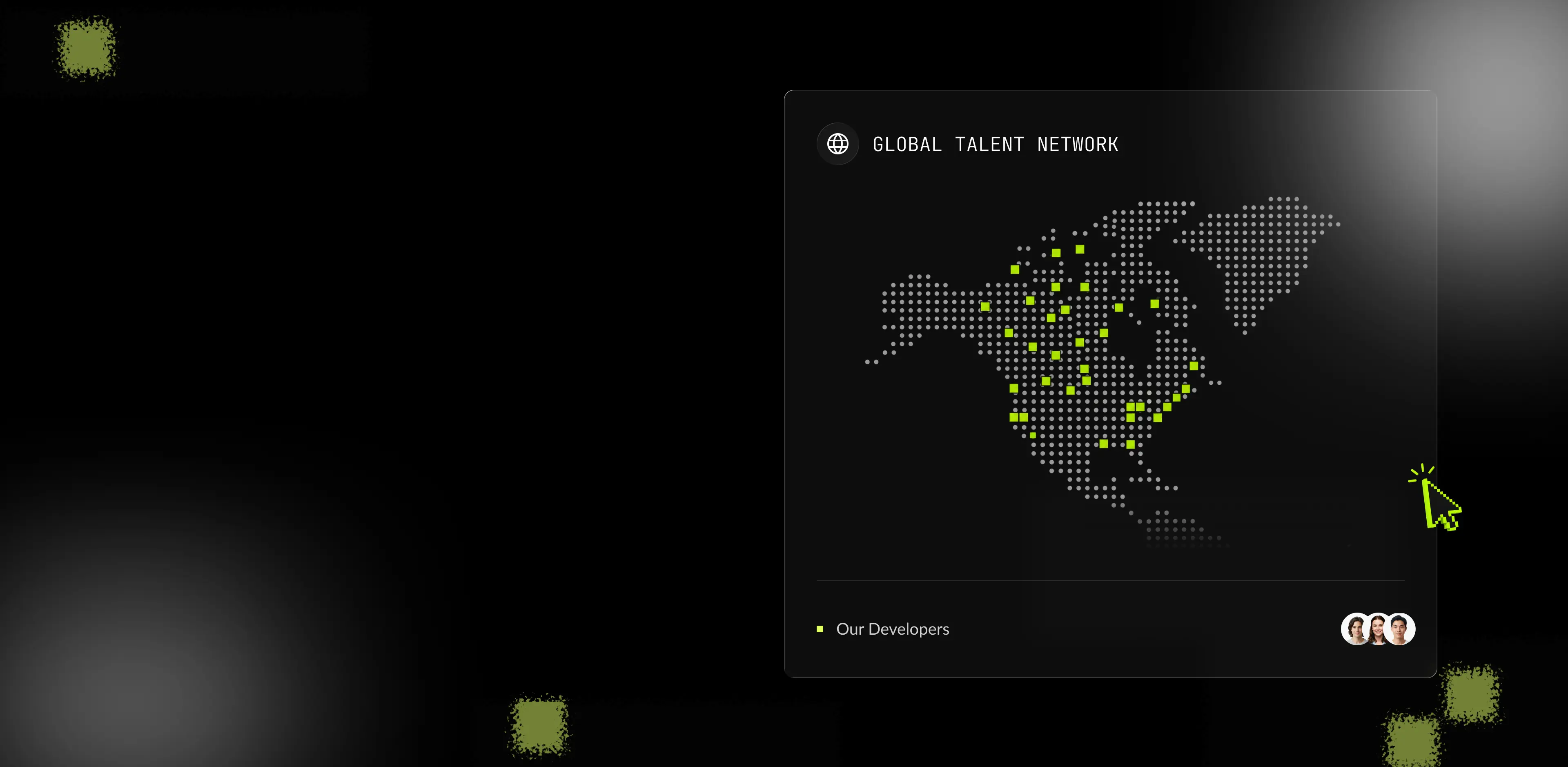
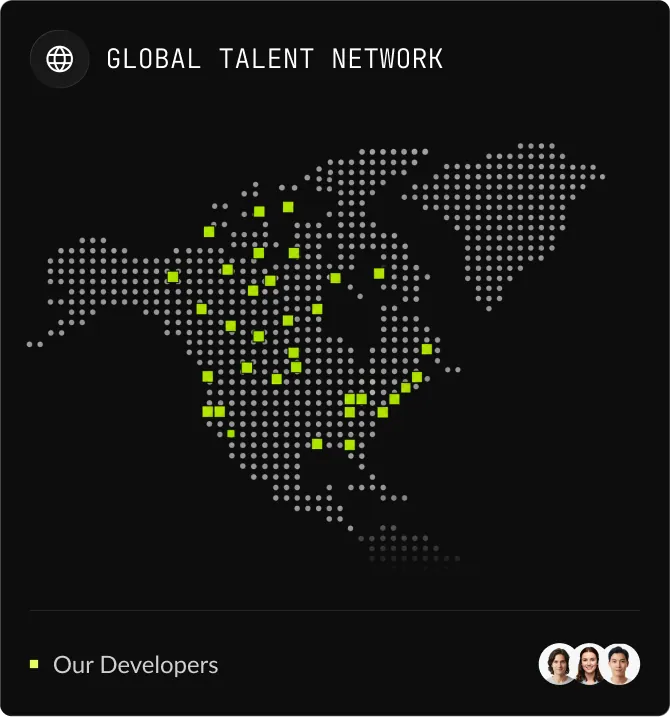
SoftDoes focuses on North American talent delivery, which provides natural overlap with US and Canadian business hours. For every engagement, we confirm overlapping working windows, establish regular collaboration routines (standups, weekly reviews), and align on communication tools your team already uses. If your project involves stakeholders across multiple time zones, we can structure coverage accordingly without sacrificing response times or reporting cadence.
How does SoftDoes technically vet a Tableau Designer?
Every candidate goes through a multi stage process. First, a technical screening covers SQL proficiency, data modeling knowledge, and deep Tableau capabilities including LOD expressions, table calculations, parameters, and performance optimization. Next, candidates complete a practical assessment: they receive raw data and a business scenario and must build a working dashboard from scratch, demonstrating how they clean, model, visualize, and optimize. We also evaluate analytical problem solving through governance scenarios (for example, reconciling conflicting KPI definitions across business units) and assess communication skills through stakeholder simulation exercises. Clients can work with Tableau designers on a trial basis before full engagement to validate fit in their own environment.
What happens if the Tableau Designer isn't the right fit, or I need to scale up or down?
SoftDoes includes a replacement guarantee in every engagement. If the designer does not meet your standards, we provide a replacement without restarting the search from scratch. If your project scope changes and you need to [hire data engineers](/talent/hire-data-engineers) alongside your Tableau specialist, or scale back after a dashboard migration wraps up, the engagement adjusts accordingly. You are never locked into a fixed team size or a rigid contract that does not reflect your actual workload.
How to Hire a Tableau Designer


Most companies looking to hire Tableau designers end up cycling through freelancers who deliver polished mockups but fall apart on performance tuning, data governance, or stakeholder communication. The result: months of lost time, dashboards no one trusts, and a growing pile of technical debt. This guide walks you through what a Tableau designer actually does, how to define your requirements, where to source and vet candidates, what to watch for during interviews, and how SoftDoes can remove the risk from the entire process.
What the Role Covers and Why It Matters to Your Business
What a Tableau Designer Actually Does Day to Day
A Tableau designer (sometimes listed as a Tableau developer in job postings) is not someone who drags columns onto a canvas and picks chart types. The role sits at the intersection of data engineering, dashboard design, and business communication. Tableau developers create interactive data visualizations and dashboards that support real time analytics and drive decisions across departments.
Here is what the daily work looks like in practice:
- Connecting and preparing data sources. This means writing SQL queries, joining tables from cloud warehouses like Snowflake or BigQuery, managing extracts versus live connections, and using Tableau Prep to clean and reshape raw inputs. Proficiency in SQL ensures the data is clean before visualization begins.
- Building advanced calculations. Tableau developers implement complex LOD expressions, table calculations, and parameters to transform complex data into usable metrics. This is where a data analyst background pays off.
- Dashboard layout and UX. Choosing appropriate chart types, designing drill downs and filters, building guided navigation, and applying best practices for color, whitespace, and mobile responsiveness. Data visualization balances strong UI/UX design and business storytelling.
- Performance optimization. Optimization of dashboards includes managing extracts and troubleshooting slow load times under heavy user traffic. A highly skilled designer knows how to reduce workbook bloat and architect for scale.
- Governance and security. Implementing row level security, managing publishing permissions on Tableau Server or Cloud, and enforcing compliance with industry regulations (HIPAA, PCI, SOC 2).
- Stakeholder collaboration. Gathering business requirements, storyboarding visuals, iterating on feedback, and translating insights into actions that managers and executives can act on immediately.
A great Tableau designer needs skills across the entire data pipeline, from source to storytelling. Tableau experts help clients gain insights from complex data sets by combining technical depth with the ability to communicate clearly to nontechnical stakeholders.
Why This Hire Is a Strategic Priority, Not a Staffing Exercise
Hiring the right person for this role has measurable downstream effects on your company:
- Faster time to insight. Well built interactive dashboards surface accurate metrics on demand. Executives stop waiting days for ad hoc reports and start making decisions in hours.
- Lower maintenance costs. Dashboards built with clean data modeling, proper governance, and optimized extracts require less rework. You avoid the cycle of patching brittle workbooks every quarter.
- Scalable analytics architecture. As your data volume and user base grow, a properly designed Tableau environment scales without breaking. Businesses enhance decision making with advanced Tableau dashboards that hold up under load.
- Reduced dependency on consultants. A strong internal or dedicated hire eliminates recurring consulting fees and keeps institutional knowledge inside your organization.
Tableau enables quick and easy data analysis and visualization when the person building the dashboards understands both the tool and the business context behind the numbers.
How to Prepare Before You Open the Role
Defining Your Needs Before You Start Sourcing
Skipping this step is the most common reason Tableau hires fail. Before you post a job, get clear on three things.
Project Scope and Requirements
Decide whether the hire will maintain existing dashboards, build new ones from scratch, or lead a migration from another tool (like Power BI or a legacy reporting system). Document the volume of data sources, expected refresh cadence (real time versus batch), calculation complexity, and any regulatory constraints. This clarity prevents scope creep and ensures you attract candidates with the right expertise.
Team Structure and Engagement Model
Determine where this person sits. Do they report into a data engineering team, an analytics group, or a product unit? Will they collaborate with data engineers and BI architects, or operate independently? Also decide whether you need a full time hire, a part time specialist, a project based contractor, or a pod that combines a Tableau designer with a data engineer and a BI strategist.
In House vs. Dedicated Remote Talent
In house hires offer tighter alignment with your culture and easier access to stakeholders. Dedicated remote talent opens a wider pool, enables flexible scaling, and can reduce costs. For regulated industries (finance, healthcare), consider whether proximity matters for compliance workflows. Remote setups require overlapping working hours, secure data access, and reliable communication processes. Both models work; the choice depends on how central analytics is to your operations.
Writing a Job Description That Attracts the Right Candidates
Generic job postings pull generic applicants. A strong job description for a Tableau designer covers four things:
- Mission and impact. State the problem they will solve: enabling executives to make data driven decisions, replacing manual reporting, or scaling analytics across business units. Candidates want to know their work matters.
- Stack and context. List the tools and infrastructure: SQL, Snowflake, BigQuery, Databricks, ETL pipelines, Tableau Cloud or Server. Mention whether a staging data layer exists. Tableau skills include knowledge of VizQL and Tableau Prep, so specifying your stack helps candidates self select.
- Team structure and growth path. Describe who they report to, who they collaborate with, and the maturity of your existing analytics team. Include opportunities to grow into data governance, analytics engineering, or leadership roles.
- Performance metrics. Define expected deliverables: number of dashboards per quarter, target load times, data accuracy standards, stakeholder satisfaction scores. This signals that you take the role seriously and measure outcomes, not just output.

Let’s Turn Your Idea into Scalable Software
Book a call with the representative to get answers to all the questions you may have.
Sourcing, Vetting, and Onboarding Tableau Designers
How to Find and Evaluate Candidates
Where to Source Tableau Talent
Cast a wide net, but focus on channels where Tableau experts are active:
- Professional networks. Professional networks like LinkedIn help in finding Tableau professionals who list relevant experience and certifications.
- Specialized job boards. Specialized job boards help find actively contributing Tableau designers who are already embedded in the ecosystem.
- Freelance marketplaces. Freelance marketplaces like Upwork are useful for contract Tableau design work. Toptal matches clients with Tableau designers in under 24 hours. Freelance Tableau experts charge between $40 and $120 per hour, depending on seniority and specialization.
- Niche staffing agencies. Niche tech staffing agencies can source pre vetted Tableau talent with production experience.
- Community channels. The Tableau Community includes active participants in forums and user groups. Data Community Slack and forums are active hubs for designers and projects. Tableau Public is a valuable resource for finding Tableau designers, since public portfolios reveal real work quality.
- Internal promotion. If someone on your team already shows strong visualization skills and data intuition, investing in their Tableau training can be faster and cheaper than an external search.
How to Vet Beyond the Resume
Resumes and certifications tell you what someone claims. Your vetting process needs to expose what they can actually do.
Technical screening. Ask candidates to walk through a complex LOD expression they have built in production. Candidates should understand SQL and data modeling alongside Tableau. Probe how they connect to and manage multiple data sources, handle joins, and ensure data accuracy.
Practical assessment. Give a small, realistic project: raw data, a business question, and a deadline. Practical tests expose candidates' true Tableau expertise. Watch for how they clean the data, choose visuals, optimize for performance, and present findings. Evaluating candidates should include practical assessments rather than theoretical trivia.
Analytical problem solving. Pose a scenario where two business units define the same KPI differently. See how the candidate reconciles definitions, proposes a governance model, and documents the resolution for stakeholders.
Culture fit. Ask how they handle conflicting feedback from nontechnical stakeholders. Gauge their willingness to iterate, their communication style, and their sense of ownership over the end product.
Tableau certification can be useful for screening candidates as a baseline filter, but a strong public portfolio is more telling than a list of certifications. Desktop Specialist is a low bar; Certified Data Analyst or Certified Server Associate indicate deeper investment. Production experience still outweighs credentials.
Onboarding and Retention: A 30/60/90 Day Framework
A structured ramp up prevents the new hire from floundering and keeps them engaged long enough to deliver real value.
First 30 days. Grant access to all relevant data sources, Tableau Server or Cloud environments, and documentation. Have them shadow existing dashboards, learn source data structures, and meet every stakeholder they will support. Focus on absorbing context, not producing output.
Days 31 through 60. Assign progressively independent tasks: build dashboards for internal teams, optimize an underperforming workbook, begin standardizing templates and style guides. Start regular check ins with business stakeholders to build trust and feedback loops.
Days 61 through 90. The designer takes full ownership of their dashboards, contributes to data governance policies, and begins mentoring junior team members. Tie their goals to business outcomes (not just deliverables) so they see the impact of their work.
Retention levers include professional development opportunities (Tableau conferences, advanced training), a clear path to broader responsibilities, recognition from leadership, and room to contribute to architecture decisions rather than just visualization tasks.
How to Spot the Right Candidate (and Avoid the Wrong One)
Warning Signs and Positive Indicators During Interviews
Red flags:
- The portfolio is visually polished, but the candidate cannot explain how they optimized a dashboard that was slow under load. Surface level technical skills combined with flashy visuals usually means trouble at scale.
- Poor data intuition: they fail to spot problematic joins, mis aggregated metrics, or data quality issues in a sample dataset.
- No experience handling performance problems with large datasets. If every dashboard they have built served a handful of users with small data, they will struggle when your company needs to scale.
- Difficulty communicating with nontechnical stakeholders or defensiveness when receiving feedback. Reporting and analytics roles require constant iteration with people who do not speak SQL.
Green flags:
- They can cite concrete before and after metrics from a project where they rearchitected dashboards under heavy load. This is the clearest indicator of senior level ability.
- Deep SQL and data modeling skills, plus experience with cloud data warehouses. Knowledge of ETL tools or dbt is a bonus.
- Familiarity with Tableau Server or Cloud administration, including security models, row level security, and user permissions. This signals readiness for enterprise environments.
- Strong visual design sense combined with business storytelling: they can walk you through why they chose specific visuals, how they built user flow, and how their dashboards changed a business process.
Why SoftDoes Removes the Risk from This Hire
SoftDoes operates as a North America focused talent delivery partner, not a freelance marketplace. The difference matters when you need to hire Tableau designers who can handle enterprise complexity.
Through our talent network, you get access to pre vetted, senior Tableau specialists who already meet the green flags above: production experience with performance optimization, data governance, cloud warehouse integration, and stakeholder communication. Every candidate has completed technical assessments before they reach your team.
Where a typical full time search takes five to eight weeks, SoftDoes accelerates that timeline through its bench of top tier professionals ready for deployment. The engagement model is flexible: a single dedicated specialist, staff augmentation, project based delivery, or a full BI pod that pairs a Tableau designer with a data engineer and a BI strategist.
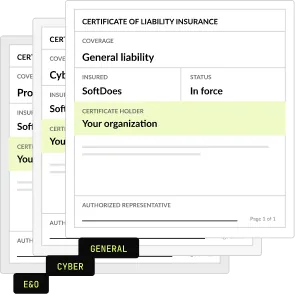
If the fit is not right, SoftDoes provides a replacement guarantee. If your needs change, you can scale up or down without re advertising a new role each time. For companies in regulated industries (finance, healthcare), our designers bring direct experience with HIPAA, PCI, and SOC 2 compliance baked into their workflow.
Whether you need to build new data analytics solutions from the ground up or extend an existing Tableau environment, SoftDoes delivers teams, not isolated freelancers.
Ready to Hire a Tableau Designer?
Stop cycling through candidates who look good on paper but cannot deliver in production. Schedule a discovery call with SoftDoes and tell us what you need: the data sources, the business problems, the timeline. We will match you with a Tableau designer (or a full team) who fits your stack, your industry, and your pace of work.