



Let's build together.
Talk with a senior engineer about your product idea, architecture, and what it would take to build it.
90+
Active Client Partnerships
80+ Person
Product & Engineering Team
100%
Your Code & IP Ownership
U.S.-Led
Delivery & Accountability
Services we offer
- 01User Interface Design
> INTERFACES THAT FIT REAL USE WITH MEDIA QUERIES <
UI design turns layout, typography, color, spacing, iconography, and interactive elements into clear web pages and product screens. Responsive design adapts layouts to different screen sizes, CSS media queries detect device dimensions for layout adjustments, and fluid grids allow elements to resize based on screen width.
- Responsive layouts
- Accessible components
- Visual hierarchy
- Form clarity
- Design tokens
> RESPONSIVE WEB DESIGN WORKFLOW <
We use relative units, flexible grids, fluid images, responsive images, the picture element, and the viewport meta tag so elements resize with the user's screen.
- Mobile optimized pages
- Flexible images
- Reduced layout shift
- 02User Experience Design
> USER FLOWS WITHOUT GUESSWORK <
User experience design studies how people move through a product before visual details are finalized. Our work maps user research, information architecture, wireframes, prototypes, and usability testing into a clear path for decisions. It solves business problems such as confusing navigation, slow onboarding, abandoned forms, and repeated support requests. Yonkers companies often serve varied age groups, languages, devices, and comfort levels with digital tools, so tailoring design to local context improves user experience. User centric design focuses on the user's mental model for navigation ease, while cognitive accessibility simplifies information architectures for clarity. Small usability tests can reveal most serious friction early, which helps teams avoid expensive corrections after engineering work begins.
- Journey mapping
- Wireframe flows
- Prototype testing
- Accessibility review
- Conversion friction
- 03Product Design Services
> PRODUCT DECISIONS WITH TECHNICAL DEPTH <
Product design connects user experience, user interface design, product strategy, feature priority, and the product roadmap. Our team helps clarify what should be on screen, what should stay hidden, and where advanced features belong. Progressive disclosure reduces cognitive load by hiding advanced options initially, and minimalist design prioritizes simplicity and functionality in interfaces. For Yonkers teams, this matters when a product must work across different devices, browser window sizes, mobile traffic patterns, and user preferences. Universal design ensures digital solutions are accessible to all audiences, multilingual options in design cater to diverse community needs, and clear pathways in UI design make primary actions immediately obvious. System based UI libraries are developed to support responsive web applications, reusable components, design systems, and consistent user experience across future releases.
- Product strategy
- Feature priority
- Design systems
- Usability testing
- Engineering handoff
> INTERFACES THAT FIT REAL USE WITH MEDIA QUERIES <
UI design turns layout, typography, color, spacing, iconography, and interactive elements into clear web pages and product screens. Responsive design adapts layouts to different screen sizes, CSS media queries detect device dimensions for layout adjustments, and fluid grids allow elements to resize based on screen width.
- Responsive layouts
- Accessible components
- Visual hierarchy
- Form clarity
- Design tokens
> RESPONSIVE WEB DESIGN WORKFLOW <
We use relative units, flexible grids, fluid images, responsive images, the picture element, and the viewport meta tag so elements resize with the user's screen.
- Mobile optimized pages
- Flexible images
- Reduced layout shift

PRODUCTS BUILT ACROSS INDUSTRIES
Finance
Interfaces for finance teams need secure flows, audit friendly actions, and clear approvals. Yonkers UI/UX design services shape dashboards with compliance, privacy, responsive design, and fewer user errors.
Healthcare
Patient portals and care tools need privacy, accessibility, and simple task paths. Yonkers accessible UI design adds screen readers, high contrast, keyboard navigation, and mobile devices in mind.
Education
Learning platforms work better when web pages render clearly on smaller screens. Custom software UI in Yonkers can improve student engagement through responsive typography and clear feedback.
Construction
Field teams need fast data capture, readable forms, and project views that fit mobile phones. Responsive website planning in Yonkers uses fluid layouts, large targets, and offline aware workflows.
Technology
Complex data, admin panels, and B2B interfaces need careful screen real estate use. Secure UI design Yonkers work can refine developer experience, reusable components, and responsive web views.
Startups
Early teams need lean screens, quick validation, and prototypes before heavy web development. User interface design in Yonkers helps test flows, reduce risk, and learn from mobile user behavior.
Compliance
Regulated workflows need audit trails, documentation, and role based UI that explains each action. UI design for regulated industries Yonkers adds consent clarity and semantic HTML for access.
Energy
Operations dashboards need real time monitoring, alerts, and readable charts across screen sizes. Yonkers UI/UX design services use responsive and adaptive design for control room and field use.


Transparency at each stage
Discovery & Research
We audit audiences and competitors to define pain points, ensuring design solves your specific business challenges.
Design Strategy
Creating concepts and user flows to build an intuitive product structure and seamless interaction logic.
Iterative Prototyping
Real-time progress you can see, from wireframes to high-fidelity mockups that bring your digital vision to life.
Usability Testing
We validate every button and transition through real-world scenarios to eliminate friction before development.
Handoff & Support
Complete design systems and asset delivery with ongoing expert support to ensure pixel-perfect implementation.

Numbers Don’t Lie
Recent projects showcasing how we design, engineer, and deliver production-ready software solutions.

- Startup
- Real Estate
Our Haus AI
A finance professional turned founder built Our Haus AI, an AI-powered collaborative workspace where homeowners and contractors scope, bid, contract, and document renovation projects together. SoftDoes took her prototype and made it production-ready.- 10XMVP scope delivered
- 2+years Ongoing partnership
- 1Fully owned Platform

- Finance
- Energy
Deepwater Insights
Deepwater Insights delivers proprietary alternative data and niche research on the offshore drilling and energy sector to institutional investors, family offices, and high-net-worth individuals who require coverage that larger firms don't provide.- 100%Brand Continuity
- 2Platform Distribution
- 100%Paywall-Ready Content

- Real Estate
The building buyer
The Building Buyer is a Florida-based real estate investment firm co-founded by Dylan Troiano and Charles Hanlin. They acquire single-family, multifamily, and commercial properties across South Florida and beyond, with a focus on motivated seller opportunities.- 18Weekly hours saved
- 2+Years Ongoing partnership
- 1Fully owned Platform

- Education
- Non-Profit
WOVEN & NICE
Woven is a Spring Valley, NY nonprofit running the NICE program (New Training Inclusive Community Environment) in four Rockland County schools. Their team supports students through restorative practices, mediation, and professional development for teachers and administrators.- 4Schools Served
- 4Weeks to Launch
- 1STTime on Upwork

- Healthcare
CareInTouch
CareInTouch is a Bay Area home health agency providing skilled nursing and therapy services to patients referred from hospitals and clinics. With over 100 staff, they operate in one of the most complex and compliance-driven healthcare markets in the country.- 40% Reduction In Billing Errors
- 100+Staff Operations Managed
- 0Missed Compliance Deadlines

- Startup
Sparkle The Cleaning Service
Sparkle The Cleaning Service is a Detroit-area residential cleaning company with 10 years in business, connecting homeowners with vetted, insured independent cleaners through a subscription-based marketplace platform.- 75% Platform Transparency
- 2XPlatform Growth
- 40%Higher User Retention

- Startup
DineMate
DineMate is a Maryland-based dating and connecting platform built around verified profiles, restaurant reservations, and prepaid dining experiences. Founded to bring back authenticity to how people meet and connect.- 60% Time Saved
- 99%System Reliability
- 40%Higher User Retention

- Healthcare
Prior Authorization AI
Prior Authorization AI is a healthcare automation startup building AI-powered tools to streamline prior authorization for Medicare and Medicaid medical transportation providers in New Jersey.- 16Weekly hours saved
- 63%Admin time reduced
- 43%Fewer submission errors

- Education
Grand Central Language Services
Grand Central Language Services provides translation and interpretation for organizations operating in complex, multilingual environments. As demand grew, internal workflows became harder to manage. SoftDoes built a custom platform to streamline coordination, improve visibility, and support scalable operations.- 72%Workflow Reduction
- 48%Coordination Reduction
- 83%Visibility Increase

- Healthcare
FMY Orthodontics
FMY Orthodontics, a multi-location practice in West Tennessee, partnered with SoftDoes to replace a spreadsheet-based financial workflow with a custom web platform. The goal was to simplify how staff present treatment financing while allowing patients and families to review and complete decisions remotely.- 60%Workflow Reduction
- 75%Remote Adoption
- 5Locations Aligned

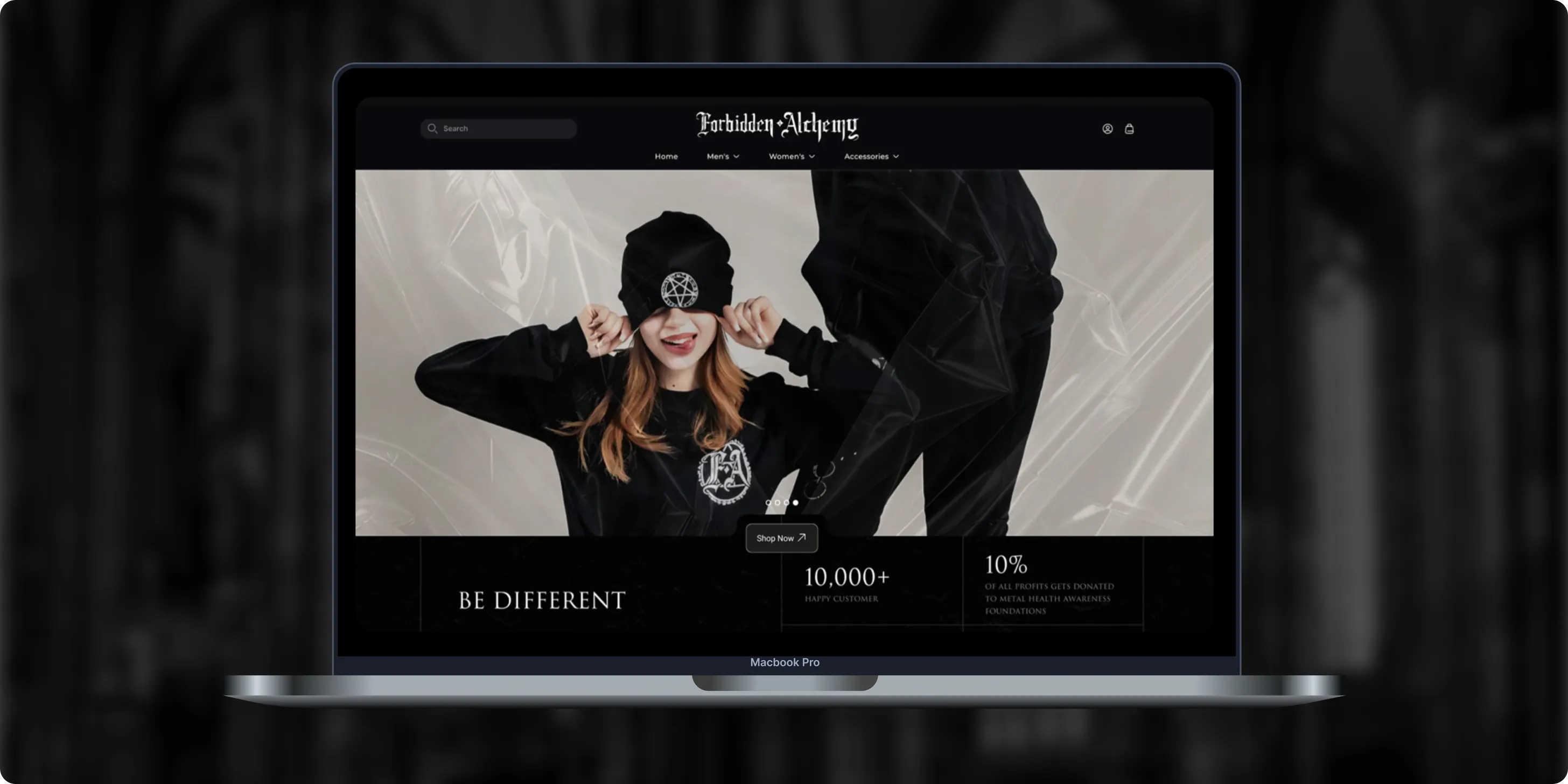
Forbidden Alchemy
Forbidden Alchemy is an alternative fashion brand creating dark, provocative clothing for the metalhead community, with 10% of profits donated to mental health awareness. Its mostly mobile audience struggled with a store that was hard to navigate and weak on functionality.- +44%Revenue Month Over Month
- 86%Design Satisfaction
- 2.8XUser Retention Growth
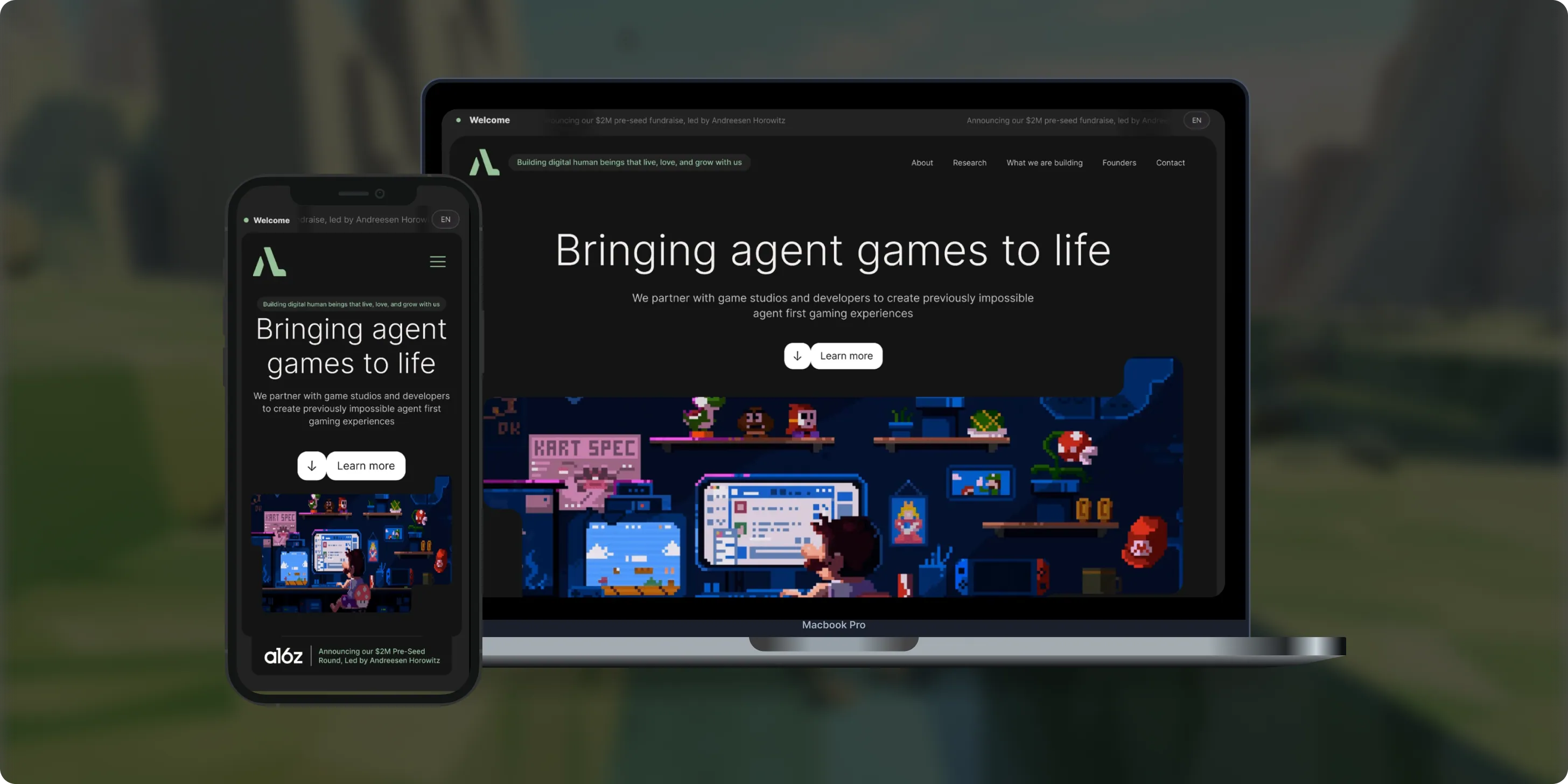
Altera
Altera builds on decades of computational neuroscience research to create digital human beings for gaming. Backed by a $2M pre-seed round led by Andreessen Horowitz, the team needed a landing page that could explain complex agent technology to players, partners, and investors.- 98%Dynamic Customization
- 100%Streamlined Navigation
- $2MPre-Seed Round
- Real Estate
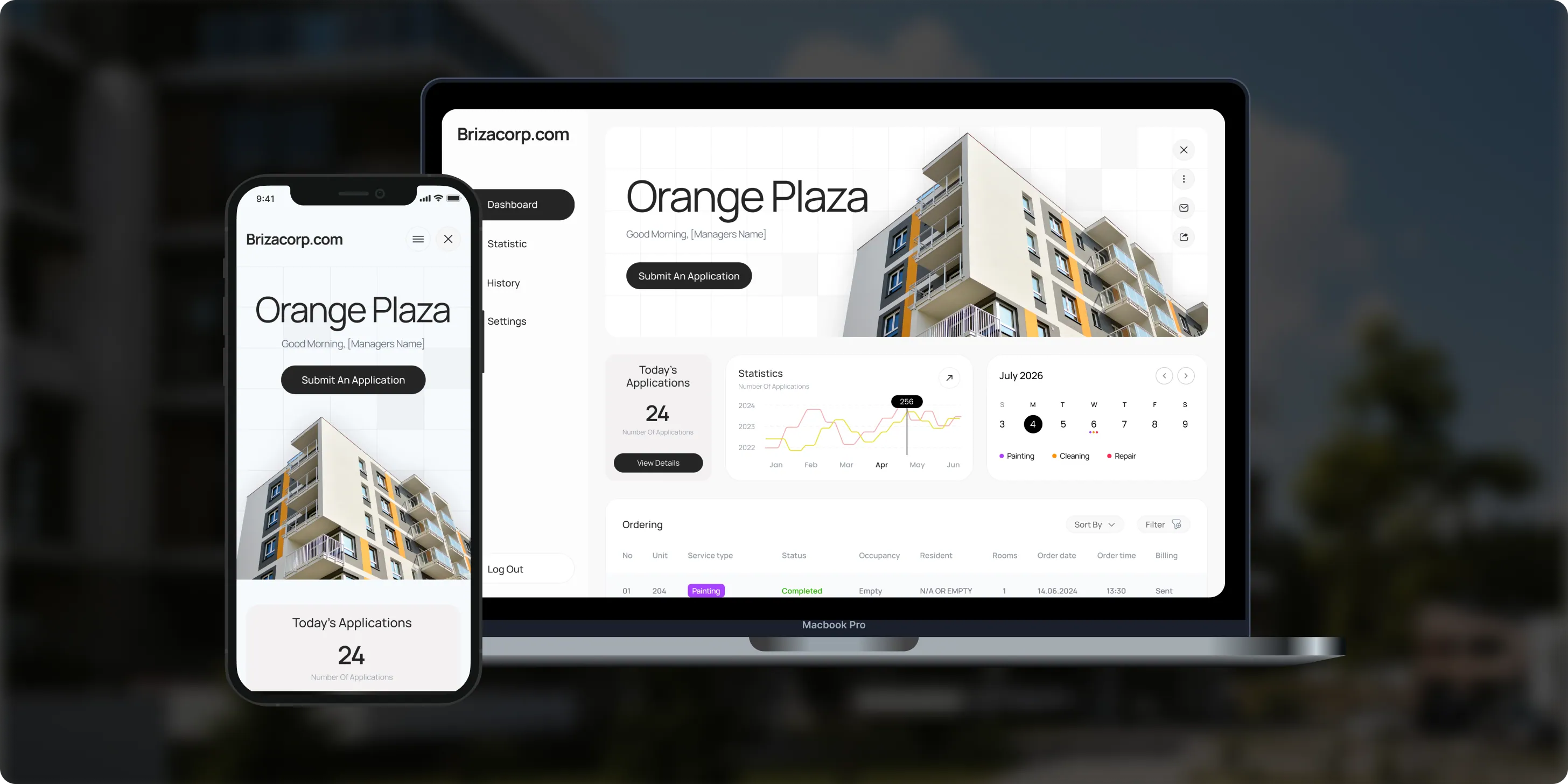
Brizacorp
Brizacorp manages residential properties and coordinates the staff who handle painting, cleaning, and repair requests. Its team tracked work across messengers, phone calls, e-mail, and paper planners, with no single place to manage requests or measure performance.- 98%Application Stability
- 95%Utilization Rate
- 30%Faster Task Completion
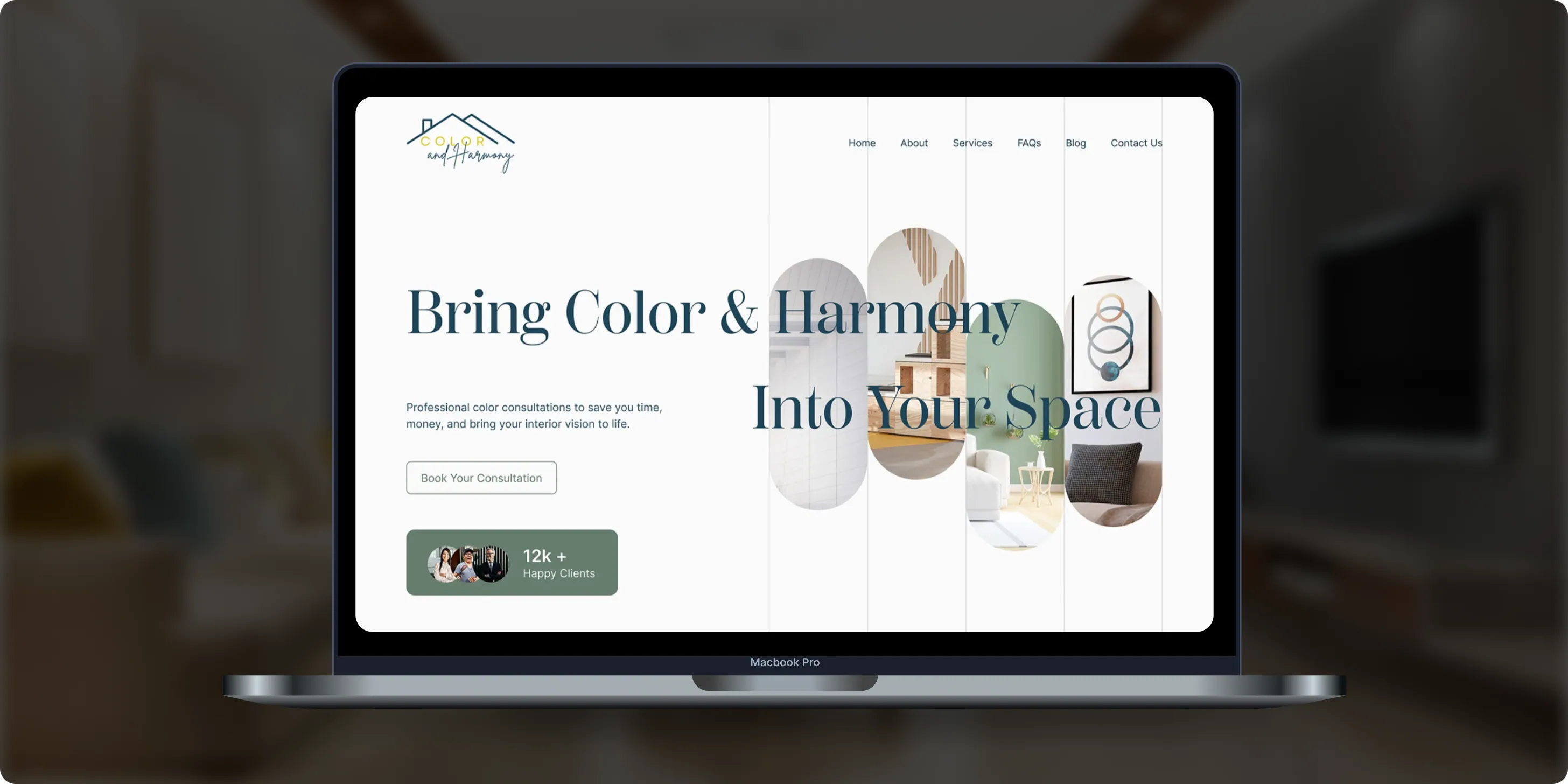
Color & Harmony
Color & Harmony is a Kentucky-based color consulting studio led by certified color strategist Diana Cartaya. The studio needed a website that reflects its refined aesthetic, showcases its portfolio, and explains a science-based color process in simple language.- 45%Conversion Rate Increase
- 50%Higher User Engagement
- 2Months to Launch
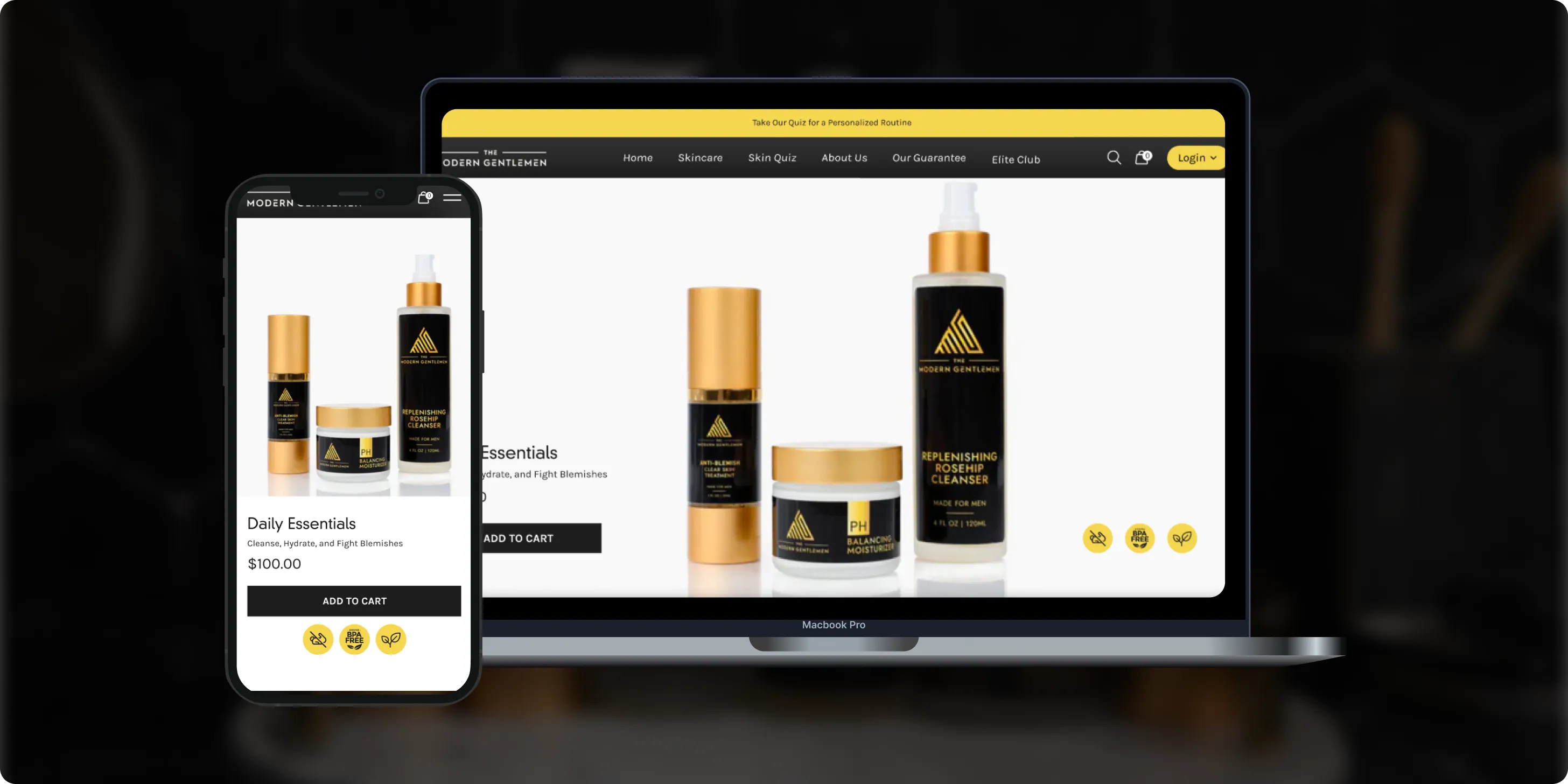
The Modern Gentlemen
The Modern Gentlemen sells premium men's skincare featured in Men's Health, GQ, and Men's Journal. Its customers wanted an efficient routine, but generic product suggestions and limited skincare knowledge made choosing the right products hard.- 30%Increase in Conversions
- 25%Higher Customer Retention
- 92%Mobile Purchases
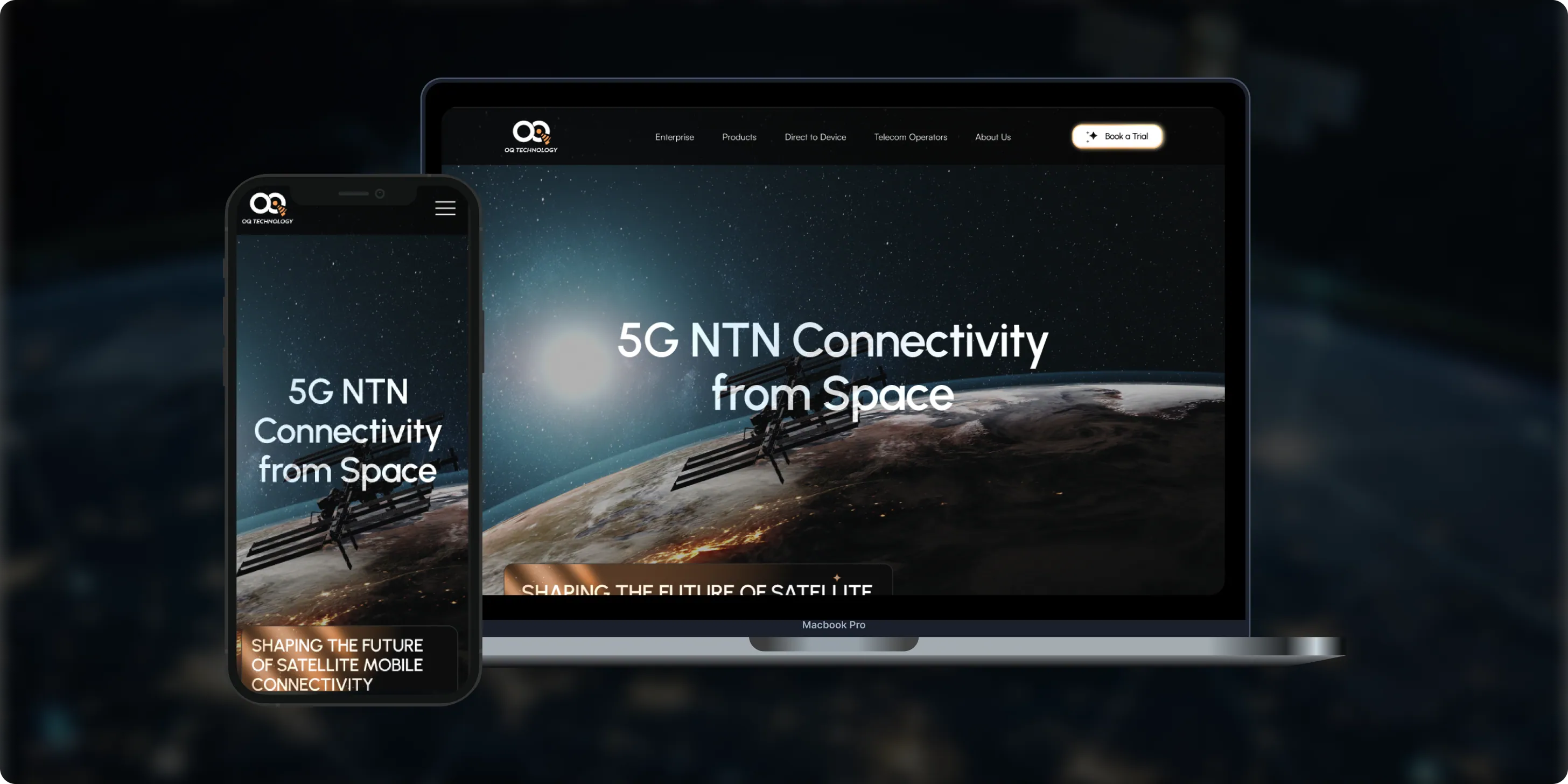
OQ Technology
OQ Technology connects IoT devices, machines, and people anywhere on the planet through its satellite network, serving energy, maritime, logistics, agriculture, and mobile operators. Its website made it hard to explore products and reach pricing plans.- 4Pricing Plans Clarified
- 3Dedicated User Flows
- 1Unified Platform
- Real Estate
- Finance
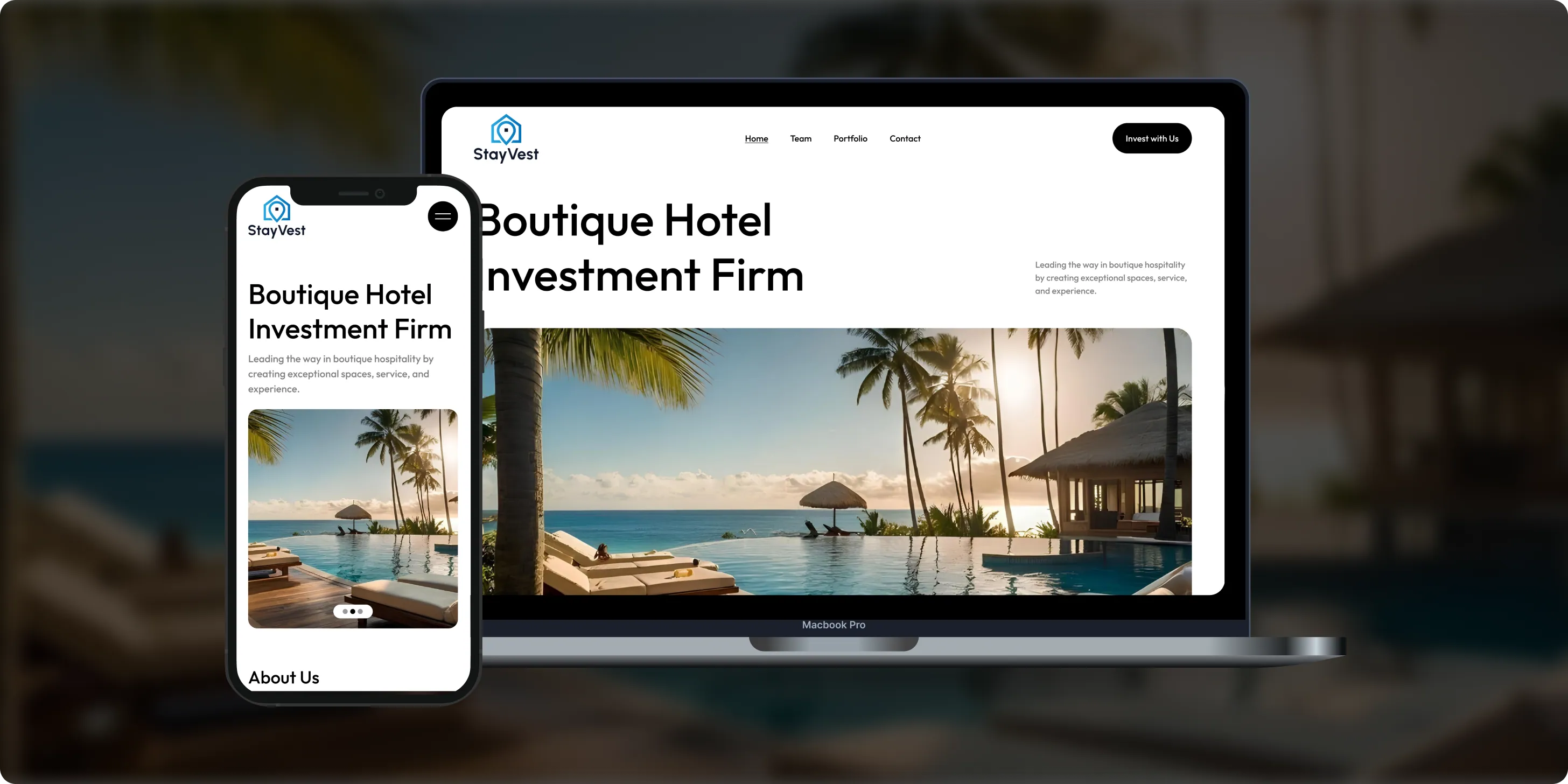
Stay Vest
Stay Vest is a private real estate investment firm that acquires, renovates, and operates boutique hotels for cash flow, tax benefits, and equity gain. It needed a platform that explains its strategy and earns the trust of passive investors.- 1,500+Guest Stays
- 200+Rooms Managed
- 5States Covered
Bokeyno Motorsports
Bokeyno Motorsports is the leading mobile installer of vertical doors for high-performance cars. This Shopify website isn’t just about services—it’s a bold statement of power, style, and expertise. With a sharp layout, strong visuals, and real-world case studies, the site delivers all the information car enthusiasts need to book confidently and instantly.- 54%Booking Requests
- 43%Lead Conversion
- 32%Qualified Inquiries

ai document processing platform
A comprehensive talent solution designed to help companies attract, hire, and retain top talent more effectively. The platform combines AI-powered recruitment technology with employee financial wellbeing programs, enabling smarter hiring decisions while supporting employees’ financial stability and long-term engagement.- 62%Faster Processing Time
- 78%Less Manual Work
- 35%Improved Accuracy

WHAT CLIENTS SAY
Independently verified reviews from real clients on Clutch.co


Client Story
Real feedback from
FMY Orthodontics

“Their perseverance and solution-oriented mindset. SoftDoes consistently found ways to make things work, added features we had not originally envisioned, and never became frustrated. It felt like working with a true partner who cared about the success of our practice.”
Dan Merwin
DDS, MS -- President, FMY Orthodontics

Client Story
Real feedback from
Prior Authorization AI
“Every time I sent a request, if there was anything that didn't work, they were able to turn it around quickly. Even when there were no updates yet, they always reached out to let me know they were working on it.”
Joseph Oluwo
Founder of Prior Authorization AI


Client Story
Real feedback from
WOVEN
“What stood out most was their commitment to understanding our needs before presenting solutions.”
Danna Pastran
Administrative Operations Manager, WOVEN

Client Story
Real feedback from
Grand Central Language Services
“The site performs as intended and provides the foundation for our company's digital presence.”
Joe Goldstein
QA Manager, Grand Central Language Services


Client Story
Real feedback from
DineMate
“They go above and beyond.”
Eric Snead
CEO, DineMate "Dating Connecting Platform"
WHAT CHANGED IN PRACTICE
Clients didn’t stay because of promises. They stayed because delivery became predictable, ownership was clear, and the product kept moving forward after launch.
- 01Direct Access to Senior Engineers
Senior engineers work directly with your team instead of hiding decisions behind account layers. That matters in user interface design in Yonkers because design elements often affect data models, security rules, responsive layouts, and web development choices. A senior person can discuss browser width, screen width, available space, and technical tradeoffs without slowing the conversation. Feedback cycles are shorter because questions about UI code, APIs, and usability are handled in the same working session. Establishing consistency in UI elements aids user interaction, and senior oversight keeps that consistency practical. The result is less translation between design intent and implementation.
- 02Predictable Delivery
Predictable delivery starts with time boxed sprints, clear milestones, and visible decisions. For user interface design in Yonkers, that usually means discovery, flows, wireframes, prototype review, UI direction, responsive page checks, and final engineering notes. You know what is being reviewed and why each design choice exists. Our team tracks open questions around browser window width, max width, responsive typography, and mobile optimized behavior before they become late surprises. Multiple media queries can be planned instead of patched after release. This gives founders and technical leaders a cleaner path from concept to working product.
- 03Built to Last Past Launch
A strong interface should remain useful after the first launch. Accessibility involves designing for screen reader compatibility and proper contrast, including high color contrast and keyboard navigation. We avoid fixed pixel widths where relative units, fluid grids, and a max width property create better behavior across a user`s device. The interface can change over time without becoming a collection of disconnected screens.
- 04No Babysitting Required
SoftDoes can work with minimal oversight because the team is comfortable making technical and design decisions in context. We document assumptions, ask direct questions, and test responsive web behavior in modern browsers as part of the work. When web pages render poorly, when a layout shift appears, or when interactive elements feel unclear, we flag it early. Visual hierarchy utilizes consistent patterns and colors to enhance usability, and clear visual hierarchy guides user attention through layout and color use. Providing user feedback informs them about system status and actions taken, which reduces uncertainty in complex flows. You stay informed without managing every small detail.
Technologies We Use
DESIGN TOOLS
VISUAL DESIGN
PROTOTYPING


COLLABORATION & WORKFLOW



















Frequently Asked Questions
Everything you need to know about working with SoftDoes. Can’t find an answer?
How is communication handled during user interface design in Yonkers projects?
Communication is direct, structured, and tied to the work in progress. We agree on decision makers, meeting rhythm, review points, and the tools your team prefers. Product screens, user flows, responsive layouts, and accessibility notes are shared in a format that engineering and leadership can both review. When a choice affects mobile devices, desktop version behavior, or security, we explain the tradeoff in plain language. You can expect concise updates, clear next actions, and no vague status reporting. The goal is fewer surprises and better decisions.
What types of user interface design in Yonkers projects fit SoftDoes?
SoftDoes is interested in all types of projects, from focused audits to full product interface work. The strongest fit is usually a product with complex workflows, many user roles, high interaction volume, or a need for responsive design across different devices. We also help teams modernize older screens that rely on fixed layouts or fixed pixel widths. If a responsive site has usability issues, high bounce rates, or unclear actions, we can inspect the full experience. Responsive design helps reduce bounce rates by improving user experience. We can start small and expand once priorities are clear.
Do you design responsive web design in Yonkers for specific platforms or cross platform solutions?
Yes, we design for web applications, responsive web pages, mobile devices, dashboards, and cross platform product experiences. Some products need a single column mobile version with a different desktop layout, while others need responsive and adaptive design based on user context. We account for browser window width, viewport width, device`s width, media features, and the way web pages render in modern browsers. Fluid images scale to fit their container in responsive design, and fluid images scale to fit their container`s size. The outcome is a consistent user experience without ignoring platform norms.
How many revision rounds are included in the user interface design in Yonkers process?
Revision planning depends on scope, but we define it before work begins. Most interface work includes review points for flow, structure, visual direction, responsive behavior, and implementation detail. We prefer useful iteration over endless subjective changes. During review, we look at clear pathways, visual hierarchy, accessibility, user feedback, and whether the content fits smaller screens. Breakpoints are defined where content layout changes occur, so revisions can focus on real use instead of opinion alone. If new requirements appear, we explain how they affect timing and technical effort.
What happens after user interface design in Yonkers goes live?
After launch, the interface should be measured, not assumed finished. We review analytics, conversion paths, support questions, Core Web Vitals, Cumulative Layout Shift, and usability signals. We can adjust font size, grid template columns, content priority, and responsive images when data shows friction. Post launch work helps the product stay aligned with real users.
Will we own the user interface design in Yonkers code and IP?
Yes, ownership terms are clarified before work begins. Clients typically own the final design files, UI assets, documentation, code, component notes, and IP created for the project. We can organize files so your internal team can continue work without depending on hidden knowledge. That can include design systems, reusable components, responsive page notes, and implementation guidance. If a JavaScript library, open source asset, or third party tool is involved, we identify the license and usage expectations. Clear ownership keeps the project clean from both technical and legal perspectives.
What makes SoftDoes different from a typical user interface design agency in Yonkers?
SoftDoes combines interface thinking with engineering depth. Many teams can make screens look polished, but strong user interface design in Yonkers also needs performance, accessibility, security, responsive layouts, and implementation judgment. Our designers and engineers consider the core principles of usability, compliance, speed, and maintainability together. We also treat advanced features carefully so they do not overwhelm the first time user. That makes the work practical for real products, not just presentation decks.
How do you price user interface design in Yonkers projects?
Pricing depends on scope, product complexity, number of screens, research needs, platform range, and how much engineering support is required. We do not quote from a template because a small responsive page audit is very different from a full product design system. The first step is understanding your goals, current issues, users, and technical constraints. Then we outline the work, assumptions, timeline, and expected outputs in plain language. Items such as mobile first design, responsive images, accessibility review, media scale, and web development coordination are included when relevant. You get a transparent plan before committing.
EHR Software Development Cost in 2026: Complete Budgeting Guide for U.S. & Canadian Healthcare
Healthcare
Building a custom electronic health record system is a major technology investment for healthcare organizations. However, the cost discussion is often unclear due to varying vendor quotes, underestimated compliance layers, and confusion between EHR, EMR, and practice management software.
How to Build an E-Learning Platform in 2026: Strategy, Architecture, and Costs
EdTech
The global eLearning market surpassed $325 billion and continues to grow as enterprises, universities, and independent creators invest in digital education across the U.S. and Canada. If you are planning to build an e learning platform, the decisions you make in the first few weeks will shape your costs, timeline, and competitive position for years. This guide covers everything from choosing a business model to launching an MVP, written from SoftDoes' perspective as a software engineering partner for regulated, high demand industries.
Legal Case Management Software Development: A Complete Guide for Law Firms in 2026
Web development
Legal case management software is the operational backbone of modern law firms. It coordinates every moving piece of a practice, from matter intake and deadline tracking to billing, document automation, and client communication, all within a single system. The legal case management software market was valued at $8.7 billion in 2023, is growing at a CAGR of 11.5% from 2024 to 2031, and is forecasted to reach $12.3 billion by 2031. With 88% of lawyers now using cloud computing software for case management, firms across the U.S. and Canada are moving past generic tools and investing in custom platforms that reflect how they actually practice law. This guide covers how to plan, build, and evolve a custom legal case management system, not just how to pick a product off the shelf. SoftDoes is a U.S. and Canada focused software engineering partner with deep experience in LegalTech and regulated industries, and we'll reference their approach throughout.