
U.S.-Based
An AI customer service agent for your help desk
It answers routine tickets from your knowledge base, and refunds wait for a person.
$7,000
Starting price of a support agent build
40
AI projects delivered since 2020
5.0
Clutch rating from 40 reviews
























How the agent handles a ticket
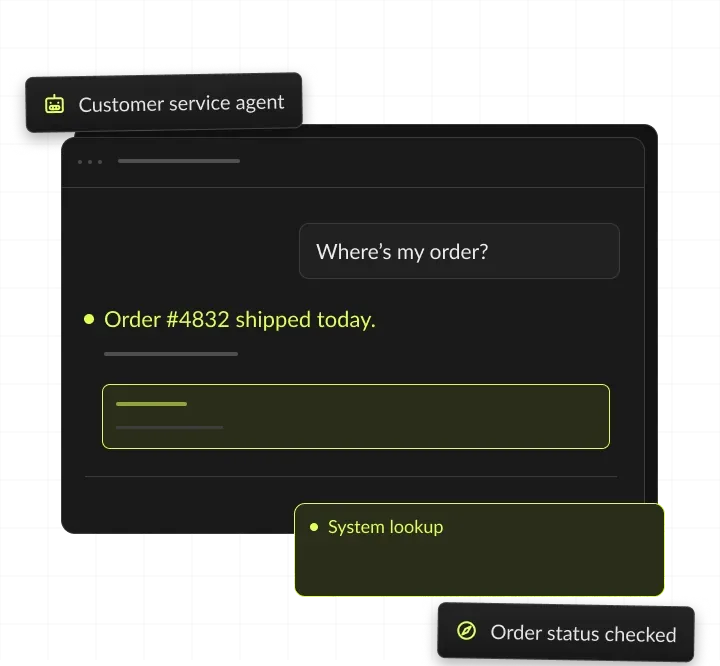
One late-order ticket: the agent checks the order and the refund policy, the support lead approves the refund, and the ticket is closed with notes.
A ticket arrives
A customer asks about a late order.
The agent looks it up
Order status and refund policy checked.
Support lead approves
The refund waits for one click.
The ticket is closed
Reply, refund and notes logged.
AI customer service agent, in short
- Kansas City metro software and AI company
- AI customer service agents for support teams
- Answers routine tickets in your help desk and sends refunds and edge cases to people
- Builds from $7,000 for one or two connected systems

Routine tickets. People on refunds.
- 01Build priceFrom $7,000; three or more connected systems from $13,000
- 02Who it's forSupport teams with repeat questions in Zendesk, Intercom or Freshdesk
- 03People approveRefunds, credits, account changes and complaints
- 04You ownThe prompts, rules and code
What is an AI customer service agent?
An AI customer service agent reads a customer's message, checks your knowledge base and systems, and resolves the request or drafts a reply. It hands anything risky or unclear to a person, with notes attached.
Inside the help desk you use
It works inside the help desk your team already uses, such as Zendesk, Intercom or Freshdesk. Customers write by email, chat or ticket as before, and the agent answers in the same thread.
How an AI agent for customer service works
It reads the new ticket and works out what the customer wants. It finds the answer in your help articles, policies and past replies, and looks up the order, account or billing record the answer depends on.
Replies, drafts or hands off
It replies alone when the case is routine and the sources are clear. When money, accounts or complaints are involved, it drafts a reply for a person or hands off. The reply, the sources and every lookup are logged on the ticket.
Channels it covers
Email and web forms are the usual starting point. Chat in your site or app follows the same sources and limits, and a phone support agent covers calls.
AI agent vs chatbot
A chatbot answers questions from a script or a set of documents. An AI agent also reads your systems and takes approved actions, such as checking an order or queuing a refund for approval. If customers only need answers from your help center, an AI chatbot is the simpler and cheaper build.
What an AI helpdesk adds to your current tools
An AI helpdesk adds triage, summaries and drafts to the help desk itself. We build that layer into the tool you already run, so your team keeps its views, macros and reports.






Types of AI helpdesk automation, from chatbot to agent
Five common setups, from a help center chatbot to a multi-system agent. Prices for each support setup are starting points from our price list. Model usage and phone minutes (about $0.10 to $0.20 a minute) are billed at cost, and maintenance starts at $500 a month.

Chatbot on your documents
Answers from your help center and policies. Fits when questions repeat, and no lookups are needed.
Help desk agent
Triages, summarizes and drafts inside your help desk. Fits when agents spend their time sorting and writing.
Order and account agent
Looks up orders or accounts and replies alone on routine cases. Fits when most tickets need one lookup.
Phone support agent
Answers calls and writes the outcome to your systems. Fits when many requests still arrive by phone.
Multi-system support agent
Works across help desk, orders, billing and CRM. Fits when answers depend on three or more systems.
Help desks and systems it connects to
We connect through each system's standard API, on your own accounts.
When an AI customer service agent pays off
An AI customer service agent pays off when the same questions arrive daily and the answers already exist in your help center or systems.
Signs we see before a support team asks for an agent:
- Order status, password and policy questions fill a large share of the queue.
- Agents switch between the help desk and the order system for every reply.
- Tickets wait overnight and on weekends, then flood the morning queue.
- Seasonal peaks bring temporary staff who must learn every policy first.
- Your help center has the answers, but customers still write in.
When to wait
If most tickets need judgment, refunds or negotiation, start with drafts for your team, not answers sent alone. If your help center is outdated, fix the articles first, because the agent answers only from approved sources. Low volumes rarely justify a custom agent: a chatbot that answers from your help center starts at $4,000, and the free AI readiness quiz is a first check of your support team.
What to prepare before the first call
An export of recent tickets with the replies your team sent, admin access to the help desk, read access to the order, billing or account system the answers depend on, your refund, return and escalation policies in writing, and the measures that matter: first response time, resolution rate or hours saved.
AI customer support automation we build
Six jobs the agent does inside your help desk, with a person in charge of every risky step.
Answers from your knowledge base
Resolves how-to and policy questions with cited help articles, by email, chat or ticket. For example, a customer asks how to change a delivery address, and the agent replies with the steps and a link to the help article.
Order and account lookups
Checks order status, shipping and billing in your systems before it writes a reply. For example, a late-order ticket gets the carrier status, the tracking link and the new delivery date in one reply.
AI helpdesk triage
Tags, prioritizes and routes every new ticket, with a short summary on top. For example, an angry billing email is tagged urgent, routed to the billing queue and topped with a two-line summary.
Drafts for your team
Writes reply drafts for complex tickets, so your agents edit instead of starting blank. For example, a complex warranty question gets a draft that cites the policy, and an agent edits two lines before sending.
Handoffs with full context
Passes complaints, refunds and unclear cases to the right person, with the conversation, the lookups and a suggested next step. For example, a customer asks to cancel, and the retention team gets the ticket with the account history already attached.
Daily reports for your support lead
Shows what the agent answered, handed off and reopened, by ticket type. For example, a rise in reopened shipping tickets points to an outdated help article, which your team then updates.
What you get at launch
You get a working agent inside your help desk and everything needed to run it: prompts, sources, tests, guardrails and reports, all in your accounts.




AI customer service ROI: a worked example
An AI customer service agent pays back when the minutes it saves on tickets cost more than the build, maintenance and model usage. This example uses assumed ticket volumes and support costs, not a client result: at these numbers, the agent pays for itself in about two months, after maintenance and before model usage. Model usage is billed at cost on your account and depends on ticket volume and model choice. Run your own ticket volumes in the AI ROI calculator, and estimate model usage per ticket with the LLM cost calculator. Answers at night and on weekends are a second gain that this math leaves out.
A day with the support agent

7 AM · Agent
What the agent does alone, and where people sign off. Triages the overnight queue and answers order-status tickets.
8 AM · Person approves
The support lead approves the refunds the agent queued.
10 AM · Agent
Drafts replies to billing disputes for a person to send.
1 PM · Person approves
A person takes over an account closure request.
5 PM · Agent
Sends the daily report: answered, handed off and reopened.
Guardrails: what the support agent never does alone
We test each limit through AI red teaming and document it with our AI governance service.
> No refunds or credits <
> No account changes <
> No answers outside your sources <
> No complaints handled alone <
How we build your AI agent for customer service
Four steps from your past tickets to an agent your team trusts, with code and prompts in your accounts.
We pick the repeat questions worth automating from past tickets. Each ticket type is ranked by volume and by how clear its answer is. You get ticket types ranked by volume.
We connect the help desk and replay past tickets. The agent must match the replies your team sent before it goes near a customer. You get accuracy on your real tickets.
It drafts first, then answers alone where it proves accurate. Your support lead decides which ticket types it answers alone. You get a rollout plan by ticket type.
We document the agent and train your team to update sources and prompts. Daily reports show where to widen or tighten it. You get runbooks, reports and admin access.
Customer-facing builds in production
Builds from our case studies, and our record.

- Healthcare
Prior Authorization AI
Prior Authorization AI is a healthcare automation startup building AI-powered tools to streamline prior authorization for Medicare and Medicaid medical transportation providers in New Jersey.- 16Weekly hours saved
- 63%Admin time reduced
- 43%Fewer submission errors

- Startup
- Real Estate
Our Haus AI
A finance professional turned founder built Our Haus AI, an AI-powered collaborative workspace where homeowners and contractors scope, bid, contract, and document renovation projects together. SoftDoes took her prototype and made it production-ready.- 10XMVP scope delivered
- 2+years Ongoing partnership
- 1Fully owned Platform

- Real Estate
The building buyer
The Building Buyer is a Florida-based real estate investment firm co-founded by Dylan Troiano and Charles Hanlin. They acquire single-family, multifamily, and commercial properties across South Florida and beyond, with a focus on motivated seller opportunities.- 18Weekly hours saved
- 2+Years Ongoing partnership
- 1Fully owned Platform

- Healthcare
CareInTouch
CareInTouch is a Bay Area home health agency providing skilled nursing and therapy services to patients referred from hospitals and clinics. With over 100 staff, they operate in one of the most complex and compliance-driven healthcare markets in the country.- 40% Reduction In Billing Errors
- 100+Staff Operations Managed
- 0Missed Compliance Deadlines

- Startup
Sparkle The Cleaning Service
Sparkle The Cleaning Service is a Detroit-area residential cleaning company with 10 years in business, connecting homeowners with vetted, insured independent cleaners through a subscription-based marketplace platform.- 75% Platform Transparency
- 2XPlatform Growth
- 40%Higher User Retention

- Healthcare
FMY Orthodontics
FMY Orthodontics, a multi-location practice in West Tennessee, partnered with SoftDoes to replace a spreadsheet-based financial workflow with a custom web platform. The goal was to simplify how staff present treatment financing while allowing patients and families to review and complete decisions remotely.- 60%Workflow Reduction
- 75%Remote Adoption
- 5Locations Aligned

- Real Estate
Brizacorp
Brizacorp manages residential properties and coordinates the staff who handle painting, cleaning, and repair requests. Its team tracked work across messengers, phone calls, e-mail, and paper planners, with no single place to manage requests or measure performance.- 98%Application Stability
- 95%Utilization Rate
- 30%Faster Task Completion

Risks in AI customer service, and how we handle them
Each risk gets a control in the agent before launch, tested on your past tickets.

How we keep customer data safe
Customer data stays in your accounts
Customer data stays in your help desk and your own vendor accounts. The agent reads only the fields a ticket needs, and every lookup and reply is logged. Before launch, our AI red teaming service tries to push the agent past its limits. Our AI governance service documents those limits for your compliance team.
Your vendor accounts
Model calls for each ticket run on your own Anthropic, OpenAI or cloud accounts, under your terms with each vendor.
Only the fields it needs
The agent reads only the order, account or billing fields a ticket needs.
People approve money
Refunds, credits and account changes always wait for a named person.
Keys out of code
Help desk and order system API keys stay in your secrets manager, never in code or prompts.
A log on every ticket
Every lookup, reply and handoff is logged on the ticket for audits.
Insured
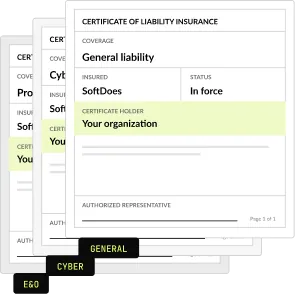
SoftDoes carries general liability, professional liability (errors and omissions) and cyber liability insurance. A certificate of insurance is available on request.
How to choose an AI agent for customer service
Ask these questions of any support agent product or builder before you sign. A strong support vendor answers each one in writing.
Questions to ask, and what a good answer includes
- Does it work inside our help desk? Yes, in the views, queues and reports your team already uses.
- Which systems can it read and change? A written list, with read and write rights per system.
- What can it never do alone? Refunds, credits, account changes and complaints, enforced in code.
- How is accuracy measured before launch? A replay of your past tickets, with a pass mark per ticket type.
- How does it hand off to a person? With the full conversation, the lookups and a suggested next step.
- What does each ticket cost to run? Model usage at cost on your account, with an estimate per ticket.
- Who owns the prompts, rules and code? You do, in your own accounts.
- Can we start with drafts only? Yes, with answers sent alone added later, one ticket type at a time.
- What paperwork comes first? An NDA and a certificate of insurance before the first call.
What an AI customer service agent costs to run
The build, maintenance and model usage, each set out in writing before work starts. Model usage is billed at cost on your own account, with no markup. See AI agent development cost.
Build: 1 or 2 connected systems
Help desk plus one system, such as orders
From $7,000
Build: 3 or more systems
Help desk, orders, billing or CRM
From $13,000
Maintenance and support
After launch
From $500 a month
AI model usage
On your own account, no markup
At cost
Project Discovery
Credited to the build
$490
Why support teams build with SoftDoes
Support teams build their AI customer service agent with SoftDoes to keep prompts, rules and code in their own accounts. SoftDoes holds Claude Partner Network membership and OpenAI Registered Partner status.

- 01
Claude and OpenAI partners
A Claude Partner Network member and an OpenAI Registered Partner, with 40 AI projects delivered since 2020.
- 02
Vendor documents first
Our NDA and certificate of insurance reach your procurement team before the first call.
- 03
You own the agent
Prompts, rules and code live in your accounts, and you own all of it.
- 04
Rated 5.0 on Clutch
5.0 from 40 client reviews, 36 verified by Clutch. More than half of the reviewers are founders, executives or department heads.
- 05
Top AI Company in Kansas City
Clutch named SoftDoes a Top Artificial Intelligence Company and a Top Machine Learning Company in Kansas City for 2026.
- 06
Kansas City headquarters
Headquartered in Mission, KS, in the Kansas City metro. Call 800-909-2345 to reach the team.
AI customer service agents by industry
The same support agent patterns, built around each industry's systems, records and rules. Each industry page shows the use cases in detail.
Insurance
Claim status and policy questions answered from your systems, with payouts left to people.
Financial services
Account and document questions answered, with an audit log for every AI reply.
Healthcare
Scheduling and billing questions, with HIPAA controls and clinical questions sent to staff.
Logistics
Shipment status tickets answered from carrier and warehouse data, with exceptions sent to a person.
Real estate
Tenant and buyer questions answered from listings and property records, with leases left to people.
Government
Resident questions answered from published rules, with a clear path to a person.


Questions about AI customer service agents
Cost, safety, accuracy and handoffs. Can't find your answer?
How much does an AI customer service agent cost?
A custom agent starts at $7,000 when it connects your help desk and one more system, such as orders. Connecting three or more systems, such as billing or your CRM, starts at $13,000. Maintenance starts at $500 a month, and AI model usage is billed at cost on your own account, so you see the real price per ticket.
How do you create an AI agent for customer service?
Start with the ticket types that repeat most and have clear answers in your knowledge base. Connect the agent to your help desk and the systems it must check, such as orders. Test it on past tickets, launch it as a drafting assistant, then let it answer alone only where it proves accurate.
How can customers tell if a support agent is AI?
They should not have to guess. We label the agent as AI in every channel and offer a way to reach a person at any point. Clear labels build trust, and customers who want a person get one fast. The handoff carries the full conversation, so nobody has to repeat themselves.
Which AI tool is safest for customer service?
The safest setup limits what the agent can do as well as what it says. It answers only from your approved sources, cannot issue refunds or change accounts alone, and logs every action. Before launch, people try to make it break those rules through our AI red teaming service.
Will an AI agent replace our support team?
No. The agent takes the repeat questions, such as order status and password help, so your team handles refunds, complaints and complex cases. Teams use it to absorb growth without adding headcount and to answer at night and on weekends. Every hard ticket still reaches a person, with the agent's notes attached.
What is an AI customer support agent?
An AI customer support agent is software that resolves routine support requests on its own. It reads the ticket, finds the answer in your help center, checks systems such as orders or billing, and replies or drafts. Anything involving money, account changes or complaints goes to a person, with the agent's notes attached.
Which AI agent is best for customer service?
The best agent answers only from your sources, works inside your help desk and cannot take risky actions alone. Ready-made products suit standard questions on common help desks. A custom agent suits answers that depend on your own systems, rules or data requirements. Whichever you consider, test it on your own past tickets before you choose.
What is an AI helpdesk?
An AI helpdesk is a help desk where AI does the routine work. It tags and routes tickets, summarizes long threads, drafts replies and answers simple questions. We build that layer into the help desk you already run, such as Zendesk, Intercom or Freshdesk. Your team keeps its queues, macros and reports.
How can I use AI in customer service?
Start where volume is high and answers are clear: order status, password help, returns and policy questions. Use AI to triage and summarize every ticket, draft replies for complex ones and answer routine ones alone once accuracy holds. Keep people on refunds, account changes and complaints, and use the daily report to decide what to widen next.
What is the difference between an AI chatbot and an AI agent?
A chatbot answers questions from a script or your documents. An AI agent also looks up records and takes approved actions in your systems, such as checking an order or queuing a refund. Choose a chatbot when answers live in your help center, from $4,000. Choose an agent when replies depend on your systems, from $7,000.
Which help desks and systems does it work with?
Common ones are Zendesk, Intercom, Freshdesk and Gorgias, plus order and billing systems such as Shopify and Stripe. The agent can read your help center and documents in Google Drive, SharePoint, Confluence or Notion. Any system with an API can be connected. Each extra one or two connected systems adds $3,000 to the build.
How accurate is an AI customer service agent?
Accuracy depends on your sources and ticket types, so we measure it on your own past tickets before launch. The agent replays real tickets and must match the replies your team sent. It answers alone only on ticket types that pass, drafts for people on the rest, and says so when its sources have no answer.
How long does it take to launch an AI support agent?
It depends on the help desk, the systems the agent reads and how many ticket types it covers. We set the scope, price and schedule in a written plan after reviewing your past tickets. Many teams begin with Project Discovery for $490, which is credited to the build. Launch starts with drafts, then widens by ticket type.
Is our customer data safe with an AI agent?
Support agent model calls run on your own vendor accounts, under your contracts with each provider. The agent reads only the fields a ticket needs, keys stay in your secrets manager, and every lookup is logged. Refunds and account changes always wait for a person. Before launch, our red team tries to push the agent past its limits.
Updated · Reviewed by Orest Andrusyshyn, Founder and CEO