
U.S.-Based
AI workflow automation in n8n, Make and Zapier
We build workflows that read emails, forms and files, use AI to sort and draft, and update your systems. A named person approves every step that changes a customer, invoice or employee record.
$2,500
Starting price of a first workflow
$6,500
Price of three workflows
5.0
Clutch rating from 40 reviews
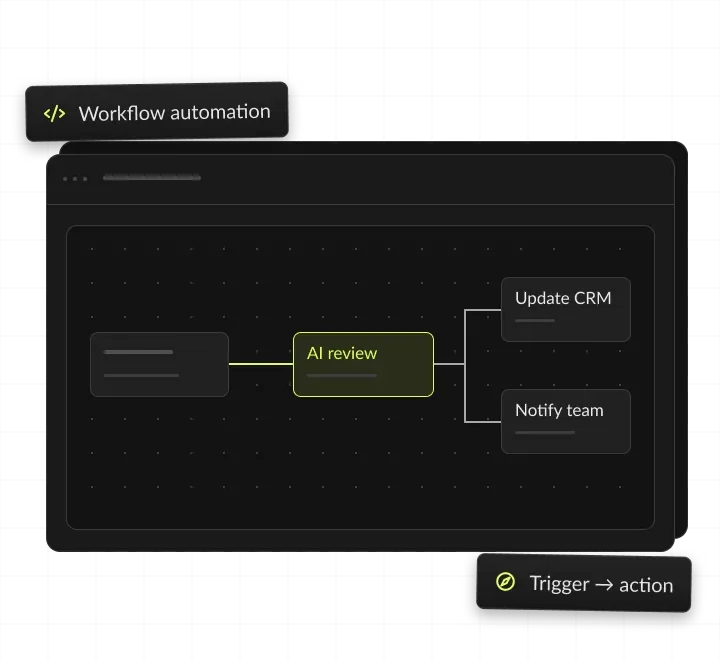
























How an automated workflow runs
One order email: AI reads the PDF into fields, sales ops approves the exceptions in Slack, and n8n creates the order in the ERP.
An order email arrives
A customer emails a purchase order as a PDF.
AI reads and sorts it
It pulls the items, quantities and dates into fields.
Sales ops approves
Exceptions wait in Slack for one click.
The order is created
n8n writes it to the ERP and replies to the customer.
AI workflow automation, in short
- Kansas City metro software and AI company
- AI workflow automation for mid-market teams
- Your apps connected in n8n, Make or Zapier, with AI steps that read, sort and draft
- First workflow from $2,500, three for $6,500, care from $500 a month

AI sorts. People approve.
- 01PriceFrom $2,500: first workflow mapped, built, tested and handed over
- 02Toolsn8n, Make or Zapier, picked by cost, hosting needs and where your data must stay
- 03People approveEvery step that changes a customer, invoice or employee record
- 04You ownEvery workflow, prompt and credential
What is AI workflow automation?
AI workflow automation connects your apps into a chain of steps and adds an AI model where a step needs judgment. The AI reads, sorts or drafts, and the workflow moves the result into your systems.
Where classic automation breaks
Classic automation follows fixed rules: when a form arrives, copy these fields to that app. It breaks when the input is an email, a PDF or a free-text note. An AI step reads that input the way a person would, then hands clean data to the next step. A typical workflow has a trigger, a few app actions, one or two AI steps and an approval.
What an AI workflow includes
A trigger, such as a new email, form, file or record; ready connectors or a custom API connection; AI steps that classify, extract or draft, with prompts your admins can read; rules and branches for each outcome, including what happens on an error; an approval before anything changes a record; and a log of every run, so you can see what happened and why. It runs in n8n, Make or Zapier, so your team can see each step.
AI workflow automation vs rule-based automation
Rule-based automation handles structured fields from forms and apps and decides by fixed if-then rules. AI workflow automation also handles emails, PDFs, scans and free text, and adds an AI step for judgment calls. Rule-based automation fails until someone edits the rule, and people fix failures after the fact. In an AI workflow, the AI step reads the new wording, unsure cases go to a person, and people approve risky steps before they run.
AI workflows vs AI agents
A workflow follows a path you designed, step by step. An AI agent chooses its own next step from the tools it has. We use workflows when the path is known and agents when each case needs a different route.
Workflows and agents together
Many builds combine both: the workflow handles intake and approvals, and it calls an agent for the one step that varies.



AI workflow automation examples by team
Every team has a workflow that repeats daily and follows clear steps. The examples below show where the AI step and the person's approval sit in each one. Examples, not a fixed menu: we scope each workflow after mapping it with your team.
Finance teams with heavy invoice volume can also see AI finance automation. Documents that arrive in many layouts fit intelligent document processing better than a single AI step. IT teams that want tickets answered as well as routed can see our AI IT help desk agent. Sales teams that want every inbound lead researched and answered can see the AI SDR.
Types of AI workflow automation we build
Six common types, what the AI does in each and an example. Prices for each workflow type are starting points from our price list. The first workflow is $2,500, three cost $6,500, and tool plans and model usage are billed by each vendor on your account.

Intake and extraction
Reads emails, forms and PDFs into fields. For example, purchase orders turned into ERP orders.
Triage and routing
Sorts and tags requests, then picks the queue. For example, support emails routed to the right team.
Drafting with approval
Writes a reply or document for a person to check. For example, quote replies drafted in Gmail for sales.
Record sync and cleanup
Matches, dedupes and fills records between apps. For example, new HubSpot leads matched to accounts.
Agent step in a workflow
Looks up several systems and picks the next step. For example, order exceptions checked before a refund.
Custom connector
Opens an app with no ready connector to the workflow. For example, an in-house database joined to a Make scenario.
Apps your workflows connect
When AI workflow automation pays off
AI workflow automation pays off when a task repeats every day, follows steps a person can explain, and moves data between apps you already use.
Signs we see before a team asks for an automation plan:
- People copy the same fields from emails or PDFs into another app every day.
- Requests wait in a shared inbox until someone has time to sort them.
- A Zap or scenario breaks, and nobody notices until a customer complains.
- Task fees on your automation plan keep climbing with volume.
- Approvals live in email threads, so nobody can see what is stuck.
When to wait
If a task happens a few times a month, a person or a simple rule is usually cheaper. If the steps change every time, write the process down first, or start with an AI readiness assessment; the free AI readiness quiz is a first check. If the data sits in an app with no ready connector, plan a custom API connection, from $4,000.
What to prepare before the first call
A list of the steps, apps and people involved today; real examples from last month, such as emails, orders or forms; admin access to each app, or an admin who can add our accounts; one owner who decides what a correct result looks like; and the measure that matters: hours saved, response time or error rate.
Workflow automation services we build
AI steps in your workflows
Classify emails, extract fields from PDFs and draft replies inside the automations you already run. For example, an AI step tags each support email as billing, shipping or returns before routing it.
Make.com expert scenarios
Make scenarios with routers, error handlers and AI modules, documented so your admins can change them. For example, a scenario routes new orders by region, and an error handler alerts ops the moment a module fails.
n8n workflows you host
Self-hosted n8n on your own cloud when data must stay inside your network. For example, HR onboarding steps run on n8n in your own cloud, and the AI step calls a model through your own account.
Zapier automations that scale
Zaps with AI steps, paths and filters, rebuilt when task counts or costs climb. For example, a lead-routing Zap scores each form fill, and moves to a custom integration if task fees outgrow it.
AI agent workflow automation
Workflows that call an AI agent to look up records, choose the next step and hand off to a person. For example, an order exception workflow calls an agent to check stock and shipping, then asks a person to approve.
Fixes for automations that break
We review Zaps, scenarios and n8n workflows someone else built and fix urgent issues first. For example, a Make scenario that fails without warning gets error alerts, a run log and a runbook your admin can follow.
What you get when your workflows go live
You get working workflows and everything needed to run them without us: prompts, test cases, runbooks and admin access, all in your own accounts.




AI workflow automation ROI: a worked example
A workflow pays back when the hours it saves cost more than the build, the tool plan and the model usage. This example uses assumed task volumes and hourly costs, not a client result: at these numbers, the workflow pays for itself in about two months, even with care. Tool plans and model usage come on top, billed by each vendor on your account. Run your own task volumes in the AI ROI calculator, and estimate model usage per run with the LLM cost calculator. After go-live, the run log shows real volumes and errors, so you can compare the actual saving with this estimate.
How an AI automation consultant runs your project
Four steps from the first call to a workflow your team trusts.
We sit with the people who do the work and map each step, system and exception. You see the plan and the fixed price before any build. You get a workflow map and a fixed price.
We build the workflow in n8n, Make or Zapier and test it on last month's real cases. AI steps are scored against the answers your team gave. You get a working workflow on test data.
Your team runs it with approvals on, and we tune the AI steps on every miss. Approvals stay on for any step that changes a record. You get approval queues and an error log.
We document each step and train your admins, and care starts from $500 a month. Every workflow, prompt and credential stays in your accounts. You get runbooks and admin access to everything.
Workflow automation in production
Builds from our case studies that replaced manual steps, and the record behind them.

- Healthcare
Prior Authorization AI
Prior Authorization AI is a healthcare automation startup building AI-powered tools to streamline prior authorization for Medicare and Medicaid medical transportation providers in New Jersey.- 16Weekly hours saved
- 63%Admin time reduced
- 43%Fewer submission errors

- Startup
- Real Estate
Our Haus AI
A finance professional turned founder built Our Haus AI, an AI-powered collaborative workspace where homeowners and contractors scope, bid, contract, and document renovation projects together. SoftDoes took her prototype and made it production-ready.- 10XMVP scope delivered
- 2+years Ongoing partnership
- 1Fully owned Platform

- Real Estate
The building buyer
The Building Buyer is a Florida-based real estate investment firm co-founded by Dylan Troiano and Charles Hanlin. They acquire single-family, multifamily, and commercial properties across South Florida and beyond, with a focus on motivated seller opportunities.- 18Weekly hours saved
- 2+Years Ongoing partnership
- 1Fully owned Platform

- Healthcare
CareInTouch
CareInTouch is a Bay Area home health agency providing skilled nursing and therapy services to patients referred from hospitals and clinics. With over 100 staff, they operate in one of the most complex and compliance-driven healthcare markets in the country.- 40% Reduction In Billing Errors
- 100+Staff Operations Managed
- 0Missed Compliance Deadlines

- Startup
Sparkle The Cleaning Service
Sparkle The Cleaning Service is a Detroit-area residential cleaning company with 10 years in business, connecting homeowners with vetted, insured independent cleaners through a subscription-based marketplace platform.- 75% Platform Transparency
- 2XPlatform Growth
- 40%Higher User Retention

- Healthcare
FMY Orthodontics
FMY Orthodontics, a multi-location practice in West Tennessee, partnered with SoftDoes to replace a spreadsheet-based financial workflow with a custom web platform. The goal was to simplify how staff present treatment financing while allowing patients and families to review and complete decisions remotely.- 60%Workflow Reduction
- 75%Remote Adoption
- 5Locations Aligned

- Real Estate
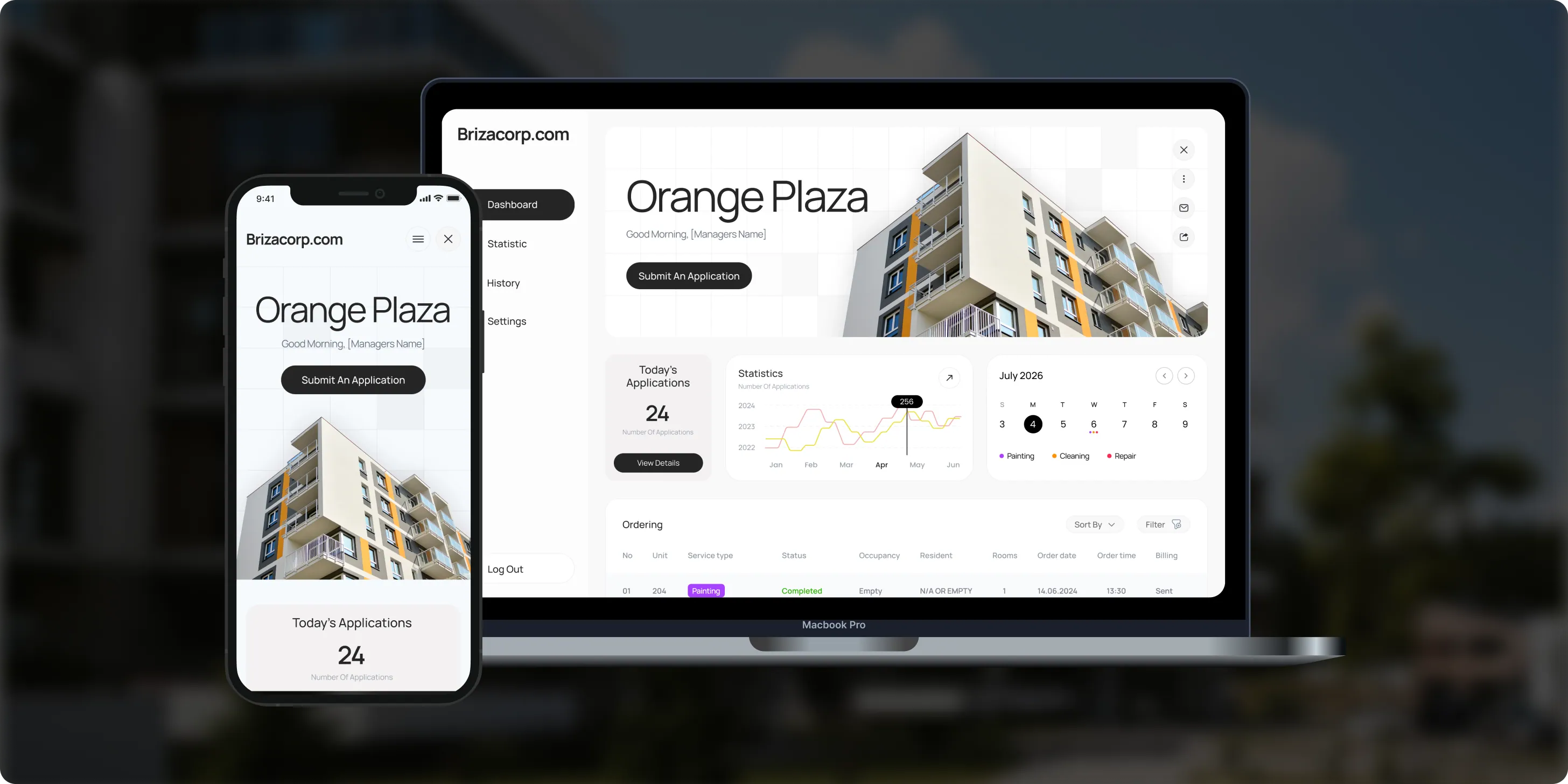
Brizacorp
Brizacorp manages residential properties and coordinates the staff who handle painting, cleaning, and repair requests. Its team tracked work across messengers, phone calls, e-mail, and paper planners, with no single place to manage requests or measure performance.- 98%Application Stability
- 95%Utilization Rate
- 30%Faster Task Completion
Risks in AI workflow automation, and how we handle them
Each risk gets a control inside the workflow before go-live, not a promise in a slide.

How we keep data safe in AI workflows
Your data stays in accounts you control
Workflows run in your own automation account, AI calls run on your model accounts, and each step moves only the fields it needs. For data that must stay in your own environment, see our private AI service. For written rules on AI use, see AI governance and compliance.
Keys in your accounts
Credentials and API keys live in your accounts, never in our tools or in prompts.
Only the fields needed
Each step passes only the fields the next step needs. Sensitive values are masked where the task allows it.
Your model accounts
AI steps run through your own Anthropic or OpenAI account, under your terms with each vendor. Access follows the roles your team already has in each app.
Every run logged
Every run is logged with its inputs, outputs and approvals, for audits and debugging.
n8n in your cloud
When data must stay inside your network, n8n runs on your own cloud.
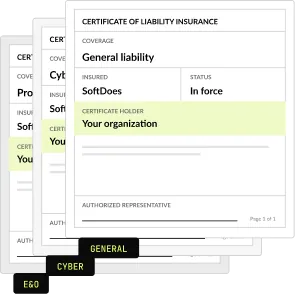
Insured
SoftDoes carries general liability, professional liability (errors and omissions) and cyber liability insurance. A certificate of insurance is available on request.
How we pick the platform for each workflow
We choose n8n, Make or Zapier per workflow, by data rules, volume and who will maintain it. Many companies run two of them side by side.
Start in Zapier when you need to connect tools quickly, and move a workflow to a custom integration when task fees or workarounds cost more than building one.
Which AI model runs the AI step
The AI step calls Claude or an OpenAI model through the vendor's API, on your own account. We test two or three models on your real examples and pick by accuracy and cost per run. Keys and usage stay on your account, so finance sees model costs directly. Estimate them with our LLM cost calculator.
How to choose an AI automation consultant
Ask these questions before you sign with any automation consultant. A strong one answers each question in writing.
Questions to ask, and what a good answer includes
- Whose accounts will the workflows run in? Yours, with credentials, prompts and logs you control.
- How will you pick n8n, Make or Zapier? A reason per workflow: data rules, volume and who maintains it.
- How will you test the AI steps? Last month's real cases, with a pass mark agreed before the build.
- Which steps need a person's approval? Every step that changes a customer, invoice or employee record.
- What happens when a workflow fails? Error handlers, alerts, a run log and a named owner.
- What will it cost each month? Tool plans and model usage on your accounts, plus optional care.
- Can we see production work? Case studies of live systems, not only demos.
- What paperwork comes first? An NDA and a certificate of insurance before the first call.
What workflow automation costs
Each build has a fixed price that we agree in writing before any work starts. Model usage and n8n, Make or Zapier plans are billed by each vendor on your account.
First workflow
Mapped, built, tested and handed over
From $2,500
Three workflows
Package price
$6,500
Custom integration
For an app without a connector
From $4,000
Care
Monitoring, fixes and changes
From $500 a month
Project Discovery
Credited to the build
$490
Why teams automate with SoftDoes
Teams choose SoftDoes for AI workflow automation because we are a Zapier Solution Partner and a Claude Partner Network member. Every workflow, prompt and credential stays in your own accounts.

- 01
Claude and OpenAI partners
A Claude Partner Network member and an OpenAI Registered Partner, with 40 AI projects delivered since 2020.
- 02
Vendor documents first
Our NDA and certificate of insurance reach your procurement team before the first call.
- 03
You own every workflow
Workflows, prompts and credentials live in your accounts, and you own all the code and IP.
- 04
Zapier Solution Partner
Listed in Zapier's partner directory. We build and fix Zaps, multi-step workflows and custom integrations between your tools. Our partner programs.
- 05
Rated 5.0 on Clutch
5.0 from 40 client reviews, 36 verified by Clutch. Clutch also named SoftDoes a Top Artificial Intelligence Company in Kansas City for 2026.
- 06
Kansas City headquarters
Headquartered in Mission, KS, in the Kansas City metro. Call 800-909-2345 to reach the team.
AI workflow automation by industry
The same workflow patterns, built around each industry's systems and rules. Each industry page shows the use cases and compliance steps in detail.
Healthcare
Intake, referrals and authorization paperwork, with HIPAA controls and a person approving each filing.
Insurance
Claims intake and document checks, with a person approving every payout decision.
Financial services
Account requests, document checks and reporting, with an audit log for every AI step.
Accounting
Client document collection, bill coding and month-end reminders, with a reviewer on every entry.
Logistics
Shipment updates, document checks and exceptions across carrier and warehouse systems.
Manufacturing
Purchase orders, quote requests and supplier emails turned into ERP records for a quick check.


Questions about AI workflow automation
Tools, costs, data and what to automate first. Can't find your answer?
What is an AI workflow automation platform?
It is a tool that runs a chain of steps across your apps and hands the steps that need judgment to an AI model. n8n, Make and Zapier are the common platforms. The AI step reads an email or file and sorts it or drafts a reply. The platform then moves the result into your CRM, ERP or help desk.
How do you automate workflows with AI?
Start with one workflow your team repeats every day, such as order intake or invoice approval. Map each step, mark where a person decides, and let AI handle the reading, sorting and drafting. Keep approvals on for anything that changes a record. Our guide on automating small business workflows with AI walks through examples.
Which tool should we use: n8n, Make or Zapier?
We choose per workflow. Zapier fits quick tasks between popular apps, Make fits scenarios with many branches, and n8n fits teams that host the tool on their own servers. Many companies run two of them. Our n8n vs Zapier vs Make comparison sets plans, limits and hosting side by side.
Can ChatGPT create workflows?
ChatGPT can draft a workflow and write the logic for each step. A workflow the business depends on also needs app credentials, error handling, logs, approvals and an owner. We build that layer in n8n, Make or Zapier, and we use ChatGPT or Claude as the AI step wherever judgment is needed.
What does an AI automation consultant do?
An AI automation consultant maps how work moves today, picks the steps worth automating and estimates the hours saved. At SoftDoes the same senior team then builds, tests and documents the workflows, so the advice and the build come from one place. A first workflow starts at $2,500, mapped and delivered.
How much does AI workflow automation cost?
A first workflow starts at $2,500, and a package of three workflows costs $6,500. Care, which covers monitoring, fixes and small changes, starts at $500 a month. Tool plans and AI model usage are billed to your own accounts at cost. A custom integration for an app without a connector starts at $4,000.
What is the difference between workflow automation and AI?
Workflow automation moves data between apps by fixed rules. AI reads and judges content that rules cannot handle, such as an email, a PDF or a free-text note. AI workflow automation combines them: the workflow runs the steps, and the AI handles the judgment calls inside them. A person still approves steps that change records.
What are examples of AI workflow automation?
Common examples include order emails turned into ERP orders and support tickets tagged and routed. Others code bills before approval, set up new hires across tools and score leads as they arrive. Each one starts with a trigger, adds an AI step that reads or drafts, and ends in your system after a person approves.
Can you fix or take over automations someone else built?
Yes. Many projects start with Zaps, scenarios or n8n workflows that someone else built. We begin with a short review and give you a list of what works, what is risky and what to fix first. Then we fix urgent issues, extend the setup or move costly workflows to a custom integration.
What happens when a workflow fails?
Every workflow we build has error handlers, alerts and a run log. When a step fails, the workflow alerts the owner you named and keeps the failed input for a retry. Under care, from $500 a month, we watch the alerts and fix failures. Without care, your admins follow the runbook we hand over.
Who owns the workflows when the project ends?
You do. The workflows, prompts and credentials live in your own n8n, Make or Zapier account and your own model accounts. You own all the code and IP. Your admins get runbooks and training, so they can change a step without us. Care from $500 a month is optional.
Is it safe to send company data through n8n, Make or Zapier?
Yes, with the right setup. Each step passes only the fields it needs, sensitive values are masked where possible, and credentials stay in your accounts. AI calls run under your own contracts with each model vendor. When data must stay inside your network, n8n can run on your own cloud, and our private AI service covers the model side.
Should we use an AI agent or a workflow?
Use a workflow when the steps are known and repeat the same way each time. Use an agent when each case needs a different route, such as checking several systems before deciding. A first workflow starts at $2,500, and an agent connected to one or two systems starts at $7,000. See AI agent development.
How long does it take to automate a workflow?
It depends on the number of steps, apps and exceptions. We set the scope, price and schedule in a written plan after mapping the workflow with your team. Many teams begin with Project Discovery for $490, which is credited to the build. The plan also lists what we need from you, such as admin access and real examples.
Which apps can an AI workflow connect to?
Most business apps with an API. Common ones are Gmail, Outlook, Slack, Microsoft Teams, HubSpot, Salesforce, QuickBooks, NetSuite, Airtable and your own database. We use each tool's ready connectors first. Where no connector exists, we build a custom API connection, from $4,000, and document it like the rest of the workflow.
Updated · Reviewed by Orest Andrusyshyn, Founder and CEO