
U.S.-Based
AI integration services for the software you already run
We add AI features to your product or internal systems through the APIs you have, with logging, permissions and cost limits.
5.0
Clutch rating from 40 reviews
40
AI projects delivered since 2020
$200K+
Budget of the largest reviewed project






















How an AI feature runs inside your software
One customer question, from the help form to your app’s log: the model drafts the reply, a person approves it, and your system records it.
A customer writes in
Through the help form in your app.
The model drafts a reply
It reads the order through your API.
Support approves it
They edit or send from the same screen.
Your app logs it
Reply, sources and model version saved.
AI integration services, in short
- Kansas City metro software and AI company
- Integrates AI into existing software for mid-market companies and product teams
- Claude, OpenAI, Gemini and open-weight models, connected to your apps and data through APIs
- You own all the code

AI added to your software. Owned by you.
- 01Feature priceFrom $4,000, one AI feature
- 02Model usageBilled at cost on your account
- 03Model choiceClaude, OpenAI, Gemini
- 04How we pickPer task: accuracy, cost, where data stays
What are AI integration services?
AI integration services connect an AI model, such as Claude, GPT or Gemini, to the software and data your company already runs. Integration adds AI to software you keep, while Custom AI development builds a new AI application from the ground up.
Model calls in your code
Calls to the model API, with prompts, retries and timeouts kept in your codebase. The model sits at one slow step inside a system you already run, so you need no new AI product.
Your data, through your APIs
Access to your data through the APIs and databases you already have. The AI reads records, does one task and writes the result back where your team works.
Permissions you already have
Permissions that match your existing user roles, so nobody sees more than before. The AI works behind the screens your users already know.
A review step
A review step, where a person approves outputs that carry risk. Integration is usually the faster and cheaper route, because the data, users and screens already exist.
A log of every request
Every request, answer and model version is logged, for audits and debugging. Any wrong answer can be traced to its prompt and model version.
Cost limits and alerts
Cost limits and alerts per feature, so model usage never surprises finance. Later features reuse the same model access, logging and controls.




Types of AI integration we build
Six common types of AI integration, what each one does and where it fits. Each integration price is a starting point from our price list. Model usage and hosting are billed at cost on your own accounts. Maintenance starts at $500 a month.

AI feature in your product
Adds drafting, summaries or sorting to an existing screen. Fits when users repeat a writing or sorting task.
AI search over your documents
Answers questions from your files, with links to the sources. Fits when people hunt for answers in shared drives.
Chatbot on your documents
Answers customers or staff in chat from your own content. Fits when the same questions arrive every day.
Document extraction
Reads forms, invoices or records and writes checked fields. Fits when staff retype data from PDFs or email.
AI agent with 1 or 2 systems
Takes actions, such as updating a record, with approval steps. Fits when a task spans more than one system.
Custom integration or MCP server
Opens your system to Claude and other AI tools. Fits when your team already works in an AI tool.
Models, clouds and systems we connect
When AI integration pays off
AI integration pays off when a task repeats hundreds of times a month, follows rules a person can explain, and already runs through software you control.
Signs we see before a team asks for an integration:
- Your team copies data between systems, emails or PDFs every day.
- Customers wait for answers that already exist in your documents or database.
- Your software competes with products that now build AI into the app.
- An AI proof of concept works in a demo but never reached production.
- Data sits in several systems, and people search each one by hand.
When to wait
If a task happens a few times a month, a workspace tool such as Claude or ChatGPT is usually cheaper than an integration. If the data is messy or spread across many places, start with an AI readiness assessment before any build. Before the first call, prepare read access to the system’s API or database, or a sample export, a set of real examples, such as 50 past tickets, forms or documents, one owner on your side who can say what a good result looks like, and the measure that matters: hours saved, response time or error rate.
How we integrate AI into existing software
LLM integration
Claude, GPT or Gemini called from your backend, with prompts, retries, caching and cost limits in code. For example, a help desk where the model drafts each reply from the order history, and an agent approves it.
OpenAI API integration
GPT models wired into your product through the OpenAI API, with keys and usage on your account. For example, a product search box that turns a plain question into filters, using GPT on your OpenAI account.
AI search over your data
Answers from your documents and database, filtered by each user's permissions. For example, staff ask a policy question and get an answer with links to the pages it came from.
Document and data extraction
AI reads uploads and emails, then writes checked fields to your database. For example, invoices arrive by email, and the AI writes vendor, amount and due date into your ERP for a quick check.
AI features in your screens
Summaries, drafts, classification and chat inside the screens your users already know. For example, a one-paragraph summary at the top of every long customer record in your CRM.
MCP servers for your system
Your app opened to Claude and other AI tools through a custom MCP server, from $4,000. For example, your team asks Claude for this week's open orders, and the MCP server reads them from your system.
What you get when the integration ships
You get a working AI feature and everything needed to run it without us: the code, prompts, tests and documentation, all in your repository.




AI integration ROI: a worked example
An AI integration pays back when the hours it saves cost more than the build and the model usage. The example below uses assumed numbers for support email drafts, so swap in your own. Example math with assumed numbers, not a client result. At these numbers, the feature pays for itself in about a month, before model usage. Model usage is billed at cost on your account. Its size depends on the email volume and the model you choose. Test your own email volumes in the AI ROI calculator, and price each model call with the LLM cost calculator. After release we track quality and cost on the live feature, so you see the real saving next to this estimate.
LLM integration in four steps
We review your architecture, APIs and data, then agree the feature, the measure of success and the test examples. You see the integration plan and the price before any code. You get a plan with a fixed price.
We build the feature on a branch and run it on your real data. Two or three models are compared on the same test set before one is chosen. You get a working feature and test set.
We add logging, permissions, rate limits, fallbacks and cost alerts. The feature must pass the agreed test set before it can ship. You get production-ready code.
We ship behind a flag to a pilot group, watch quality and cost, then widen the release. You get a live feature, documentation and a handover session.
AI integrations in production
AI builds from our case studies, each connected to the systems the client already ran.

- Startup
- Real Estate
Our Haus AI
A finance professional turned founder built Our Haus AI, an AI-powered collaborative workspace where homeowners and contractors scope, bid, contract, and document renovation projects together. SoftDoes took her prototype and made it production-ready.- 10XMVP scope delivered
- 2+years Ongoing partnership
- 1Fully owned Platform

- Finance
- Energy
Deepwater Insights
Deepwater Insights delivers proprietary alternative data and niche research on the offshore drilling and energy sector to institutional investors, family offices, and high-net-worth individuals who require coverage that larger firms don't provide.- 100%Brand Continuity
- 2Platform Distribution
- 100%Paywall-Ready Content

- Real Estate
The building buyer
The Building Buyer is a Florida-based real estate investment firm co-founded by Dylan Troiano and Charles Hanlin. They acquire single-family, multifamily, and commercial properties across South Florida and beyond, with a focus on motivated seller opportunities.- 18Weekly hours saved
- 2+Years Ongoing partnership
- 1Fully owned Platform

- Education
- Non-Profit
WOVEN & NICE
Woven is a Spring Valley, NY nonprofit running the NICE program (New Training Inclusive Community Environment) in four Rockland County schools. Their team supports students through restorative practices, mediation, and professional development for teachers and administrators.- 4Schools Served
- 4Weeks to Launch
- 1STTime on Upwork

- Healthcare
CareInTouch
CareInTouch is a Bay Area home health agency providing skilled nursing and therapy services to patients referred from hospitals and clinics. With over 100 staff, they operate in one of the most complex and compliance-driven healthcare markets in the country.- 40% Reduction In Billing Errors
- 100+Staff Operations Managed
- 0Missed Compliance Deadlines

- Startup
Sparkle The Cleaning Service
Sparkle The Cleaning Service is a Detroit-area residential cleaning company with 10 years in business, connecting homeowners with vetted, insured independent cleaners through a subscription-based marketplace platform.- 75% Platform Transparency
- 2XPlatform Growth
- 40%Higher User Retention

- Startup
DineMate
DineMate is a Maryland-based dating and connecting platform built around verified profiles, restaurant reservations, and prepaid dining experiences. Founded to bring back authenticity to how people meet and connect.- 60% Time Saved
- 99%System Reliability
- 40%Higher User Retention

- Healthcare
Prior Authorization AI
Prior Authorization AI is a healthcare automation startup building AI-powered tools to streamline prior authorization for Medicare and Medicaid medical transportation providers in New Jersey.- 16Weekly hours saved
- 63%Admin time reduced
- 43%Fewer submission errors

- Education
Grand Central Language Services
Grand Central Language Services provides translation and interpretation for organizations operating in complex, multilingual environments. As demand grew, internal workflows became harder to manage. SoftDoes built a custom platform to streamline coordination, improve visibility, and support scalable operations.- 72%Workflow Reduction
- 48%Coordination Reduction
- 83%Visibility Increase

- Healthcare
FMY Orthodontics
FMY Orthodontics, a multi-location practice in West Tennessee, partnered with SoftDoes to replace a spreadsheet-based financial workflow with a custom web platform. The goal was to simplify how staff present treatment financing while allowing patients and families to review and complete decisions remotely.- 60%Workflow Reduction
- 75%Remote Adoption
- 5Locations Aligned

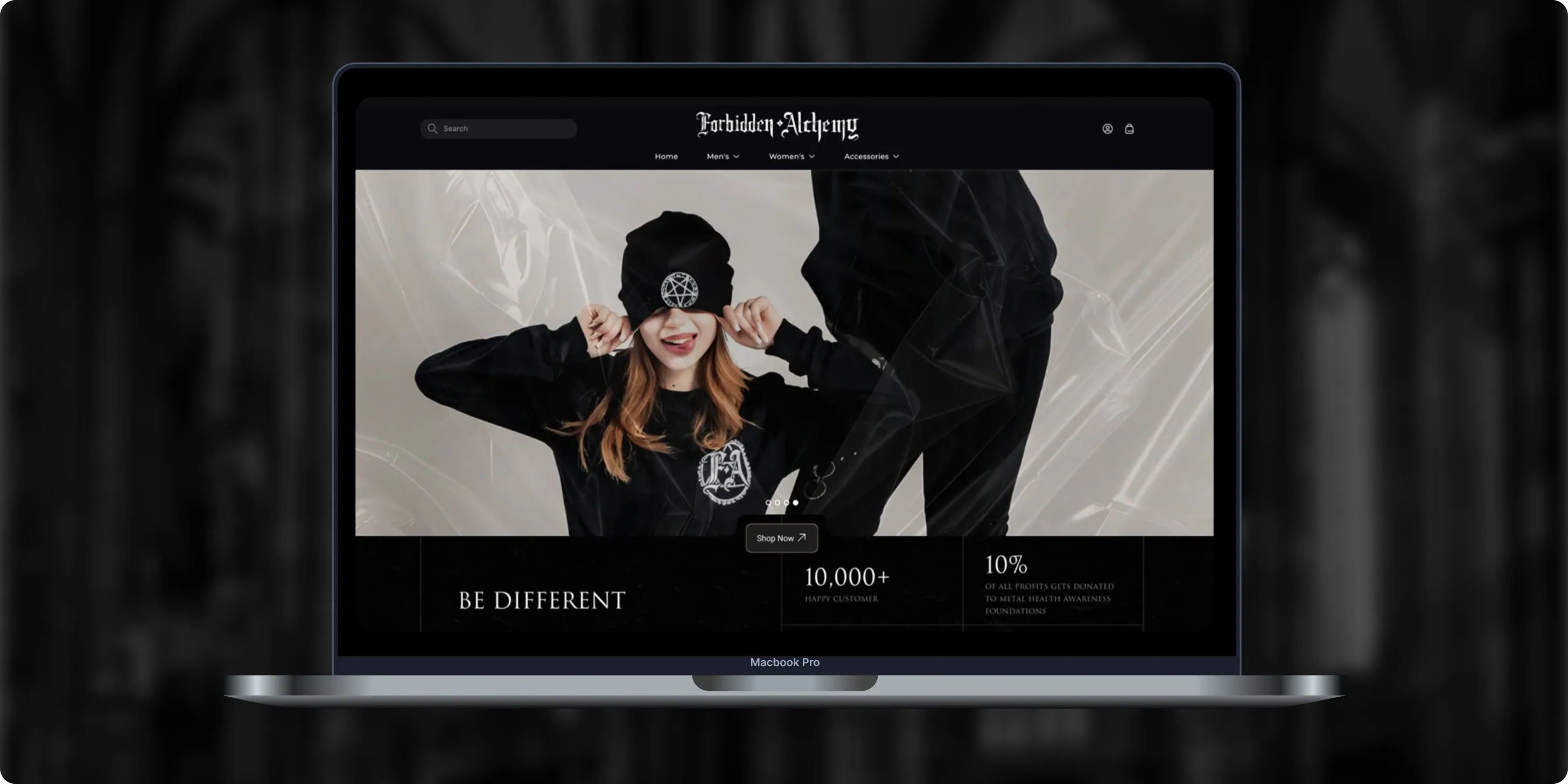
Forbidden Alchemy
Forbidden Alchemy is an alternative fashion brand creating dark, provocative clothing for the metalhead community, with 10% of profits donated to mental health awareness. Its mostly mobile audience struggled with a store that was hard to navigate and weak on functionality.- +44%Revenue Month Over Month
- 86%Design Satisfaction
- 2.8XUser Retention Growth
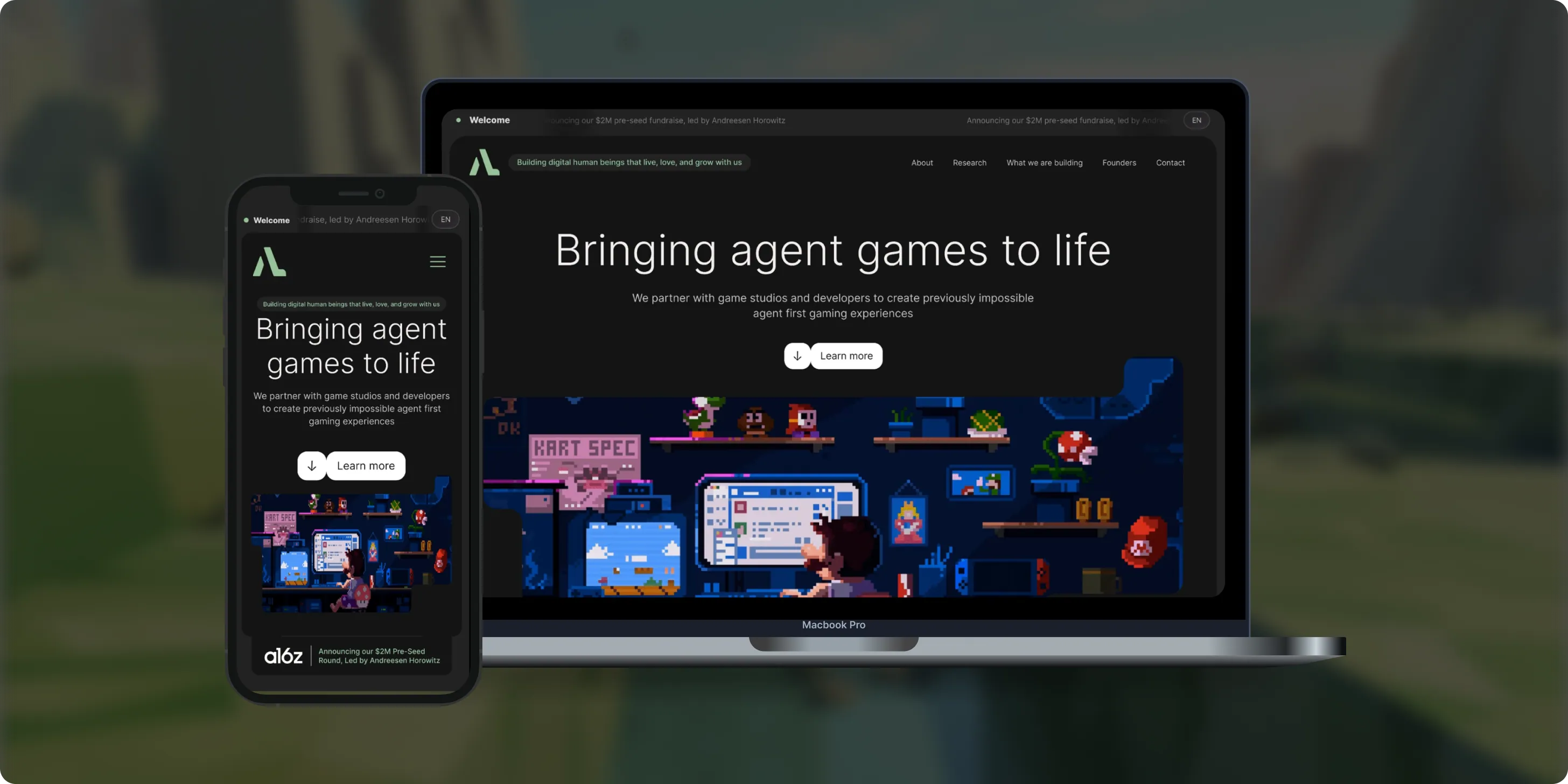
Altera
Altera builds on decades of computational neuroscience research to create digital human beings for gaming. Backed by a $2M pre-seed round led by Andreessen Horowitz, the team needed a landing page that could explain complex agent technology to players, partners, and investors.- 98%Dynamic Customization
- 100%Streamlined Navigation
- $2MPre-Seed Round
- Real Estate
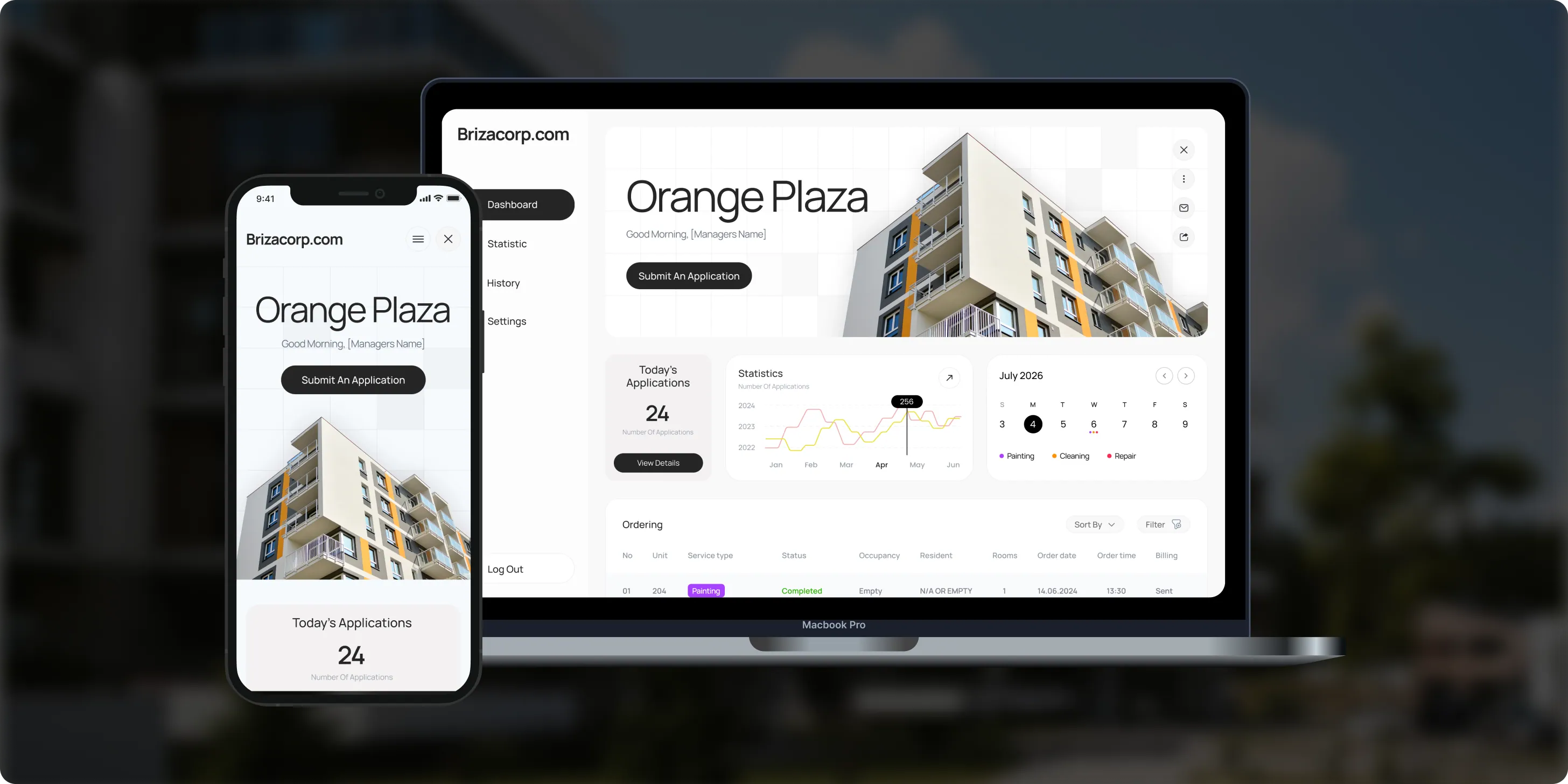
Brizacorp
Brizacorp manages residential properties and coordinates the staff who handle painting, cleaning, and repair requests. Its team tracked work across messengers, phone calls, e-mail, and paper planners, with no single place to manage requests or measure performance.- 98%Application Stability
- 95%Utilization Rate
- 30%Faster Task Completion
Color & Harmony
Color & Harmony is a Kentucky-based color consulting studio led by certified color strategist Diana Cartaya. The studio needed a website that reflects its refined aesthetic, showcases its portfolio, and explains a science-based color process in simple language.- 45%Conversion Rate Increase
- 50%Higher User Engagement
- 2Months to Launch

The Modern Gentlemen
The Modern Gentlemen sells premium men's skincare featured in Men's Health, GQ, and Men's Journal. Its customers wanted an efficient routine, but generic product suggestions and limited skincare knowledge made choosing the right products hard.- 30%Increase in Conversions
- 25%Higher Customer Retention
- 92%Mobile Purchases

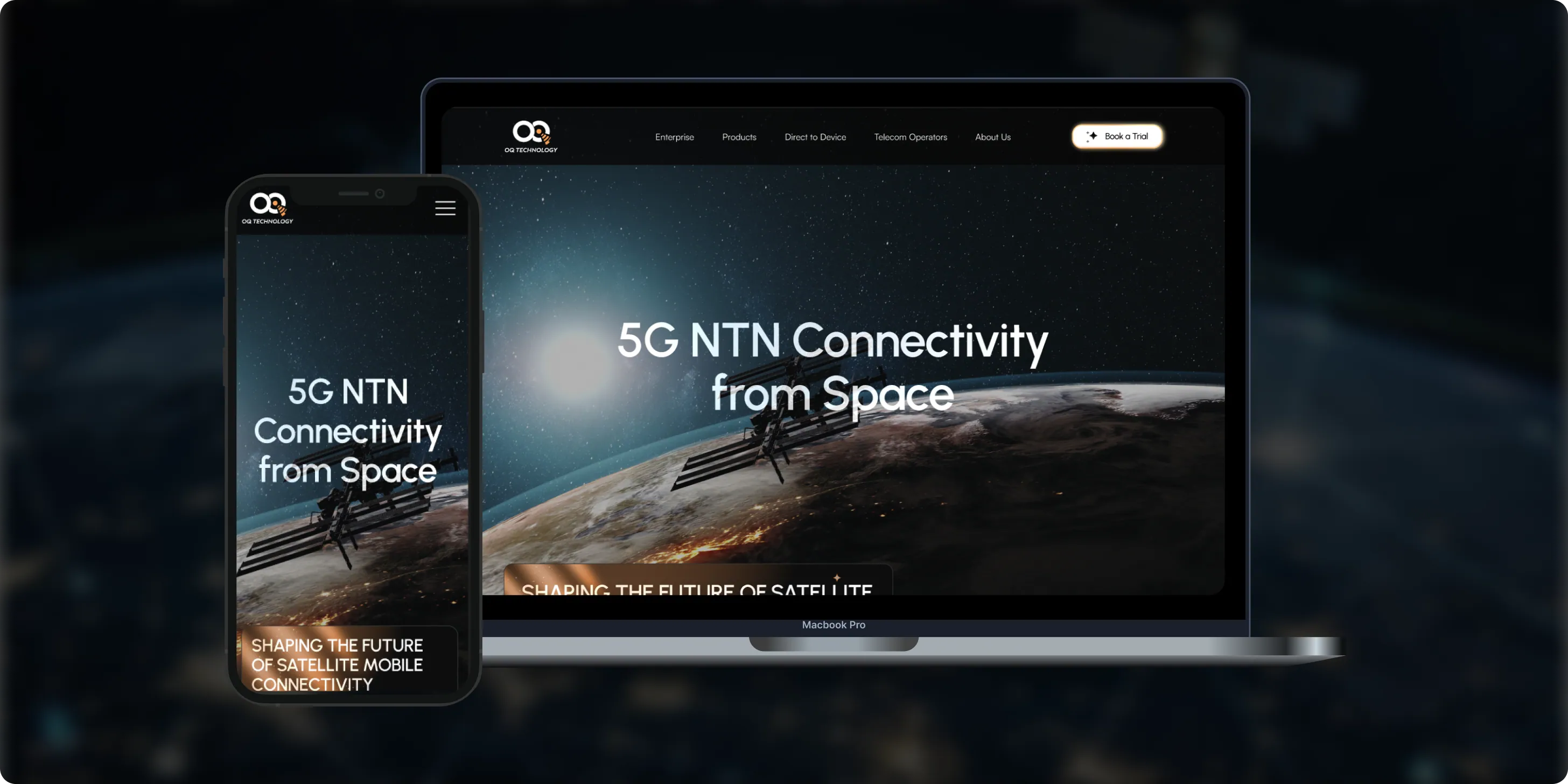
OQ Technology
OQ Technology connects IoT devices, machines, and people anywhere on the planet through its satellite network, serving energy, maritime, logistics, agriculture, and mobile operators. Its website made it hard to explore products and reach pricing plans.- 4Pricing Plans Clarified
- 3Dedicated User Flows
- 1Unified Platform
- Real Estate
- Finance
Stay Vest
Stay Vest is a private real estate investment firm that acquires, renovates, and operates boutique hotels for cash flow, tax benefits, and equity gain. It needed a platform that explains its strategy and earns the trust of passive investors.- 1,500+Guest Stays
- 200+Rooms Managed
- 5States Covered

Bokeyno Motorsports
Bokeyno Motorsports is the leading mobile installer of vertical doors for high-performance cars. This Shopify website isn’t just about services—it’s a bold statement of power, style, and expertise. With a sharp layout, strong visuals, and real-world case studies, the site delivers all the information car enthusiasts need to book confidently and instantly.- 54%Booking Requests
- 43%Lead Conversion
- 32%Qualified Inquiries

ai document processing platform
A comprehensive talent solution designed to help companies attract, hire, and retain top talent more effectively. The platform combines AI-powered recruitment technology with employee financial wellbeing programs, enabling smarter hiring decisions while supporting employees’ financial stability and long-term engagement.- 62%Faster Processing Time
- 78%Less Manual Work
- 35%Improved Accuracy

Risks in AI integration, and how we handle them
Each risk below gets a control in code before release, not a promise in a slide.

How we keep data safe in an AI integration
Your data stays under your contracts
Every model call runs through your own vendor accounts, sends only the fields a task needs and leaves a log entry. When integrated data must stay inside your own cloud, see our private AI service. For rules on how staff and products may use AI, see AI governance and compliance. Health data has its own rules. Our guide to HIPAA-compliant AI explains what changes when an integration touches patient records.
Your own vendor accounts
Your software calls the model on your own Anthropic, OpenAI, Google or cloud account, under your terms with each vendor.
Only the fields a task needs
Each API request from your software sends only the fields the task needs, with sensitive values masked where the task allows it.
Your existing permissions
Access follows the permissions your users already have, so the AI never shows a record a user cannot open.
Keys outside the code
API keys for every integrated model stay in your secrets manager, never in code or in prompts.
Every request logged
Every API request, answer and model version is logged for audits and incident review.
How to choose an AI integration company
Ask any AI integration company these questions before you sign. A strong one puts each answer in writing.
Questions to ask, and what a good answer includes
- Where will the code live? In your repository from day one, with prompts, tests and documentation.
- How will you choose the model? A test of two or three models on your real examples, with accuracy and cost per task.
- How will you measure quality before launch? A written test set and a pass mark agreed before the build.
- What will the integration cost to run each month? An estimate of model usage and hosting, billed at cost on your accounts.
- What happens when a vendor retires a model? Pinned versions, a rerun of the test set and a planned switch.
- Can we see production work? Case studies of live integrations, not only demos.
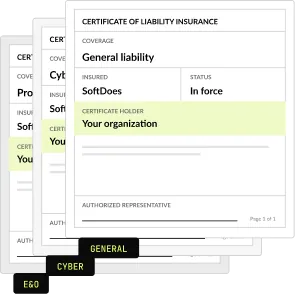
- What paperwork comes first? An NDA and a certificate of insurance before the first call.
AI integration pricing
A fixed price per feature, agreed in writing before work starts, with model usage billed at cost on your accounts.
AI feature inside your software
Built into what you already run
From $4,000
Custom integration or MCP server
Opens your system to AI tools
From $4,000
Chatbot on your own documents
Answers from your content
From $4,000
AI agent, 1 or 2 connected systems
Each extra system adds $3,000 (1 or 2) or $9,000 (3+)
From $7,000
Maintenance, hosting and updates
Model usage and hosting at cost
From $500 a month
Project Discovery
Credited to the build
$490
Why teams choose SoftDoes as their AI integration company

- 01
Claude and OpenAI partner
- 02
Code in your repository
- 03
Vendor documents first
- 04
40 AI projects since 2020
- 05
Rated 5.0 on Clutch
- 06
Kansas City headquarters
AI integration by industry
The same integration patterns, built around each industry's systems, records and rules. Each industry page shows the integration use cases and the compliance steps in detail.
Healthcare
Prior authorization, intake and records work, with HIPAA controls and EHR connections.
Financial services
Document checks, customer service and reporting inside your core systems, with an audit log for every AI step.
Insurance
Claims intake and document review inside your claims software, with a person approving every payout decision.
Construction
Scopes, bids and contracts drafted from project details, with both sides approving.
Logistics
Shipment updates, document checks and exceptions across carrier and warehouse systems.
Legal
Intake, document review and drafting, integrated with the firm's case management system.


Questions about AI integration
Scope, cost, speed, accuracy, models and data. Can't find your answer?
What is an AI integration service?
An AI integration service connects an AI model to software you already use, so the AI can read your data and write results back. Typical examples are drafting replies inside a help desk, extracting fields from uploads or answering questions from your documents. SoftDoes builds these integrations through your APIs, in code you own.
What is LLM integration?
LLM integration means calling a large language model, such as Claude, GPT or Gemini, from your own software through its API. The integration handles prompts, retries, caching, permissions and cost limits, so the model behaves like any other dependable service in your stack. It sits at the core of most AI integration projects.
How much do AI integration services cost?
Our AI integration services start at $4,000 for one AI feature in your software. A custom integration or MCP server also starts at $4,000. An AI agent connected to 1 or 2 systems starts at $7,000. Model usage and hosting are billed at cost on your own accounts. Our AI implementation cost guide shows typical ranges for larger rollouts.
Can you add AI to our software without a rebuild?
Yes, in most cases. If your software has an API, a database we can reach or room for a backend service, we add the AI feature beside what exists. We build on a branch, test on your real data and release behind a flag. Nothing changes for your users until you approve the release.
Which model should we use: Claude, OpenAI or Gemini?
It depends on the task, your data rules and cost. We test two or three models on your real examples and compare accuracy, speed and price per task before we choose. Many products use more than one model. SoftDoes is a Claude Partner Network member and an OpenAI Registered Partner, and we also build on Gemini.
How do you keep our data safe when we call an AI API?
Calls go through your own vendor accounts, under your contracts with each provider. We send only the fields a task needs, mask sensitive values where possible and log every request. Access follows your existing permissions, and keys stay in your secrets manager. For data that must stay in your cloud, see our private AI service.
Who maintains the integration after launch?
Your team can, because the code, prompts, tests and documentation live in your repository. If you prefer us to run it, maintenance and support start at $500 a month. Support covers model updates, prompt fixes, cost monitoring and changes when a vendor retires a model.
How long does AI integration take?
It depends on the feature, the data and your release process. We set the integration's scope, price and schedule in a written plan before the build starts. Many teams begin with Project Discovery for $490, which is credited to the build. The plan also lists what we need from you, such as API access and test data.
Will AI slow down our application?
Not when it is built for it. We stream answers as they generate, move long tasks to background jobs and cache repeated requests. Every AI call has a timeout and a fallback, so your app keeps working if a model is slow or down. We test speed on your real traffic before release.
How do you make sure AI answers are accurate?
We build a test set from your real examples and agree a pass mark before the build. The feature must meet it before release. Answers show their sources where possible, and a person approves outputs that carry risk. After launch we log answers, review errors and update prompts and tests.
Can you integrate AI into legacy software?
Usually, yes. If we can reach the data through an API, a database or regular exports, we add the AI as a separate service beside the old system. If the code itself needs to change, see our AI code modernization service. We review the architecture first and tell you which route fits.
Does AI integration raise our operating costs?
It adds model usage and hosting, billed at cost on your own accounts. We set cost limits and alerts per feature, and we cache repeated requests to keep usage down. Maintenance, if you want us to run it, starts at $500 a month. Compare these costs with the hours saved, as in the worked example above.
Can we start with one AI feature and add more later?
Yes, and it is the route we recommend. The first feature sets up the shared parts: model access, logging, permissions and cost controls. Each later feature reuses them, so it needs less new work. Your roadmap stays in your hands, because every part lives in your repository.
Do we need our own AI team?
No. We design, build and document the integration, and your developers can maintain it from the repository. A product owner on your side approves the scope and each release. If you prefer, we run it for you from $500 a month, including model updates, prompt fixes and cost monitoring.
Which systems can you connect AI to?
Any system with an API, a database we can reach or a regular file export. Common ones include PostgreSQL databases, REST APIs, webhooks, Salesforce and Zendesk. In one live build, AI files prior authorizations through Medicare's API. If a system has no API, we can often integrate through exports or a small connector service.