


U.S.-Based
BIM Software Development for How AEC Teams Actually Work
Custom BIM software development for architects, structural engineers, MEP engineers, and construction firms needing integrated tools. We create tailored BIM services that fit your workflows and popular BIM software. Our solutions enhance collaboration, automate repetitive tasks, and make project management more efficient and accurate.

Let's build together.
Talk with a senior engineer about your product idea, architecture, and what it would take to build it.
90+
Active Client Partnerships
80+ Person
Product & Engineering Team
100%
Your Code & IP Ownership
U.S.-Led
Delivery & Accountability
We understand the challenges you're facing
How do we stop wasting hours on model cleanup and sheet exports?
Repetitive tasks like sheet creation, view setup, parameter population, naming convention checks, and exports to IFC, DWG, or PDF consume hours that senior modelers should spend on design and construction problems. We analyze your actual BIM workflows before writing a single line of code, then automate the right tasks through Dynamo scripts, Revit add ins, or background services that run on schedule. Every script is version controlled, tested against sample project models, and documented so your BIM managers can trust the output. Error rates drop, construction documentation becomes consistent, and Revit users get their day back.
Why can no one trust the numbers from our BIM models?
Distrust grows when quantities, clash counts, and parameter values come from different tools at different times with no audit trail. Building information modeling BIM captures relationships and metadata beyond geometry, but that richness is wasted when data management is fragmented. We engineer ETL pipelines and APIs that sync BIM model data into a central database or data lake, then surface it through live dashboards showing quantity takeoffs, clash KPIs by trade, and model health metrics. Role based access, change logging, and model version context give project managers the auditability they need. When every number traces back to a specific model version and discipline, people stop guessing.
We have a BIM prototype in Python and Grasshopper. How do we turn it into a product?
Most AEC product companies and internal R&D teams reach a point where a working proof of concept cannot handle real users, licensing, or upgrades. Turning that prototype into a shipping product means choosing the right tech stack, designing an API strategy around Revit, IFC models, or cloud services, and implementing licensing, packaging, and CI pipelines. We refactor the core logic, add test coverage, and wrap it in a UX that BIM professionals actually want to use inside their authoring tools or in a browser. The outcome is something you can ship to paying customers, support across versions, and evolve over years.
How do we open up BIM data without losing control of who sees what?
Sharing a digital model with owners, facility managers, and external partners raises real security questions. We implement role based access controls across BIM viewers, dashboards, and internal APIs so each user sees only what they should. Encryption in transit and at rest, secrets management, and environment separation between test and production keep data locked down. We align permission structures with ISO 19650 information management concepts and CDE configurations, and every action generates an audit log. That means you can open up BIM data for project collaboration without worrying about exposure.
You manage the project. We code the BIM behind it.

Custom BIM plugins and automation
We engineer native add ins for Autodesk Revit, Autodesk Navisworks, Tekla Structures, and Graphisoft Archicad that feel like part of the host BIM tool, complete with ribbon panels, commands, and configuration dialogs. Robust APIs allow developers to create custom tools and automate workflows in BIM software, and we use that access to solve specific operational problems.
Automate model cleanup, sheet sets, and export routines
Enforce office standards with parameter checks and naming rules
Connect authoring tools to cost, scheduling, and CDE platforms

BIM integration platforms and APIs
Middleware that links BIM authoring tools, Autodesk Construction Cloud, Trimble Connect, Procore, and ERPs into a single data hub. Industry Foundation Classes IFC are open standards for data exchange in BIM, and we use IFC alongside vendor APIs to normalize everything into one queryable layer.
Normalize IFC, RVT, NWD, and COBie exports into one data model
Stream clash, issue, and RFI data into live dashboards
Expose secure REST APIs for internal tools and partner apps

Web and mobile BIM applications
Browser based and mobile coordination tools for field teams, estimators, and owners who need to review BIM models without opening heavy desktop software. Cloud synchronization enables real time collaboration on BIM models among multiple users, and we design these tools offer exactly the data each role needs.
Web 3D viewers with issue tagging, trade filtering, and markup
Role specific portals for subcontractors and facility managers
Offline friendly mobile apps for construction site checks
Numbers Don’t Lie
Recent projects showcasing how we design, engineer, and deliver production-ready software solutions.

- Startup
- Real Estate
Our Haus AI
A finance professional turned founder built Our Haus AI, an AI-powered collaborative workspace where homeowners and contractors scope, bid, contract, and document renovation projects together. SoftDoes took her prototype and made it production-ready.- 10XMVP scope delivered
- 2+years Ongoing partnership
- 1Fully owned Platform

- Finance
- Energy
Deepwater Insights
Deepwater Insights delivers proprietary alternative data and niche research on the offshore drilling and energy sector to institutional investors, family offices, and high-net-worth individuals who require coverage that larger firms don't provide.- 100%Brand Continuity
- 2Platform Distribution
- 100%Paywall-Ready Content

- Real Estate
The building buyer
The Building Buyer is a Florida-based real estate investment firm co-founded by Dylan Troiano and Charles Hanlin. They acquire single-family, multifamily, and commercial properties across South Florida and beyond, with a focus on motivated seller opportunities.- 18Weekly hours saved
- 2+Years Ongoing partnership
- 1Fully owned Platform

- Education
- Non-Profit
WOVEN & NICE
Woven is a Spring Valley, NY nonprofit running the NICE program (New Training Inclusive Community Environment) in four Rockland County schools. Their team supports students through restorative practices, mediation, and professional development for teachers and administrators.- 4Schools Served
- 4Weeks to Launch
- 1STTime on Upwork

- Healthcare
CareInTouch
CareInTouch is a Bay Area home health agency providing skilled nursing and therapy services to patients referred from hospitals and clinics. With over 100 staff, they operate in one of the most complex and compliance-driven healthcare markets in the country.- 40% Reduction In Billing Errors
- 100+Staff Operations Managed
- 0Missed Compliance Deadlines

- Startup
Sparkle The Cleaning Service
Sparkle The Cleaning Service is a Detroit-area residential cleaning company with 10 years in business, connecting homeowners with vetted, insured independent cleaners through a subscription-based marketplace platform.- 75% Platform Transparency
- 2XPlatform Growth
- 40%Higher User Retention

- Startup
DineMate
DineMate is a Maryland-based dating and connecting platform built around verified profiles, restaurant reservations, and prepaid dining experiences. Founded to bring back authenticity to how people meet and connect.- 60% Time Saved
- 99%System Reliability
- 40%Higher User Retention

- Healthcare
Prior Authorization AI
Prior Authorization AI is a healthcare automation startup building AI-powered tools to streamline prior authorization for Medicare and Medicaid medical transportation providers in New Jersey.- 16Weekly hours saved
- 63%Admin time reduced
- 43%Fewer submission errors

- Education
Grand Central Language Services
Grand Central Language Services provides translation and interpretation for organizations operating in complex, multilingual environments. As demand grew, internal workflows became harder to manage. SoftDoes built a custom platform to streamline coordination, improve visibility, and support scalable operations.- 72%Workflow Reduction
- 48%Coordination Reduction
- 83%Visibility Increase

- Healthcare
FMY Orthodontics
FMY Orthodontics, a multi-location practice in West Tennessee, partnered with SoftDoes to replace a spreadsheet-based financial workflow with a custom web platform. The goal was to simplify how staff present treatment financing while allowing patients and families to review and complete decisions remotely.- 60%Workflow Reduction
- 75%Remote Adoption
- 5Locations Aligned

Forbidden Alchemy
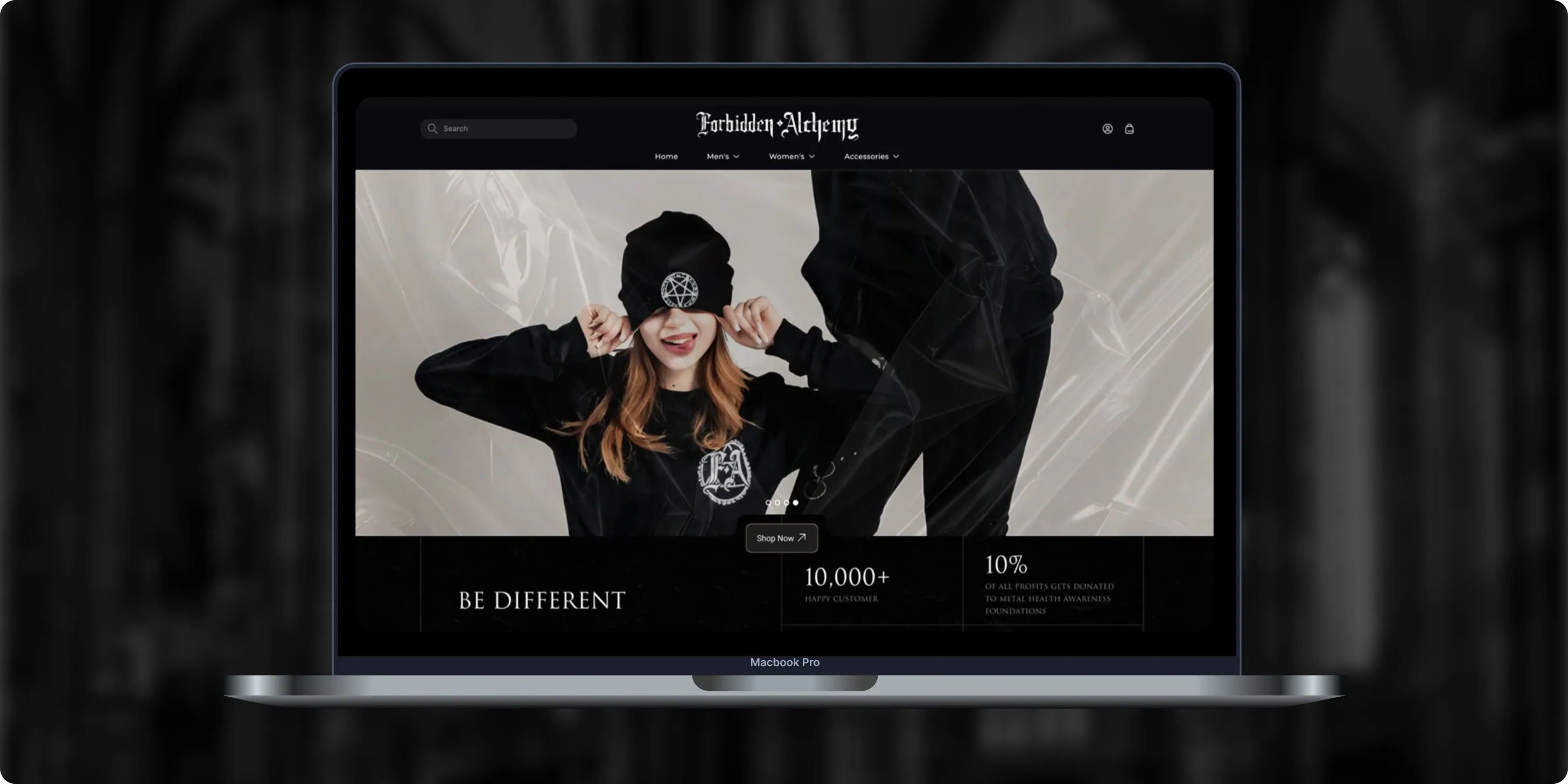
Forbidden Alchemy is an alternative fashion brand creating dark, provocative clothing for the metalhead community, with 10% of profits donated to mental health awareness. Its mostly mobile audience struggled with a store that was hard to navigate and weak on functionality.- +44%Revenue Month Over Month
- 86%Design Satisfaction
- 2.8XUser Retention Growth
Altera
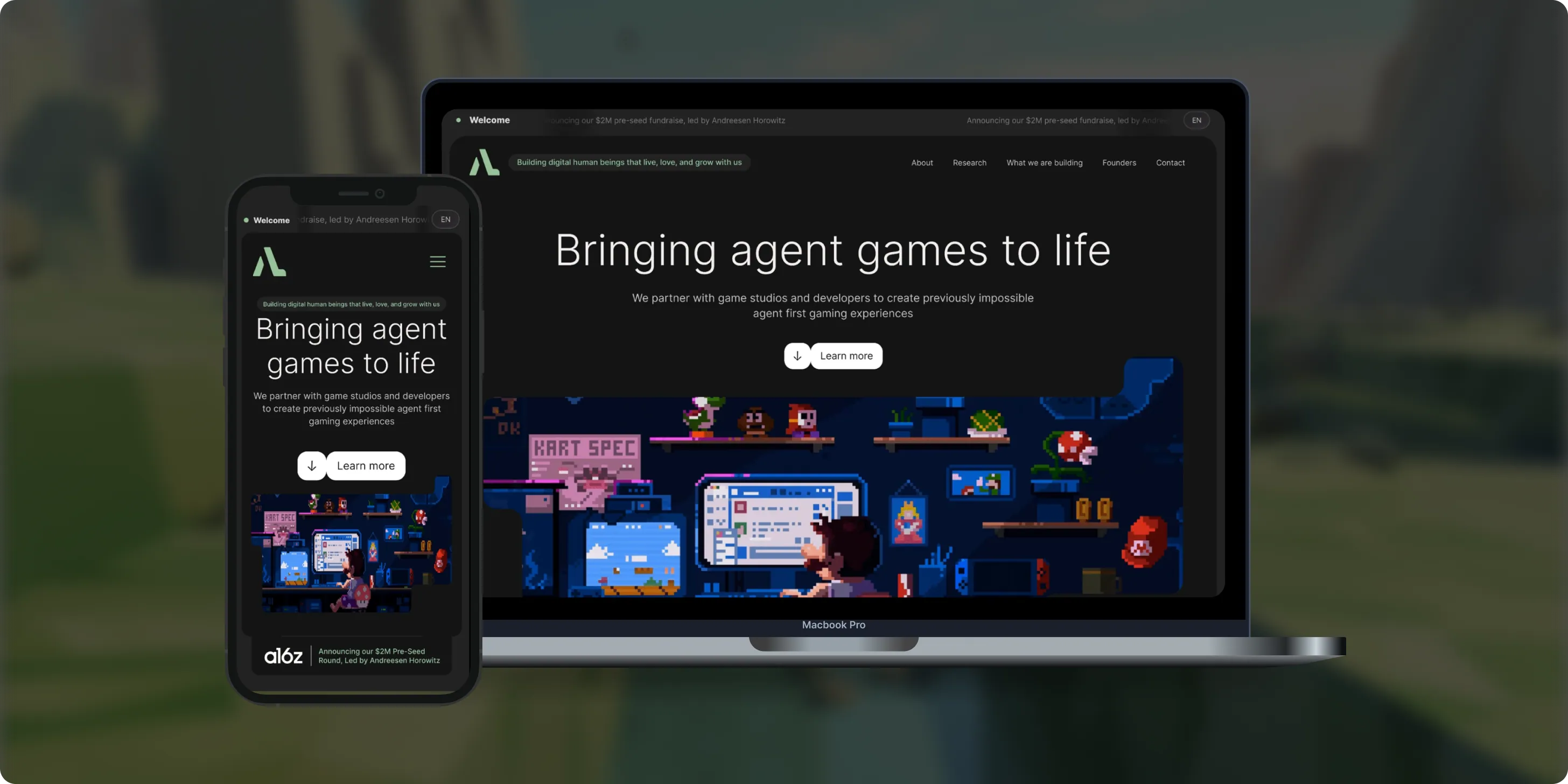
Altera builds on decades of computational neuroscience research to create digital human beings for gaming. Backed by a $2M pre-seed round led by Andreessen Horowitz, the team needed a landing page that could explain complex agent technology to players, partners, and investors.- 98%Dynamic Customization
- 100%Streamlined Navigation
- $2MPre-Seed Round
- Real Estate
Brizacorp
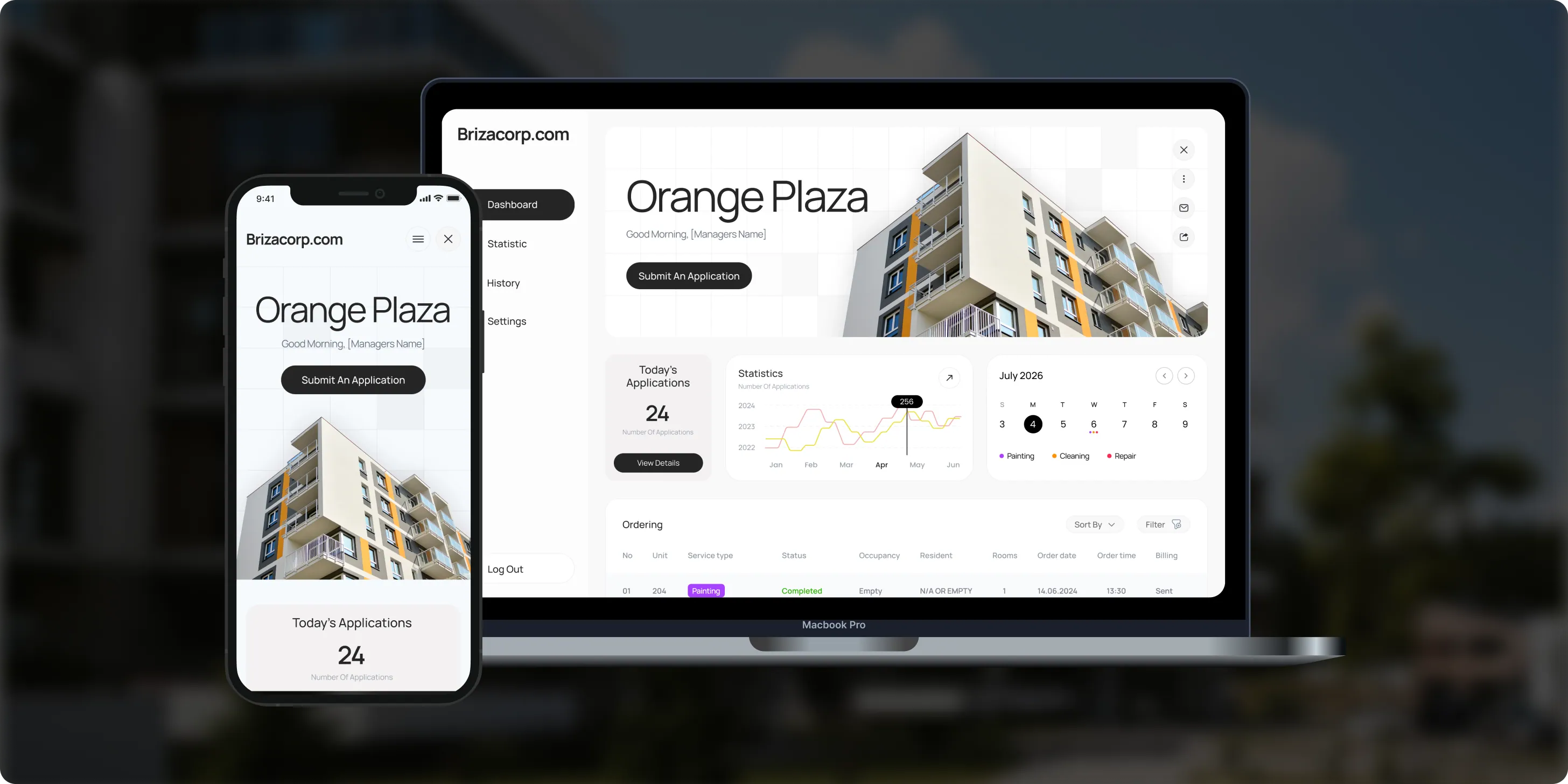
Brizacorp manages residential properties and coordinates the staff who handle painting, cleaning, and repair requests. Its team tracked work across messengers, phone calls, e-mail, and paper planners, with no single place to manage requests or measure performance.- 98%Application Stability
- 95%Utilization Rate
- 30%Faster Task Completion
Color & Harmony
Color & Harmony is a Kentucky-based color consulting studio led by certified color strategist Diana Cartaya. The studio needed a website that reflects its refined aesthetic, showcases its portfolio, and explains a science-based color process in simple language.- 45%Conversion Rate Increase
- 50%Higher User Engagement
- 2Months to Launch

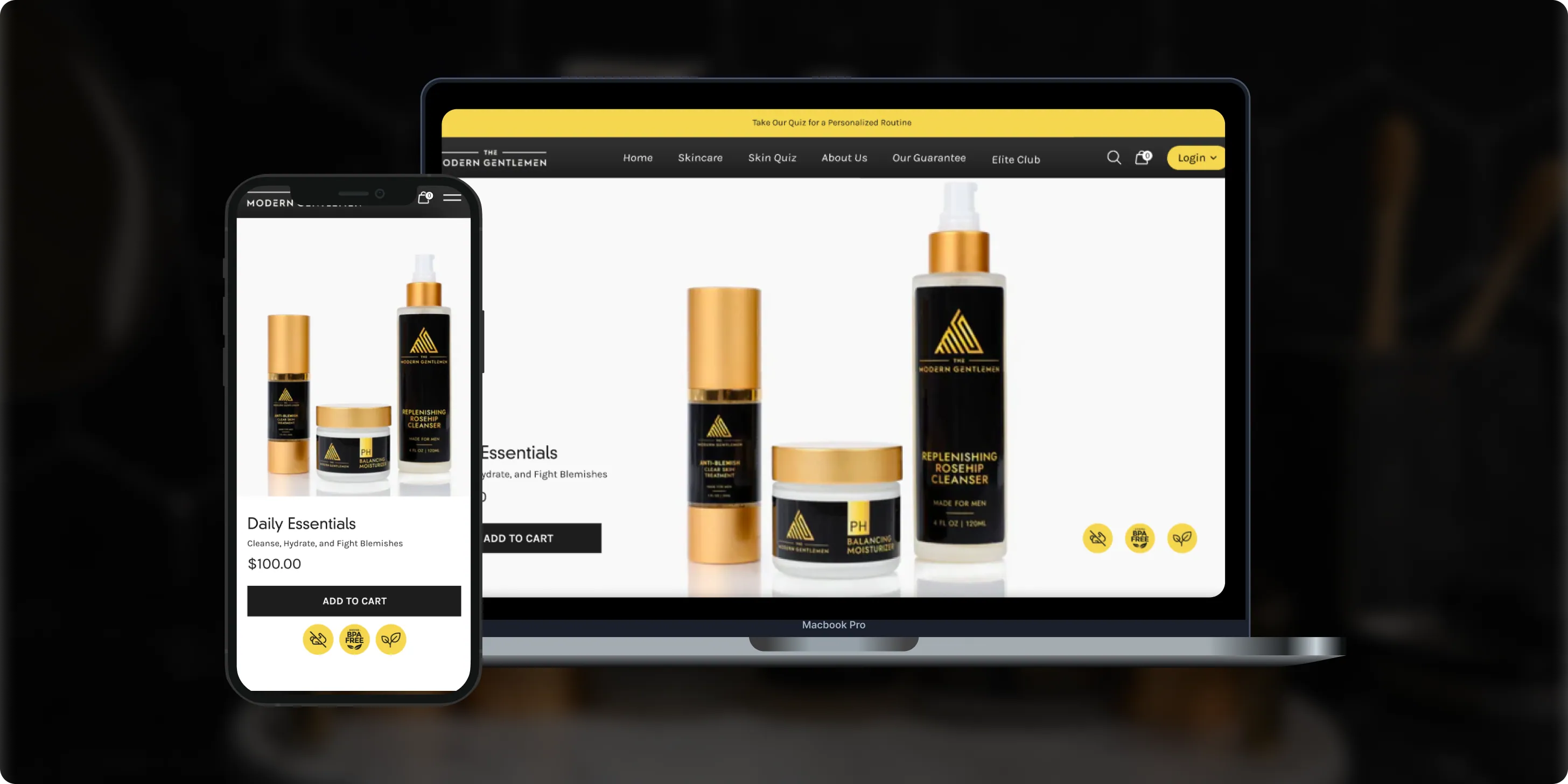
The Modern Gentlemen
The Modern Gentlemen sells premium men's skincare featured in Men's Health, GQ, and Men's Journal. Its customers wanted an efficient routine, but generic product suggestions and limited skincare knowledge made choosing the right products hard.- 30%Increase in Conversions
- 25%Higher Customer Retention
- 92%Mobile Purchases
OQ Technology
OQ Technology connects IoT devices, machines, and people anywhere on the planet through its satellite network, serving energy, maritime, logistics, agriculture, and mobile operators. Its website made it hard to explore products and reach pricing plans.- 4Pricing Plans Clarified
- 3Dedicated User Flows
- 1Unified Platform

- Real Estate
- Finance
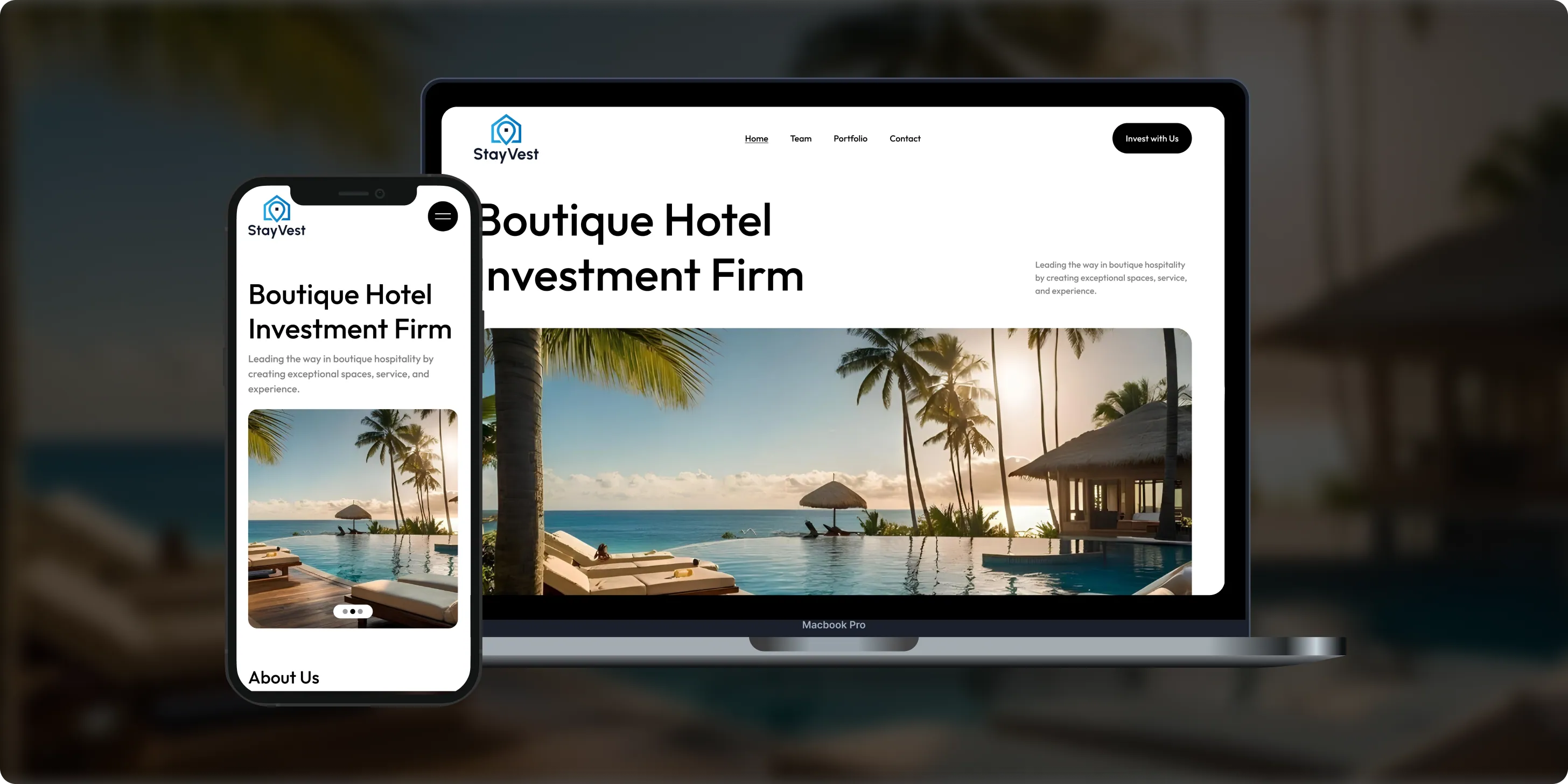
Stay Vest
Stay Vest is a private real estate investment firm that acquires, renovates, and operates boutique hotels for cash flow, tax benefits, and equity gain. It needed a platform that explains its strategy and earns the trust of passive investors.- 1,500+Guest Stays
- 200+Rooms Managed
- 5States Covered
Bokeyno Motorsports
Bokeyno Motorsports is the leading mobile installer of vertical doors for high-performance cars. This Shopify website isn’t just about services—it’s a bold statement of power, style, and expertise. With a sharp layout, strong visuals, and real-world case studies, the site delivers all the information car enthusiasts need to book confidently and instantly.- 54%Booking Requests
- 43%Lead Conversion
- 32%Qualified Inquiries

ai document processing platform
A comprehensive talent solution designed to help companies attract, hire, and retain top talent more effectively. The platform combines AI-powered recruitment technology with employee financial wellbeing programs, enabling smarter hiring decisions while supporting employees’ financial stability and long-term engagement.- 62%Faster Processing Time
- 78%Less Manual Work
- 35%Improved Accuracy

WHAT CLIENTS SAY
Independently verified reviews from real clients on Clutch.co


Client Story
Real feedback from
FMY Orthodontics

“Their perseverance and solution-oriented mindset. SoftDoes consistently found ways to make things work, added features we had not originally envisioned, and never became frustrated. It felt like working with a true partner who cared about the success of our practice.”
Dan Merwin
DDS, MS -- President, FMY Orthodontics

Client Story
Real feedback from
Prior Authorization AI
“Every time I sent a request, if there was anything that didn't work, they were able to turn it around quickly. Even when there were no updates yet, they always reached out to let me know they were working on it.”
Joseph Oluwo
Founder of Prior Authorization AI


Client Story
Real feedback from
WOVEN
“What stood out most was their commitment to understanding our needs before presenting solutions.”
Danna Pastran
Administrative Operations Manager, WOVEN

Client Story
Real feedback from
Grand Central Language Services
“The site performs as intended and provides the foundation for our company's digital presence.”
Joe Goldstein
QA Manager, Grand Central Language Services


Client Story
Real feedback from
DineMate
“They go above and beyond.”
Eric Snead
CEO, DineMate "Dating Connecting Platform"
Why they Choose SoftDoes
- 01SENIOR ENGINEERS, NOT LAYERS
Your project team talks directly to senior developers who know Revit APIs, IFC, CDEs, and BIM authoring tools. No project managers relaying messages between your BIM coordinators and someone writing code in isolation. Several of our engineers have backgrounds in architecture engineering and construction, including former BIM managers who have run coordination on large projects. That means they understand drawings, model structure, discipline specific constraints, and the difference between a parameter that matters and one that does not. Faster understanding, fewer wrong assumptions, and solutions shaped by people who have lived the BIM process from the inside.
- 02PREDICTABLE DELIVERY
BIM tools must align with real project milestones: coordination meetings, model issue deadlines, submission dates. We work in short iterations with clear acceptance criteria tied to actual project models, not abstract requirements. Risk gets managed early through proof of concepts against live models, spike tasks on proprietary APIs, and structured technical discovery before we commit to timelines. We also account for add in certification, corporate IT review, and user pilot periods. The outcome is fewer surprises when rolling out BIM automations to large project teams during the construction phase.
- 03BUILT TO LAST PAST LAUNCH
BIM software must survive version changes in Revit, Navisworks, Tekla, and every platform it touches. BIM software must prioritize long term data durability through backward compatibility and clear documentation, and we engineer with that principle from day one. Automated tests run against sample models to catch regressions. Structured logging, monitoring, and feature flags keep integrations observable. Documentation targets both developers and BIM coordinators with usage guides, change logs, and API references. When Autodesk or Trimble ships a new version, we already have a plan for updating compatibility.
- 04NO BABYSITTING REQUIRED
Once goals are clear, our teams take initiative. We suggest improvements, flag edge cases in model data, and raise questions before they become problems. Communication follows a rhythm: weekly check ins, async updates with screen recordings, and progress clips showing real model interaction. Our engineers can join coordination calls, talk to BIM leads, and interpret clash reports without needing translation. Support includes monitoring scripts and integrations in production, reacting before users feel pain. You focus on design and construction. We handle the software.
What you can count on for BIM
This section is about how we work together, from the first conversation through years of production use. Every BIM software development engagement follows the same clear path.




Experience Across Architecture, Engineering, Construction, and Facility Management
We build BIM software for teams where model accuracy, smooth collaboration, and data that lasts beyond handover come first.
MES Software
Project Management
ERP Software
Industrial IoT
QMS Software
Complex systems, integrations, and internal platforms built to evolve. We step in when off-the-shelf tools stop being enough.
Estimating Software
From first version to real traction without painting yourself into a corner. Built for speed now and hard decisions later.
Construction
Systems designed around controls, traceability, and change management. Built so audits don’t become fire drills.
FinTech
Infrastructure software built for long timelines and high stakes. Reliable systems for assets that can’t afford guesswork.


Frequently Asked Questions
Everything you need to know about working with SoftDoes. Can’t find an answer?
How long does a typical BIM software development project take?
A focused Revit plugin or automation script usually takes four to eight weeks to develop. These projects involve detailed analysis of your current workflows and close collaboration with your BIM managers to ensure the solution fits seamlessly into daily operations. For more complex needs, such as a full web platform with integrations, dashboards, and role based access controls, the timeline extends to approximately three to six months. Several factors influence the duration of a BIM software development project. API complexity is a major consideration, as it affects how easily different BIM authoring tools can communicate with custom software. The number of host tools involved also impacts timelines, especially when integrating multiple platforms like Autodesk Revit, Navisworks, Tekla Structures, and Graphisoft Archicad. Security requirements, including encryption and access controls, add necessary layers of review and testing. Our discovery phase is a critical step that produces a clear and realistic timeline before engineering begins. During this phase, we conduct workshops with your BIM managers and coordinators, audit existing models and scripts, and map out workflows to identify pain points and automation opportunities.
Can you integrate with the BIM tools and CDEs we already use?
Yes. We integrate with Autodesk Revit, Autodesk Navisworks, Tekla Structures, Graphisoft Archicad, Civil 3D, Autodesk Construction Cloud, Trimble Connect, Procore, and other tools when APIs or connectors exist. Our approach starts with evaluating vendor APIs, SDKs, and data formats like IFC and BCF, then designing the integration pattern that fits your environment. Where direct APIs are limited, we use export workflows or intermediary services to bridge the gap. Interoperability standards ensure that BIM data can be shared and used across different software tools.
Who owns the source code for custom BIM solutions?
You own every line of custom code created under your engagement. The exception is any pre existing SoftDoes libraries, which are licensed for your use. Code is stored in repositories you can access, with full documentation and handover materials. This applies equally to plugins, APIs, and web applications. Ownership means you have full control over the software, including the ability to modify, extend, or deploy it as you see fit. We ensure a thorough handover process that includes detailed technical documentation, training sessions for your BIM managers and IT staff, and support for initial deployment.
How do you keep our BIM data secure?
Encryption and access control are the foundation. We follow secure development practices including secrets management, least privilege access for engineers, and strict environment separation between development, testing, and production. Data residency options cover both cloud based and on premise deployment, and we integrate with your identity providers for SSO where needed. Clash detection engines identify conflicts in BIM models before construction begins, and the data those engines produce deserves the same protection as the models themselves.
Can you work with our existing BIM scripts and partial tools?
Absolutely. We regularly review and extend existing Dynamo graphs, Revit add ins, and internal web tools that teams have started on their own. This process begins with a thorough audit that includes code review, performance profiling, and a detailed recommendation on whether to refactor or rebuild for greater reliability and efficiency. Consolidating these scattered scripts into a coherent plugin or platform eliminates duplication and streamlines managing information across multiple projects. We also ensure that these tools integrate smoothly with your current BIM workflows and software environments, reducing disruption and accelerating adoption by your team.
Do you only work with large AEC enterprises?
No. We support a wide range of clients, from large general contractors and leading infrastructure design firms to smaller BIM focused architecture firms and construction technology startups. Our engagement size and approach adapt to your organization's scale and needs. For example, a focused automation sprint for a mid size architecture firm looks very different from a multi product roadmap for an enterprise with diverse BIM requirements. Regardless of size, we maintain the same high engineering standards and focus on delivering solutions that solve real problems in your BIM process, improving efficiency and project outcomes.
What makes SoftDoes different from general software agencies for BIM software development?
Our engineers understand models, clashes, and project workflows, not just web applications. That translates to faster discovery, fewer wrong assumptions about model data, and features tuned to real coordination and construction use cases in the construction industry. We combine custom development, data engineering, and cloud skills aligned specifically to AEC and BIM ecosystems. BIM enhances collaboration among project stakeholders, and the software we create is designed to amplify that advantage rather than add another disconnected tool to the stack.