
U.S.-Based
AgentOps: monitoring and cost control for AI agents
We trace every agent run, score answer quality and alert you when costs or errors climb. You see what each agent did, what it cost and where it failed.
$3,500
Setup: tracing, dashboards and alerts
$500
Monitoring from, per month
5.0
Clutch rating from 40 reviews













How monitoring catches a problem
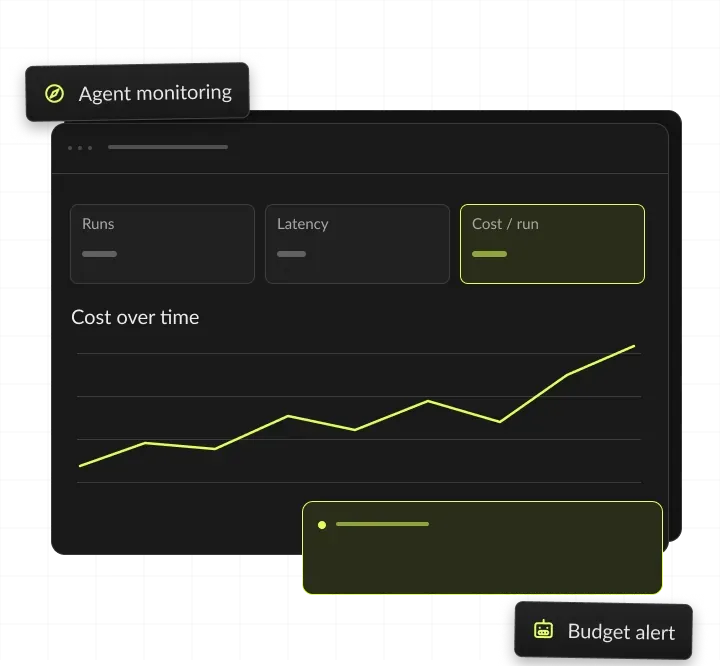
One support agent: every step is traced, the owner gets an alert when cost per ticket jumps after a prompt change, and the fix ships.
An agent runs
A support agent answers the day's tickets.
Every step is traced
Prompts, tool calls, tokens and cost per run.
The owner gets an alert
Cost per ticket jumped after a prompt change.
The fix ships
The prompt is rolled back and the cost drops.
AgentOps, in short
- Kansas City metro software and AI company
- AgentOps for teams running AI agents in production
- Tracing, quality checks and cost alerts on your own accounts, reviewed with you every month
- Setup $3,500, monitoring from $500 a month

See it. Score it. Cap it.
- 01PriceSetup $3,500: tracing, dashboards and alerts; then from $500 a month
- 02Who it's forLeaders who need to know what their AI agents in production do and cost
- 03Owners actEvery alert goes to a named owner, with the trace attached
- 04You ownThe traces, dashboards and code, in your own accounts
What is AgentOps?
AgentOps is how teams run AI agents in production. It records every step an agent takes, scores its work, tracks cost per task and alerts an owner when a limit is crossed.
Why agents need their own monitoring
Agents differ from ordinary software because the same input can lead to different steps. An agent plans, calls tools and changes records in other systems, so a correct-looking answer can hide a wrong action.
Three questions it answers
AgentOps gives your team the record and controls to answer three questions: what each agent did, whether it was right and what it cost.
Governance and incidents
It also covers who changed which prompt or model, what each agent may touch, and who acts when something breaks.
AgentOps vs LLMOps vs MLOps
MLOps watches trained models, data pipelines and model versions, and catches a model that drifts as new data stops matching its training data. LLMOps watches prompts, model versions, evaluations and serving for language models, and catches a prompt change that lowers answer quality. AgentOps watches plans, tool calls, actions in other systems and cost per task, and catches an agent that takes a wrong action, loops or overspends. It builds on the other two: an agent still needs sound models and well-tested prompts.

Types of AI agent monitoring
Six layers cover what teams need to see and control once agents run in production. Most setups start with tracing, cost and alerts; observability tools and model usage are billed at cost on your own accounts.

Tracing (LLM observability)
What did the agent do, step by step? Traces in Langfuse, LangSmith, Arize Phoenix or Datadog, linked by run ID.
Quality evaluation
Were the answers and actions right? Daily scoring of sampled runs against agreed checks, with human review.
Cost monitoring
What does each task cost, and why? Cost per task, per agent and per model, with daily and monthly limits.
Safety and policy checks
Did an agent break a rule or expose data? Checks for policy breaks and sensitive data, with flagged runs sent to a person.
Operational alerts
Is anything failing or slow right now? Alerts on errors, latency and loops, sent to Slack, email or PagerDuty.
Audit trail
Who changed what, and when? Versioned prompts and models, approvals and access, kept in your accounts.
Tools and platforms we monitor
We work with the observability tools you run today, or set up open-source ones on your cloud.
LLM cost optimization: where the savings come from
LLM cost optimization starts with cost per task, not the monthly bill. The biggest levers are caching repeated context, routing simple steps to smaller models, batching work that can wait and trimming prompts.
Discounts from Anthropic's pricing page, read November 2026; other model vendors set their own rates. We test every saving against a fixed set of real tasks, so quality is checked before the change goes live. The LLM cost calculator estimates spend per task for Claude, GPT and Gemini models.
When agent monitoring pays off
Agent monitoring pays off as soon as real users or real records depend on an agent. From then on, failures and costs reach customers and budgets unless someone is watching.
Signs we see before a team asks for AgentOps:
- The model bill grows each month, and nobody can say which agent or step drives it.
- Customers or staff report a wrong answer before your team notices it.
- Nobody can replay a failed run to see which tool call went wrong.
- Several agents, built by different teams, run on different tools and accounts.
- Auditors or security reviewers ask what an agent did, and the logs cannot show it.
When to wait
If no agent has reached production yet, start with testing before launch: AI agent evaluation starts at $3,500 and builds the test set that monitoring reuses later. A single prototype with a handful of internal users rarely needs a monitoring stack; basic logging and a weekly read of the results are enough until real traffic arrives.
What to prepare before the first call
A list of your agents, the models they use and the accounts they run on; read access to current logs, or a sample export of recent runs; one owner per agent who can say what a good result looks like; last month’s model and tool bills, to set a cost baseline; and the actions each agent may take alone, and the ones that need a person.
AI agent monitoring we set up
Everything you need to see, measure and control agents once real users depend on them.
LLM observability
Traces of every prompt, tool call and response, so you can replay any run step by step. For example, a support lead opens one ticket's trace and sees that the order lookup returned an empty record.
Quality scoring
Checks on live answers for accuracy, policy breaks and invented facts, with samples for human review. For example, the weakest of each day’s scored answers go to a reviewer with the trace attached.
LLM cost optimization
Cost per task by agent and model, with caching, routing and prompt fixes that lower the bill. For example, simple classification steps move to a smaller model, while hard steps keep the strongest one.
Alerts that reach a person
Slack or email alerts when errors, latency or spend cross the limits you set. For example, spend on the intake agent passes its daily limit, and the owner gets a Slack message with the run that caused it.
A monthly review
A report on quality, cost and incidents, with the fixes we recommend next. For example, a report shows cost per ticket by week, the top failure types and the fixes planned for next month.
Prompt and model version tracking
Every prompt and model change is versioned and tied to the traces it produced. For example, after a quality dip, the trace shows which prompt version was live, and the team rolls it back.
How do you monitor AI agents?
Trace, score, track, alert
You monitor AI agents by tracing every run end to end and scoring a sample of outputs against agreed checks. Then you track cost per task and alert a named owner when a limit is crossed.
We instrument each agent so every model call, tool call and hand-off joins one trace, and agree checks with each agent's owner: accuracy, policy, tone and the actions it may take. A sample of live runs is scored every day, with people reviewing the weakest ones.
Cost, latency and errors are tracked per task, per agent and per model. Limits send alerts to the owner with the trace that caused them, and each month we review trends and ship fixes behind a flag, tested on the same cases.
A shared standard for agent telemetry
OpenTelemetry publishes semantic conventions for generative AI: shared names for the spans, metrics and events of model calls, including MCP. We use them where your tools support them, so traces stay portable between tools.
What a trace records
The prompt, the model and its version, and the response
Each tool call with its inputs, outputs and errors
Tokens, cost and latency for every step
The ticket, user or case ID the run belongs to
Approvals and rejections by people, with who decided
What you get from an AgentOps setup
You get tracing, dashboards and alerts running in your own accounts, plus the checks, thresholds and runbook your team needs to act on them.




AgentOps ROI: a worked example
AgentOps pays back when the model spend it saves and the engineer hours it frees cost more than setup and monthly monitoring. This example uses assumed model spend and engineer hours, not a client result: at these numbers, setup pays for itself in about two months, after the monthly fee. Incidents caught before customers see them are a second gain that this math leaves out. Run your own model spend and hours in the AI ROI calculator.
How we set up AgentOps
Four steps from the first call to agents you can see and control.
We review your agents, models and logs, and list blind spots and cost leaks. You get the gap list and a fixed price before we change anything.
We add tracing to each agent with tools such as Langfuse, LangSmith or OpenTelemetry. Each model call, tool call and hand-off joins one trace. You get every run traced end to end.
We agree quality checks, budgets and alert thresholds with each agent's owner. Each alert is tested before go-live. You get dashboards and alerts on your accounts.
Each month we report quality, spend and incidents, and ship the agreed fixes. Fixes go out behind a flag and are checked on the same test cases. You get a monthly report with next fixes.
Tracking and alerts in production
Builds from our case studies with tracking and alerts at their core.

- Healthcare
Prior Authorization AI
Prior Authorization AI is a healthcare automation startup building AI-powered tools to streamline prior authorization for Medicare and Medicaid medical transportation providers in New Jersey.- 16Weekly hours saved
- 63%Admin time reduced
- 43%Fewer submission errors

- Startup
- Real Estate
Our Haus AI
A finance professional turned founder built Our Haus AI, an AI-powered collaborative workspace where homeowners and contractors scope, bid, contract, and document renovation projects together. SoftDoes took her prototype and made it production-ready.- 10XMVP scope delivered
- 2+years Ongoing partnership
- 1Fully owned Platform

- Real Estate
The building buyer
The Building Buyer is a Florida-based real estate investment firm co-founded by Dylan Troiano and Charles Hanlin. They acquire single-family, multifamily, and commercial properties across South Florida and beyond, with a focus on motivated seller opportunities.- 18Weekly hours saved
- 2+Years Ongoing partnership
- 1Fully owned Platform

- Healthcare
CareInTouch
CareInTouch is a Bay Area home health agency providing skilled nursing and therapy services to patients referred from hospitals and clinics. With over 100 staff, they operate in one of the most complex and compliance-driven healthcare markets in the country.- 40% Reduction In Billing Errors
- 100+Staff Operations Managed
- 0Missed Compliance Deadlines

- Startup
Sparkle The Cleaning Service
Sparkle The Cleaning Service is a Detroit-area residential cleaning company with 10 years in business, connecting homeowners with vetted, insured independent cleaners through a subscription-based marketplace platform.- 75% Platform Transparency
- 2XPlatform Growth
- 40%Higher User Retention

- Healthcare
FMY Orthodontics
FMY Orthodontics, a multi-location practice in West Tennessee, partnered with SoftDoes to replace a spreadsheet-based financial workflow with a custom web platform. The goal was to simplify how staff present treatment financing while allowing patients and families to review and complete decisions remotely.- 60%Workflow Reduction
- 75%Remote Adoption
- 5Locations Aligned

- Real Estate
Brizacorp
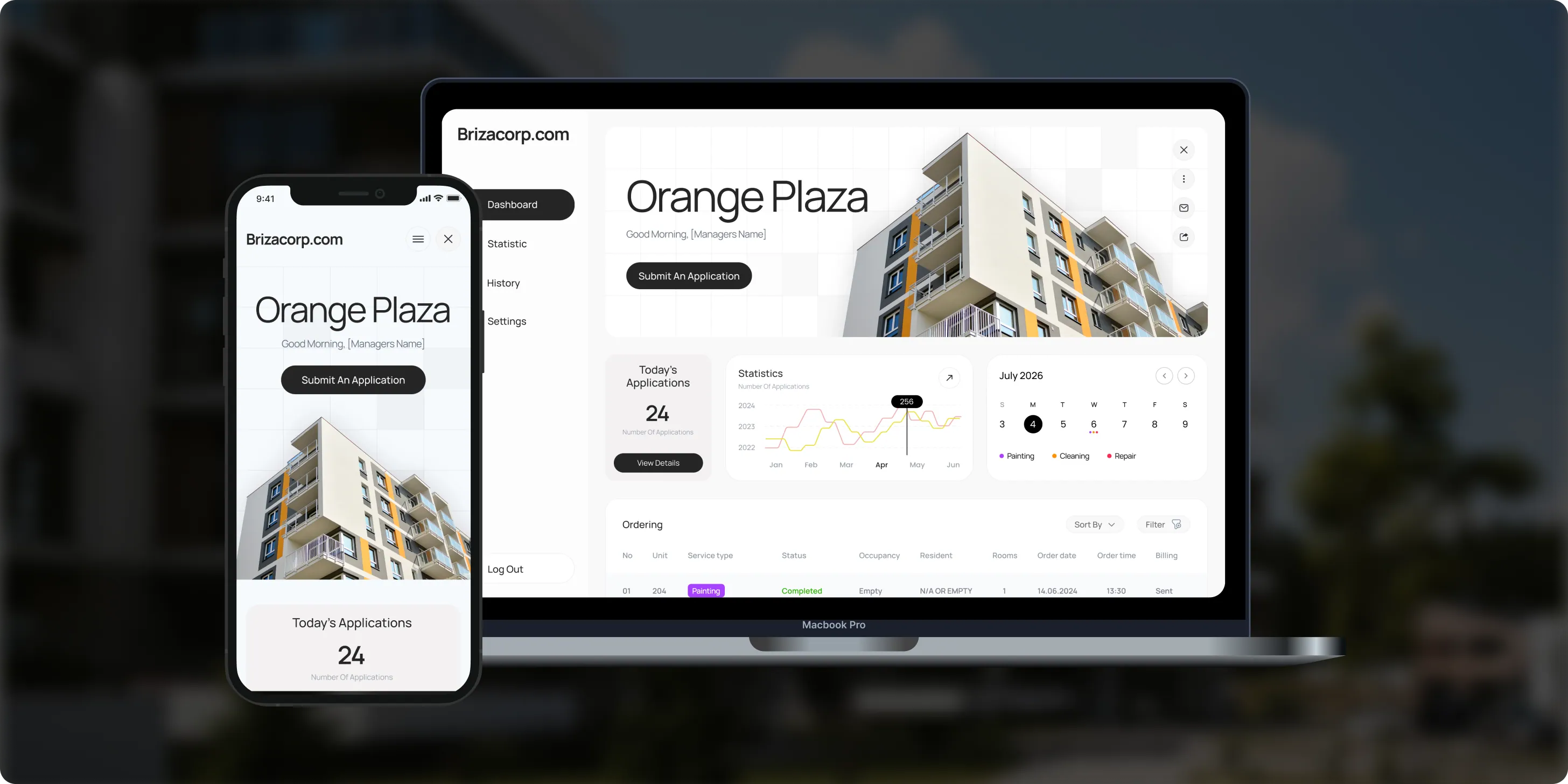
Brizacorp manages residential properties and coordinates the staff who handle painting, cleaning, and repair requests. Its team tracked work across messengers, phone calls, e-mail, and paper planners, with no single place to manage requests or measure performance.- 98%Application Stability
- 95%Utilization Rate
- 30%Faster Task Completion
Risks in running AI agents, and how we handle them
Each risk gets a control and a named owner before monitoring goes live.

How we keep monitoring data safe
Traces stay in your accounts
Traces hold the same data your agents see, so they stay in your own accounts, with sensitive values masked and access limited by role. For rules on AI use and audit evidence, see AI governance and compliance; before launch, AI red teaming tests how agents behave under attack. For data that must stay inside your own cloud, see private AI.
Your cloud and accounts
Tracing tools run on your own cloud or under your own vendor accounts, never ours.
Masked before tracing
Sensitive fields are masked before they reach a trace, where the task allows it.
Role-based access
Access to traces follows the roles your team already uses.
Your retention policy
Trace retention is set to your data policy during setup.
Keys out of traces
API keys stay in your secrets manager, never in code, prompts or traces.
Insured
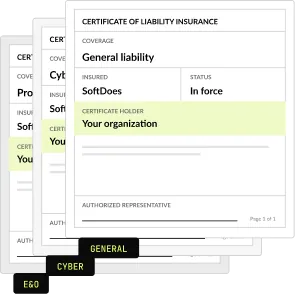
SoftDoes carries general liability, professional liability (errors and omissions) and cyber liability insurance. A certificate of insurance is available on request.
LLM observability tools compared
The right tool depends on where traces must live and what your team already runs. Each description follows the vendor's own documentation.
We choose during the audit and write the reasons down. Tool fees are billed at cost on your own accounts.
How to choose an AgentOps partner
Ask these questions before you sign. A strong AgentOps partner answers each one in writing.
Questions to ask, and what a good answer includes
- Where will traces and dashboards live? In your own cloud or vendor accounts, with access you control.
- Which tools will you use, and why? A choice made for your stack, written down with the reasons.
- How do you measure quality on live traffic? Agreed checks on sampled runs, with people reviewing the weakest.
- How do you report cost? Cost per task, per agent and per model, not only a monthly total.
- Who gets the alerts? A named owner per agent, with a runbook for each alert.
- Can you monitor agents you did not build? Yes, after an audit of how they are built and where they run.
- What paperwork comes first? An NDA and a certificate of insurance before the first call.
What agent monitoring costs
A fixed setup fee, then a monthly plan, with observability tools and model usage billed at cost on your own accounts. See AI agent development cost.
Setup
Audit, tracing, dashboards and alerts
$3,500
Monitoring
Monthly review and fixes
From $500 a month
AI agent evaluation
Before launch
From $3,500
Project Discovery
Credited to the build
$490
Why teams monitor agents with SoftDoes
Teams set up AgentOps with SoftDoes because traces and dashboards stay in their own cloud and tools. Our team has delivered 40 AI projects since 2020 and has worked with frontier AI labs.

- 01
Claude and OpenAI partners
A Claude Partner Network member and an OpenAI Registered Partner, with 40 AI projects delivered since 2020.
- 02
Vendor documents first
Our NDA and certificate of insurance reach your procurement team before the first call.
- 03
Your data, your accounts
Traces and dashboards live in your own cloud and tools, and you own all the code and IP.
- 04
Rated 5.0 on Clutch
5.0 from 40 client reviews, 36 verified by Clutch. More than half of the reviewers are founders, executives or department heads.
- 05
Top AI Company in Kansas City
Clutch named SoftDoes a Top Artificial Intelligence Company and a Top Machine Learning Company in Kansas City for 2026.
- 06
Frontier AI experience
The team has worked with frontier AI labs and some of the largest data providers.
AI agent monitoring by industry
The same monitoring, tuned to each industry's records, rules and audit needs. Each industry page shows the use cases in detail.
Healthcare
Traces with patient data masked, and HIPAA controls on who can read them.
Financial services
An audit trail of every AI step and approval, ready for reviewers.
Insurance
Claims agents tracked by cost per claim, with every payout approval logged.
Legal
Logs of what an agent read and drafted on each matter, kept in your own systems.
Government
Records of each AI action and decision, kept under your retention rules.
Logistics
Exception agents watched for errors and cost across carrier and warehouse systems.


Questions about AgentOps
Monitoring, observability, tools and cost control. Can't find your answer?
What is AgentOps?
AgentOps is the practice of running AI agents in production: tracing what they do, checking the quality of their work, controlling cost and fixing problems fast. It borrows from DevOps and MLOps and adds agent checks, such as tool calls, multi-step plans and actions in other systems. AgentOps is also the name of a monitoring SDK, one of several tools we use.
What are the key differences between LLMOps and AgentOps?
LLMOps covers running language models: prompts, model versions, evaluation and serving. AgentOps covers what agents do with those models: the steps they plan, the tools they call, the records they change and the cost of each task. An agent can pass every model check and still take a wrong action, so AgentOps traces actions as well as answers.
What is LLM observability?
LLM observability means recording each model call with its prompt, response, latency, tokens and cost, so you can see why an answer was right or wrong. For agents, it also links the calls into one trace of the whole task. Tools such as Langfuse, LangSmith and Datadog provide the plumbing, and we set them up with your quality checks.
How do you lower LLM costs without hurting quality?
First measure cost per task, not per month, so you know which agent and step spends the most. Then cache repeated context, route simple steps to smaller models and trim prompts that carry unused text. We test each change against a fixed set of real tasks, so quality is checked before the saving goes live.
Which LLM observability tools do you use?
We use what fits your stack. Langfuse or Arize Phoenix suit teams that want open source on their own cloud, and LangSmith suits LangChain and LangGraph agents. Datadog fits when your team already runs it. OpenTelemetry keeps traces portable between tools. We choose during the audit and write the reasons down.
How much does AI agent monitoring cost?
Setup costs $3,500 and covers the audit, tracing, dashboards and alerts for your agents. Monitoring starts at $500 a month and includes a monthly review of quality, cost and incidents. Observability tools and model usage are billed at cost on your own accounts. Our LLM cost calculator estimates model spend before you build.
How do you monitor AI agents?
Start with tracing, so every model call, tool call and hand-off joins one record per run. Then score a sample of live runs against agreed checks, track cost per task and send alerts to a named owner. Tools such as Langfuse, LangSmith, Arize Phoenix or Datadog do the recording, and the checks come from your own test cases.
Is ChatGPT an example of agentic AI?
ChatGPT is an AI assistant built on OpenAI's models. It behaves like an agent when software lets it plan steps and use tools, rather than only answer. In business, agentic AI usually means agents that work inside your systems and change records, which is where monitoring matters most. Our agentic AI guide covers the main use cases.
Can Datadog be used for LLM observability?
Yes. Datadog's documentation describes tracing for single model calls, fixed workflows and agent runs, with dashboards for cost, latency and usage. Its Python SDK works with OpenAI, LangChain, AWS Bedrock and Anthropic. It fits best when your team already runs Datadog. We set it up with your quality checks and alerts, or choose Langfuse when traces must stay on your own servers.
What metrics should we track for AI agents?
Track four groups. Quality: accuracy on sampled runs, policy breaks and human corrections. Cost: spend per task, per agent and per model. Speed: latency per step and per run. Reliability: errors, retries, loops and tool failures. Add the business measure each agent exists for, such as tickets resolved or hours saved, so the numbers tie back to value.
Do we need AgentOps for a single agent?
Once a single agent serves real users or changes real records, yes, in a light form. Tracing, a cost limit and one alert route are the minimum. The full setup, with quality scoring and monthly reviews, pays off as agents, users and spend grow. Setup costs $3,500, and monitoring starts at $500 a month.
Where are traces stored, and who can see them?
Traces stay in your own cloud or under your own tool accounts, never in a SoftDoes account. Access follows the roles your team already uses, and sensitive fields are masked where the task allows it. Retention is set to your data policy. If traces must never leave your servers, we use a self-hosted tool such as Langfuse.
Can you monitor agents built by another team or vendor?
Usually, yes. We start with an audit of how each agent is built, where it runs and what it logs today. Agents in your own code can be traced directly, and many platforms export traces or logs we can read. Where a platform exposes nothing, we say so in the audit and suggest what to change.
What is the difference between agent evaluation and monitoring?
Evaluation tests an agent before launch on a fixed set of cases, so you know it meets the bar. Monitoring watches it after launch on live traffic, so you know it still does. Both use the same test set. AI agent evaluation starts at $3,500, and monitoring setup costs $3,500 with monthly plans from $500.
Updated · Reviewed by Orest Andrusyshyn, Founder and CEO