
U.S.-Based
ChatGPT for business, rolled out for your company
We set up ChatGPT Business or Enterprise with single sign-on, data rules and connectors to your systems. Then we train each team on the tasks it does every day.
$5,000
Starting price of a ChatGPT rollout
40
AI projects delivered since 2020
5.0
Clutch rating from 40 reviews



















How ChatGPT runs after the rollout
One client renewal, from the question to the account record: ChatGPT reads past notes through connectors, and the account manager checks every source.
A renewal is coming up
An account manager asks ChatGPT for a brief on the client.
ChatGPT drafts the brief
It reads past notes in SharePoint and the CRM through connectors.
The manager approves it
They edit the draft and check each cited source.
The brief is saved
It goes to the account record, where the team can find it.
ChatGPT Enterprise implementation, in short
- Kansas City metro software and AI company, OpenAI Registered Partner
- ChatGPT Business and Enterprise rollouts for mid-market companies
- Single sign-on, data rules, two connectors and staff training
- Rollouts from $5,000, and your licenses go straight to OpenAI

Set up right. Used every day.
- 01Rollout priceFrom $5,000: setup, single sign-on, data rules, 2 connectors and 2 training sessions
- 02LicensesBilled by OpenAI on your own account
- 03Plans comparedBusiness or Enterprise, by team size, security review and budget
- 04You ownEvery GPT, connector and policy we set up
What is ChatGPT for business?
ChatGPT for business means OpenAI's company plans, ChatGPT Business and ChatGPT Enterprise. Staff work in one company workspace with admin controls and single sign-on. OpenAI does not train on business data by default. To compare seat prices across vendors, see our business AI pricing comparison of ChatGPT, Claude, Copilot and Gemini.
ChatGPT Business
The plan for teams. OpenAI lists it at $20 a user a month billed annually, or $25 billed monthly, for 2 or more users. It includes a dedicated workspace, admin controls, SAML single sign-on and multi-factor authentication.
ChatGPT Enterprise
Sold through OpenAI's sales team. It adds SCIM user provisioning, custom roles, enterprise key management and domain verification, plus audit logs through the Compliance API and controls for data retention and residency.
What teams use ChatGPT for
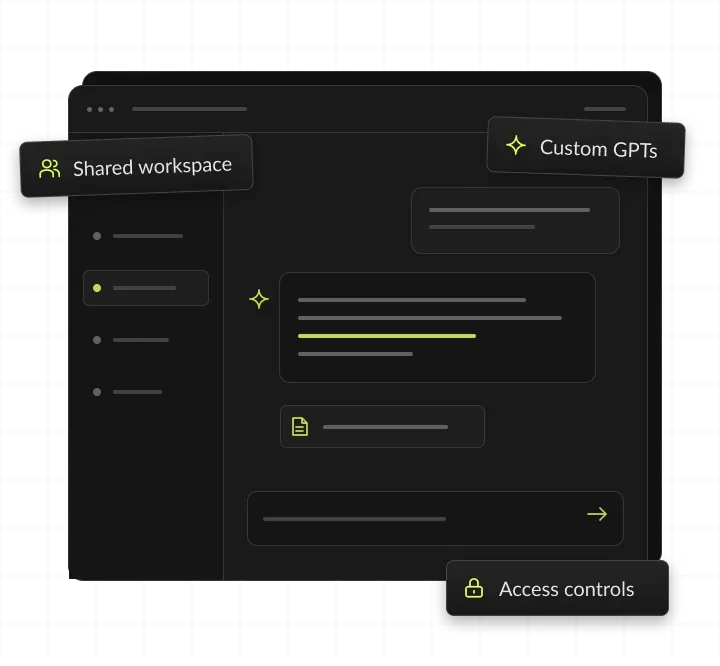
Teams draft proposals, policies, emails and reports from their own templates, and create and refine documents, spreadsheets, presentations and PDFs. ChatGPT answers questions from connected files in SharePoint, Google Drive or Box, researches websites and summarizes what it finds. Teams reuse repeat workflows through shared GPTs or plugins, each with its own instructions.
What a rollout adds to the license
The license gives you the workspace. It does not connect your identity provider, write your data rules, scope connectors or train your teams. A rollout does that work, so people use ChatGPT safely from the first day.



Systems we connect ChatGPT to
We use OpenAI's ready connectors where they exist, and build a custom MCP server where they don't.
When ChatGPT for business pays off
ChatGPT for business pays off when many people write, research or answer questions daily, using files the workspace can already reach.
Signs we see before a company asks for a rollout:
- Staff already use personal AI accounts for work, outside any company rules.
- Teams draft the same proposals, policies or replies from scratch each week.
- Answers live in SharePoint, Google Drive or Box, and people search by hand.
- Your security team wants single sign-on and clear data rules before approving AI.
- Leaders want one company tool instead of a dozen personal subscriptions.
When to wait
If the work needs actions inside your systems, such as updating records, an AI agent fits better than chat. If data must stay inside your own cloud, see private AI. If your teams live in Microsoft 365, compare Microsoft Copilot with ChatGPT first. The AI readiness quiz shows whether your data and teams are ready for a company-wide rollout.
What to prepare before the first call
The seat count by team and the teams that should go first, your identity provider and an admin who can add a SAML app, the two systems you want connected first, such as SharePoint or your CRM, a list of data that must never go into ChatGPT, and one owner on your side who can approve rules and settings.
What a ChatGPT Business rollout includes
Everything a company needs before it hands ChatGPT to 50 or 500 people.
Workspace and single sign-on
We set up the workspace, connect your identity provider and map groups to roles, so access follows your org chart. On Enterprise, SCIM keeps those groups in sync with your directory. For example, staff sign in with their existing company login, and MFA is enforced there.
Data rules people can follow
A one-page policy on what staff may paste, share and publish, plus the workspace settings that back it up. For example, staff may paste draft proposals and public research, but never payroll files or customer card numbers.
Connectors to your systems
Two connectors included, such as SharePoint, Google Drive or your CRM, each scoped to the folders a team needs. For example, sales connects its SharePoint proposal library, and ChatGPT reads only the files each person can already open.
Custom GPTs for real tasks
Shared GPTs for repeat work, such as proposal drafts, policy answers and support replies, each with its own instructions. For example, a proposal GPT drafts a first version from your template and past winning bids.
Training by team
Two live sessions built on your teams' own tasks, with a prompt library each team keeps. For example, support practices on its own past tickets and keeps the prompts that worked in a shared library.
A review after 30 days
We check adoption by team and recommend what to expand, fix or switch off. For example, one team rarely uses it, so we add prompts for its weekly report before more seats are bought.
What you get from a ChatGPT rollout
You get a working company workspace and everything needed to run it without us: settings, data rules, connector scopes, a prompt library per team and an admin runbook. Every setting and document is yours.




ChatGPT for business ROI: a worked example
A ChatGPT rollout pays back when the hours people save cost more than the licenses and the setup. This example uses assumed numbers and OpenAI's listed Business price, not a client result: at these numbers, the time saved is worth about nine times the license cost, and the rollout pays back in the first month. Most of the risk sits in adoption, which is why every rollout includes training by team and a 30-day review. Try your own head count and hours in the AI ROI calculator before you buy ChatGPT seats. After 30 days we review usage by team, so you can compare real adoption with this estimate.
How the rollout works
Four steps from the first call to every team using it.
We map your teams, data sources and risks, and help you choose Business or Enterprise. You see the plan, the data rules and the fixed price before any ChatGPT setup starts. You get a rollout plan and data rules.
We configure the workspace, single sign-on, groups, connectors and shared GPTs. Each connector is tested with a member account that has only the access its team needs. You get a locked-down, working workspace.
Two live sessions on real tasks from each team, recorded in a shared prompt library. Sessions use your own documents and data rules, so people practice the real job. You get a prompt library per team.
We review usage and feedback, then plan the next teams and connectors, with a written report on what to expand, fix or switch off. You get an adoption report with next steps.
AI work in production
The team that rolls out ChatGPT also ships AI into live systems. Two builds from our case studies, and the record behind them.

- Healthcare
Prior Authorization AI
Prior Authorization AI is a healthcare automation startup building AI-powered tools to streamline prior authorization for Medicare and Medicaid medical transportation providers in New Jersey.- 16Weekly hours saved
- 63%Admin time reduced
- 43%Fewer submission errors

- Startup
- Real Estate
Our Haus AI
A finance professional turned founder built Our Haus AI, an AI-powered collaborative workspace where homeowners and contractors scope, bid, contract, and document renovation projects together. SoftDoes took her prototype and made it production-ready.- 10XMVP scope delivered
- 2+years Ongoing partnership
- 1Fully owned Platform

- Real Estate
The building buyer
The Building Buyer is a Florida-based real estate investment firm co-founded by Dylan Troiano and Charles Hanlin. They acquire single-family, multifamily, and commercial properties across South Florida and beyond, with a focus on motivated seller opportunities.- 18Weekly hours saved
- 2+Years Ongoing partnership
- 1Fully owned Platform

- Healthcare
CareInTouch
CareInTouch is a Bay Area home health agency providing skilled nursing and therapy services to patients referred from hospitals and clinics. With over 100 staff, they operate in one of the most complex and compliance-driven healthcare markets in the country.- 40% Reduction In Billing Errors
- 100+Staff Operations Managed
- 0Missed Compliance Deadlines

- Startup
Sparkle The Cleaning Service
Sparkle The Cleaning Service is a Detroit-area residential cleaning company with 10 years in business, connecting homeowners with vetted, insured independent cleaners through a subscription-based marketplace platform.- 75% Platform Transparency
- 2XPlatform Growth
- 40%Higher User Retention

- Healthcare
FMY Orthodontics
FMY Orthodontics, a multi-location practice in West Tennessee, partnered with SoftDoes to replace a spreadsheet-based financial workflow with a custom web platform. The goal was to simplify how staff present treatment financing while allowing patients and families to review and complete decisions remotely.- 60%Workflow Reduction
- 75%Remote Adoption
- 5Locations Aligned

- Real Estate
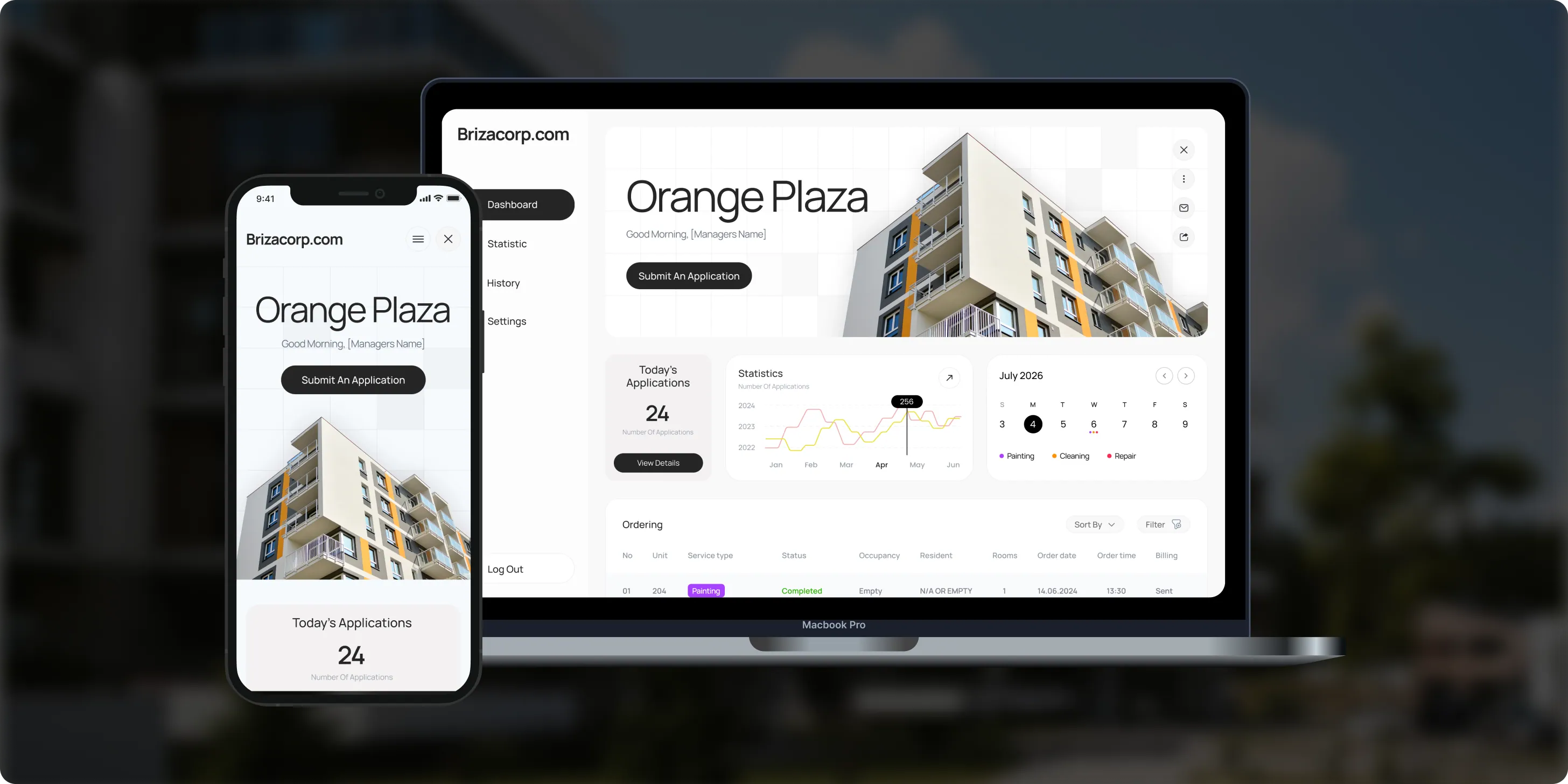
Brizacorp
Brizacorp manages residential properties and coordinates the staff who handle painting, cleaning, and repair requests. Its team tracked work across messengers, phone calls, e-mail, and paper planners, with no single place to manage requests or measure performance.- 98%Application Stability
- 95%Utilization Rate
- 30%Faster Task Completion
Risks in a ChatGPT rollout, and how we handle them
Each risk gets a setting, a rule or a test before launch, written down in the rollout plan.

How we keep data safe in ChatGPT
Under your contract with OpenAI
Business and Enterprise do not train on business data by default, and we add single sign-on, scoped connectors and written data rules. Health data has its own rules: OpenAI notes that HIPAA coverage depends on the features and agreement in use, and our guide to HIPAA-compliant AI explains what to check. If data cannot leave your own cloud, see private AI. For company-wide rules on what staff may put into ChatGPT, see AI governance and compliance.
Your own OpenAI account
The workspace and licenses sit on your own OpenAI account, under your terms with OpenAI.
Approved plugins only
Admins choose which plugins and apps staff may install and use.
Your identity provider
Sign-in runs through your identity provider. OpenAI advises enforcing multi-factor authentication there, since ChatGPT does not enforce it workspace-wide.
Connectors within existing access
Connected apps only reach what each person's connected account can already access.
Enterprise controls
On Enterprise, OpenAI lists encryption in transit and at rest, audit logs through the Compliance API and retention controls.
No training by default
OpenAI states that ChatGPT Business and Enterprise do not train on your business data by default.
ChatGPT Business vs ChatGPT Enterprise: which plan fits
Both plans give your company a managed workspace with single sign-on. Enterprise adds the identity, audit and retention controls that larger security reviews ask for.
Plan details from OpenAI's pricing and admin documentation, read November 2026. Plans change, so we confirm them with you before setup.
How to choose an OpenAI partner for your ChatGPT rollout
Ask any OpenAI partner these questions before you sign. A strong ChatGPT rollout partner answers each one in writing.
Questions to ask, and what a good answer includes
- Are you in OpenAI's partner program? A named status, such as OpenAI Registered Partner, stated plainly.
- Business or Enterprise: which do we need? A recommendation tied to your needs for SCIM, audit logs and retention.
- Who owns the workspace and licenses? You do: licenses billed by OpenAI on your account, with full admin access.
- How will connectors be scoped? By team, and tested with member accounts before launch.
- How will staff be trained? Live sessions on each team's own tasks, with a prompt library they keep.
- How will we know it worked? An adoption review by team, with what to expand, fix or switch off.
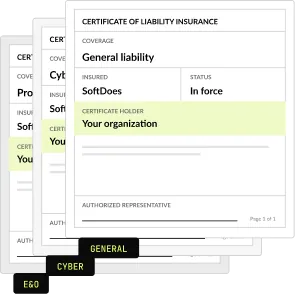
- What paperwork comes first? An NDA and a certificate of insurance before the first call.
What the rollout costs
One fixed price for the rollout, agreed before work starts. We never resell seats: licenses and usage go on your own OpenAI account.
Workspace rollout
SSO, data rules, 2 connectors, 2 trainings
From $5,000
Each extra ready connector
Scoped by team and tested
$1,500
Custom integration or MCP server
For a system without a connector
From $4,000
Half-day workshop
Up to 25 people
$2,500
Maintenance and support
After launch
From $500 a month
Project Discovery
Credited to the rollout
$490
Why companies roll out ChatGPT with SoftDoes
Companies roll out ChatGPT with SoftDoes because we are an OpenAI Registered Partner that also builds GPT-powered features into business systems. Every GPT, connector and policy we set up stays on their own accounts.

- 01
OpenAI Registered Partner
We build GPT-powered features and AI agents into business systems, and we roll out ChatGPT for the teams that use them.
- 02
Vendor documents first
Our NDA and certificate of insurance reach your procurement team before the first call.
- 03
You own the setup
Every GPT, connector and policy we build is yours, on your own accounts, with full admin access.
- 04
Claude Partner Network member
We also roll out Claude, so we can compare both tools on your real tasks before you commit.
- 05
40 AI projects since 2020
AI work in production since 2020, from document extraction to filing through Medicare's API.
- 06
Rated 5.0 on Clutch
5.0 from 40 client reviews. More than half of the reviewers are founders, executives or department heads.
ChatGPT for business by industry
The same rollout, shaped around each industry's documents, clients and rules. The industry pages go deeper on AI use cases and compliance for each field.
Healthcare
Policy answers, letters and training material for staff, with clear rules on patient data.
Financial services
Research summaries, client letters and policy answers, with data rules your compliance team approves.
Legal
First drafts, research summaries and intake notes, with a person reviewing anything sent to a client.
Real estate
Listing copy, market summaries and lease questions answered from your own files.
Construction
Bid summaries, scopes of work and safety documents drafted from project files.
Accounting
Client emails, engagement letters and research memos, with client data rules set first.


Questions about ChatGPT for business
Cost, data, partners and choosing a plan. Can't find your answer?
Is it worth getting ChatGPT for business?
It is worth it when the rollout comes with rules and training. Teams that get single sign-on, clear data rules, connectors to their own files and training on real tasks use it every day. Teams that only get logins tend to stop after a few weeks. Start with two or three teams that write, research or answer questions all day.
Can I use ChatGPT with my business data?
Yes, with the right setup. Business and Enterprise workspaces can connect to approved sources such as SharePoint or Google Drive, scoped by team. We write the data rules, set the connector permissions and train staff on what they may share. For data that must stay in your own cloud instead of ChatGPT, see our private AI service.
How much does ChatGPT cost for business use?
There are two costs: OpenAI’s per-seat licenses and the rollout work. OpenAI lists ChatGPT Business at $20 a user a month billed annually, or $25 monthly. Our rollout starts at $5,000, including single sign-on, data rules, two connectors and two training sessions. Licenses are billed by OpenAI on your account. Our business AI pricing comparison lists the current plan prices for ChatGPT, Claude and Copilot.
Is SoftDoes an OpenAI partner for ChatGPT rollouts?
Yes. SoftDoes is an OpenAI Registered Partner that rolls out ChatGPT Business and Enterprise for mid-market companies. We also build GPT-powered features and AI agents into business systems. We are a Claude Partner Network member too, so we can compare both tools on your real tasks before you commit.
Should we choose ChatGPT, Claude or Microsoft Copilot?
It depends on where your work lives and what your teams do. Microsoft 365 companies often start with Copilot, while research-heavy and writing-heavy teams often prefer ChatGPT or Claude. Many companies run two. Our Copilot vs ChatGPT comparison and Claude vs ChatGPT guide compare them side by side.
Do you build custom GPTs and connectors?
Yes. Shared GPTs for repeat tasks are part of every rollout. Each extra ready connector costs $1,500, and a custom integration or MCP server for a system without a connector starts at $4,000. We document every GPT and connector so your admins can change them later without us.
What is ChatGPT Enterprise?
ChatGPT Enterprise is OpenAI’s plan for larger organizations. It includes everything in Business, plus SCIM user provisioning, custom roles, enterprise key management and domain verification. It also adds Compliance API audit logs and controls for data retention and residency. OpenAI sells it through its sales team. We help you decide whether those controls justify the step up from Business.
How is ChatGPT Enterprise different from a normal ChatGPT account?
A normal Plus or Pro account belongs to one person. ChatGPT Enterprise is a company workspace: admins add and remove members, approve the plugins staff may use and set the retention policy for chats and files. When someone leaves, their projects and GPTs pass to a workspace owner instead of leaving with them.
How much does ChatGPT Enterprise cost per user?
OpenAI does not publish a per-user Enterprise price. Its pricing page lists Enterprise as contact sales, unlike Business, which has a listed per-seat price. Our rollout is a separate fixed fee from $5,000. Licenses are always billed by OpenAI on your own account, and we never resell seats.
What is ChatGPT Business?
ChatGPT Business is OpenAI’s plan for teams of 2 or more people. It gives the company a dedicated workspace with admin controls, SAML single sign-on and multi-factor authentication. It suits teams that need a managed workspace quickly, without the directory sync and audit controls of Enterprise.
Can I use ChatGPT Business for free?
No. ChatGPT Business is a paid plan for 2 or more users. It is the plan that adds a company workspace with admin controls and SAML single sign-on. Personal plans don’t include that workspace. To test the value before buying seats for everyone, start with one or two teams and review their usage after 30 days.
How long does a ChatGPT rollout take?
It depends on your seat count, your identity setup and how many teams go first. We set the scope, price and schedule in a written plan before any setup starts. Many companies begin with Project Discovery for $490, credited to the rollout. The plan also lists what we need from you, such as an identity admin and connector access.
What happens to the custom GPTs in our ChatGPT workspace?
OpenAI is moving the custom GPTs in your workspace to plugins, and it has said custom GPTs will be retired. Instructions and reference files can become a plugin skill, while custom actions must be rebuilt as an app or a custom MCP server. Our custom GPT migration service moves each GPT, and a custom MCP server starts at $4,000.
Does OpenAI train on our business data?
Not by default. OpenAI states that ChatGPT Business and Enterprise do not train on your business data by default. A rollout adds the rest: data rules for staff, workspace settings that back them up and connectors scoped to each team. For data that must never leave your own cloud, see our private AI service.
Updated · Reviewed by Orest Andrusyshyn, Founder and CEO