
U.S.-Based
Microsoft Copilot consultant for your company
We get your Microsoft 365 tenant ready, roll Copilot out team by team and build Copilot Studio agents.
$5,000
Starting price of a Copilot rollout
$7,000
Starting price of a Copilot Studio agent
5.0
Clutch rating from 40 reviews
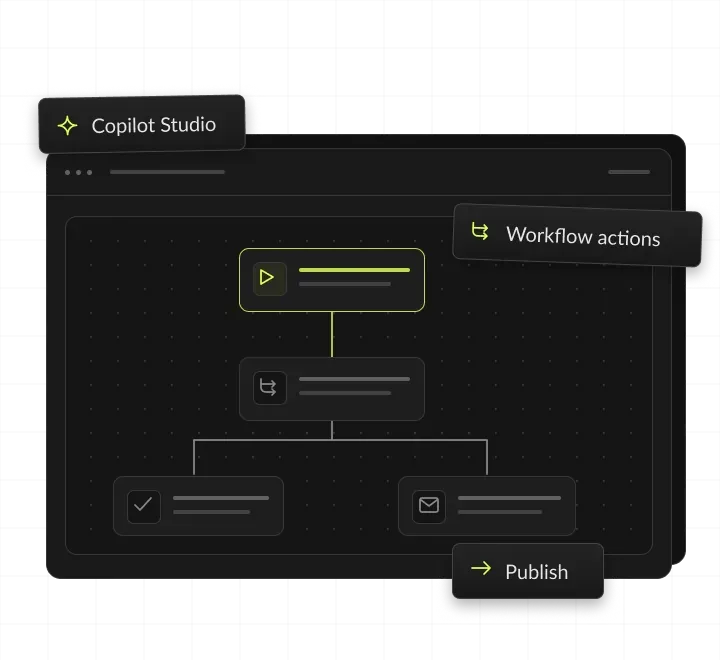
























How a Copilot Studio agent runs after launch
One leave request, from a question in Teams to the HR system: the agent drafts it from your HR policy, and HR approves it before anything is filed.
An employee asks in Teams
A manager asks the HR agent how to file leave.
The agent finds the answer
It reads HR policy in SharePoint and drafts the request.
HR approves it
A review step sends the draft to HR first.
The request is filed
A connector writes it to the HR system.
Microsoft Copilot consulting, in short
- Kansas City metro software and AI company
- Microsoft Copilot consultant for mid-market Microsoft 365 companies
- Permissions fixed, Copilot rolled out with training, Copilot Studio agents built
- Rollouts from $5,000, agents from $7,000, licenses billed by Microsoft

Permissions first. Then Copilot.
- 01Rollout priceFrom $5,000, with a permissions review and 2 training sessions
- 02Copilot Studio agentsFrom $7,000
- 03Licenses comparedCopilot, ChatGPT or Claude: what each costs per seat, and which fits
- 04You ownEvery agent, connector and policy, in your tenant
What does a Microsoft Copilot consultant do?
A Microsoft Copilot consultant gets your Microsoft 365 tenant ready, rolls Copilot out team by team and builds Copilot Studio agents. The work starts with permissions, because Copilot shows each person all the content they can already open.
Copilot Chat, Microsoft 365 Copilot and Copilot Studio
Three products that matter
Microsoft sells several Copilot products, and three of them matter most in a company rollout. Knowing which is which keeps licenses, budgets and expectations in line.
Copilot Chat
Comes with eligible Microsoft 365 subscriptions. It mainly uses web data, and uses work content only when a person provides it, such as an uploaded file or an open email.
Microsoft 365 Copilot
The paid add-on license. It grounds answers in email, files, meetings and chats through Microsoft Graph, inside Word, Excel, PowerPoint, Outlook and Teams.
Copilot Studio
Microsoft's low-code studio for building agents and workflows that use your data and act through connectors.
New names, same products
Microsoft has renamed Microsoft 365 Copilot to Microsoft Copilot, and Microsoft 365 Copilot Chat to Microsoft Copilot Chat. Older guides and license screens may use either name.
What a consultant adds
Microsoft supplies the licenses and the admin tools. A consultant does the tenant work around them: finding overshared sites, setting sensitivity labels, planning license waves, training teams and building the first agents.



Copilot Chat vs Microsoft 365 Copilot vs Copilot Studio
Three Microsoft products with three different jobs, plus a custom connector where Microsoft has none. Each card shows what it reads, what it needs and where it fits. Product details from Microsoft Learn, read November 2026; Microsoft bills licenses and Copilot Credits on your own account.

Copilot Chat
Reads web data, plus work content a person provides. Needs an eligible Microsoft 365 subscription. Fits when everyone needs a safe AI chat at work.
Microsoft 365 Copilot
Reads email, files, meetings and chats through Microsoft Graph. Needs a Copilot license on top of a qualifying Microsoft 365 license. Fits when people live in Outlook, Teams, Word and Excel.
Copilot Studio agents
Read the knowledge sources and systems you connect. Need Copilot Credits, or a Microsoft 365 Copilot license for some uses. Fit when a repeat task needs answers or actions in Teams or on a website.
Custom connector
Reaches a system with no prebuilt connector, through a connector built for your system. Fits when an agent must read or write data Microsoft's connectors don't cover.
Systems Copilot Studio agents connect to
(Agents run in Teams, Microsoft Copilot, websites and mobile apps.) They use prebuilt connectors, or a custom one we build.
When Microsoft 365 Copilot pays off
Microsoft 365 Copilot pays off when people spend their day in Outlook, Teams, Word and Excel. It pays off fastest when their files already sit in SharePoint and OneDrive.
Signs we see before a company asks for a Copilot rollout:
- Long email threads and back-to-back Teams meetings fill most of the week.
- Staff rebuild the same reports, decks and summaries from files that already exist.
- A pilot group has Copilot licenses, but usage stalled after launch.
- Your security team worries that Copilot will surface files people should not see.
- Departments ask for agents that answer HR, IT or policy questions inside Teams.
When to wait
If your files sit mostly outside Microsoft 365, compare Gemini Enterprise or ChatGPT for business first. If permissions are badly out of date, fix them before buying licenses, because Copilot can surface any file a person can open.
What to prepare before the first call
Your Microsoft 365 plan, seat count and who already has Copilot licenses; work accounts in Microsoft Entra ID, Exchange Online mailboxes and OneDrive for each user; Teams meeting transcription or recording, if you want meeting recaps; an admin with the AI Administrator role or Global Administrator rights; and the teams that should go first, with one owner who can approve rules. Microsoft recommends completing its Copilot Optimization Assessment before deployment. It checks your data governance maturity and data security controls.
What a Microsoft 365 Copilot implementation includes
Everything a Microsoft 365 company needs before Copilot reaches 50 or 500 people.
Permissions and oversharing review
Copilot shows each person only what they can already open. We find overshared SharePoint sites and Teams before launch. For example, a finance SharePoint site open to everyone is limited to the finance group before any license goes out.
Sensitivity labels and data rules
We set labels and retention in Microsoft Purview and write a one-page policy on what staff may share. For example, files labeled Confidential stay encrypted, and Copilot honors the usage rights each person has.
Copilot rollout in waves
Licenses go out team by team, starting with the people who write, research or sit in meetings all day. For example, wave one is sales and marketing, and wave two starts once their feedback has shaped the training.
Copilot Studio agents
Agents that answer from your SharePoint and act through connectors, with a review step before any record changes. For example, an IT help agent in Teams answers password and laptop questions from your SharePoint guides.
Training on real tasks
Two live sessions built on each team's own work, with a prompt library each team keeps. For example, account managers practice a renewal brief built from their own Outlook threads and Teams meetings.
What you get from a Copilot rollout
You get a tenant that is safe for Copilot, trained teams and a first agent in production, with every setting documented for your admins.




Copilot Studio ROI: a worked example
A Copilot Studio agent pays back when it answers enough routine questions to cover its build and running costs. This example uses assumed numbers for an HR policy agent in Teams, not a client result: at these numbers, the agent pays for itself in about three and a half months, before Copilot Credits. Credit use depends on who asks and how, so we estimate it with you before the build. For seat licenses, compare Microsoft’s current price with the hours your teams spend in Outlook and Teams. Our business AI pricing comparison lists license prices, and the AI ROI calculator runs your own numbers.
How a Copilot rollout works
Four steps from the first call to every team using Copilot.
We review SharePoint and Teams permissions, labels and each team's tasks. You see the oversharing findings and a fixed price before anything changes. You get a permissions report and rollout plan.
We fix overshared sites, set labels and retention, and assign licenses in waves. SharePoint Advanced Management, which Microsoft includes with Copilot licenses, helps find risky sites. You get a tenant ready for Copilot.
Two live sessions on each team's real tasks, saved in a prompt library. Each session uses the team's own files and your data rules. You get a prompt library per team.
We build the first Copilot Studio agent, test it and publish it to Teams. It must pass a test set of real questions before it goes live. You get a working agent with a named owner.
AI work in production
Before a Copilot agent reaches your tenant, see AI we have already shipped to production: two builds from our case studies.

- Healthcare
Prior Authorization AI
Prior Authorization AI is a healthcare automation startup building AI-powered tools to streamline prior authorization for Medicare and Medicaid medical transportation providers in New Jersey.- 16Weekly hours saved
- 63%Admin time reduced
- 43%Fewer submission errors

- Startup
- Real Estate
Our Haus AI
A finance professional turned founder built Our Haus AI, an AI-powered collaborative workspace where homeowners and contractors scope, bid, contract, and document renovation projects together. SoftDoes took her prototype and made it production-ready.- 10XMVP scope delivered
- 2+years Ongoing partnership
- 1Fully owned Platform

- Real Estate
The building buyer
The Building Buyer is a Florida-based real estate investment firm co-founded by Dylan Troiano and Charles Hanlin. They acquire single-family, multifamily, and commercial properties across South Florida and beyond, with a focus on motivated seller opportunities.- 18Weekly hours saved
- 2+Years Ongoing partnership
- 1Fully owned Platform

- Healthcare
CareInTouch
CareInTouch is a Bay Area home health agency providing skilled nursing and therapy services to patients referred from hospitals and clinics. With over 100 staff, they operate in one of the most complex and compliance-driven healthcare markets in the country.- 40% Reduction In Billing Errors
- 100+Staff Operations Managed
- 0Missed Compliance Deadlines

- Startup
Sparkle The Cleaning Service
Sparkle The Cleaning Service is a Detroit-area residential cleaning company with 10 years in business, connecting homeowners with vetted, insured independent cleaners through a subscription-based marketplace platform.- 75% Platform Transparency
- 2XPlatform Growth
- 40%Higher User Retention

- Healthcare
FMY Orthodontics
FMY Orthodontics, a multi-location practice in West Tennessee, partnered with SoftDoes to replace a spreadsheet-based financial workflow with a custom web platform. The goal was to simplify how staff present treatment financing while allowing patients and families to review and complete decisions remotely.- 60%Workflow Reduction
- 75%Remote Adoption
- 5Locations Aligned

- Real Estate
Brizacorp
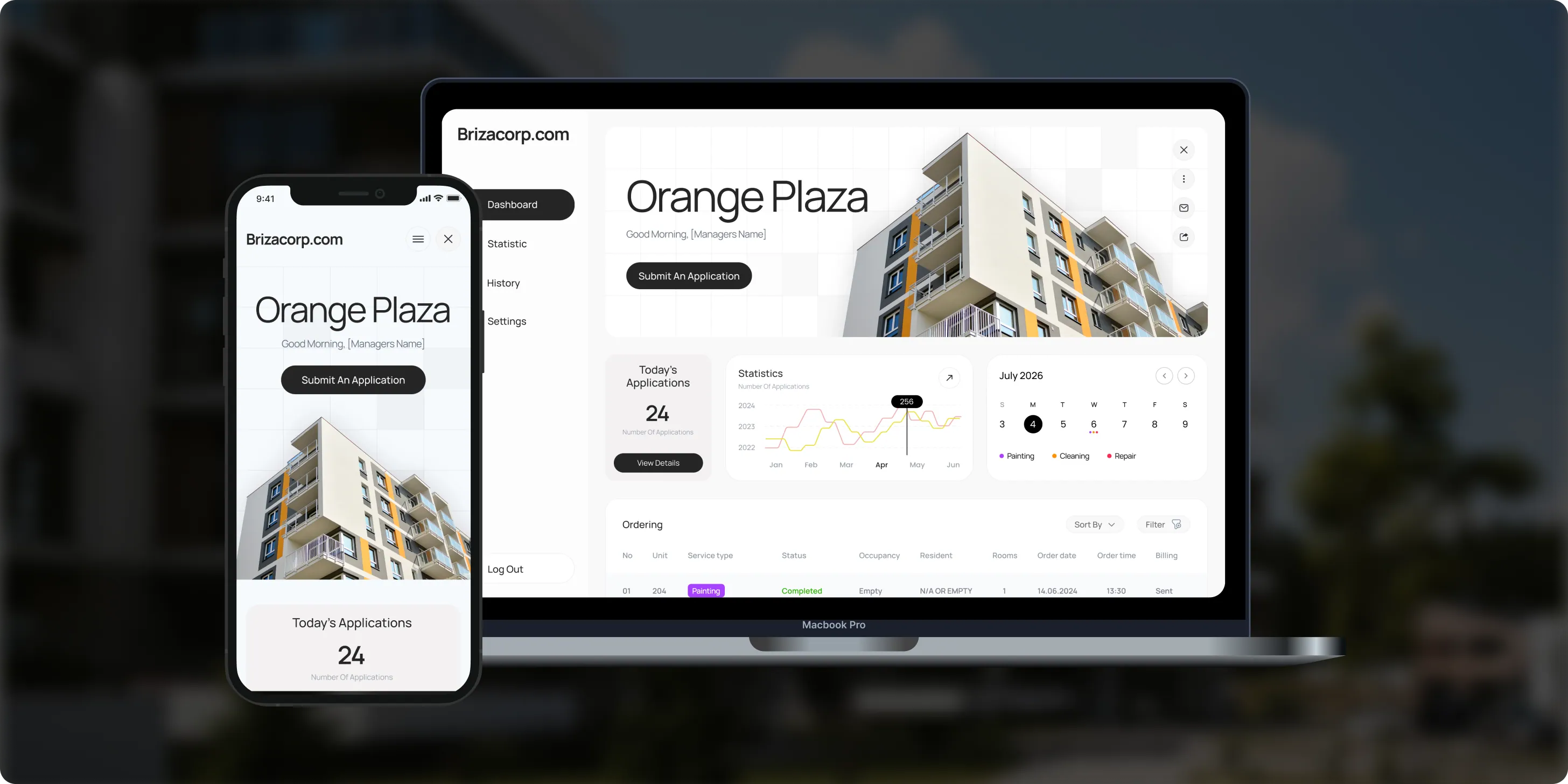
Brizacorp manages residential properties and coordinates the staff who handle painting, cleaning, and repair requests. Its team tracked work across messengers, phone calls, e-mail, and paper planners, with no single place to manage requests or measure performance.- 98%Application Stability
- 95%Utilization Rate
- 30%Faster Task Completion
Risks in a Copilot rollout, and how we handle them
Each risk gets a setting, a test or a rule before licenses go out.

How Microsoft 365 Copilot handles your data
Your permissions decide what Copilot reaches
Copilot follows the permissions you already have in Microsoft 365, under the same commitments as your other Microsoft 365 content. Microsoft states that prompts, responses and Microsoft Graph data are not used to train its foundation models. For company-wide rules on Copilot and other AI tools, see AI governance and compliance. For health data, our guide to HIPAA-compliant AI explains what to check.
View permission first
Copilot only surfaces content a person has at least view permission for.
Encrypted history
Prompts and responses are stored encrypted, under the same commitments as your other Microsoft 365 content.
Search and retention
Admins can search that history and set retention policies in Microsoft Purview.
Labels honored
Copilot honors encryption and usage rights applied through sensitivity labels.
Agents approved by admins
Admins choose which agents are allowed, and can review each agent's data access first.
Compliance offerings
Microsoft lists GDPR, ISO 27001, HIPAA and ISO 42001 among Copilot's compliance offerings. Your own permissions still decide what each person can reach.
Copilot Studio agents: how they work and what they cost to run
How an agent works
A Copilot Studio agent follows your instructions, answers from the knowledge you connect and acts through connectors. Microsoft bills agent use in Copilot Credits, and some uses are included for people with a Microsoft 365 Copilot license.
Each agent runs on a harness, the engine behind it. Microsoft offers one harness for reasoning-heavy, multi-step work, one for customer conversations over voice and chat, and a standard harness for rule-based conversations.
Agents can work in Teams, Microsoft Copilot, websites and mobile apps. Agent flows and workflows can include human review steps before a record changes.
How agents stay governed: admins choose which agents are allowed in the Integrated apps section of the Microsoft 365 admin center. Copilot Studio also runs evaluations with test sets before and after an agent is published.
What agents cost to run
Copilot Credits are the billing unit for Copilot Studio. They replaced messages on September 1, 2025.
Pay as you go through an Azure subscription, buy prepaid credit packs or prepurchase credits for a year.
Prepaid capacity is enforced monthly, and unused credits do not carry over.
Agent answers in Copilot Chat, Teams or SharePoint that run under a Microsoft 365 Copilot user’s own identity are not charged.
A trial license lets makers build and test agents, but not publish them.
Microsoft's agent usage estimator forecasts credit use before launch, and we set cost alerts on every agent we build.

How to choose a Microsoft Copilot consultant
Ask these questions before you sign. A strong consultant answers each one in writing.
Questions to ask, and what a good answer includes
- Where do you start? A permissions and oversharing review, before any license is assigned.
- How will you handle sensitive files? Sensitivity labels and retention in Microsoft Purview, set before launch.
- How do you roll out licenses? In waves, starting with the teams whose work fits Copilot best.
- How will you test agents? A set of real questions with a pass mark, run before publishing.
- How will you control Copilot Credits? A usage estimate before launch and cost alerts after it.
- Can you compare Copilot with other tools? A test of Copilot, ChatGPT and Claude on your real tasks.
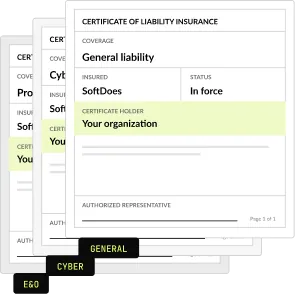
- What paperwork comes first? An NDA and a certificate of insurance before the first call.
What Copilot consulting costs
Fixed prices, agreed before work starts. We never resell licenses: seats and agent usage go on your own Microsoft account.
Copilot rollout
SSO, data rules, 2 connectors, 2 trainings
From $5,000
Copilot Studio agent
Knowledge, connectors, tests, review step
From $7,000
Half-day workshop
Up to 25 people
$2,500
Maintenance and support
After launch
From $500 a month
Project Discovery
Credited to the build
$490
Why companies pick SoftDoes as their Copilot Studio consultant
Companies pick SoftDoes as their Copilot Studio consultant because we test Copilot against Claude and ChatGPT on their real tasks. Every agent, connector and policy we build stays in their tenant, with full admin access.

- 01
We test Copilot against the rest
SoftDoes is a Claude Partner Network member and an OpenAI Registered Partner. We compare all three on your real tasks.
- 02
Vendor documents first
Our NDA and certificate of insurance reach your procurement team before the first call.
- 03
You own the setup
Every agent, connector and policy we build lives in your tenant, with full admin access for your team.
- 04
40 AI projects since 2020
AI work in production since 2020, from document extraction to filing through Medicare's API.
- 05
Rated 5.0 on Clutch
5.0 from 40 client reviews. More than half of the reviewers are founders, executives or department heads.
- 06
Kansas City headquarters
Headquartered in Mission, KS, in the Kansas City metro. Call 800-909-2345 to reach the team.
Microsoft Copilot by industry
The same rollout, shaped around each industry's files, systems and rules. Each industry page covers the AI use cases and the compliance rules that apply there.
Healthcare
Policy answers and staff training material, with sensitivity labels on patient files set first.
Financial services
Meeting recaps, client letters and report drafts, with retention set for your record rules.
Legal
Document summaries and first drafts, with matter files locked to the people on each matter.
Government
Microsoft offers Copilot Studio in the US Government Community Cloud plan, for public sector teams that need it.
Manufacturing
Agents that answer procedure and safety questions from SharePoint for plant teams.
Accounting
Excel analysis, client emails and engagement letters, with client files labeled before launch.


Questions about Copilot and Copilot Studio
Permissions, agents, cost and choosing a tool. Can't find your answer?
What does a Microsoft Copilot consultant do?
A Microsoft Copilot consultant gets your tenant ready, rolls Copilot out and makes it useful. At SoftDoes that starts with a permissions and labels review and licenses assigned in waves. It also covers training on each team's tasks and Copilot Studio agents for repeat work. Rollouts start at $5,000, and Microsoft bills the licenses on your own account.
What are agents in Copilot Studio?
An agent in Copilot Studio is an AI assistant that follows your instructions, draws on the knowledge sources you connect and uses tools to take action. Agents can work in Microsoft Teams, Microsoft Copilot, websites and mobile apps. We build them for policy answers, ticket triage and request intake, with a review step wherever a person must approve.
Is Copilot Studio the same as Copilot agents?
Not quite. Copilot Studio is Microsoft's low-code studio for building and managing agents and workflows. The agents people use inside Microsoft Copilot and Teams can be built there and published to those channels. Admins choose which agents are allowed in the Microsoft 365 admin center. We use Copilot Studio when an agent needs connectors, workflows or review steps.
How much do Copilot Studio agents cost?
There are two costs: the build and Microsoft’s usage charges. Our Copilot Studio agents start at $7,000, including knowledge sources, connectors, testing and a review step. Microsoft bills agent usage on your own tenant, and the billing depends on the harness the agent runs on. Our business AI pricing comparison covers Copilot license prices.
Will Copilot show employees files they shouldn't see?
Copilot only shows each person organizational data they already have at least view permission for. The risk is old oversharing: a SharePoint site open to everyone becomes easy to find through Copilot. That is why every rollout starts with a permissions review, sensitivity labels in Microsoft Purview and fixes to overshared sites before licenses go out.
Does Microsoft use our Copilot data to train its models?
No. Microsoft states that prompts, responses and data accessed through Microsoft Graph aren't used to train the foundation models behind Copilot. Prompts and responses are stored under the same contractual commitments as your other Microsoft 365 content. Admins can set retention policies for that data in Microsoft Purview, and we configure them during the rollout.
Should we choose Copilot, ChatGPT or Claude?
It depends on where your work lives. Microsoft 365 companies often start with Copilot because it works inside Outlook, Teams, Word and Excel. Research-heavy and writing-heavy teams often add ChatGPT or Claude. Our Copilot vs ChatGPT comparison sets them side by side, and we can test all three on your real tasks.
What does Microsoft 365 Copilot do?
Microsoft 365 Copilot drafts, summarizes and analyzes inside Word, Excel, PowerPoint, Outlook and Teams. It grounds answers in your email, files, meetings and chats through Microsoft Graph, limited to what each person can already open. It can summarize Teams meetings, draft replies and build slides from existing documents.
Is Microsoft 365 Copilot free or paid?
Both exist. Copilot Chat comes with eligible Microsoft 365 subscriptions and mainly uses web data, plus work content a person provides. The full Microsoft 365 Copilot experience, grounded in email, files and meetings, needs a paid Copilot license on top of a qualifying Microsoft 365 license. Our pricing comparison tracks current prices.
What are the disadvantages of Copilot?
The main ones are oversharing, accuracy and cost. Copilot shows people everything they can already open, so old SharePoint permissions become visible. Microsoft states AI answers aren't guaranteed to be fully factual, so outputs need review. Licenses and agent credits add monthly cost. A rollout that starts with permissions and training handles the first two.
Is there a difference between Microsoft 365 and Copilot?
Yes. Microsoft 365 is the suite of apps and services, such as Outlook, Teams, Word and SharePoint. Copilot is the AI layer on top. Copilot Chat comes with eligible Microsoft 365 subscriptions, while Microsoft 365 Copilot is a separate paid license that grounds answers in your work data. Microsoft now calls that product Microsoft Copilot.
What do we need before we turn on Copilot?
Each user needs a Microsoft Entra ID work account, a qualifying Microsoft 365 license and a Copilot license. Email features need an Exchange Online mailbox, some features need OneDrive, and meeting recaps need Teams transcription or recording. Microsoft also recommends fixing oversharing and setting guardrails first. Our assessment step checks these before any license goes out.
How long does a Copilot rollout take?
It depends on your tenant's permissions, the number of waves and how many agents you want. We set the scope, price and schedule in a written plan before anything changes. Many companies start with Project Discovery for $490, credited to the rollout. The plan lists what we need from you, such as admin access and a pilot group.
Updated · Reviewed by Orest Andrusyshyn, Founder and CEO