
U.S.-Based
Intelligent document processing for your forms and records
AI reads PDFs, scans, faxes and emails, pulls each field and checks it against your rules. Your team reviews anything uncertain before it reaches your system.
$5,000
Starting price of a pilot on one document type
40
AI projects delivered since 2020
5.0
Clutch rating from 40 reviews
























How a document moves through IDP
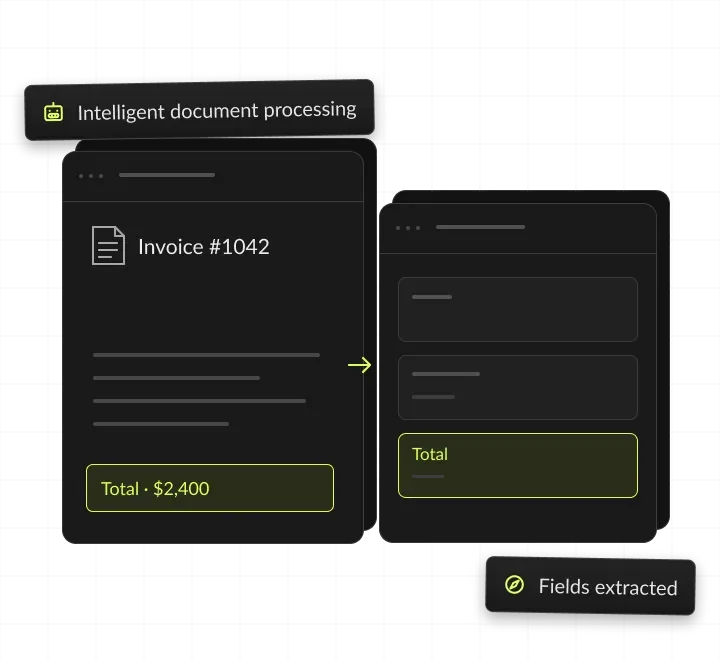
One scanned intake form: AI reads every field with a confidence score, a reviewer confirms the uncertain ones, and the record is created with a log.
A form arrives
A scanned intake form hits a shared inbox.
AI reads every field
Names, dates and amounts, each with a confidence score.
A reviewer confirms
Low-confidence fields wait on a review screen.
The record is created
Clean data lands in your system, with a log.
Intelligent document processing, in short
- Kansas City metro software and AI company
- Intelligent document processing for mid-market operations teams
- AI reads your forms, invoices and records, and a person checks any field the model is unsure of
- A pilot on one document type from $5,000, writing to your own system

AI reads. People confirm.
- 01Pilot priceFrom $5,000: one document type, a review screen and a write to one system
- 02DocumentsInvoices, intake forms, claims, IDs and contracts, typed, scanned or faxed
- 03People confirmEvery field the model is unsure of, before it reaches your system
- 04You ownThe code, prompts and extracted data
What is intelligent document processing?
Intelligent document processing (IDP) turns documents into checked data. AI reads each PDF, scan, fax or email, pulls out the fields you need and validates them before anything reaches your systems.
Reading and retyping, automated
Most document work is reading and retyping: a person opens a form, finds the fields that matter and types them into another system. IDP does the reading and the typing, and people check only the fields the model is unsure of.
How intelligent document processing works
Capture: documents arrive from email, fax, upload or a shared folder. Classify: AI sorts each one by type, such as invoice, ID or contract. Extract: AI reads the fields, tables and line items, with a confidence score for each.
Validate, review, export
Totals, dates and IDs are checked against your rules and records. Fields below your threshold wait on a review screen for a person. Clean data is written to your system, with a log of every step. Every correction a reviewer makes is logged. We add those cases to the test set, so later prompt or model changes are checked against them.
IDP vs OCR vs template capture
OCR turns an image of text into characters. It does not know which text is the total or the due date. IDP reads meaning, validates fields and routes doubts to a person. Template capture reads fixed positions on a known layout, so it breaks when a sender changes the layout. IDP reads each layout as it comes. Low-confidence fields still need a person to check them.

Types of documents for AI data extraction
Common document types, the fields AI pulls from each, and the records we check them against. A pilot on one document type starts at $5,000, including the review screen and a write to one system.

Invoices and bills
Vendor, invoice number, dates, line items and totals, checked against purchase orders and the vendor list in your ERP.
Intake and application forms
Names, dates of birth, addresses, IDs and answers, checked against existing client or patient records.
Claims
Policy number, date of loss, amounts and parties, checked against policy records and coverage rules.
Contracts and agreements
Parties, dates, renewal terms and key clauses, checked against your contract register and approval rules.
IDs and licenses
Name, number, issue and expiry dates, checked against the application the ID came with.
Bank statements
Account holder, period, balances and transactions, checked against loan or onboarding file data.
Shipping documents
Shipper, consignee, weights and references, checked against orders and carrier bookings.
Where documents come from and go
We read from wherever documents arrive and write to your system of record.
When AI document processing pays off
AI document processing pays off when your team retypes data from the same kinds of documents daily, in layouts too varied for templates.
Signs we see before an operations team asks for a pilot:
- Staff retype fields from PDFs, scans or email attachments into another system.
- Documents arrive from many senders, each with its own layout.
- Backlogs grow at month-end, at renewal time or after a busy season.
- Retyping errors cause rework, payment delays or audit findings.
- Faxes still arrive, and someone reads each page by hand.
When to wait
If you process a few documents a week, manual entry is usually cheaper. If every document uses one fixed layout, a simple template tool may be enough. If you are unsure, an AI readiness assessment answers the question in writing; the free AI readiness quiz is a first check.
What to prepare before the first call
50 to 100 real documents of one type, including the bad scans, the list of fields you need from each document, the rules that make a field correct, such as totals that must match, the system the data should go to and who can grant API access, and your current time per document and error rate, if you track them.
AI document processing we build
Each build covers one document flow from intake to your system, then grows to the next.
AI data extraction
Pulls fields, tables and line items from PDFs, scans and emails into structured data. For example, a 40-line purchase order becomes 40 rows with item, quantity, price and delivery date, ready for your ERP.
AI OCR for scans and faxes
Reads scans, faxes and phone photos, including skewed pages and stamps. For example, a faxed referral, skewed and stamped, is read into patient name, date of birth and referring provider.
Document AI classification
Sorts mixed batches by type, such as invoice, ID or contract, and routes each one. For example, a 60-page packet is split into an application, two IDs and a bank statement, each sent to its own step.
Checks against your records
Validates totals, dates and IDs against your ERP, CRM or rules before anything is saved. For example, an invoice total that does not match its purchase order is held for review instead of posted.
A review screen for your team
Shows each document beside its fields, with uncertain values highlighted for one-click fixes. For example, a reviewer sees the scan on the left and the fields on the right, with two uncertain dates highlighted.
Writes to your system of record
Sends checked fields to your ERP, CRM, EHR or database through its API, with a log of every write. For example, approved intake forms create new client records in Salesforce, with the source PDF attached.
What you get from an IDP pilot
You get a working pipeline for one document type, the review screen your team uses and the numbers behind it. Field accuracy and time per document are measured during the pilot.




Intelligent document processing ROI: a worked example
IDP pays back when the minutes it saves on each document add up to more than the build and the model usage. This example uses assumed document volumes and handling times, not a client result: at these numbers, the pilot pays for itself in under two months, even with maintenance. Model usage comes on top, billed at cost on your account, and depends on pages and model choice. Run your own page counts and handling times in the AI ROI calculator.
How an IDP project runs
Four steps take you from a folder of sample documents to a production pipeline.
You share 50 to 100 real documents, and we measure field accuracy on them. You see the baseline per field before you commit to the build. You get an accuracy baseline per field.
We build extraction, validation and the review screen, tuned on your samples. Validation rules come from your team, written down and tested. You get a working pipeline on test documents.
Your team processes live documents with review on, and we fix every miss. Every correction goes into the test set. You get accuracy and time-per-document reports.
We add document types and systems once the first flow holds steady. Each new type starts with its own samples and baseline. You get a plan for the next document types.
Document AI in production
AI builds from our case studies that read documents and cut manual work.

- Healthcare
Prior Authorization AI
Prior Authorization AI is a healthcare automation startup building AI-powered tools to streamline prior authorization for Medicare and Medicaid medical transportation providers in New Jersey.- 16Weekly hours saved
- 63%Admin time reduced
- 43%Fewer submission errors

- Startup
- Real Estate
Our Haus AI
A finance professional turned founder built Our Haus AI, an AI-powered collaborative workspace where homeowners and contractors scope, bid, contract, and document renovation projects together. SoftDoes took her prototype and made it production-ready.- 10XMVP scope delivered
- 2+years Ongoing partnership
- 1Fully owned Platform

- Real Estate
The building buyer
The Building Buyer is a Florida-based real estate investment firm co-founded by Dylan Troiano and Charles Hanlin. They acquire single-family, multifamily, and commercial properties across South Florida and beyond, with a focus on motivated seller opportunities.- 18Weekly hours saved
- 2+Years Ongoing partnership
- 1Fully owned Platform

- Healthcare
CareInTouch
CareInTouch is a Bay Area home health agency providing skilled nursing and therapy services to patients referred from hospitals and clinics. With over 100 staff, they operate in one of the most complex and compliance-driven healthcare markets in the country.- 40% Reduction In Billing Errors
- 100+Staff Operations Managed
- 0Missed Compliance Deadlines

- Startup
Sparkle The Cleaning Service
Sparkle The Cleaning Service is a Detroit-area residential cleaning company with 10 years in business, connecting homeowners with vetted, insured independent cleaners through a subscription-based marketplace platform.- 75% Platform Transparency
- 2XPlatform Growth
- 40%Higher User Retention

- Healthcare
FMY Orthodontics
FMY Orthodontics, a multi-location practice in West Tennessee, partnered with SoftDoes to replace a spreadsheet-based financial workflow with a custom web platform. The goal was to simplify how staff present treatment financing while allowing patients and families to review and complete decisions remotely.- 60%Workflow Reduction
- 75%Remote Adoption
- 5Locations Aligned

- Real Estate
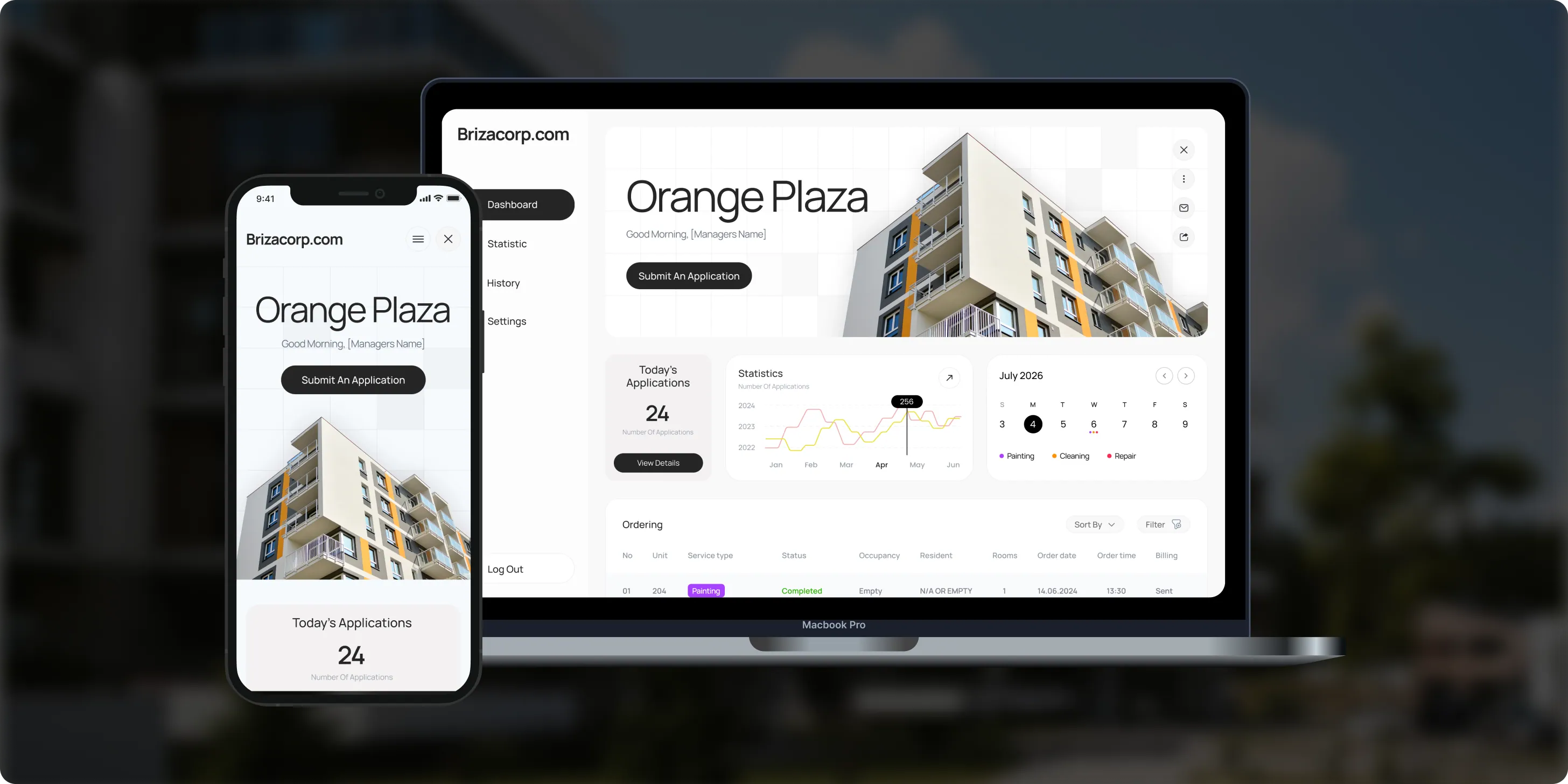
Brizacorp
Brizacorp manages residential properties and coordinates the staff who handle painting, cleaning, and repair requests. Its team tracked work across messengers, phone calls, e-mail, and paper planners, with no single place to manage requests or measure performance.- 98%Application Stability
- 95%Utilization Rate
- 30%Faster Task Completion
Risks in document AI, and how we handle them
Each risk gets a control in the pipeline before go-live, not a promise in a slide.

How we keep document data safe
Documents stay in accounts you control
Pipelines run in your own cloud, model calls run on your own vendor accounts, and every document leaves a log entry. Patient records have their own rules: our guide to HIPAA-compliant AI explains what changes for health data. For documents that must stay inside your environment, see private AI.
Your cloud, your code
Pipelines run in your own cloud accounts, and you own the code, prompts and extracted data.
Your vendor accounts
Model calls go through your own Anthropic, OpenAI, Google or cloud accounts, under your terms with each vendor.
Only what a step needs
Only the pages and fields a step needs are sent, and sensitive values are masked where the task allows it.
Role-based review
Reviewers see only the documents their role allows.
A full audit log
Every document, field, correction and model version is logged for audits.
Insured
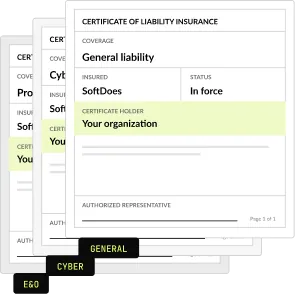
SoftDoes carries general liability, professional liability (errors and omissions) and cyber liability insurance. A certificate of insurance is available on request.
What AI OCR adds to classic OCR
How AI reads a page
Classic OCR turns an image into characters. AI OCR reads the whole page, including layout and tables, and returns the fields you asked for, each with a confidence score.
Current models read page images directly. Anthropic's documentation says each PDF page is converted into an image, and Claude reads it together with the page's extracted text. The model sees both the words and where they sit, which matters for tables and forms.
Models still have limits. OpenAI's documentation notes that its models can struggle with rotated text, very small text and some non-Latin alphabets. That is why we measure accuracy on your own scans before any build.
Anthropic's documentation puts a typical PDF page at 1,500 to 3,000 text tokens, plus image tokens, at standard API prices. Our LLM cost calculator turns that into a monthly estimate.
How we choose the OCR and the model
OCR services and AI models tested on your own samples
Accuracy compared field by field
Cost per page compared for each setup
The most accurate setup at the lowest cost per page wins

How to choose an intelligent document processing company
Ask these questions before you buy a platform or sign for a build. A strong IDP vendor answers each one in writing.
Questions to ask, and what a good answer includes
- Will you test on our documents before we sign? Accuracy per field on 50 to 100 of your real documents.
- How do uncertain fields reach a person? A review screen with confidence scores and one-click fixes.
- How are fields checked before they are saved? Validation against your records and written rules.
- Where do documents and data live? In your cloud and your vendor accounts, under your contracts.
- What happens when a layout changes? Accuracy tracked per field, with misses routed to review.
- What does it cost each month to run? Model usage and hosting at cost, with an estimate per page.
- Platform license or custom build? A clear reason: standard documents favor a platform, varied ones a build.
- What paperwork comes first? An NDA and a certificate of insurance before the first call.
What document processing costs
A fixed price per document flow, agreed before work starts, with AI usage billed at cost. Model usage and cloud hosting are billed at cost on your own accounts. See the full AI price list.
Pilot
One document type, review screen, one system
From $5,000
1 or 2 extra connected systems
More places for the same data
Add $3,000
3 or more extra systems
ERP, CRM, EHR and more
Add $9,000
Maintenance, hosting and updates
After the pilot
From $500 a month
Project Discovery
Credited to the build
$490
Why operations teams choose SoftDoes
Operations teams choose SoftDoes for intelligent document processing because pipelines, prompts and extracted data stay in their own cloud. Our AI work in production since 2020 runs from document extraction to filing through Medicare's API.

- 01
Claude and OpenAI partners
A Claude Partner Network member and an OpenAI Registered Partner, with 40 AI projects delivered since 2020.
- 02
Vendor documents first
Our NDA and certificate of insurance reach your procurement team before the first call.
- 03
Your documents stay yours
Pipelines run in your own cloud accounts, and you own the code, prompts and extracted data.
- 04
Rated 5.0 on Clutch
5.0 from 40 client reviews, 36 verified by Clutch. More than half of the reviewers are founders, executives or department heads.
- 05
Top AI Company in Kansas City
Clutch named SoftDoes a Top Artificial Intelligence Company and a Top Machine Learning Company in Kansas City for 2026.
- 06
Kansas City headquarters
Headquartered in Mission, KS, in the Kansas City metro. Call 800-909-2345 to reach the team.
Intelligent document processing by industry
The same IDP pipeline, built around each industry's documents, systems and rules. Each industry page shows the use cases in detail.
Healthcare
Referrals, intake forms and authorization packets, read from fax and checked before filing.
Insurance
Claim forms, estimates and supporting documents, with a person approving every payout decision.
Financial services
Statements, applications and IDs for onboarding and loan files, with an audit log for every field.
Accounting
Client tax documents, bills and receipts sorted and read before a reviewer signs off.
Logistics
Bills of lading, delivery receipts and customs paperwork matched to orders and bookings.
Legal
Intake documents and contracts read into the case management system, with a lawyer reviewing.


Questions about intelligent document processing
Accuracy, cost, OCR and where to start. Can't find your answer?
What is intelligent document processing?
Intelligent document processing, or IDP, uses AI to read documents, pull out the data and check it before it reaches your systems. It handles invoices, forms, claims and contracts in many layouts. A typical flow captures the document, classifies it, extracts the fields, validates them against your rules and sends uncertain ones to a person.
Is IDP considered AI?
Yes. IDP combines optical character recognition with AI models that understand layout and meaning. The AI classifies each document, finds the right fields when layouts change and scores its own confidence. Older capture tools needed a fixed template for every layout. Large language models now also read tables and free-text notes, with a person checking uncertain values.
What is the difference between OCR and intelligent document processing?
OCR turns an image of text into characters, and that is where it stops. Intelligent document processing starts with OCR, then works out what each piece of text means, such as the invoice total or a patient's date of birth. It also validates the data and routes uncertain fields to a person before anything is saved.
Should we buy an IDP platform or build our own?
Buy a platform when your documents are standard and the vendor already connects to your systems. Build when layouts vary, rules are specific to your business or data must stay in your own cloud. Our builds use managed OCR and AI models underneath, so you pay for the parts that differ instead of a platform license.
How accurate is AI document processing?
Accuracy depends on scan quality, layout variety and the field itself. We measure it per field on 50 to 100 of your own documents before the build, so you see the real number first. Fields below your threshold go to a review screen, where a person confirms every value the model is unsure of.
How much does intelligent document processing cost?
A pilot on one document type starts at $5,000, including extraction, a review screen and a write to one system. Each extra one or two connected systems adds $3,000. Maintenance starts at $500 a month, and model usage is billed at cost on your accounts. Invoice-heavy finance teams can also see AI finance automation.
Which AI is best for document processing?
The best model depends on your documents, fields and budget, so we test rather than guess. We run managed OCR and two or three AI models, such as Claude, GPT and Gemini, on 50 to 100 of your real documents. Then we compare accuracy per field and cost per page, and pick the setup that wins on your data.
Can I use ChatGPT to review a document?
For one document and a quick answer, a chat assistant is often enough. For hundreds a month, you need fields in a fixed format, checks against your records, a review queue for uncertain values and an audit log. An IDP pipeline adds that layer and uses the same kind of models underneath, on your own accounts.
What is AI OCR?
AI OCR reads text from images and scans with machine learning models instead of fixed character rules. Newer models also read the page layout, so they can return fields, tables and line items instead of raw text. In an IDP pipeline, AI OCR is the first step, followed by validation and a person’s review of uncertain fields.
What documents can intelligent document processing handle?
Invoices, intake and application forms, claims, contracts, IDs, bank statements and shipping documents, whether typed, scanned, faxed or photographed. Mixed batches work too, because classification sorts each document by type before extraction. We confirm what works on your own samples first. Fields the model cannot read with confidence go to a person.
Can IDP read handwriting?
It depends on the writing and the scan quality, so we do not promise a number in advance. We test handwritten fields on your own samples before the build and report accuracy per field. Handwritten values below your threshold go to the review screen, where a person confirms them before anything is saved.
How long does an IDP pilot take?
It depends on the document type, the number of fields and the system the data goes to. We set the scope, price and schedule in a written plan after measuring accuracy on your samples. Many teams begin with Project Discovery for $490, which is credited to the build. The plan lists what we need from you, such as samples and API access.
Who owns the pipeline and the extracted data?
You do. The code lives in your repository and runs in your cloud account, and the documents and extracted data stay in your systems. Model calls run on your own vendor accounts, under your contracts with each provider. Nothing depends on a SoftDoes account, and maintenance from $500 a month is optional.
Which systems can the extracted data go to?
Any system with an API, a database we can reach or a regular file import. Common ones are NetSuite, QuickBooks, SAP, Salesforce, HubSpot, your EHR and your own database. The pilot writes to one system, and more can be added later. Documents can arrive from email, fax, SharePoint, Google Drive, Box or web forms.
Updated · Reviewed by Orest Andrusyshyn, Founder and CEO