
U.S.-Based
Gemini Enterprise, rolled out for your company
We set up Gemini Enterprise and Gemini in Google Workspace with single sign-on, connectors and data rules. Then we train each team on its own tasks.
$5,000
Starting price of a Gemini rollout
40
AI projects delivered since 2020
5.0
Clutch rating from 40 reviews
























How Gemini Enterprise runs after the rollout
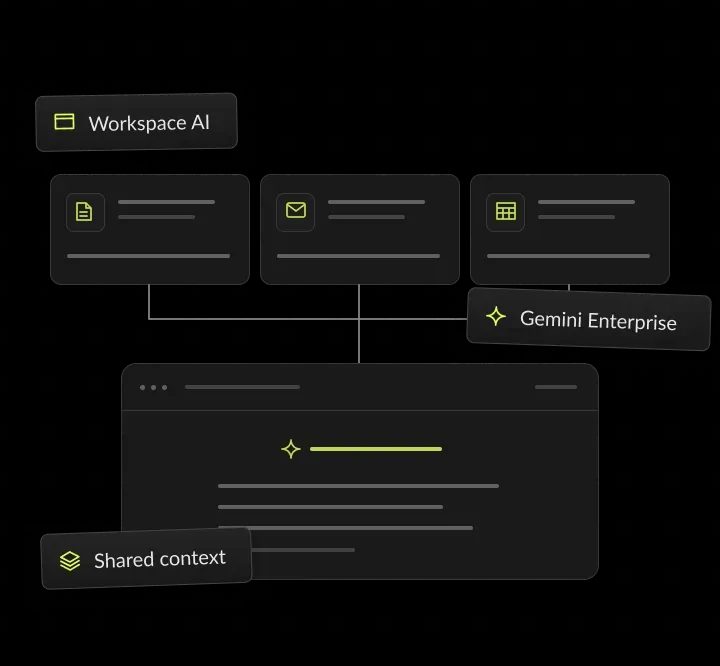
One proposal, from the question to the Drive folder: Gemini searches your systems under the lead’s own access, and the lead checks every source.
A proposal is due
A sales lead asks for past answers on security.
Gemini finds the answers
It searches Drive, SharePoint and Jira under her access.
The lead checks the draft
Each answer links to its source document.
The draft is saved
It goes to the proposal folder in Drive.
Gemini for business, in short
- Kansas City metro software and AI company
- Gemini for business at mid-market Google Workspace companies
- Connectors, data rules and training by team
- Rollouts from $5,000, and your licenses go straight to Google

Your Workspace. Every system.
- 01Rollout priceFrom $5,000: setup, single sign-on, data rules, 2 connectors and 2 training sessions
- 02LicensesBilled by Google on your own account
- 03Plans comparedGemini, ChatGPT or Claude: what each costs per seat
- 04You ownEvery agent, connector and policy we set up
What is Gemini Enterprise?
Gemini Enterprise is Google's AI platform for companies: an assistant, company-wide search and agents in one app. It answers from your own systems through connectors, follows each person's access rights and does not train Google's models on your data.
What Gemini Enterprise includes
Search, assistant and agents
Google describes it as an intranet search, AI assistant and agentic platform. Staff ask questions in one place, and Gemini answers from Google Workspace, SharePoint, Jira, Confluence, ServiceNow and other connected systems.
Answers with sources
An assistant that answers from connected company data and shows its sources, with permission-aware search across Google and third-party systems.
Agents and Workflow Builder
Ready-made agents in the Agent Gallery, including Deep Research, and Workflow Builder for no-code agents with connectors and scheduled tasks.
Skills and Notebook
Skills save repeat instructions so results stay consistent, and Gemini Notebook Enterprise supports research grounded in your own documents.



Gemini Enterprise vs Gemini in Google Workspace
Gemini in Google Workspace works inside Gmail, Docs, Sheets, Meet and Drive, and comes with Workspace plans such as Business Standard. Gemini Enterprise is a separate platform that reasons over data from many systems, including ones outside Google. Workspace customers can add the Business edition of Gemini Enterprise to their Workspace plan, which keeps billing and setup in one place.
Gemini Enterprise editions compared
Google sells Gemini Enterprise in five editions. The right one depends on team size, how many systems you connect and what your security review requires. From Google's edition guide, read November 2026: Google offers no upgrade path from Business to Standard, Plus or Frontline, so pick the edition with care.

Business
Select connectors, runs on the web with no Cloud console. Fits smaller companies, or single teams that want a simple start.
Standard
The full connector ecosystem, enterprise-grade security and compliance. Fits large organizations with complex environments.
Plus
Everything in Standard, with the most storage per user. Fits teams that need the broadest AI tools and agent building.
Frontline
Essential AI tools, with agents that admins provision. Fits frontline workers who need a lower-cost option.
Pay-as-you-go
The full connector ecosystem, billed by usage. Fits when you want to start with one seat and pay for what you use.
Gemini Enterprise connectors we set up
When Gemini Enterprise pays off
Gemini Enterprise pays off when your company runs on Google Workspace, but answers also live in systems such as SharePoint, Jira, Confluence or ServiceNow.
Signs we see before a company asks for a Gemini rollout:
- Staff search Drive, Jira and Confluence one by one for the same answer.
- Teams already use Gemini in Gmail and Docs and want it to reach other systems.
- Proposal, support or HR teams answer the same questions every week.
- Your security team needs answers that respect each system's own permissions.
- Leaders want one AI app across Google and Microsoft tools, not one per system.
When to wait
If all your work lives in Gmail, Docs, Sheets and Drive, Gemini in Google Workspace may be enough at first. If your teams live in Microsoft 365, compare Microsoft Copilot first.
What to prepare before the first call
Your Workspace plan, your user count and the teams that should go first; admin access to the systems you want connected, such as SharePoint or Jira; your identity provider, if staff sign in with something other than Google; a list of data that must stay out of AI answers; and one owner on your side who can approve the rules and the edition choice.
What a Gemini Enterprise rollout includes
Everything a Google Workspace company needs before Gemini reaches every team.
Setup and single sign-on
We set up Gemini Enterprise, connect your identity provider and map groups to roles. For example, on Standard or Plus, staff sign in through Workforce Identity Federation with the company login they already use.
Connectors to your other systems
Two connectors included, such as SharePoint, Jira, Confluence or ServiceNow, each scoped by team. For example, support connects ServiceNow, and Gemini answers ticket questions only from records each agent can open.
Data rules people can follow
A one-page policy on what staff may share, plus a check of Drive sharing before launch. For example, a Drive folder shared with the whole company is narrowed to the team that owns it before launch.
Gemini in Gmail, Docs and Meet
Training on Gemini in the Workspace apps, which come with Business Standard and Enterprise plans. For example, sales practices summarizing a long Gmail thread and drafting the reply in Docs.
Agents for repeat work
Agents for tasks such as proposal answers and policy questions, tested on real requests before launch. For example, a proposal agent built in Workflow Builder pulls past security answers from Drive and Confluence.
What you get from a Gemini rollout
You get a working Gemini Enterprise setup on your own Google account, connected to your systems. Rules, training and an admin runbook let your team run it without us.




Gemini Enterprise ROI: a worked example
Gemini Enterprise pays back when the time staff save finding answers costs more than the seats and the rollout. This example uses assumed numbers, not a client result. Google sets seat prices by edition, so subtract your monthly seat cost from the value of the time saved to see the return. Plug your own search time and seat count into the AI ROI calculator to test a Gemini rollout.
How a Gemini for Google Workspace rollout works
Four steps from the first call to every team using it.
We map your teams, data sources and Drive sharing, and help you pick an edition. You see the plan, the data rules and the fixed price before any setup starts. You get a rollout plan and data rules.
We configure Gemini Enterprise, single sign-on, groups and connectors. Each connector is tested with a normal user account before launch. You get a locked-down, working setup.
Two live sessions on real tasks from each team, saved in a prompt library. Sessions cover Gemini in Gmail, Docs and Meet as well as Gemini Enterprise. You get a prompt library per team.
We review adoption with team leads, then plan the next teams and agents, with written next steps on which teams, connectors and agents come next. You get an adoption review with next steps.
AI work in production
Before you roll out Gemini, see AI our team has shipped to production: two builds from our case studies, and the record behind them.

- Healthcare
Prior Authorization AI
Prior Authorization AI is a healthcare automation startup building AI-powered tools to streamline prior authorization for Medicare and Medicaid medical transportation providers in New Jersey.- 16Weekly hours saved
- 63%Admin time reduced
- 43%Fewer submission errors

- Startup
- Real Estate
Our Haus AI
A finance professional turned founder built Our Haus AI, an AI-powered collaborative workspace where homeowners and contractors scope, bid, contract, and document renovation projects together. SoftDoes took her prototype and made it production-ready.- 10XMVP scope delivered
- 2+years Ongoing partnership
- 1Fully owned Platform

- Real Estate
The building buyer
The Building Buyer is a Florida-based real estate investment firm co-founded by Dylan Troiano and Charles Hanlin. They acquire single-family, multifamily, and commercial properties across South Florida and beyond, with a focus on motivated seller opportunities.- 18Weekly hours saved
- 2+Years Ongoing partnership
- 1Fully owned Platform

- Healthcare
CareInTouch
CareInTouch is a Bay Area home health agency providing skilled nursing and therapy services to patients referred from hospitals and clinics. With over 100 staff, they operate in one of the most complex and compliance-driven healthcare markets in the country.- 40% Reduction In Billing Errors
- 100+Staff Operations Managed
- 0Missed Compliance Deadlines

- Startup
Sparkle The Cleaning Service
Sparkle The Cleaning Service is a Detroit-area residential cleaning company with 10 years in business, connecting homeowners with vetted, insured independent cleaners through a subscription-based marketplace platform.- 75% Platform Transparency
- 2XPlatform Growth
- 40%Higher User Retention

- Healthcare
FMY Orthodontics
FMY Orthodontics, a multi-location practice in West Tennessee, partnered with SoftDoes to replace a spreadsheet-based financial workflow with a custom web platform. The goal was to simplify how staff present treatment financing while allowing patients and families to review and complete decisions remotely.- 60%Workflow Reduction
- 75%Remote Adoption
- 5Locations Aligned

- Real Estate
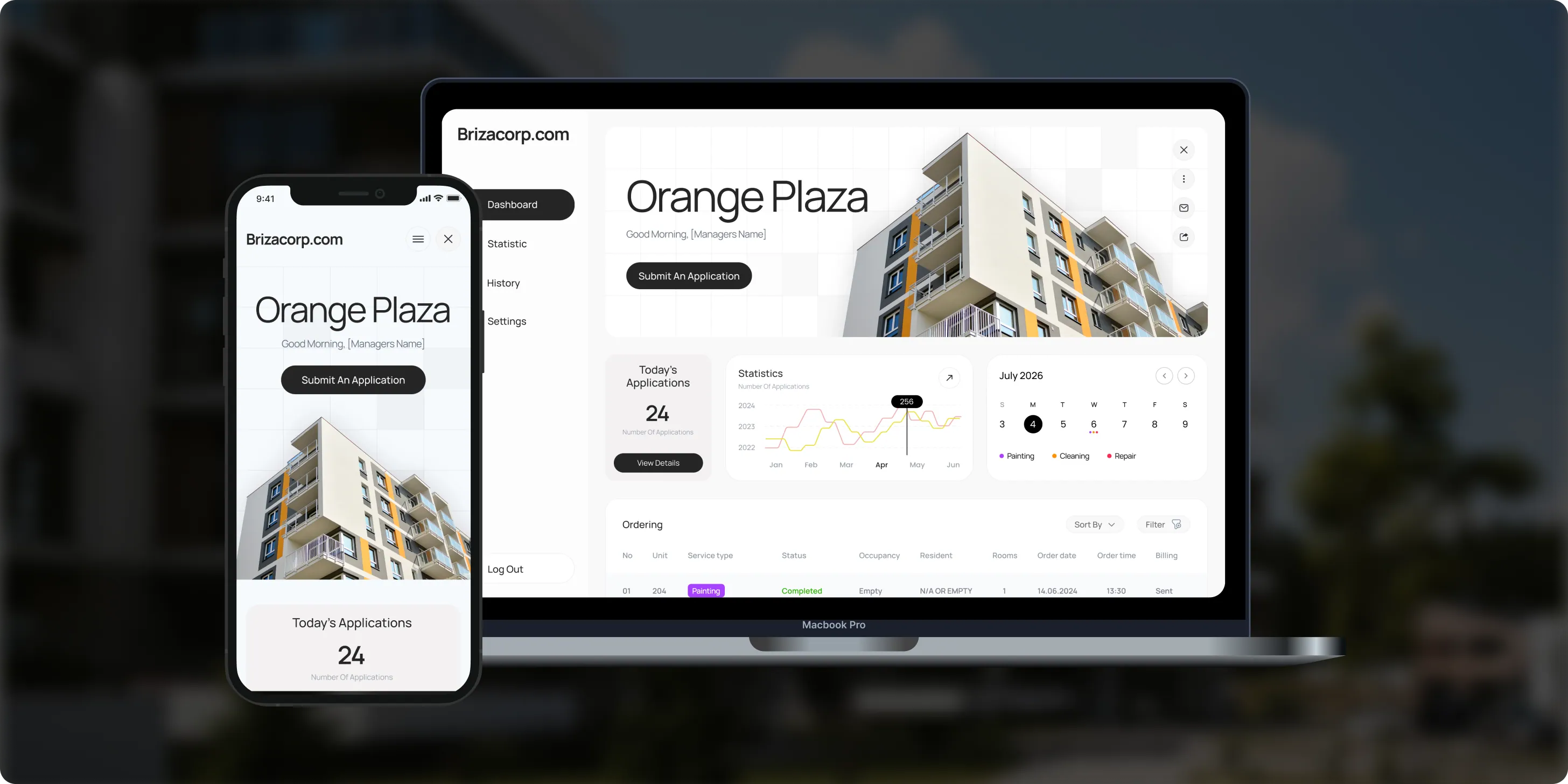
Brizacorp
Brizacorp manages residential properties and coordinates the staff who handle painting, cleaning, and repair requests. Its team tracked work across messengers, phone calls, e-mail, and paper planners, with no single place to manage requests or measure performance.- 98%Application Stability
- 95%Utilization Rate
- 30%Faster Task Completion
Google Agentspace is now Gemini Enterprise
Google Agentspace is now part of Gemini Enterprise. On October 9, 2025, Google said the Agentspace experience in the Google Cloud console and its default app are now called Gemini Enterprise.
Google's announcement covers all associated resources and documentation. Teams used Agentspace to search company data and work with AI agents, and those jobs now run in Gemini Enterprise.
Older guides that mention Agentspace describe the same platform under its earlier name. If your company set up an Agentspace pilot, the rollout steps below still apply: review connectors, check Drive sharing, pick an edition and train each team.
Risks in a Gemini rollout, and how we handle them
Each risk gets a setting, a test or a rule before seats go out.

How Gemini Enterprise keeps data safe
Your data, your permissions
Google states that Gemini Enterprise never uses your prompts, outputs or data to train its models, and that you own your data. Answers follow each person's permissions, and we add scoped connectors and written rules. For health data, see our guide to HIPAA-compliant AI. For company-wide rules on Gemini and other AI tools, see AI governance and compliance.
Existing permissions
Google says Gemini runs under each person's existing permissions and leaves a complete audit trail.
No selling, no ads
Google states that it never sells customer data and does not use it for advertising.
Enterprise controls
VPC Service Controls, customer-managed encryption keys, data residency, Access Transparency and Cloud Audit Logs, on every edition except Business, per Google's edition guide.
Workspace protections
In Google Workspace, data loss prevention, information rights management and client-side encryption can limit what Gemini reaches.
Not the consumer app
Gemini Enterprise is separate from the consumer Gemini app, which runs under consumer terms.
Certifications
Google lists ISO 42001 and SOC 1, 2 and 3 among Gemini's certifications for Workspace, and says Gemini can help meet HIPAA compliance.
Gemini Enterprise connectors: how they reach your data
How connectors work
Gemini Enterprise connectors link the assistant to systems such as SharePoint, Jira, Confluence and ServiceNow. Google says data stays where it lives, and answers follow each person's existing permissions.
Google lists over 100 supported integrations, from Microsoft 365 and Slack to Salesforce, HubSpot, GitHub and BigQuery. Connectors can bring data in for search, query a system live or take actions on a person's behalf.
The Business edition gets a select set of connectors. Standard, Plus, Frontline and pay-as-you-go editions get the full connector ecosystem.
When a system has no prebuilt connector, we build a custom integration, from $4,000.
What we check for each connector
Which folders, projects or tables it may read, scoped to the teams that need them
Whether answers respect the source system's permissions, tested with a normal user account
Which actions it may take, if any, and who must approve them

How to choose a Gemini Enterprise partner
Ask any Gemini Enterprise partner these questions before you sign, and expect every answer in writing.
Questions to ask, and what a good answer includes
- Which edition do we need? A written recommendation tied to your user count, connectors and security review.
- How will connectors be scoped? By team, and tested with normal user accounts before launch.
- What happens to Drive sharing? A review of company-wide shares, fixed before launch.
- Who owns the setup and licenses? You do: licenses billed by Google on your account, with full admin access.
- How will staff be trained? Live sessions on each team's own tasks, in Gemini Enterprise and in Workspace apps.
- Can you compare Gemini with other tools? A test of Gemini, ChatGPT and Claude on your real tasks.
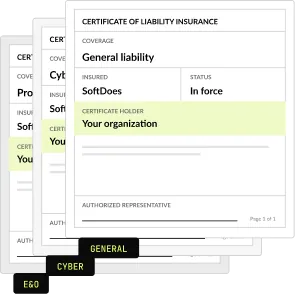
- What paperwork comes first? An NDA and a certificate of insurance before the first call.
What a Gemini rollout costs
One fixed price for the rollout, agreed before work starts. We never resell seats: licenses go on your own Google account.
Workspace rollout
SSO, data rules, 2 connectors, 2 trainings
From $5,000
Custom integration
For a system without a connector
From $4,000
Half-day workshop
Up to 25 people
$2,500
Maintenance and support
After launch
From $500 a month
Project Discovery
Credited to the rollout
$490
Why companies roll out Gemini with SoftDoes
Companies roll out Gemini with SoftDoes because we test it against Claude and ChatGPT on their real tasks first. Every agent, connector and policy we build stays on their own accounts, with full admin access.

- 01
We test Gemini against the rest
SoftDoes is a Claude Partner Network member and an OpenAI Registered Partner. We compare tools on your real tasks.
- 02
Vendor documents first
Our NDA and certificate of insurance reach your procurement team before the first call.
- 03
You own the setup
Every agent, connector and policy we build is yours, on your own accounts, with full admin access.
- 04
40 AI projects since 2020
AI work in production since 2020, from document extraction to filing through Medicare's API.
- 05
Rated 5.0 on Clutch
5.0 from 40 client reviews. More than half of the reviewers are founders, executives or department heads.
- 06
Kansas City headquarters
Headquartered in Mission, KS, in the Kansas City metro. Call 800-909-2345 to reach the team.
Gemini Enterprise by industry
The same rollout, shaped around each industry's systems, records and rules. Each industry page details its own AI use cases and compliance steps.
Healthcare
Policy answers and staff training material, with Drive sharing and data rules set before launch.
Financial services
Research and risk summaries from connected systems, with data rules your compliance team approves.
Legal
Research summaries and first drafts, with matter files limited to the people on each matter.
Real estate
Listing copy, lease questions and market summaries answered from your own Drive files.
Manufacturing
Procedure and safety answers for plant teams, from Drive, SharePoint and ticket systems.
Logistics
Shipment questions answered across carrier documents, tickets and shared drives.


Questions about Gemini Enterprise
What it does, editions, cost and data. Can't find your answer?
What does Gemini Enterprise do?
Google describes Gemini Enterprise as an intranet search, AI assistant and agentic platform. Staff ask questions in one place, and Gemini answers from company data through connectors to tools such as SharePoint, Jira, Confluence and ServiceNow. Answers respect each person's access rights. We set it up, connect your systems and train each team on real tasks.
How is Gemini Enterprise different from Gemini?
Gemini in Google Workspace works inside Gmail, Docs, Sheets, Meet and Drive. Gemini Enterprise adds company-wide search, an assistant and agents that read data from other systems, such as SharePoint or Jira, under each user's permissions. Workspace companies often start with Gemini in the apps, then add Gemini Enterprise for questions that span systems.
Is Gemini Enterprise free?
No. Gemini Enterprise is a paid Google Cloud product, sold in Business, Standard, Plus and Frontline editions and as pay-as-you-go. Seat prices change, so our business AI pricing comparison lists the current ones. Our rollout starts at $5,000, and Google bills the licenses on your own account. Google does offer a 30-day no-cost trial of the Plus edition.
Who owns Gemini Enterprise?
Google owns and runs Gemini Enterprise as part of Google Cloud, and announced it on October 9, 2025. Your company owns its data and the agents, prompts and settings you create. SoftDoes sets everything up in your own Google account, so your admins keep full control after we hand it over.
Which Gemini Enterprise edition do we need?
It depends on how many people need it, which systems it must read and what your security review requires. Google lists Business, Standard, Plus, Frontline and pay-as-you-go editions. In the planning step we match the edition to your user count and data sources, so you don't pay for features no team will use.
Does Google train Gemini on our company data?
Google states that Workspace data is not used to train Gemini models or for ads targeting. Gemini Enterprise gives permissions-aware answers, so each person sees only results they can already access. We still check Drive sharing and connector scopes before launch, because a file shared with everyone becomes easy to find.
What is Google Agentspace now called?
Google Agentspace is now Gemini Enterprise. On October 9, 2025, Google announced the change for the Agentspace experience in the Google Cloud console and its default app. The new name covers all associated resources and documentation, so existing setups carry it too. If your team started on Agentspace, we review what was built and extend it to more teams.
What was Google Agentspace used for?
Teams used Agentspace to search company data across systems and to work with AI agents grounded in that data. Those jobs now run in Gemini Enterprise, with connectors to tools such as SharePoint, Jira, Confluence and ServiceNow. Answers follow each person's access rights, so people only see results from files they can already open.
Is Gemini available for Google Workspace?
Yes. Gemini works inside Gmail, Docs, Sheets, Meet and Drive, and Google includes it in Workspace plans such as Business Standard. In the side panel of Gmail, Docs, Sheets and Drive, it is available in 25 languages. Gemini Enterprise is a separate product that adds search and agents across systems outside Google, such as SharePoint or Jira.
Is Gemini for Google Workspace worth it?
It is worth it when people spend their day in Gmail, Docs and Meet and get trained on their real tasks. Gemini summarizes Gmail threads, drafts in Docs and takes notes in Meet. Value drops when files are overshared or nobody shows teams how to use it, so our rollouts start with Drive sharing checks and training by team.
How much is Gemini if you have Google Workspace?
Gemini comes with Workspace plans such as Business Standard, so many Workspace customers already have it in Gmail, Docs and Meet. Gemini Enterprise is priced separately by edition, and Workspace customers can add its Business edition to their plan. Our business AI pricing comparison lists current prices. Our rollout starts at $5,000.
How do we use Gemini through Google Workspace?
Staff open Gemini in the side panel of Gmail, Docs, Sheets and Drive, or in the Gemini app, and work with files they can already access. In our rollouts, we set data rules first, then train each team on its own documents. The prompts that work go into a shared library the team keeps.
Can we move from the Business edition to Standard or Plus later?
Not today. Google states that it offers no data migration path from the Business edition to Standard, Plus or Frontline, so you cannot upgrade in place. That makes the edition choice important. We match the edition to your user count, connectors and security review in the planning step, before you buy any seats.
Do we have to move our data into Google?
No. Google says Gemini Enterprise indexes the sources you select while keeping data where it lives, and access follows each person’s existing permissions. Connectors reach systems such as Microsoft 365, Slack, Confluence, Jira, Salesforce and ServiceNow. We scope each connector by team and test it with a normal user account before launch.
Updated · Reviewed by Orest Andrusyshyn, Founder and CEO