

U.S.-Based
Virtual Classroom Software Development
Virtual classroom software development by SoftDoes: custom live learning platforms with whiteboards, breakout rooms and LMS integration.

Let's build together.
Talk with a senior engineer about your product idea, architecture, and what it would take to build it.
90+
Active Client Partnerships
80+ Person
Product & Engineering Team
100%
Your Code & IP Ownership
U.S.-Led
Delivery & Accountability
We understand the challenges you're facing
Why do our teachers schedule classes in one tool, teach in another, and then copy attendance and recordings into the LMS by hand?
This disconnect exists because general meeting tools were never designed to talk to a learning management system. In a custom virtual classroom platform, courses, sections, and live sessions are defined once - schedule lives in one place, and sessions auto-launch the virtual classroom directly from the LMS or SIS via LTI. During every session, the platform captures granular event data: join and leave times, time-on-task, poll responses, in-class quiz scores, whiteboard interactions, chat messages, and engagement events, all stored in a consistent schema built for educational reporting. When class ends, attendance, time in class, quiz scores, and recording links are automatically synced back to the LMS gradebook and content area through LTI 1.3 and APIs - no manual data entry, no spreadsheets. SoftDoes has deep experience designing these data models and integration pipelines so that administrators, deans, and program leads see everything inside the LMS within minutes of each session.
Our live classes include minors on camera. How do we protect privacy, prevent disruptions, and stay accessible to every learner?
Safety, data security, and accessibility must be built into the virtual classroom environment from day one, not layered on afterward. SoftDoes engineers authenticated entry via SSO, waiting rooms with teacher-controlled admission, moderation tools (mute all, remove participant, lock chat, reporting), and safe chat filters that prevent inappropriate content. Recording consent flows, retention rules, and data residency options are designed to align with FERPA, COPPA, CIPA, state student privacy laws, GDPR, and the UK Age Appropriate Design Code - compliance with privacy regulations such as FERPA, COPPA, and GDPR is mandatory for educational platforms handling student data. Accessibility compliance requires real-time captions for live sessions, and our platforms deliver WCAG 2.1 AA-compliant UI with keyboard navigation, screen reader support, and high-contrast modes, meeting Section 508, ADA Title II, and EN 301 549 where required. Underneath, all media and data are encrypted in transit and at rest, role-based permissions control every action, audit logs track moderator events, and data processing agreements are structured to pass scrutiny from school legal teams, regulators, and external auditors.
Can a custom virtual classroom work inside our LMS and SSO without retraining every teacher or replacing tools mid-term?
Yes - and that is precisely the point. SoftDoes builds with an API-first architecture so the virtual classroom platform launches directly from Canvas, Moodle, Blackboard, D2L Brightspace, Google Classroom, Docebo, or Open edX via LTI 1.3, carrying course, section, and roster data into the right room automatically. SSO flows through SAML or OpenID Connect work with identity providers like Okta, Microsoft Entra ID, Clever, or ClassLink, and calendar integration with Google Workspace or Microsoft 365 keeps schedules in sync without duplicate entry. For teams migrating from existing tools, we import past recordings and session history, map historical courses and rosters, and plan phased rollouts aligned with term dates so no teacher faces a surprise mid-semester. SoftDoes has hands-on experience with WebRTC stacks and media SDKs including LiveKit, Agora, Twilio, Vonage, and Daily, and builds connectors to existing tools rather than forcing a disruptive rip-and-replace cutover.
Why do our classes feel like long video calls, and why does every teacher need ten minutes just to set up a session?
Because business meeting software was not designed for online teaching workflows. SoftDoes conducts user research with teachers, trainers, students of different ages, teaching assistants, and administrators to map the actual flow of a class before designing a single screen. The result is role-specific interfaces: a teacher console where one click starts the session with lesson materials preloaded, an interactive online whiteboard ready, breakout room templates configured, polls and live quizzes queued, and co-teacher or TA roles assigned - plus a simplified student view tuned for phones and Chromebooks, and admin dashboards for real-time oversight. Students join from a link without installs; adaptive bitrate streaming and audio-only fallback keep the session stable; live captions and translations run in real time; hand-raising, using reaction emojis helps gauge student engagement levels, and visual cues give teachers a read on who is following along. Virtual classroom software development at SoftDoes focuses on reducing clicks, preconfiguring class templates, and minimizing the prep time for every session so instructors spend their energy on teaching, not troubleshooting.
If we grow to thousands of concurrent classes or add large lectures and hybrid rooms, are we stuck rebuilding again?
Not if the architecture is designed for it from the start. SoftDoes uses SFU-based media servers - where a single media server node supports 150–300 concurrent streams - with regional deployments, autoscaling groups, and observability for call quality and capacity so the platform grows without redesign. Modular configuration means you can define templates for different formats: 1:1 online tutoring, small interactive sessions, large webinar-style lectures, or corporate instructor-led training sessions, each with its own roles, recording rules, and branding per school or business unit, without writing new code. Versioned APIs and extension points let teams add new formats (hybrid classrooms, paid cohorts, MOOCs), integrate payment gateways, or launch in new geographies. SoftDoes delivers technical documentation, admin guides, and operational playbooks so internal teams can evolve rules and settings without starting a new project or depending on a vendor for every change.
You teach live. We engineer the classroom behind it.

Custom virtual classroom platforms and apps
SoftDoes builds end-to-end virtual classroom platforms around how the client teaches, not around generic business meetings. Real-time video and audio are essential for virtual classrooms, and our platforms include class scheduling and reminders, waiting rooms, HD video and audio conferencing, screen sharing, an interactive whiteboard that enables visual collaboration in online classes, breakout rooms that enhance collaboration, live polls and quizzes, chat and Q&A, attendance tracking, session recording and playback, co-teacher roles, and native mobile app and Chromebook support.
LTI launch directly from the LMS with automatic roster sync and role mapping - teachers click "Join class" and land in the right room with the right students.
Robust teacher controls: mute and spotlight participants, lock rooms, manage breakout groups, moderate chat and annotations in real time.
Automatic upload of recordings, transcripts, and attendance to the LMS or portal within minutes after each session - session recording and cloud storage facilitate asynchronous learning for students who missed class.

Live learning data integration and analytics
SoftDoes connects virtual classroom data - attendance, participation, quiz scores, chat activity, connection quality, and recordings - into the client's learning management system, SIS, data warehouse, or BI tools. Engagement analytics provide insights into student participation and learning outcomes through xAPI event streams, modern data warehouses, and dashboards tailored for deans, program leads, L&D managers, and school leadership.
Attendance and participation dashboards by class, cohort, teacher, department, or program - analytics dashboards track student progress and engagement metrics across the organization.
Call quality monitoring with alerts on high packet loss, repeated disconnects, or regional degradation during peak hours.
Reports correlating live engagement (polls answered, time with camera on, chat activity) with grades, course completion, or certification outcomes.

AI enhanced virtual classroom workflows
SoftDoes applies AI to virtual classrooms where it genuinely helps teachers and learners: live captions and translation, automatic class summaries and notes, searchable recordings, quiz generation from lesson content, predictive engagement signals, and noise or background filtering. AI features are designed with student privacy in mind - clear consent, no hidden monitoring or emotion scoring, and teachers control how any insight is used.
Natural-language class summaries and structured study notes generated after each session for students and absent learners, making it easier to access learning materials on their own time.
Predictive alerts for teachers on likely no-shows or disengaged students based on historical attendance and engagement patterns, helping engage students before they fall behind.
Smart follow-up suggestions - remedial exercises, recommended readings, micro-quizzes - pushed via LMS or email after class to create a dynamic learning experience.
Numbers Don’t Lie
Recent projects showcasing how we design, engineer, and deliver production-ready software solutions.

- Startup
- Real Estate
Our Haus AI
A finance professional turned founder built Our Haus AI, an AI-powered collaborative workspace where homeowners and contractors scope, bid, contract, and document renovation projects together. SoftDoes took her prototype and made it production-ready.- 10XMVP scope delivered
- 2+years Ongoing partnership
- 1Fully owned Platform

- Finance
- Energy
Deepwater Insights
Deepwater Insights delivers proprietary alternative data and niche research on the offshore drilling and energy sector to institutional investors, family offices, and high-net-worth individuals who require coverage that larger firms don't provide.- 100%Brand Continuity
- 2Platform Distribution
- 100%Paywall-Ready Content

- Real Estate
The building buyer
The Building Buyer is a Florida-based real estate investment firm co-founded by Dylan Troiano and Charles Hanlin. They acquire single-family, multifamily, and commercial properties across South Florida and beyond, with a focus on motivated seller opportunities.- 18Weekly hours saved
- 2+Years Ongoing partnership
- 1Fully owned Platform

- Education
- Non-Profit
WOVEN & NICE
Woven is a Spring Valley, NY nonprofit running the NICE program (New Training Inclusive Community Environment) in four Rockland County schools. Their team supports students through restorative practices, mediation, and professional development for teachers and administrators.- 4Schools Served
- 4Weeks to Launch
- 1STTime on Upwork

- Healthcare
CareInTouch
CareInTouch is a Bay Area home health agency providing skilled nursing and therapy services to patients referred from hospitals and clinics. With over 100 staff, they operate in one of the most complex and compliance-driven healthcare markets in the country.- 40% Reduction In Billing Errors
- 100+Staff Operations Managed
- 0Missed Compliance Deadlines

- Startup
Sparkle The Cleaning Service
Sparkle The Cleaning Service is a Detroit-area residential cleaning company with 10 years in business, connecting homeowners with vetted, insured independent cleaners through a subscription-based marketplace platform.- 75% Platform Transparency
- 2XPlatform Growth
- 40%Higher User Retention

- Startup
DineMate
DineMate is a Maryland-based dating and connecting platform built around verified profiles, restaurant reservations, and prepaid dining experiences. Founded to bring back authenticity to how people meet and connect.- 60% Time Saved
- 99%System Reliability
- 40%Higher User Retention

- Healthcare
Prior Authorization AI
Prior Authorization AI is a healthcare automation startup building AI-powered tools to streamline prior authorization for Medicare and Medicaid medical transportation providers in New Jersey.- 16Weekly hours saved
- 63%Admin time reduced
- 43%Fewer submission errors

- Education
Grand Central Language Services
Grand Central Language Services provides translation and interpretation for organizations operating in complex, multilingual environments. As demand grew, internal workflows became harder to manage. SoftDoes built a custom platform to streamline coordination, improve visibility, and support scalable operations.- 72%Workflow Reduction
- 48%Coordination Reduction
- 83%Visibility Increase

- Healthcare
FMY Orthodontics
FMY Orthodontics, a multi-location practice in West Tennessee, partnered with SoftDoes to replace a spreadsheet-based financial workflow with a custom web platform. The goal was to simplify how staff present treatment financing while allowing patients and families to review and complete decisions remotely.- 60%Workflow Reduction
- 75%Remote Adoption
- 5Locations Aligned

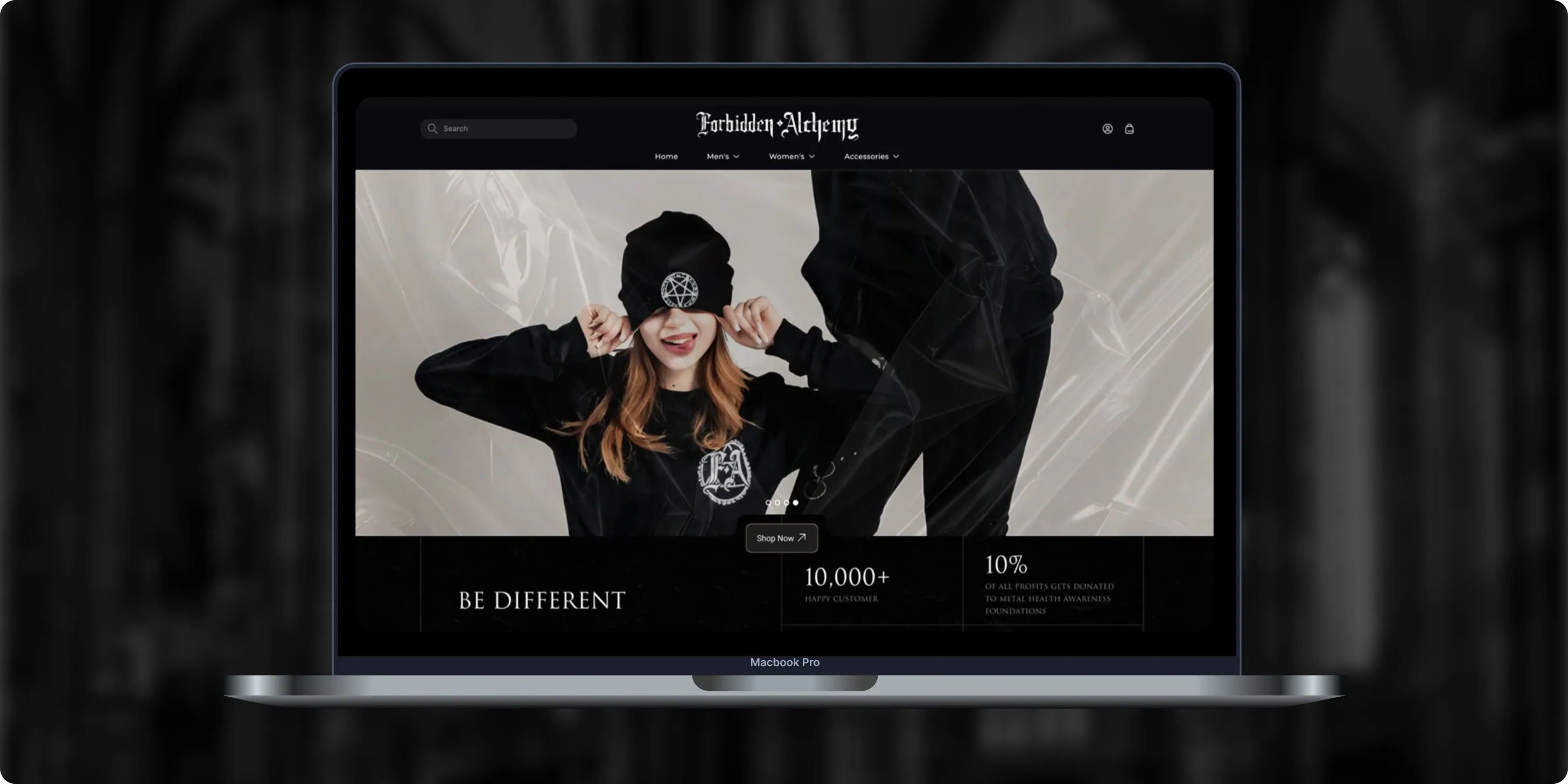
Forbidden Alchemy
Forbidden Alchemy is an alternative fashion brand creating dark, provocative clothing for the metalhead community, with 10% of profits donated to mental health awareness. Its mostly mobile audience struggled with a store that was hard to navigate and weak on functionality.- +44%Revenue Month Over Month
- 86%Design Satisfaction
- 2.8XUser Retention Growth
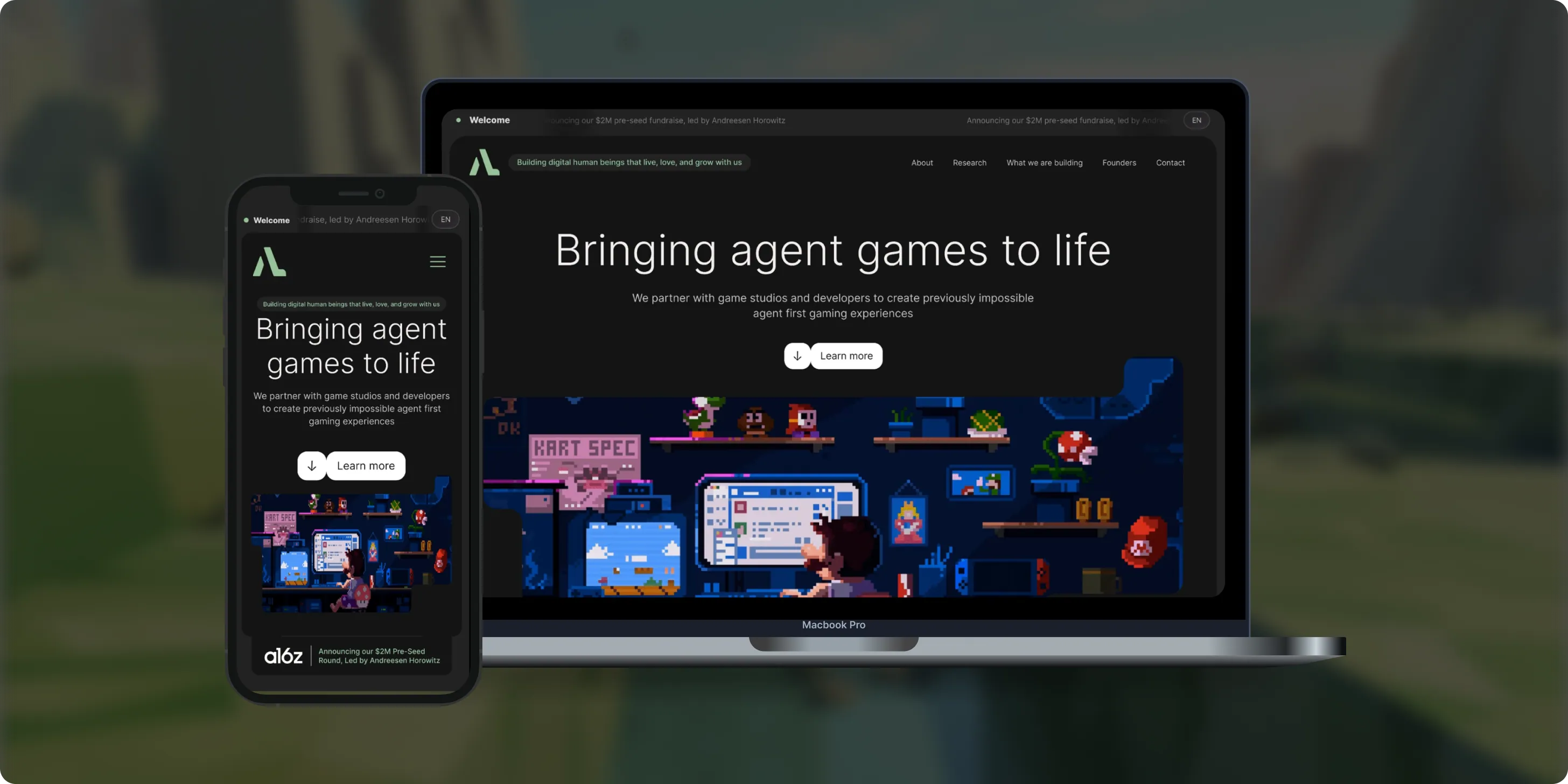
Altera
Altera builds on decades of computational neuroscience research to create digital human beings for gaming. Backed by a $2M pre-seed round led by Andreessen Horowitz, the team needed a landing page that could explain complex agent technology to players, partners, and investors.- 98%Dynamic Customization
- 100%Streamlined Navigation
- $2MPre-Seed Round
- Real Estate
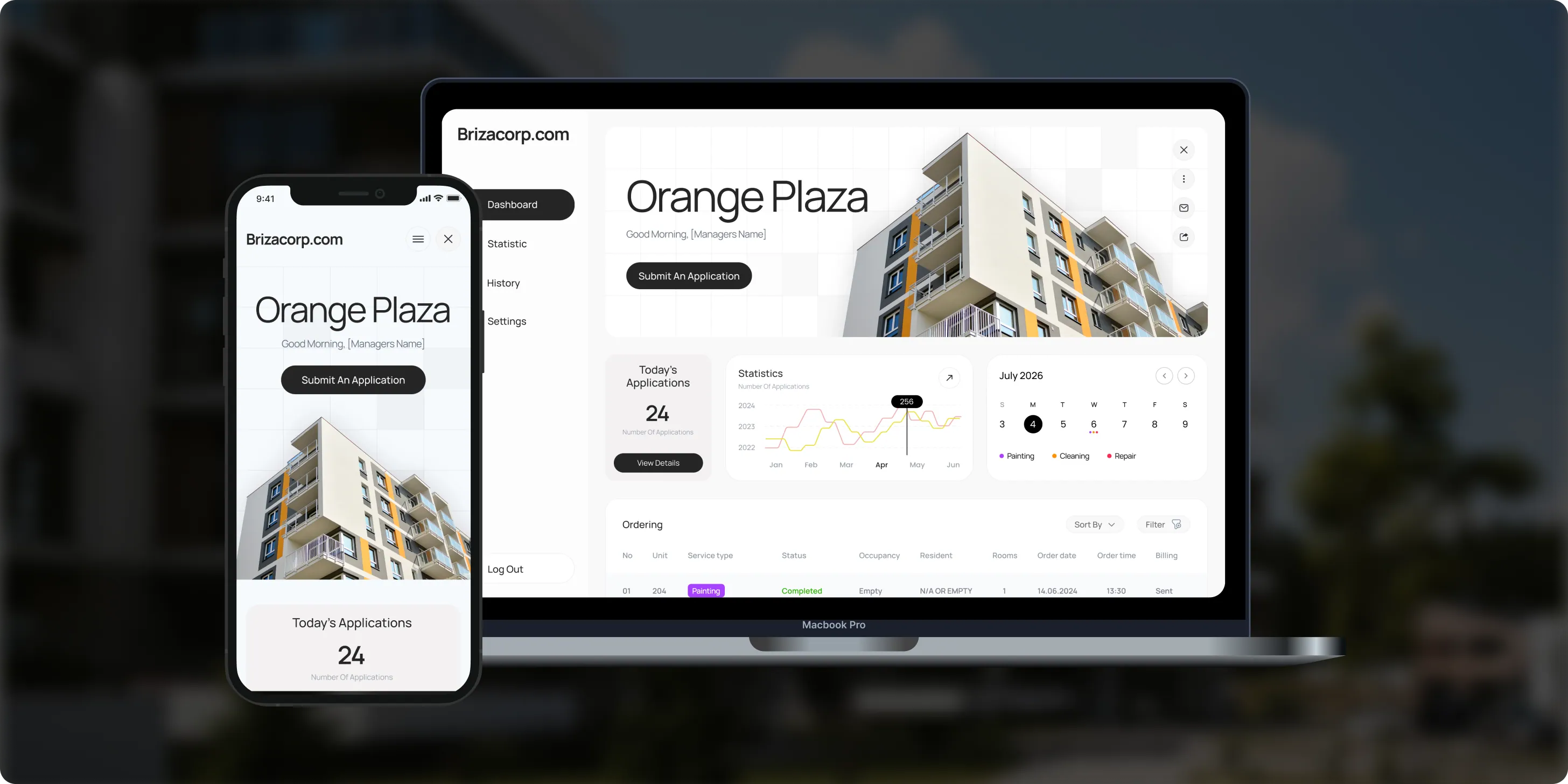
Brizacorp
Brizacorp manages residential properties and coordinates the staff who handle painting, cleaning, and repair requests. Its team tracked work across messengers, phone calls, e-mail, and paper planners, with no single place to manage requests or measure performance.- 98%Application Stability
- 95%Utilization Rate
- 30%Faster Task Completion
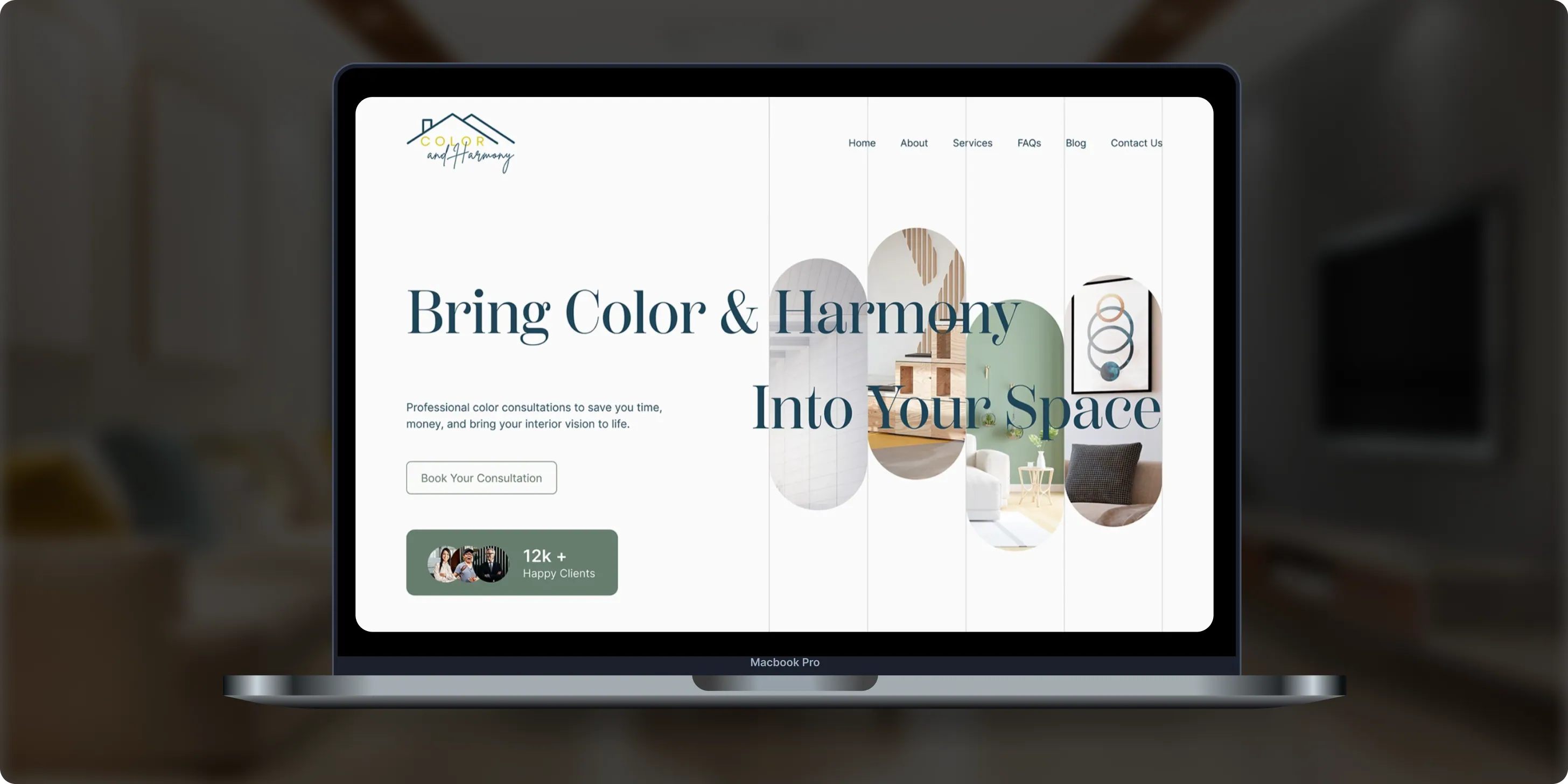
Color & Harmony
Color & Harmony is a Kentucky-based color consulting studio led by certified color strategist Diana Cartaya. The studio needed a website that reflects its refined aesthetic, showcases its portfolio, and explains a science-based color process in simple language.- 45%Conversion Rate Increase
- 50%Higher User Engagement
- 2Months to Launch
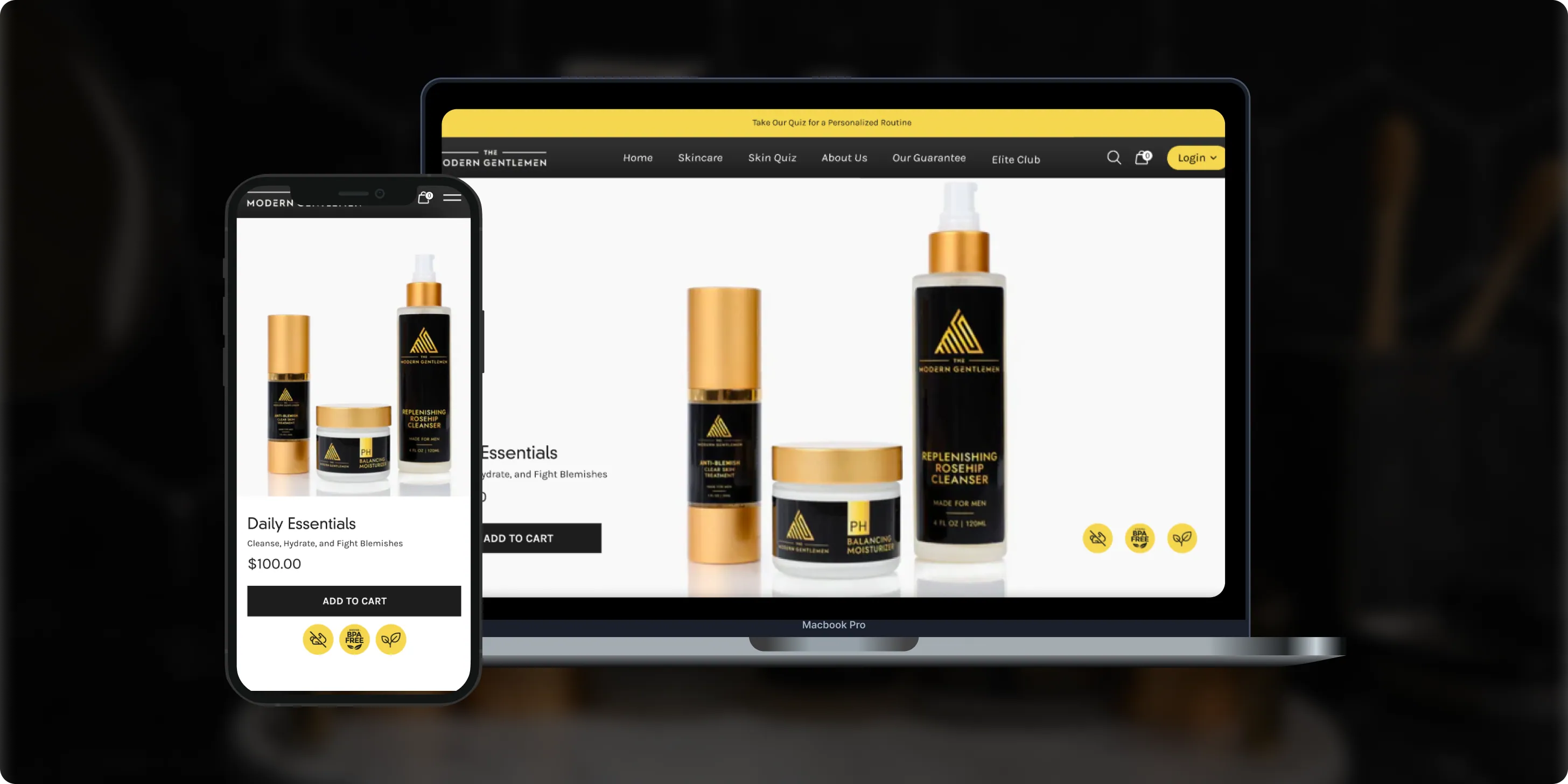
The Modern Gentlemen
The Modern Gentlemen sells premium men's skincare featured in Men's Health, GQ, and Men's Journal. Its customers wanted an efficient routine, but generic product suggestions and limited skincare knowledge made choosing the right products hard.- 30%Increase in Conversions
- 25%Higher Customer Retention
- 92%Mobile Purchases
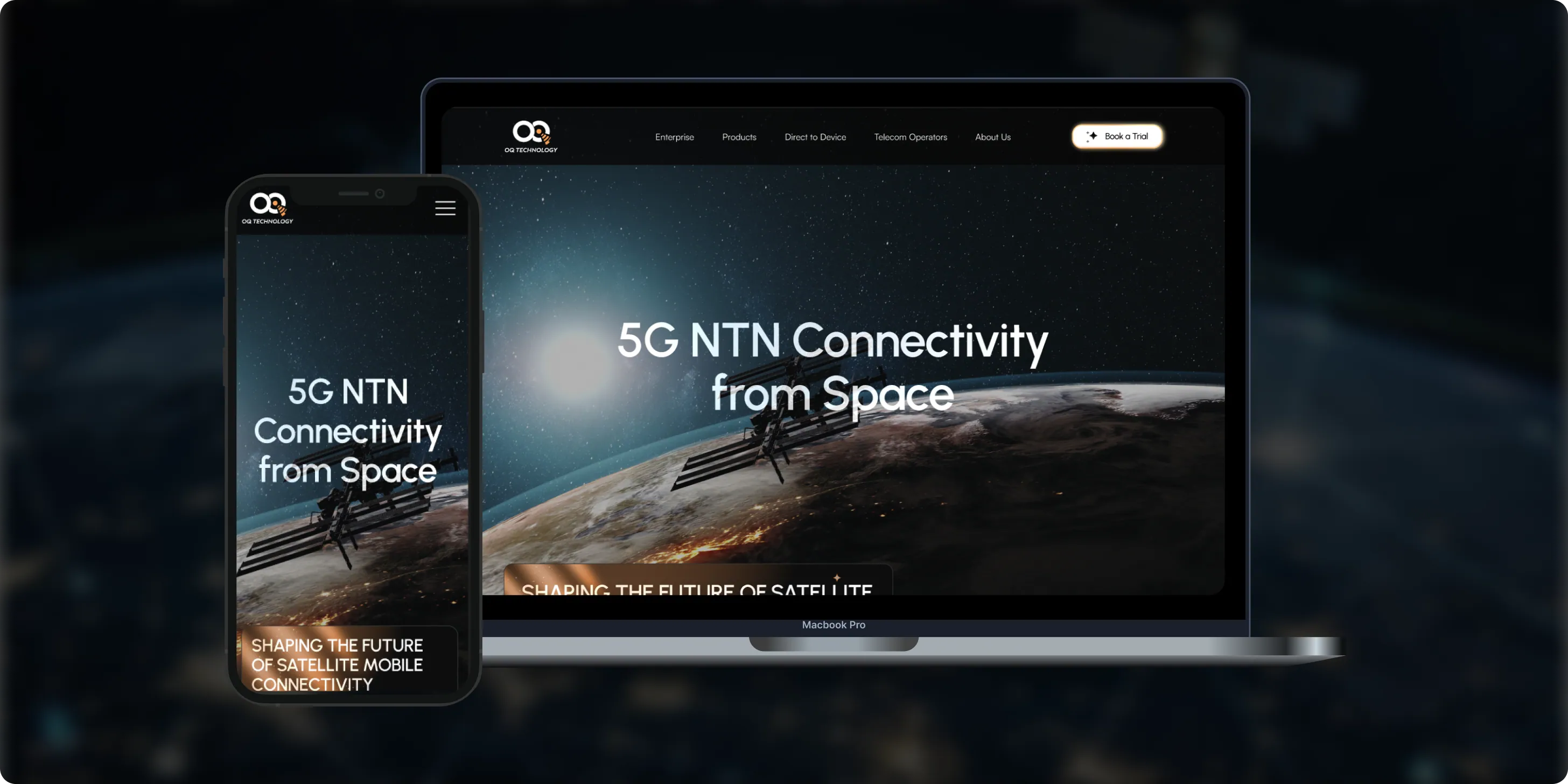
OQ Technology
OQ Technology connects IoT devices, machines, and people anywhere on the planet through its satellite network, serving energy, maritime, logistics, agriculture, and mobile operators. Its website made it hard to explore products and reach pricing plans.- 4Pricing Plans Clarified
- 3Dedicated User Flows
- 1Unified Platform
- Real Estate
- Finance
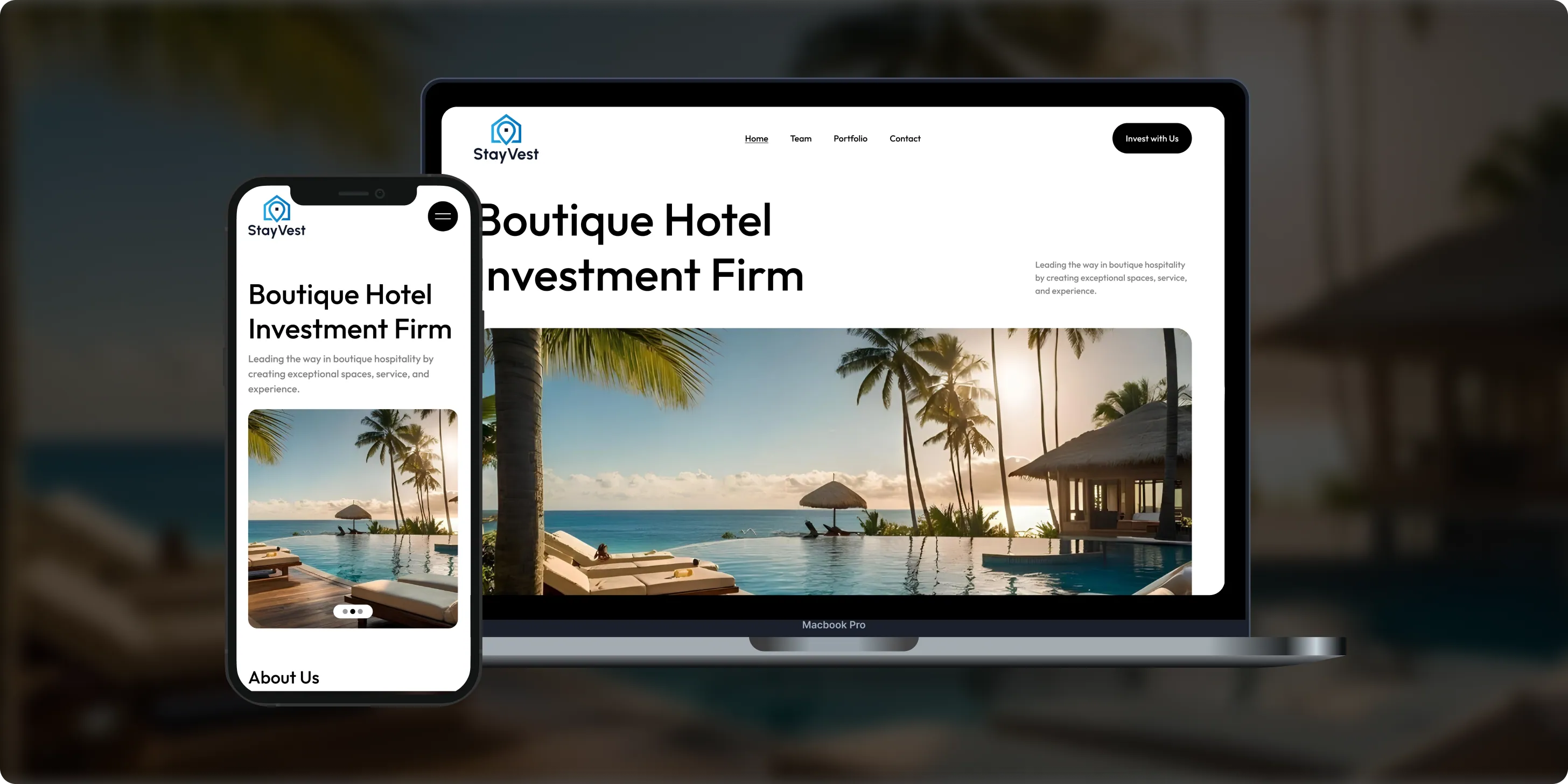
Stay Vest
Stay Vest is a private real estate investment firm that acquires, renovates, and operates boutique hotels for cash flow, tax benefits, and equity gain. It needed a platform that explains its strategy and earns the trust of passive investors.- 1,500+Guest Stays
- 200+Rooms Managed
- 5States Covered
Bokeyno Motorsports
Bokeyno Motorsports is the leading mobile installer of vertical doors for high-performance cars. This Shopify website isn’t just about services—it’s a bold statement of power, style, and expertise. With a sharp layout, strong visuals, and real-world case studies, the site delivers all the information car enthusiasts need to book confidently and instantly.- 54%Booking Requests
- 43%Lead Conversion
- 32%Qualified Inquiries

ai document processing platform
A comprehensive talent solution designed to help companies attract, hire, and retain top talent more effectively. The platform combines AI-powered recruitment technology with employee financial wellbeing programs, enabling smarter hiring decisions while supporting employees’ financial stability and long-term engagement.- 62%Faster Processing Time
- 78%Less Manual Work
- 35%Improved Accuracy

WHAT CLIENTS SAY
Independently verified reviews from real clients on Clutch.co


Client Story
Real feedback from
FMY Orthodontics
“Their perseverance and solution-oriented mindset. SoftDoes consistently found ways to make things work, added features we had not originally envisioned, and never became frustrated. It felt like working with a true partner who cared about the success of our practice.”
Dan Merwin
DDS, MS -- President, FMY Orthodontics

Client Story
Real feedback from
Prior Authorization AI
“Every time I sent a request, if there was anything that didn't work, they were able to turn it around quickly. Even when there were no updates yet, they always reached out to let me know they were working on it.”
Joseph Oluwo
Founder of Prior Authorization AI


Client Story
Real feedback from
WOVEN
“What stood out most was their commitment to understanding our needs before presenting solutions.”
Danna Pastran
Administrative Operations Manager, WOVEN

Client Story
Real feedback from
Grand Central Language Services
“The site performs as intended and provides the foundation for our company's digital presence.”
Joe Goldstein
QA Manager, Grand Central Language Services


Client Story
Real feedback from
DineMate
“They go above and beyond.”
Eric Snead
CEO, DineMate "Dating Connecting Platform"
Why they Choose SoftDoes
- 01SENIOR ENGINEERS, NOT LAYERS
SoftDoes virtual classroom projects are led by senior engineers and architects who have shipped real-time video, collaboration, and EdTech platforms used by large concurrent user bases. They read teaching workflows, accessibility requirements, student privacy policies, and LMS and LTI specifications and turn them into practical technical designs - discussing WebRTC, SFU media servers (where WebRTC supports real-time video with under 200ms latency), bandwidth adaptation, recording pipelines, real-time whiteboard synchronization, and LMS integration constraints in detail with client teams. Decision-makers on your side speak directly with the people who design architectures and write key parts of the code, not project managers relaying messages through layers. This depth shortens discovery cycles and prevents misinterpretation of nuanced teaching workflows - the difference between a virtual classroom experience that feels purpose-built and one that feels like a reskinned meeting tool.
- 02PREDICTABLE DELIVERY
SoftDoes structures virtual classroom software development into phased releases aligned with semester starts, corporate training calendars, or product launch dates - for example, core live classes and LMS launch first, then whiteboard and breakout rooms, then analytics and AI features. Written specifications and acceptance criteria are framed in teaching terms ("a substitute teacher can join and run the class in under 2 minutes," "attendance syncs within 10 minutes of class end"), and regular demos run on real devices and network conditions including low-bandwidth scenarios, Chromebooks, tablets, and older laptops. We coordinate with client LMS administrators, identity and SSO teams, security reviewers, and video infrastructure vendors to de-risk dependencies before launch week. This predictability is essential when thousands of students expect day-one access to their live courses or compliance sessions - test software usability across devices before finalizing your choice is a principle we apply throughout, not just at the end.
- 03BUILT TO LAST PAST LAUNCH
Architectural decisions include modular services with documented, versioned APIs and clear domain boundaries for scheduling, sessions, media, content, and analytics. Call quality monitoring, logging, and autoscaling track join success rates, connection quality, media server load, and recording processing so issues surface before they impact many classes - effective virtual classrooms require scalable architectures to handle varying participant counts, and the infrastructure must prove it under load. Code quality practices include peer reviews, automated tests for critical logic (roles and permissions, attendance calculation, recording sync), load tests simulating term-start or major training event surges with thousands of simulated participants, and CI pipelines with security scans. The result is a live learning platform institutions can rely on for years, evolving features and adding more students, regions, and formats without constant rewrites or destabilizing day-to-day virtual learning.
- 04NO BABYSITTING REQUIRED
SoftDoes designs every virtual classroom platform so clients can operate it confidently - not one that requires constant vendor intervention for configuration changes. Onboarding includes admin documentation, runbooks for common issues (regional network outages, LMS outage procedures, media server failover), and training for internal administrators and teacher champions. Intuitive admin consoles let client teams manage users, roles, organizations and schools, class templates, recording and retention rules, branding, and integrations without writing code. Clear boundaries between the new platform and existing systems mean internal IT understands responsibility lines and troubleshooting flows. SoftDoes offers optional ongoing partnership and feature development, but day-to-day operation and minor changes stay comfortably in the client's hands.
How we work with your quality team
This is how SoftDoes partners with you from first conversation through long term support.




Experience Across Schools, Universities, Tutoring, and Corporate Training
We build live learning platforms where stable video, student safety, and accessibility are non-negotiable.
Dental Practices
Orthodontics
Oral Surgery
Specialty Dentistry
Dental Service
Complex systems, integrations, and internal platforms built to evolve. We step in when off-the-shelf tools stop being enough.
Healthcare
From first version to real traction without painting yourself into a corner. Built for speed now and hard decisions later.
Finance
Systems designed around controls, traceability, and change management. Built so audits don’t become fire drills.
Startups
Infrastructure software built for long timelines and high stakes. Reliable systems for assets that can’t afford guesswork.


Frequently Asked Questions
Everything you need to know about working with SoftDoes. Can’t find an answer?
How long does custom virtual classroom software development take, and what drives the cost?
A focused MVP - live video conferencing, screen sharing, chat, and LMS launch - typically takes 3–5 months; a mature platform with interactive whiteboard, breakout rooms, quizzes, recordings, analytics, mobile app, and AI features takes 6–9 months, with multi-region enterprise rollouts extending beyond that. Custom virtual classrooms require higher investment and longer timelines than off-the-shelf solutions, but custom development offers complete control over platform features, compliance, and pedagogical fit. Main cost drivers include video infrastructure and media server hosting, concurrency targets (choose a platform that scales with your learner numbers), mobile apps (iOS, Android, dedicated Chromebook support), integration count (LMS, SIS, HRIS, payments), accessibility, and AI features. Pilot timing around academic calendars often shapes schedules as much as pure engineering work - classes don't wait for a sprint to finish.
Should we build a custom virtual classroom or just use Zoom or Microsoft Teams?
For occasional live sessions or small programs, standard tools may be sufficient and cost-effective - existing solutions provide lower upfront costs and faster deployment. Custom development pays off when you need deep LMS integration with automatic grade sync, child privacy controls beyond what meeting tools offer, a white-label virtual classroom experience inside your own EdTech product, fine-grained analytics to track student progress, or monetized online courses with payment flows. A middle path exists: building a teaching-focused layer using a video SDK (such as LiveKit or Agora), or integrating Zoom or Teams more deeply with the LMS to create a browser-based virtual classroom that feels purpose-built. Part of SoftDoes discovery is helping you decide whether a fully custom virtual classroom, a hybrid approach, or better integration with existing tools is the right virtual classroom software choice long term.
Can the virtual classroom integrate with our LMS and SSO?
Yes - integration with learning management systems is crucial for managing educational resources, and it is typically a core part of every engagement. We use LTI 1.3 for LMS launch, roster sync, and grade passback, plus SAML or OpenID Connect for SSO, REST APIs for SIS and reporting, and calendar integration to keep schedules in sync. In practice, teachers click "Join live class" in Canvas, Moodle, or Docebo and land in the right virtual classroom with the correct roster; after class, attendance, recordings, and quiz scores appear automatically in the course. SoftDoes has experience integrating with common identity providers (Okta, Microsoft Entra ID, Clever, ClassLink) and handling edge cases like students switching sections, late enrollments, or substitute teachers - without changing how instructors already work.
How do you keep live classes secure, private, and accessible?
Virtual classroom software must balance real-time communication, interactive learning tools, and security - and we design all three together. Security practices include encrypted media and data, authenticated entry with waiting rooms, teacher moderation controls (mute, remove, lock chat), configurable recording consent and retention policies, role-based access, and audit logs. We align with FERPA, COPPA, GDPR, state student privacy laws, WCAG 2.1 AA, and Section 508; accessibility should comply with Web Content Accessibility Guidelines (WCAG) standards, and we work with client security and accessibility teams for threat modeling, penetration testing, and accessibility audits where required. Periodic security testing and accessibility reviews continue as part of post-launch maintenance - compliance is not a one-time checkbox.
Who owns the source code, recordings, and intellectual property?
In typical SoftDoes engagements, the client owns the custom virtual classroom source code, configuration, recorded live sessions, and learner data. Third-party SDKs, open-source components (such as media servers or CRDT libraries for whiteboard sync), and any SoftDoes internal utilities are clearly licensed and documented so there are no ownership surprises later. At project completion, SoftDoes hands over repositories, documentation, infrastructure-as-code scripts, and, where relevant, app store accounts - giving your team full control of the online classroom platform.
How many students can join a class, and how do you handle poor connections?
Capacity is designed per use case: fully interactive virtual classes may run dozens of active video streams per room, while large lectures and webinars support hundreds or thousands of viewers with limited presenters using chat, polls, and hand-raising for interaction. We use SFU-based media architecture with regional media servers and autoscaling - adaptive bitrate streaming adjusts video quality based on each participant's network conditions, with audio-only fallback and fast reconnection logic keeping students on weak or unstable connections in class. Demand built-in engagement tools like quizzes and polls even in large formats, because active learning does not have to disappear at scale. SoftDoes performs load testing with thousands of simulated participants before launch to confirm the platform handles peak schedules - because the worst time to discover a capacity limit is the first Monday of term.
What kind of support do we get after launch?
Support levels are configurable: short hypercare periods around critical dates (term start, major training events), ongoing support agreements with coverage aligned to class hours, and training for teachers and internal administrators. Incidents are triaged with highest priority given to issues that prevent classes from starting, recordings from processing, or students from joining - the virtual classroom relies on real-time stability, and every minute of downtime is a minute of lost instruction. SoftDoes monitors join success rate, error spikes, media server health, and recording completion, with clear escalation paths and metrics dashboards visible to both teams.
Can you work with our existing online classroom software instead of replacing it entirely?
Yes - SoftDoes often extends or integrates with existing online classroom software rather than replacing it outright, because existing solutions often limit branding and feature customization but carry institutional knowledge and user adoption that should not be discarded lightly. Examples include adding a custom scheduling and attendance layer on top of Zoom, building deeper LMS integration for an online platform already in use, or layering analytics and AI summaries over an existing live learning environment. Discovery includes assessing current tools, licenses, adoption levels, and user satisfaction so the team can recommend incremental, lower-risk steps where appropriate - sometimes the best virtual classroom platform is the one you already have, made significantly better.