
U.S.-Based
A custom AI receptionist that answers every call
It answers in a natural voice, books visits and writes each caller's details into your CRM. Urgent calls go straight to the person on call.
$5,000
AI receptionist build, from
$500
Support a month, from
5.0
Clutch rating from 40 reviews
























How a call runs with the AI receptionist
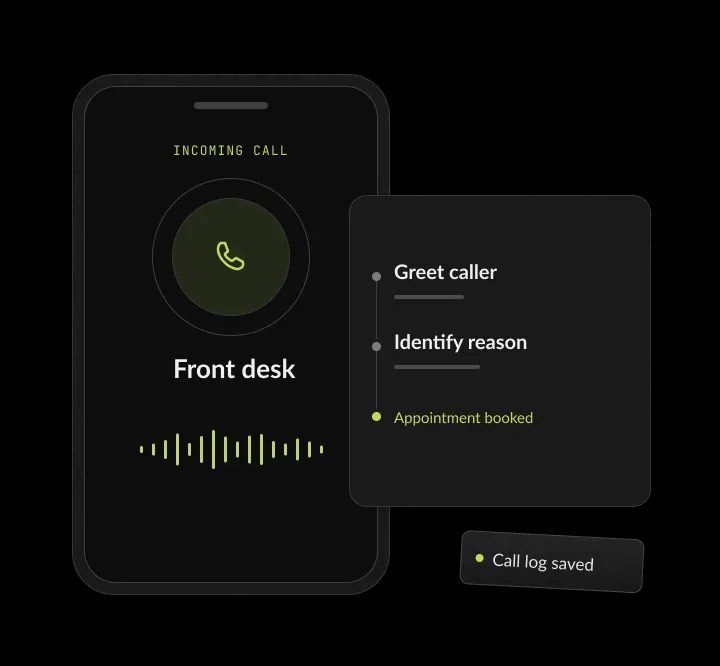
One after-hours call: the AI receptionist answers, your team checks the summary and the visit is booked.
A call comes in after hours
A new customer calls at 7:40 pm about a quote.
The AI receptionist answers
It asks for the name, need and a good time, then offers slots.
Your team reviews the summary
Urgent or unclear calls are transferred or flagged.
The visit is booked
Calendar and CRM update; the caller gets a text.
AI receptionist services, in short
- Kansas City metro software and AI company
- Custom AI receptionists for service businesses and multi-location teams that miss calls
- Each one follows your script, books in your calendar and writes to your CRM
- Builds from $5,000; calls at cost, about $0.10 to $0.20 a minute

Every call answered. Every record filled.
- 01Build priceFrom $5,000. Support from $500 a month. Call minutes at cost, about $0.10 to $0.20 a minute
- 02Products, for comparison$99 to $349 a month. Off-the-shelf receptionists mostly take messages; a custom build fills your records
- 03Urgent callsGo straight to the person on call, with a written summary
- 04You ownThe code, prompts, call flows and recordings
What is an AI receptionist?
An AI receptionist is a voice agent that answers your business phone in a natural voice, day and night. It answers questions, books appointments, takes intake details and transfers urgent calls, then writes each call into your calendar and CRM. It works like a front desk that answers every call on the first ring. Each call follows your script, your booking rules and your transfer rules, and the record is complete before your team sees it.
What an AI receptionist includes
Phone connection
A phone connection on your current number, by forwarding or through your phone system.
Script and answers
Your intake script and an approved list of answers about hours, services and policies.
Calendar and CRM
Connections to your calendar and CRM, with the fields each call fills.
Call records
A summary, transcript and recording of every call, saved where your team works.
Call reports
Call reports that show what callers asked and how each call ended.



Custom build or off-the-shelf product
An off-the-shelf product costs $99 to $349 a month, follows a general script and sends you a message by email or text; its code and call data stay on the vendor's platform. A custom build by SoftDoes costs from $5,000 to build, with support from $500 a month and calls at cost. Each call ends as a booking, filled intake fields and a CRM note, by your questions, booking rules and transfer rules for each location, and the code and call data sit on your accounts, owned by you. Our guide to AI receptionists vs answering services also compares live answering services.
Types of AI phone receptionist setups
An AI phone receptionist can take after-hours calls, overflow at busy times, every call or calls for several locations. Each setup uses the same build, from $5,000, and the split can change later. Support starts at $500 a month. Call minutes are billed at cost, about $0.10 to $0.20 a minute.

After hours and weekends
Answers when the office is closed, books visits and flags urgent calls. Fits when calls go to voicemail at night.
Overflow at busy times
Picks up when staff are on other calls or with customers. Fits when callers hear rings or hold music at peak hours.
Every call on the main line
Answers first, books and routes, and transfers to staff by rule. Fits when the front desk spends most of the day on the phone.
Several locations
Routes each caller by location, with each office's hours and staff. Fits when calls land in the wrong office.
Phone systems and software it connects to
We connect the AI virtual receptionist to the phone line and the systems your team already uses.
AI receptionist for small business: when it pays off
An AI receptionist for small business pays off when missed calls cost you customers. That usually means calls after hours, calls while staff are busy, or more calls than one front desk can take.
These are the signs we see before a business asks for an AI receptionist:
- Calls go to voicemail after hours, on weekends or during lunch.
- Staff stop serving customers in person to answer the phone.
- Callers hang up and try the next business on the list.
- Your team retypes caller details into the CRM after each call.
- Several locations share one number, and calls land in the wrong office.
When a product or a person is enough
If you only need messages taken, a product costs less than a build. If you get a few calls a day and someone is always free to answer, keep your current setup.
What to prepare
A sample of recorded calls, or notes on your most common call types; your booking rules: visit types, lengths, staff and hours by location; access to your calendar, CRM and phone system; and who takes urgent calls, and how to reach them after hours.
What our AI answering service handles
Five jobs a front desk does on the phone every day, handled by one AI phone receptionist.
Answering around the clock
It picks up every call on the first ring, including nights, weekends and lunch hours, so no caller reaches voicemail. For example, a caller at 6:45 am on a Saturday books a Monday visit instead of leaving a voicemail.
AI phone answering that books visits
It reads open slots from your calendar or scheduling system, books the visit and texts the caller a confirmation. For example, the agent offers Tuesday at 10:00 or Wednesday at 2:00 from your calendar, books the pick and texts a confirmation.
Intake that fills the record
It asks your screening questions in order and writes each answer into the matching field in your CRM. For example, a new customer's name, address and need land in the matching HubSpot fields before the call ends.
Warm transfers by rule
Urgent calls, key accounts and anything outside its script go to the right person, with a written summary first. For example, a key account calls with an urgent problem. The agent rings their account manager and sends the summary first.
AI receptionist use cases by industry
Law firms, medical and dental practices and home service companies each get their own intake script and target system. For example, a law firm's script asks for the other party's name for a conflict check. A dental office's script asks for the patient's birth date.
What you get with a custom AI virtual receptionist
You get a receptionist that runs on your own phone, model and CRM accounts. The script, tests and documentation let your team change it without us.




AI receptionist ROI: a worked example
An AI receptionist pays back when the customers it keeps are worth more than its build, support and call minutes. The example below uses assumed numbers, so swap in your own. Example math with assumed numbers, not a client result. At these numbers, the build pays back in under three months. Products cost less each month, so compare them on how many calls end as bookings, not on price alone. Try your own numbers in the AI ROI calculator. After launch, call reports show how many calls ended as bookings, next to this estimate.
How AI phone answering goes live
Four steps from the first call with us to a live line.
We review a sample of your recorded calls and list the call types, questions and rules. You approve the script, the transfer rules and a fixed price. You get a call map and an intake script.
We build the agent and connect your phone line, calendar and CRM, with transfer rules. It answers on a test number while your team tries it. You get a working receptionist on a test number.
Your staff call it with real scenarios until they sign off on every call type. Each miss is fixed and tested again. You get a signed-off script and a test log.
We move overflow or your main line to the agent and review call logs with you weekly. You get weekly call reports and fixes.
AI builds that took phone hours off a team
Two builds from our case studies, and the record behind them.

- Healthcare
Prior Authorization AI
Prior Authorization AI is a healthcare automation startup building AI-powered tools to streamline prior authorization for Medicare and Medicaid medical transportation providers in New Jersey.- 16Weekly hours saved
- 63%Admin time reduced
- 43%Fewer submission errors

- Startup
- Real Estate
Our Haus AI
A finance professional turned founder built Our Haus AI, an AI-powered collaborative workspace where homeowners and contractors scope, bid, contract, and document renovation projects together. SoftDoes took her prototype and made it production-ready.- 10XMVP scope delivered
- 2+years Ongoing partnership
- 1Fully owned Platform

- Real Estate
The building buyer
The Building Buyer is a Florida-based real estate investment firm co-founded by Dylan Troiano and Charles Hanlin. They acquire single-family, multifamily, and commercial properties across South Florida and beyond, with a focus on motivated seller opportunities.- 18Weekly hours saved
- 2+Years Ongoing partnership
- 1Fully owned Platform

- Healthcare
CareInTouch
CareInTouch is a Bay Area home health agency providing skilled nursing and therapy services to patients referred from hospitals and clinics. With over 100 staff, they operate in one of the most complex and compliance-driven healthcare markets in the country.- 40% Reduction In Billing Errors
- 100+Staff Operations Managed
- 0Missed Compliance Deadlines

- Startup
Sparkle The Cleaning Service
Sparkle The Cleaning Service is a Detroit-area residential cleaning company with 10 years in business, connecting homeowners with vetted, insured independent cleaners through a subscription-based marketplace platform.- 75% Platform Transparency
- 2XPlatform Growth
- 40%Higher User Retention

- Healthcare
FMY Orthodontics
FMY Orthodontics, a multi-location practice in West Tennessee, partnered with SoftDoes to replace a spreadsheet-based financial workflow with a custom web platform. The goal was to simplify how staff present treatment financing while allowing patients and families to review and complete decisions remotely.- 60%Workflow Reduction
- 75%Remote Adoption
- 5Locations Aligned

- Real Estate
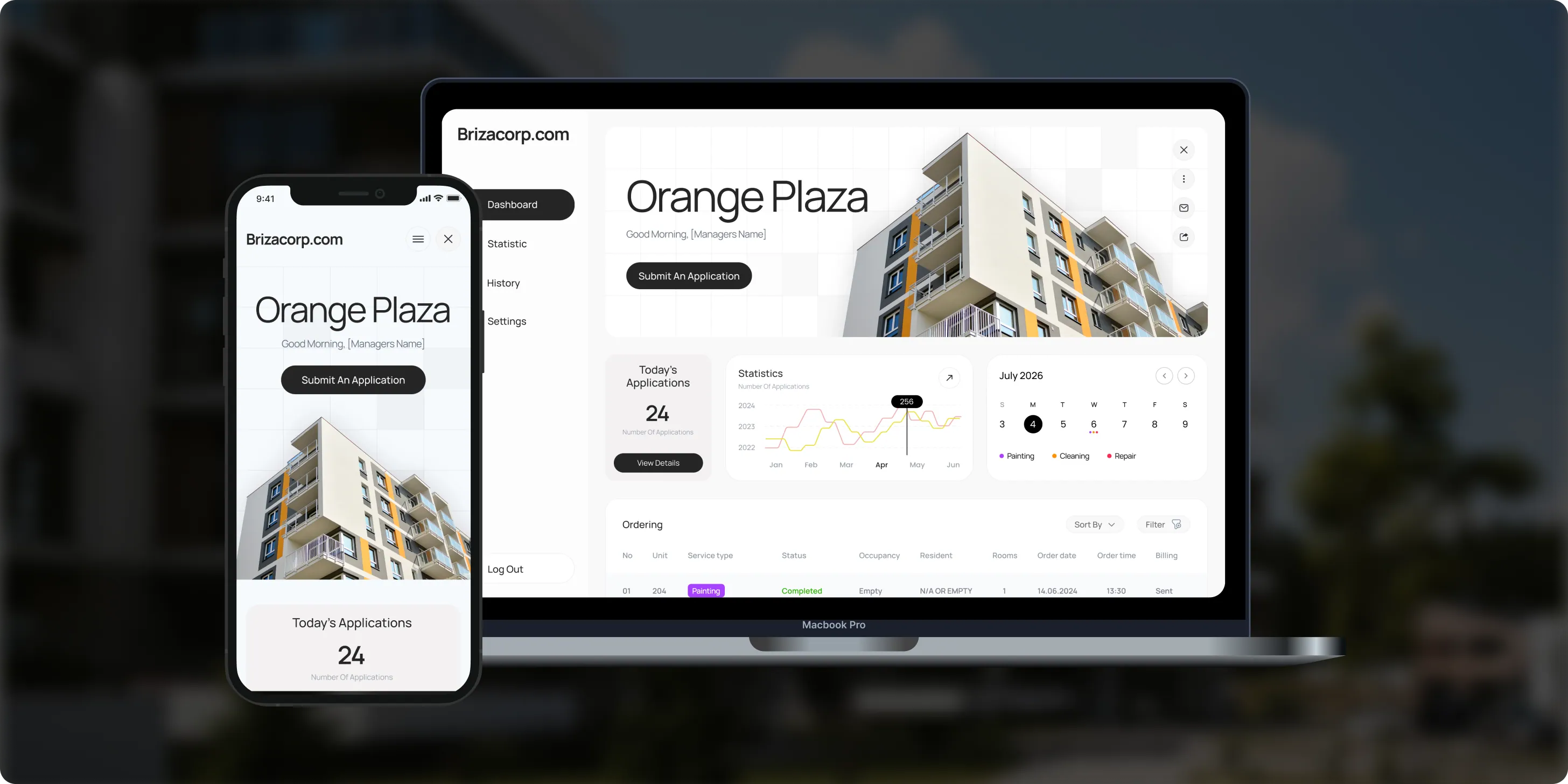
Brizacorp
Brizacorp manages residential properties and coordinates the staff who handle painting, cleaning, and repair requests. Its team tracked work across messengers, phone calls, e-mail, and paper planners, with no single place to manage requests or measure performance.- 98%Application Stability
- 95%Utilization Rate
- 30%Faster Task Completion
Risks in an AI receptionist, and how we handle them
The main risks are wrong bookings, missed urgent calls, out-of-date answers, stuck callers, outages and cost surprises. Each gets a control your staff test before launch.

How we keep caller data safe
Caller data stays on your accounts
Caller details, recordings and transcripts stay on your accounts. The receptionist sees only what each call needs, and every call leaves a log entry. Medical and dental practices get a HIPAA-ready build, described on our AI receptionist for medical practices page. For company rules on AI use, see AI governance and compliance.
Your own accounts
Phone, model and storage usage run on your own accounts, under your contracts with each vendor.
Only the fields a call needs
The agent reads only the calendar and CRM fields a call needs, and writes only the fields you approve.
Access by role
Recordings and transcripts have access by role and the retention you set.
No card numbers by voice
It never takes card numbers by voice; your billing system texts a payment link.
How to choose an AI receptionist
Choose the option that turns each call into a booking or a filled record and keeps recordings on your accounts. Ask these questions before you sign.
Questions to ask, and what a good answer includes
- Where does each call end up? A booking, an intake record or a CRM note, not only a message.
- Can it book from our real calendar? Live open slots and your visit rules, with a text confirmation.
- What happens with urgent calls? Written transfer rules, with a summary sent before the transfer.
- What does a month cost? Support plus minutes at cost, estimated from your call volume.
- Who owns the script and recordings? You do, on your own accounts.
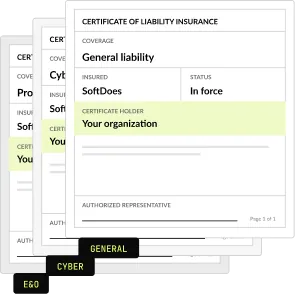
- What paperwork comes first? An NDA and a certificate of insurance before the first call.
Build price and running costs
One fixed build price, agreed before work starts. Call minutes and model usage are billed at cost on your own accounts. We never resell minutes: phone and model usage go on your own accounts.
AI receptionist
Intake script, calendar and CRM connection, transfer rules
From $5,000
Legal intake version
English or Spanish, written into the case system
From $7,500
Medical or dental version (HIPAA)
Booking and intake written into the EHR
From $9,000
Support
Monitoring and script updates
From $500 a month
Call minutes
Billed at cost
About $0.10 to $0.20 a minute
Project Discovery
Credited to the build
$490
Why companies build their AI receptionist with SoftDoes
Companies build their AI receptionist with SoftDoes because the code, call flows and recordings belong to them. The team has delivered 40 AI projects since 2020, and three clients have stayed with us for 2+ years.

- 01
Claude and OpenAI partner programs
We are a Claude Partner Network member and an OpenAI Registered Partner, with 40 AI projects delivered since 2020.
- 02
Vendor documents first
Our NDA and certificate of insurance reach your procurement team before the first call.
- 03
You own the receptionist
The code, prompts, call flows and recordings live on your accounts, and all of it belongs to you.
- 04
Clutch 2026 awards
Clutch named SoftDoes a Top Artificial Intelligence Company and Top Machine Learning Company in Kansas City for 2026. More than half of our reviewers are founders, executives or department heads.
- 05
Clients who stay
Three clients have worked with SoftDoes for 2+ years. Clutch checks each reviewer before a review is published.
- 06
Kansas City headquarters
Headquartered in Mission, KS, in the Kansas City metro. Call 800-909-2345 to reach the team.
AI receptionist versions by industry
Each industry gets its own script, target system and rules. The pages below show a sample call and the record it writes.
Law firms
Screens callers in English or Spanish, checks conflicts and opens the matter in Clio, MyCase or Filevine. From $7,500. For example, a caller after a crash is screened, cleared for conflicts and booked for a video consult.
Medical and dental practices
Verifies callers by name and birth date, books by visit type and writes intake into the EHR. HIPAA-ready, from $9,000. For example, a patient moves a follow-up, and the refill request goes to the nurse queue.
HVAC, plumbing and electrical
Runs your safety questions, sets priority and books the job in ServiceTitan, Housecall Pro or Jobber. From $5,000. For example, a no-heat call at night pages the on-call tech and creates the job.


Questions about AI receptionists
Cost, setup, call quality and urgent calls. Can't find your answer?
What does an AI receptionist do?
An AI receptionist answers your business line in a natural voice, 24 hours a day. It answers common questions, books or moves appointments, takes intake details and transfers urgent calls to a person. Ours also writes every call into your CRM or scheduling system, so your team starts the day with records instead of voicemails.
How much does a custom AI receptionist cost?
A custom AI receptionist from SoftDoes starts at $5,000 to build. Off-the-shelf products cost about $99 to $349 a month and mostly take messages. Support starts at $500 a month, and call minutes are billed at cost, about $0.10 to $0.20 a minute. Our voice agent pricing page breaks down each cost.
Is an AI receptionist a good fit for a small business?
Yes, when missed calls cost real money. A product at $99 to $349 a month fits a small business that only needs messages taken. A custom build fits when calls must book visits, fill intake records or follow rules by location. We usually start with overflow and after-hours calls, then move the main line.
Is AI receptionist in demand?
Yes. US searches for AI receptionist grew 246% in a year, to about 13,000 a month, based on Ahrefs data from November 2026. The fastest-growing versions of the search come from law firms, dental offices, HVAC companies and plumbers. Each of those has its own intake rules, which is where a custom build pays off.
Will callers know they are talking to AI?
We recommend that they do. The agent introduces itself as the company's virtual receptionist at the start of each call. Callers can ask for a person at any time, and the agent transfers them with a short written summary. Clear disclosure keeps trust high with customers who prefer a person.
What happens when the AI receptionist can't help?
It hands the call off, by rules you set. Urgent calls ring the person on call, and key accounts go to their account manager. Anything outside the script becomes a callback task. Every handoff includes a written summary, so your team never asks the caller to repeat the story.
How do I use AI to answer my business phone?
You keep your number and forward calls to the AI receptionist, for every call or only after hours and overflow. Before that, we map your call types, write the script, connect your calendar and CRM and test it with your staff. Callers dial the same number, and your team sees every call in the CRM.
Can an AI receptionist book appointments in my calendar?
Yes. It reads live open slots from Google Calendar, Microsoft 365 or your scheduling system and offers times that fit your rules. It books the time the caller picks, and it can also move or cancel visits. The caller gets a text confirmation, and the booking shows in your calendar and CRM.
Can an AI receptionist answer more than one call at a time?
Yes. Each call runs as its own session, so several callers are answered at once instead of hearing a busy signal. The limit comes from your phone and model accounts, and we check it against your busiest hour before launch. Every call still follows the same script and rules.
How long does it take to set up an AI receptionist?
It depends on how many call types you have and which systems it connects to. We set the scope, price and schedule in a written plan before any build. Many businesses begin with Project Discovery for $490, credited to the build. The plan lists what we need from you, such as recorded calls and calendar access.
Does an AI receptionist sound like a robot?
No. It answers in a natural voice and replies in full sentences, without menu prompts or key presses. We tune the voice, the pace and the greeting on test calls with your staff before launch. It still introduces itself as your virtual receptionist at the start of each call.
Can an AI receptionist handle healthcare or legal calls?
Yes, with a version built for each. Our medical and dental receptionist is HIPAA-ready: callers are verified, and access controls, audit logging and encryption cover every recording. Our legal intake version never gives legal advice and checks conflicts before booking. The medical and law firm pages show a sample call for each.
Will I get reports on the calls?
Yes. You see every call with its recording, transcript, summary and outcome, such as booked, transferred or callback. During launch we review the call logs with you every week and fix what they show. After that, you choose how often we review them, or your team reads them on its own.
Updated · Reviewed by Orest Andrusyshyn, Founder and CEO