
U.S.-Based
AI in construction for the paperwork between bid and closeout
RFIs, submittals, daily reports and change orders bury project teams in documents every week. We build AI that reads them, drafts the next step and files it where your team already works.
$7,000
Construction AI build, from
40
AI projects delivered since 2020
5.0
Clutch rating from 40 reviews
























How an RFI moves through the build
One field question: the AI drafts the RFI, the PM approves and Procore logs it.
A field question comes in
A superintendent sends a photo and a question about a detail.
AI drafts the RFI
It finds the sheet, the spec section and past answers, then writes the RFI.
The PM approves
The project manager edits the draft and sends it to the architect.
Procore logs it
The RFI, attachments and due date land in your project system.
AI for construction companies, in short
- Kansas City metro software and AI company
- AI for contractors and construction companies
- The AI drafts RFIs and daily reports, checks submittals against specs and organizes bid documents inside the systems your teams use
- Construction builds start at $7,000, and you own all the code

AI drafts the paperwork. Your team signs it.
- 01Build priceFrom $7,000. AI agents across 3 or more systems start at $13,000. Model usage is billed at cost. AI development cost
- 02Who it's forGeneral and specialty contractors: operations, preconstruction and project leaders at mid-size contractors and builders. See our construction AI software guide
How contractors are using AI today
Contractors use AI today for the document work around each project: RFIs, submittals, daily reports, bid reviews, change orders and safety paperwork. The AI drafts and checks, and project managers, superintendents and estimators approve. Construction runs on documents that tie the field to the office. Most follow a set format, so AI can draft or check them for a person to approve.
Where AI fits from bid to closeout
Preconstruction
Bid packages, specs and subcontractor bids. The AI pulls scope, exclusions and deadlines, and levels bids line by line.
Buyout
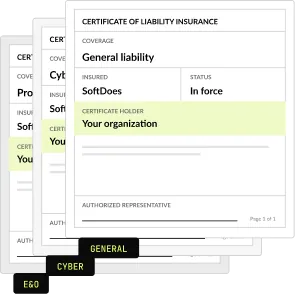
Subcontracts and insurance certificates. The AI checks scope against the bid and flags expiring certificates.
Construction
RFIs, submittals, daily logs and photos. The AI drafts RFIs and daily reports, and checks submittals against the spec.
Billing
Change orders and pay applications. The AI drafts change order requests and checks pay apps against the schedule of values.
Closeout
Warranties and closeout documents. The AI organizes them by system for handover to the owner.



What stays with your team
Means and methods, safety calls on site, pricing and every signature stay with people. The AI never sends an RFI, a change order or a pay application without approval.
Platform AI features or a custom build
Project platforms keep adding AI inside their own screens. A custom build works across the tools you already use, such as Procore, your ERP and email, and follows your own templates.
What to prepare before the first call
Read access to your project system, such as Procore or Autodesk Construction Cloud; a set of real examples, such as 50 past RFIs with their answers; one project manager who can say what a good draft looks like; and the measure that matters: hours a week, RFI turnaround or billing errors. For a first check of your data and systems, take our AI readiness quiz.
Connected to your project system, ERP and the field
The AI reads drawings, specs and field notes where they live and writes drafts where your team reviews them.
Controls for contracts, money and safety records
A named person approves
Construction AI touches contracts, payments and safety records. Every build ships with these controls. See AI governance and compliance, AI agent evaluation and AI red teaming.
Approved before sending
AI drafts RFIs, change orders and letters, and a named person approves them before anything is sent.
Your cloud and project system
Project documents stay in your own cloud account and your existing project system.
Every draft logged
Every AI draft is logged with the source sheet, the reviewer and the date.
Project roles
Access follows your project roles, so each subcontractor sees only its own scope.
Tested on your drawings
Models are tested on your own drawings and specs before launch, and after each change.
OSHA records, contracts and pay: rules construction AI must respect
Records with legal weight
Construction AI touches records with legal weight: OSHA injury reports, contracts, change orders and pay applications. The AI drafts and flags, and the people who sign those records today keep signing them.
Contracts, change orders and pay applications
A change order request needs the cost, the schedule impact and the backup. The AI assembles these from field notes, photos and the estimate, and the project manager decides what goes to the owner. Contract terms vary by state. On the renovation platform we took to production, AI drafts state-specific contracts, and both sides approve each step.
AI governance and compliance sets company-wide rules for AI use. AI agent evaluation and AI red teaming test a build before it touches live projects. This summary points to OSHA's own pages for planning, not legal advice. Your safety director decides what is recordable and what gets reported.
OSHA reporting and recordkeeping
OSHA requires every employer to report a work-related death within 8 hours
An in-patient hospitalization, amputation or loss of an eye must be reported within 24 hours
Many employers with more than 10 employees must also keep injury and illness records, on OSHA Forms 300, 300A and 301 or equivalent forms
Establishments that meet certain size and industry criteria also submit some of that data to OSHA electronically, from January 2 to March 2 each year
When an incident report comes in, the AI checks it against the reporting categories and alerts your safety manager. The safety manager makes every report, and the AI never files

AI for contractors, from bid to closeout
Five document jobs where AI drafts the work and your project team approves it.
RFIs and submittals
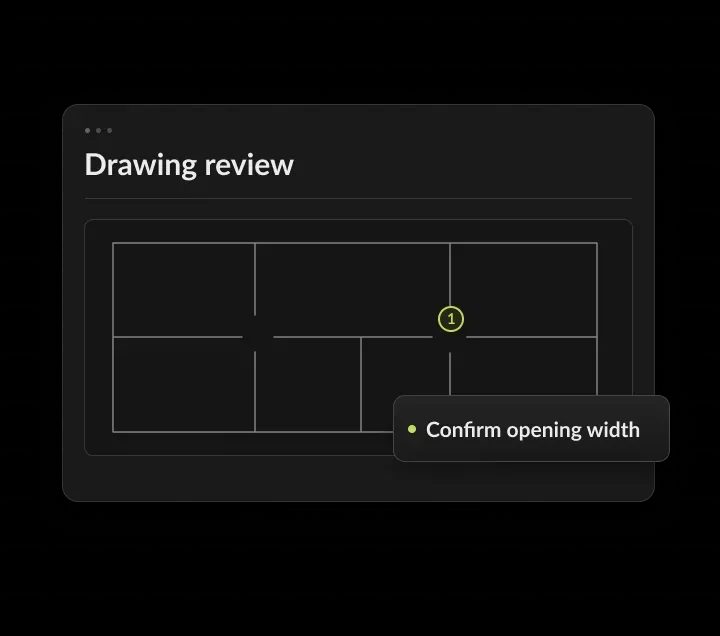
AI drafts RFIs from field questions and checks each submittal against the spec section before review. Writes to: Procore or Autodesk Construction Cloud. For example, a superintendent photographs a beam pocket that conflicts with the steel detail. The AI drafts the RFI with the sheet and spec section attached.
Daily reports and field notes
Crews speak or type notes on site, and AI turns them into a daily report with weather, labor and issues. Writes to: the daily log in your project system. For example, a foreman records a short voice note at the end of the shift. The AI turns it into the daily log with crew counts, weather and a delay note.
Bid documents and scopes
AI reads bid packages, pulls scope, exclusions and deadlines, and compares subcontractor bids line by line. Writes to: your bid board and preconstruction folder. For example, three drywall bids arrive with different exclusions. The AI levels them line by line and flags the one that leaves out finishing at the ceilings. See estimating software development.
Change orders and pay applications
AI drafts change order requests and checks pay applications against the schedule of values. Writes to: your construction ERP, after approval. For example, a pay application bills a line at 60% complete while the project team logs it at 40%. The AI flags the gap before approval.
Safety and subcontractor documents
AI checks toolbox talks, incident reports and subcontractor insurance certificates for gaps and expiring dates. Writes to: your safety system and the subcontractor file. For example, a subcontractor's insurance certificate expires in 10 days. The AI flags it and drafts the request for an updated certificate.
AI builds in construction and real estate
Two builds from our case studies, both running in production and owned by the client.

- Healthcare
Prior Authorization AI
Prior Authorization AI is a healthcare automation startup building AI-powered tools to streamline prior authorization for Medicare and Medicaid medical transportation providers in New Jersey.- 16Weekly hours saved
- 63%Admin time reduced
- 43%Fewer submission errors

- Startup
- Real Estate
Our Haus AI
A finance professional turned founder built Our Haus AI, an AI-powered collaborative workspace where homeowners and contractors scope, bid, contract, and document renovation projects together. SoftDoes took her prototype and made it production-ready.- 10XMVP scope delivered
- 2+years Ongoing partnership
- 1Fully owned Platform

- Real Estate
The building buyer
The Building Buyer is a Florida-based real estate investment firm co-founded by Dylan Troiano and Charles Hanlin. They acquire single-family, multifamily, and commercial properties across South Florida and beyond, with a focus on motivated seller opportunities.- 18Weekly hours saved
- 2+Years Ongoing partnership
- 1Fully owned Platform

- Healthcare
CareInTouch
CareInTouch is a Bay Area home health agency providing skilled nursing and therapy services to patients referred from hospitals and clinics. With over 100 staff, they operate in one of the most complex and compliance-driven healthcare markets in the country.- 40% Reduction In Billing Errors
- 100+Staff Operations Managed
- 0Missed Compliance Deadlines

- Startup
Sparkle The Cleaning Service
Sparkle The Cleaning Service is a Detroit-area residential cleaning company with 10 years in business, connecting homeowners with vetted, insured independent cleaners through a subscription-based marketplace platform.- 75% Platform Transparency
- 2XPlatform Growth
- 40%Higher User Retention

- Healthcare
FMY Orthodontics
FMY Orthodontics, a multi-location practice in West Tennessee, partnered with SoftDoes to replace a spreadsheet-based financial workflow with a custom web platform. The goal was to simplify how staff present treatment financing while allowing patients and families to review and complete decisions remotely.- 60%Workflow Reduction
- 75%Remote Adoption
- 5Locations Aligned

- Real Estate
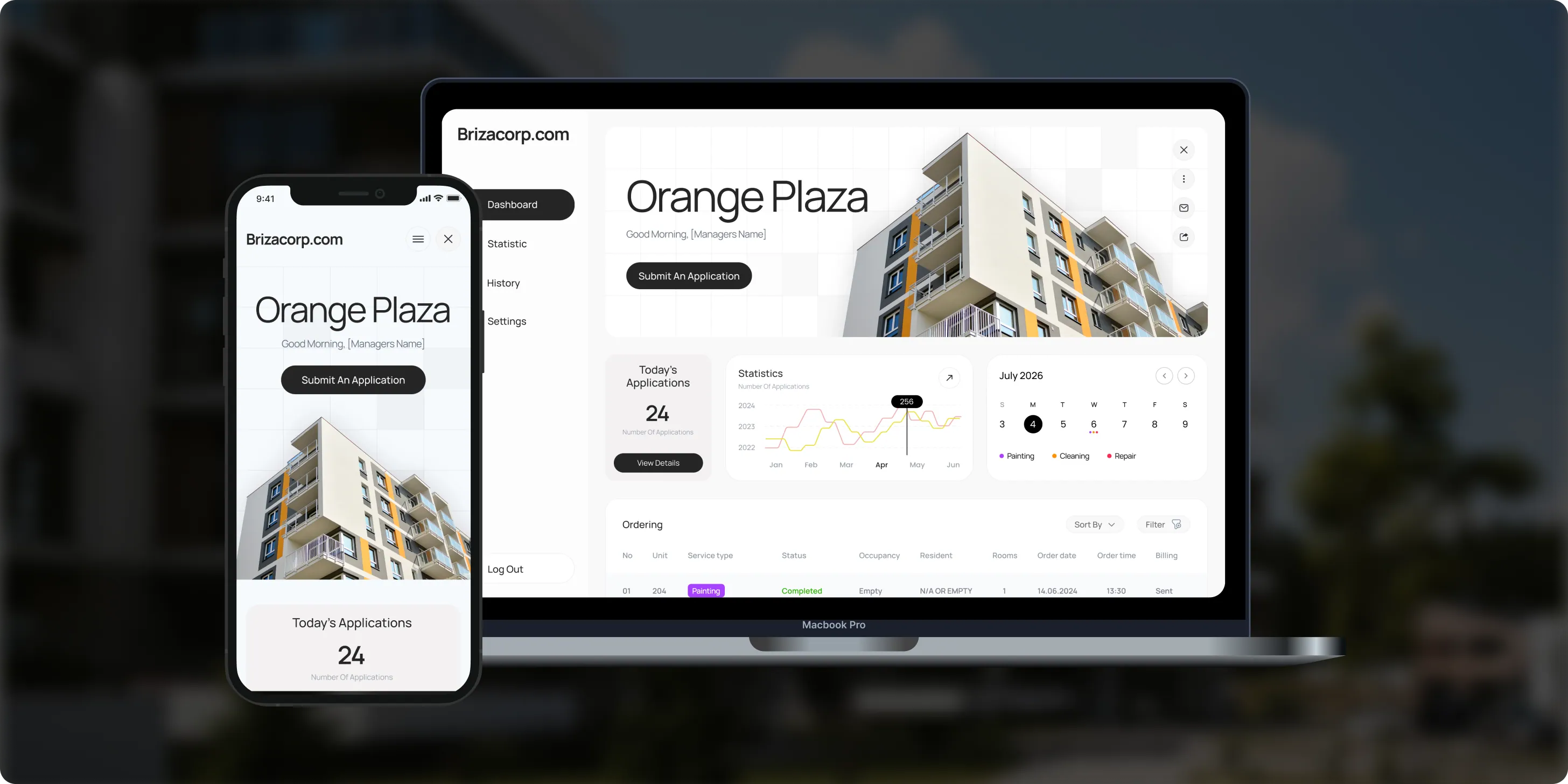
Brizacorp
Brizacorp manages residential properties and coordinates the staff who handle painting, cleaning, and repair requests. Its team tracked work across messengers, phone calls, e-mail, and paper planners, with no single place to manage requests or measure performance.- 98%Application Stability
- 95%Utilization Rate
- 30%Faster Task Completion
Risks of AI in construction, and how we handle them
The main risks are wrong references, missed scope gaps, overbilling, lapsed insurance, exposed documents and model changes. Each gets a control before launch.

How to choose AI for your construction company
Choose AI that works inside your project system, keeps a person approving every draft and follows your project roles. Ask these questions before you sign.
Questions to ask, and what a good answer includes
- Does it work in our project system? Yes, through the Procore or Autodesk Construction Cloud API, with drafts written back for review.
- Who approves before anything is sent? A named person on your team, for every RFI, change order and letter.
- How is it tested? On your own drawings, specs and past RFIs before launch, and after each change.
- Can subcontractors see each other's data? No. Access follows your project roles.
- Where do project documents live? In your own cloud account and existing project system.
- Who owns the code? You do, including every connector.
- What paperwork comes first? An NDA and a certificate of insurance before the first call.
AI in construction ROI: a worked example
AI pays back for a contractor when the project hours it frees cost more than the build and upkeep. The example below uses RFIs, submittals and daily reports with assumed numbers, so swap in your own. Example math with assumed numbers, not a client result. At these numbers, the build pays back in under two months. Model usage is billed at cost on your accounts, and it depends on document volume. The math counts office hours only. Faster RFI answers can also protect the schedule, which this example leaves out. Put your project managers' document hours and cost into the AI ROI calculator, and your monthly RFI count into the LLM cost calculator. The build prices here come from our AI agent development cost page.
Questions about AI in construction
Tools, jobs, takeoffs and cost. Can't find your answer?
Is there any AI for construction?
Yes. Contractors use AI today for RFIs, submittals, daily reports, bid reviews and safety documents. Project platforms keep adding AI features of their own, and custom builds fill the gaps between systems. SoftDoes builds that custom layer: AI that reads your documents and writes drafts into the tools your teams already use.
Is AI going to take over construction jobs?
No. AI cannot pour concrete, run a crew or make a call on site. It takes over document work: drafting RFIs, logging daily reports and checking submittals. Project managers and superintendents keep every decision and get hours back for the field. Our builds always route AI drafts to a named person for approval.
Can ChatGPT do construction takeoffs?
Not reliably on its own. General chat tools can read a PDF page, but takeoffs need scaled quantities across full drawing sets, and errors cost money. Purpose-built estimating software does that work. See our estimating software development page; this page covers the AI around it, such as bid document review.
How much does AI for a construction company cost?
Industry AI builds start at $7,000. An AI agent that works across three or more systems, such as Procore, your ERP and email, starts at $13,000. Maintenance starts at $500 a month. Model usage is billed at cost on your account. Any project can start with Project Discovery: $490, credited to the build.
Does it work with Procore?
Yes. We connect through the Procore API to read drawings, specs and RFIs and to write drafts back for review. The same approach works for Autodesk Construction Cloud. ERPs such as Sage 300 CRE or Viewpoint Vista connect through their integration options or database. You own the connectors and the code.
What is the best first AI project for a contractor?
Start with the document task your project managers complain about most, such as RFIs, submittals or daily reports. It has clear inputs, a person already reviews it, and the hours saved are easy to count. Our AI readiness assessment ranks the options in 2 weeks for $2,500, credited to the first build.
Can AI help homeowners and contractors work together?
Yes. We took a renovation platform from a no-code prototype to production. In it, AI turns a homeowner's spoken description into a scope of work, compares contractor bids and drafts state-specific contracts. Both sides approve each step in one shared workspace, and the full home history passes to the next buyer at closing.
What is the best AI for contractors?
The best fit is AI that works inside the tools your teams already use. Start with the AI features in your project platform if they cover the task. Choose a custom build when work crosses systems, such as Procore, your ERP and email. It also fits when you need your own templates and approval rules.
What is the best AI tool for construction contracts?
Look for AI that drafts from your approved templates and flags terms that differ from your standard language. A person, and your counsel where needed, approves every contract before it goes out. On a renovation platform we took to production, AI drafts state-specific contracts, and both sides approve each step.
Can AI help with construction safety?
Yes, on the paperwork side. AI checks toolbox talks, incident reports and subcontractor insurance certificates for gaps and expiring dates. It can flag incidents that may need an OSHA report, such as an in-patient hospitalization, which must be reported within 24 hours. Your safety manager makes every report and every call on site.
Who controls our project data and code?
You do. Model calls run on your own accounts, under your terms with each vendor, so those terms govern how your data is used. Project documents stay in your own cloud account and project system, and every AI draft is logged. You own all the code and every connector we build.
Does AI work for specialty contractors?
Yes. Specialty contractors handle the same document types: submittals, pay applications, change orders and insurance certificates. A first build can cover one of those workflows, and industry AI builds start at $7,000. The AI writes into the systems you use, whether that is Procore, your ERP or a shared drive.
Updated · Reviewed by Orest Andrusyshyn, Founder and CEO