
U.S.-Based
AI for CPA firms that clears the document chase before busy season
Client documents arrive late, in every format, and staff spend busy season sorting, keying and chasing them. We build AI that reads them, prepares workpapers and leaves every review and signature to your CPAs.
$7,000
CPA firm AI build, from
40
AI projects delivered since 2020
5.0
Clutch rating from 40 reviews
























How a client's tax documents move through the build
One client folder: the AI sorts and extracts, a preparer reviews and the return is prepped.
Documents hit the portal
W-2s, 1099s, K-1s and receipts arrive in the client portal.
AI sorts and extracts
It names each file, pulls the figures and checks last year's list.
A preparer reviews
They confirm each figure and send the client a list of what is missing.
The return is prepped
Figures and workpapers land in your tax software and document system.
AI for CPA firms, in short
- Kansas City metro software and AI company
- AI for CPA firms and tax practices
- The AI sorts client documents, prepares tax and reconciliation workpapers and drafts client requests inside the tools your firm already uses
- Builds start at $7,000, and you own all the code

AI does the first pass. Your CPAs sign.
- 01Build priceFrom $7,000. Document extraction starts at $5,000. Model usage is billed at cost on your own accounts. AI development cost
- 02Who it's forCPA and tax firms: partners and operations leads at CPA, tax and advisory firms with a heavy busy season. See our accounting AI guide
What AI does in a CPA firm
AI in a CPA firm sorts client files, extracts figures, drafts workpapers and writes client requests. Preparers and CPAs review every output, and every signature stays with them. In busy season, staff time goes to sorting, keying and chasing documents. That is the part of the work AI handles well, with a person checking each result.
Where AI fits in tax and accounting work
Intake
Each upload named, sorted and checked against last year's document list.
Extraction
Figures from W-2s, 1099s, K-1s, bank statements and receipts, with the source page kept.
Preparation
Workpapers and input sheets drafted for a preparer to verify.
Matching
Bank and card lines matched to the client's books, with exceptions listed.
Writing
Missing-document requests, reminders and first-draft research memos.





What stays with your CPAs
Review, sign-off, tax positions and client advice stay with your CPAs. The AI never signs or files a return, and no client letter goes out without approval.
A packaged AI tool or a custom build
A packaged AI tool works inside one product. A custom build works across the tools you already use, on your firm's own checklists, templates and naming rules. The two can work together: built-in features where they fit, and a custom layer for intake and client requests.
Where to start
1. Pick the busy-season task with the most keying, such as client document intake. 2. Count it: returns a season, minutes per return and how often documents arrive incomplete. 3. Gather 50 past client folders, handled under your written information security plan. 4. Pilot on a slice of clients before busy season, with a preparer reviewing every output. For a first check of your data and tools, take our AI readiness quiz. Our accounting AI guide covers how practices choose and roll out AI tools.
AI tax preparation software that works with your tax tools
The AI reads client documents where they arrive and prepares data for the tools your staff already use.
Taxpayer data controls, built in
Inside your WISP
Client tax and financial data carries strict confidentiality duties. Every build ships with these controls and fits inside your written information security plan. See AI governance and compliance, our AI policy template and private AI on your data.
Your cloud account
Client data stays in your own cloud account and document system, encrypted in transit and at rest.
Roles, sign-in and logs
Access follows staff roles and multi-factor sign-in, and every AI read and write is logged.
A person reviews
A preparer or CPA reviews every AI workpaper, entry and letter before it is used.
Your firm's own accounts
Models run on your firm's own accounts, under your own vendor contracts.
Tested on your files
Models are tested on your own client files before launch, and again after each change.
Taxpayer data rules for AI: your WISP and section 7216
The written information security plan
Federal law requires tax and accounting professionals to keep a written information security plan. An AI build has to fit that plan and the consent rules for tax return information.
The IRS says federal law requires tax and accounting professionals to create and maintain a written information security plan, or WISP. Under the Gramm-Leach-Bliley Act, these firms count as financial institutions. In news release IR-2026-92, the IRS lists what the Federal Trade Commission requires of each firm.
An AI vendor that handles client data is one of those service providers. In our builds, data stays in your accounts, every AI read and write is logged, and access follows staff roles. The FTC's Safeguards Rule also has a reporting duty. Covered firms must report certain security events affecting 500 or more people to the FTC, generally within 30 days of discovery. IRS Publication 5708 is a WISP template for tax and accounting practices. Publication 4557 covers how to safeguard taxpayer data.
Consent rules for tax return information
Treasury regulations under section 7216 set consent rules for how tax return preparers use and disclose tax return information. Sections 7216 and 6713 of the Internal Revenue Code carry criminal and civil penalties. Ask your counsel how those rules apply before any AI service processes return data. Our builds keep that data in your firm's accounts, under your own vendor contracts.
AI governance and compliance covers firm-wide AI rules. AI red teaming tests a build for data leaks before launch, and private AI keeps models inside your own cloud. This summary points to official IRS sources for planning, not legal advice. Your counsel and your security coordinator decide how each rule applies to your firm.
What the FTC requires of each firm
One or more employees named to coordinate the information security program
A risk assessment of customer information, with a check on how well safeguards work
Safeguards that are put in place, monitored and tested regularly
Service providers that can maintain proper safeguards, with contracts that require them

AI tax preparation and accounting AI automation, by workflow
Five firm workflows where AI does the first pass and your staff review it.
Client document intake
AI names, sorts and extracts each W-2, 1099, K-1 and receipt, and checks it against last year's documents. Writes to: your document system, such as SmartVault or SharePoint. For example, a client uploads 14 files named scan001 to scan014. The AI renames and files each one, then flags a 1099-INT that arrived last year but not this year.
Tax prep workpapers
AI drafts workpapers and input sheets from client documents for a preparer to verify. Writes to: import files for your tax software, such as CCH Axcess or UltraTax CS. For example, from a client's K-1s and brokerage statements, the AI drafts the input sheet. The preparer ties each figure to its source page.
Bank and account reconciliations
AI matches bank and card transactions to the client's books and lists exceptions for a staff accountant. Writes to: QuickBooks Online or Xero, after review. For example, the AI matches a month of card charges to the client's QuickBooks entries and lists 6 unmatched lines for a staff accountant. See AI finance automation.
Client requests and reminders
AI drafts missing-document requests and reminders from each client's checklist and logs every reply. Writes to: your practice management system, such as Karbon or Canopy. For example, three weeks before the deadline, the AI drafts a reminder that lists the two documents a client still owes. Staff review and send it.
Research and memo drafts
Staff ask tax and accounting questions in plain words and get draft memos with cited sources. Writes to: the client file, after a CPA signs off. For example, a staff accountant asks how the home office rules apply to a client. The AI drafts a memo with cited sources, and a CPA edits and signs off.
Document and deadline builds in production
Two builds from our case studies that read documents, track deadlines and keep a person in charge.

- Healthcare
Prior Authorization AI
Prior Authorization AI is a healthcare automation startup building AI-powered tools to streamline prior authorization for Medicare and Medicaid medical transportation providers in New Jersey.- 16Weekly hours saved
- 63%Admin time reduced
- 43%Fewer submission errors

- Startup
- Real Estate
Our Haus AI
A finance professional turned founder built Our Haus AI, an AI-powered collaborative workspace where homeowners and contractors scope, bid, contract, and document renovation projects together. SoftDoes took her prototype and made it production-ready.- 10XMVP scope delivered
- 2+years Ongoing partnership
- 1Fully owned Platform

- Real Estate
The building buyer
The Building Buyer is a Florida-based real estate investment firm co-founded by Dylan Troiano and Charles Hanlin. They acquire single-family, multifamily, and commercial properties across South Florida and beyond, with a focus on motivated seller opportunities.- 18Weekly hours saved
- 2+Years Ongoing partnership
- 1Fully owned Platform

- Healthcare
CareInTouch
CareInTouch is a Bay Area home health agency providing skilled nursing and therapy services to patients referred from hospitals and clinics. With over 100 staff, they operate in one of the most complex and compliance-driven healthcare markets in the country.- 40% Reduction In Billing Errors
- 100+Staff Operations Managed
- 0Missed Compliance Deadlines

- Startup
Sparkle The Cleaning Service
Sparkle The Cleaning Service is a Detroit-area residential cleaning company with 10 years in business, connecting homeowners with vetted, insured independent cleaners through a subscription-based marketplace platform.- 75% Platform Transparency
- 2XPlatform Growth
- 40%Higher User Retention

- Healthcare
FMY Orthodontics
FMY Orthodontics, a multi-location practice in West Tennessee, partnered with SoftDoes to replace a spreadsheet-based financial workflow with a custom web platform. The goal was to simplify how staff present treatment financing while allowing patients and families to review and complete decisions remotely.- 60%Workflow Reduction
- 75%Remote Adoption
- 5Locations Aligned

- Real Estate
Brizacorp
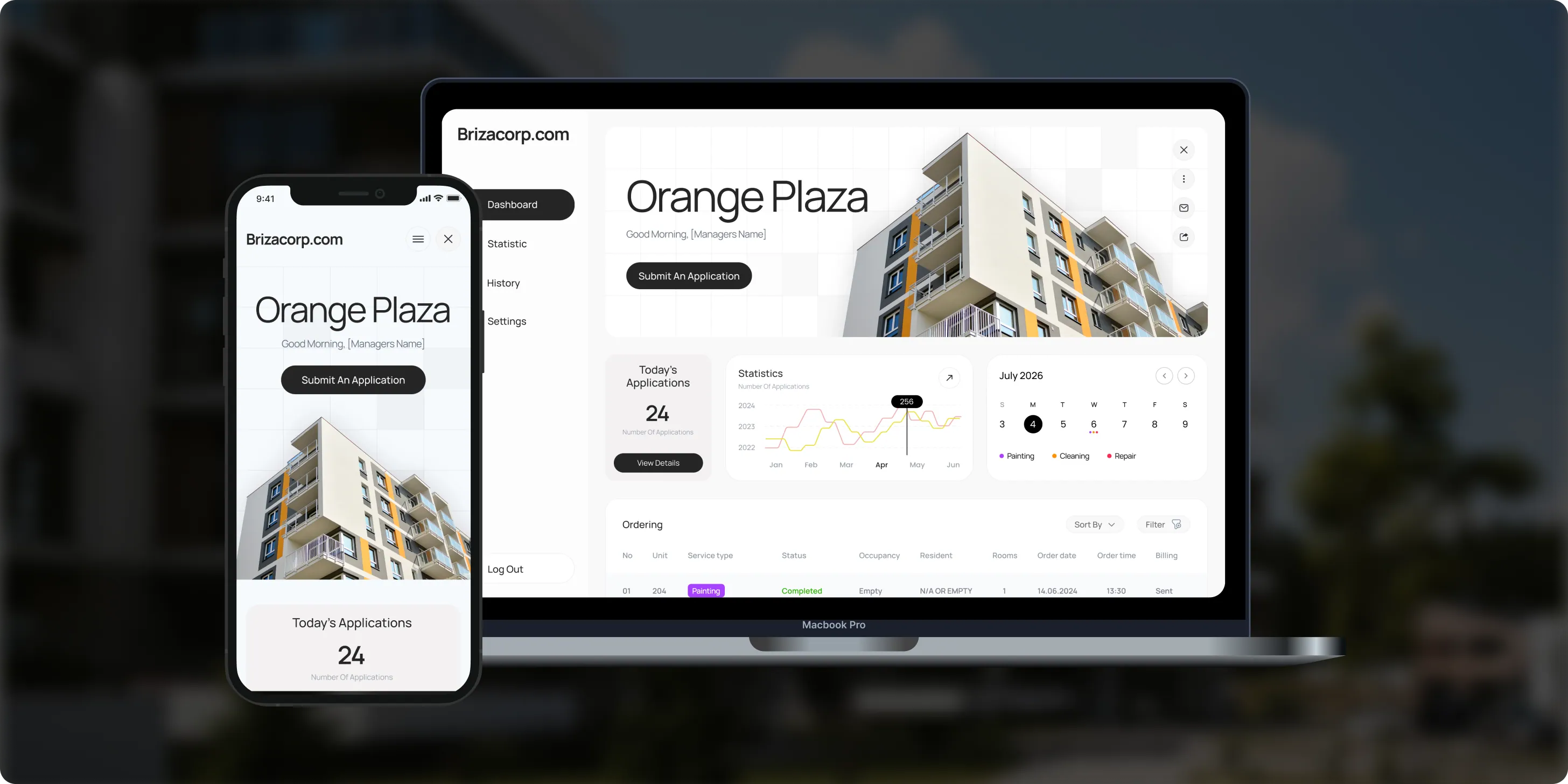
Brizacorp manages residential properties and coordinates the staff who handle painting, cleaning, and repair requests. Its team tracked work across messengers, phone calls, e-mail, and paper planners, with no single place to manage requests or measure performance.- 98%Application Stability
- 95%Utilization Rate
- 30%Faster Task Completion
Risks of AI in a CPA firm, and how we handle them
The main risks are wrong figures, exposed client data, made-up citations, missed documents, busy-season failures and model changes. Each gets a control before launch.

How to choose an AI partner for your CPA firm
Choose a partner that keeps client data in your accounts, fits your WISP and leaves every sign-off with your CPAs. Ask these questions before you sign.
Questions to ask, and what a good answer includes
- Where will client data live? In your own cloud account and document system, encrypted in transit and at rest.
- How does it fit our WISP? Written answers on access, logging, vendors and incident response, mapped to your plan.
- Who reviews AI output? A preparer or CPA reviews every workpaper, entry and letter before it is used.
- How is accuracy tested? On your own client files before launch, and again after each change.
- Which tools does it connect to? Your practice, document and accounting tools through their APIs, plus import files for tax software.
- Who owns the code? Your firm, including every connector and workflow.
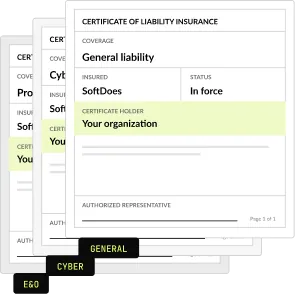
- What paperwork comes first? An NDA executed before the first call, and a certificate of insurance on request.
AI for CPA firms ROI: a worked example
AI pays back in a CPA firm when the busy-season hours it frees cost more than the build and upkeep. The example below uses document intake and assumed numbers, so swap in your own. Example math with assumed numbers, not a client result. At these numbers, the build pays for itself within the first busy season. If the build also writes to your practice system, it starts at $7,000, and the first-year saving drops to about $12,000. The math counts staff hours only. Less overtime in busy season and more time for review are gains it leaves out. Run your own numbers in the AI ROI calculator, and estimate model usage with the LLM cost calculator. Build prices come from our AI agent development cost page.
Questions about AI for CPA firms
Tax prep, cost, data and staff. Can't find your answer?
How can CPA firms use AI?
The biggest wins are in document-heavy work: sorting client documents, preparing tax workpapers, reconciling accounts and chasing missing items. AI does the first pass and staff review it. Advisory work benefits too, through faster research drafts and client summaries. We start with one workflow before busy season and expand once the hours saved are clear.
Can AI prepare tax returns?
AI can prepare much of the groundwork: sorting documents, extracting figures, drafting workpapers and flagging changes from last year. It should not sign or file a return. In our builds, a preparer verifies every figure and a CPA reviews the return in your tax software, as they do today, with far less keying.
How much does AI for a CPA firm cost?
Industry AI builds start at $7,000. Document extraction for client tax documents starts at $5,000, and an AI agent that works across three or more systems starts at $13,000. Maintenance starts at $500 a month, and model usage is billed at cost. Project Discovery costs $490, credited to the build.
What is accounting AI automation?
Accounting AI automation uses AI for the reading and matching work in accounting: extracting figures from documents, coding transactions, reconciling accounts and drafting client requests. Rules-based tools handled part of this before. AI adds the ability to read unstructured documents and emails, so staff review results instead of keying them.
Is client data safe with AI?
Yes, when the build is set up for it. Client data stays in your own cloud and document system, models run on your firm's own accounts, and every AI read and write is logged. Access follows staff roles with multi-factor sign-in. Our NDA is executed before the first call, and our certificate of insurance is available on request.
Does it work with our tax and practice software?
Yes. We connect to practice tools such as Karbon, Canopy and TaxDome through their APIs, and to QuickBooks Online and Xero for client books. Tax software usually takes data through import files, which the AI prepares for a preparer to review. You own every connector and workflow we build.
Will AI replace accountants?
No. AI takes the keying, sorting and first drafts, and accountants keep the judgment, review and client advice. Every return, entry and memo in our builds goes to a person before it is used. The likely change is in the work mix: less data entry in busy season and more time for review and advisory work.
Which AI tool is best for tax preparation?
It depends on where your hours go. If a feature inside your tax software covers intake and extraction, start there. Documents may arrive through portals, email and paper, and your firm may keep its own checklists. Then a custom layer that feeds your tax software fits better. Industry AI builds start at $7,000, and you own the code.
Is it safe to put client tax data into an AI chatbot?
Only through accounts your firm controls, under contracts your written information security plan covers. A personal chatbot account sits outside that plan. Our builds run models on your firm's own accounts, log every request and follow staff roles. Ask your counsel how section 7216 consent rules apply before any AI service processes return data.
What does the IRS require for data security at tax firms?
The IRS says federal law requires tax and accounting professionals to keep a written information security plan. Under FTC rules, each firm names a security coordinator, assesses risks and tests its safeguards. Service providers must keep proper safeguards by contract. IRS Publication 5708 offers a WISP template, and Publication 4557 covers safeguarding taxpayer data.
What should a CPA firm automate first?
Start with client document intake. It has the most keying, a preparer already reviews the result, and the hours saved are easy to count. Reconciliations and client reminders are good next steps. Our AI readiness assessment ranks the options in 2 weeks for $2,500, credited to the first build.
How long does it take to roll out AI in a CPA firm?
It depends on the workflow, your tools and your data. We set the scope, price and schedule in a written plan before the build starts. Plan the pilot for a quieter month, so staff learn the tool before busy season. Project Discovery costs $490 and is credited to the build.
Updated · Reviewed by Orest Andrusyshyn, Founder and CEO