


Let's build together.
Talk with a senior engineer about your product idea, architecture, and what it would take to build it.
90+
Active Client Partnerships
80+ Person
Product & Engineering Team
100%
Your Code & IP Ownership
U.S.-Led
Delivery & Accountability
Services we offer
- 01User Interface Design
> CLEAR LAYOUTS FOR COMPLEX SOFTWARE <
Teams look for custom UI design services in Lakewood, CO, when clunky screens start slowing down daily business operations. User interface design organizes the buttons, forms, tables, and workflows on a screen so people can work without confusion. Messy screens cause employees to make data entry errors and push customers away when simple actions take too long to complete. SoftDoes reorganizes complicated software tools into clear visual layouts that help teams complete their work quickly. Local companies work with us to replace confusing software interfaces with simple layouts that reduce training time for new hires. We design each view directly with your technical team so every screen connects cleanly to your existing software.
- Clear screen hierarchy
- Simple data entry forms
- Logical navigation menus
- Consistent button styling
- Readable information tables
> CONSISTENT SCREENS ON EVERY DEVICE <
Businesses run better with responsive interface design in Lakewood because staff need tools that work on phones, tablets, and desktop monitors. Many older systems look fine on office monitors, but buttons overlap, and tables break when someone opens them on a smaller screen. How do field workers access complex software when layouts refuse to adapt to handheld screens? Inflexible screens force staff to zoom in and out constantly, which leads to missed information and unnecessary mistakes. SoftDoes adjusts web and application layouts so all information formats properly on every monitor dimension or touch screen. We engineer clean front-end code that helps your staff review records anywhere without display glitches.
- Adaptive tablet views
- Touch-friendly controls
- Clean mobile tables
- Fast screen rendering
- 02User Experience Design
> LOGICAL STEPS FOR FAST WORKFLOWS <
Organizations select enterprise user interface design in Lakewood to remove friction from complicated daily business procedures. User experience design focuses on the exact sequence of steps a person takes to complete a specific task in your software. Confusing approval paths force employees to click through five different screens when a single page should do the job. SoftDoes reviews your operational procedures and cuts out redundant steps so your staff gets through tasks without delay. Local businesses choose our engineers to map out clear paths that reduce fatigue and keep work moving forward. We test every interaction directly to ensure your team never gets stuck waiting on confusing software prompts.
- Direct approval steps
- Shorter onboarding times
- Straightforward user paths
- Minimal click sequences
- Reduced operator fatigue
- 03Product Design Services
> SYSTEM-WIDE COMPONENT CONSISTENCY <
Expanding software companies turn to SaaS user interface design in Lakewood, CO, when frequent updates make an application feel chaotic. Product design connects business goals with reusable visual systems so an entire platform looks uniform as it expands. Uncoordinated feature updates result in mismatched styles and confusing layouts that frustrate long-time software users. SoftDoes creates comprehensive design systems with reusable components so your developers can release new features without visual bugs. Lakewood businesses hire our team to balance deep technical capability with clean, predictable layouts that users understand immediately. We create production-ready component libraries that fit directly into your software repository.
- Reusable component libraries
- Centralized design rules
- Unified application styling
- Rapid developer handoff
> CLEAR LAYOUTS FOR COMPLEX SOFTWARE <
Teams look for custom UI design services in Lakewood, CO, when clunky screens start slowing down daily business operations. User interface design organizes the buttons, forms, tables, and workflows on a screen so people can work without confusion. Messy screens cause employees to make data entry errors and push customers away when simple actions take too long to complete. SoftDoes reorganizes complicated software tools into clear visual layouts that help teams complete their work quickly. Local companies work with us to replace confusing software interfaces with simple layouts that reduce training time for new hires. We design each view directly with your technical team so every screen connects cleanly to your existing software.
- Clear screen hierarchy
- Simple data entry forms
- Logical navigation menus
- Consistent button styling
- Readable information tables
> CONSISTENT SCREENS ON EVERY DEVICE <
Businesses run better with responsive interface design in Lakewood because staff need tools that work on phones, tablets, and desktop monitors. Many older systems look fine on office monitors, but buttons overlap, and tables break when someone opens them on a smaller screen. How do field workers access complex software when layouts refuse to adapt to handheld screens? Inflexible screens force staff to zoom in and out constantly, which leads to missed information and unnecessary mistakes. SoftDoes adjusts web and application layouts so all information formats properly on every monitor dimension or touch screen. We engineer clean front-end code that helps your staff review records anywhere without display glitches.
- Adaptive tablet views
- Touch-friendly controls
- Clean mobile tables
- Fast screen rendering

PRODUCTS BUILT ACROSS INDUSTRIES
Finance
Traders view fast market feeds on clean data tables, while our layouts help accounting analysts verify transactions and spot ledger errors in seconds.
Healthcare
Clinical staff enter patient notes and check vital charts on tablet layouts created to help nurses avoid medication errors during busy hospital shifts.
Education
Instructors organize digital course materials, while our screens help teachers grade student assignments and monitor progress on clean dashboards.
Construction
Field supervisors check updated site plans and log daily subcontractor hours on durable mobile screens designed for direct sunlight visibility.
Technology
Systems engineers inspect server metrics, while our layouts help software operators identify network bottlenecks before outages impact users.
Startups
Startups use interactive prototypes to demonstrate functional workflows and gain early customer commitments before writing code.
Compliance
Company auditors review regulatory filings and privacy logs, using our organized layout views to export verified records for state reviews.
Energy
Control room operators track substation distribution and voltage metrics on responsive screens that help technicians locate line faults fast.


Transparency at each stage
Discovery & Research
We audit audiences and competitors to define pain points, ensuring design solves your specific business challenges.
Design Strategy
Creating concepts and user flows to build an intuitive product structure and seamless interaction logic.
Iterative Prototyping
Real-time progress you can see, from wireframes to high-fidelity mockups that bring your digital vision to life.
Usability Testing
We validate every button and transition through real-world scenarios to eliminate friction before development.
Handoff & Support
Complete design systems and asset delivery with ongoing expert support to ensure pixel-perfect implementation.
Work Directly with Senior Designers at SoftDoes
Cluttered interfaces and confusing layouts slow down business operations and frustrate your customers. SoftDoes helps Lakewood companies replace clumsy software with clean, practical layouts that make daily work simple. Partner with us to create clean, intuitive software interfaces.

Numbers Don’t Lie
Recent projects showcasing how we design, engineer, and deliver production-ready software solutions.

- Startup
- Real Estate
Our Haus AI
A finance professional turned founder built Our Haus AI, an AI-powered collaborative workspace where homeowners and contractors scope, bid, contract, and document renovation projects together. SoftDoes took her prototype and made it production-ready.- 10XMVP scope delivered
- 2+years Ongoing partnership
- 1Fully owned Platform

- Finance
- Energy
Deepwater Insights
Deepwater Insights delivers proprietary alternative data and niche research on the offshore drilling and energy sector to institutional investors, family offices, and high-net-worth individuals who require coverage that larger firms don't provide.- 100%Brand Continuity
- 2Platform Distribution
- 100%Paywall-Ready Content

- Real Estate
The building buyer
The Building Buyer is a Florida-based real estate investment firm co-founded by Dylan Troiano and Charles Hanlin. They acquire single-family, multifamily, and commercial properties across South Florida and beyond, with a focus on motivated seller opportunities.- 18Weekly hours saved
- 2+Years Ongoing partnership
- 1Fully owned Platform

- Education
- Non-Profit
WOVEN & NICE
Woven is a Spring Valley, NY nonprofit running the NICE program (New Training Inclusive Community Environment) in four Rockland County schools. Their team supports students through restorative practices, mediation, and professional development for teachers and administrators.- 4Schools Served
- 4Weeks to Launch
- 1STTime on Upwork

- Healthcare
CareInTouch
CareInTouch is a Bay Area home health agency providing skilled nursing and therapy services to patients referred from hospitals and clinics. With over 100 staff, they operate in one of the most complex and compliance-driven healthcare markets in the country.- 40% Reduction In Billing Errors
- 100+Staff Operations Managed
- 0Missed Compliance Deadlines

- Startup
Sparkle The Cleaning Service
Sparkle The Cleaning Service is a Detroit-area residential cleaning company with 10 years in business, connecting homeowners with vetted, insured independent cleaners through a subscription-based marketplace platform.- 75% Platform Transparency
- 2XPlatform Growth
- 40%Higher User Retention

- Startup
DineMate
DineMate is a Maryland-based dating and connecting platform built around verified profiles, restaurant reservations, and prepaid dining experiences. Founded to bring back authenticity to how people meet and connect.- 60% Time Saved
- 99%System Reliability
- 40%Higher User Retention

- Healthcare
Prior Authorization AI
Prior Authorization AI is a healthcare automation startup building AI-powered tools to streamline prior authorization for Medicare and Medicaid medical transportation providers in New Jersey.- 16Weekly hours saved
- 63%Admin time reduced
- 43%Fewer submission errors

- Education
Grand Central Language Services
Grand Central Language Services provides translation and interpretation for organizations operating in complex, multilingual environments. As demand grew, internal workflows became harder to manage. SoftDoes built a custom platform to streamline coordination, improve visibility, and support scalable operations.- 72%Workflow Reduction
- 48%Coordination Reduction
- 83%Visibility Increase

- Healthcare
FMY Orthodontics
FMY Orthodontics, a multi-location practice in West Tennessee, partnered with SoftDoes to replace a spreadsheet-based financial workflow with a custom web platform. The goal was to simplify how staff present treatment financing while allowing patients and families to review and complete decisions remotely.- 60%Workflow Reduction
- 75%Remote Adoption
- 5Locations Aligned

Forbidden Alchemy
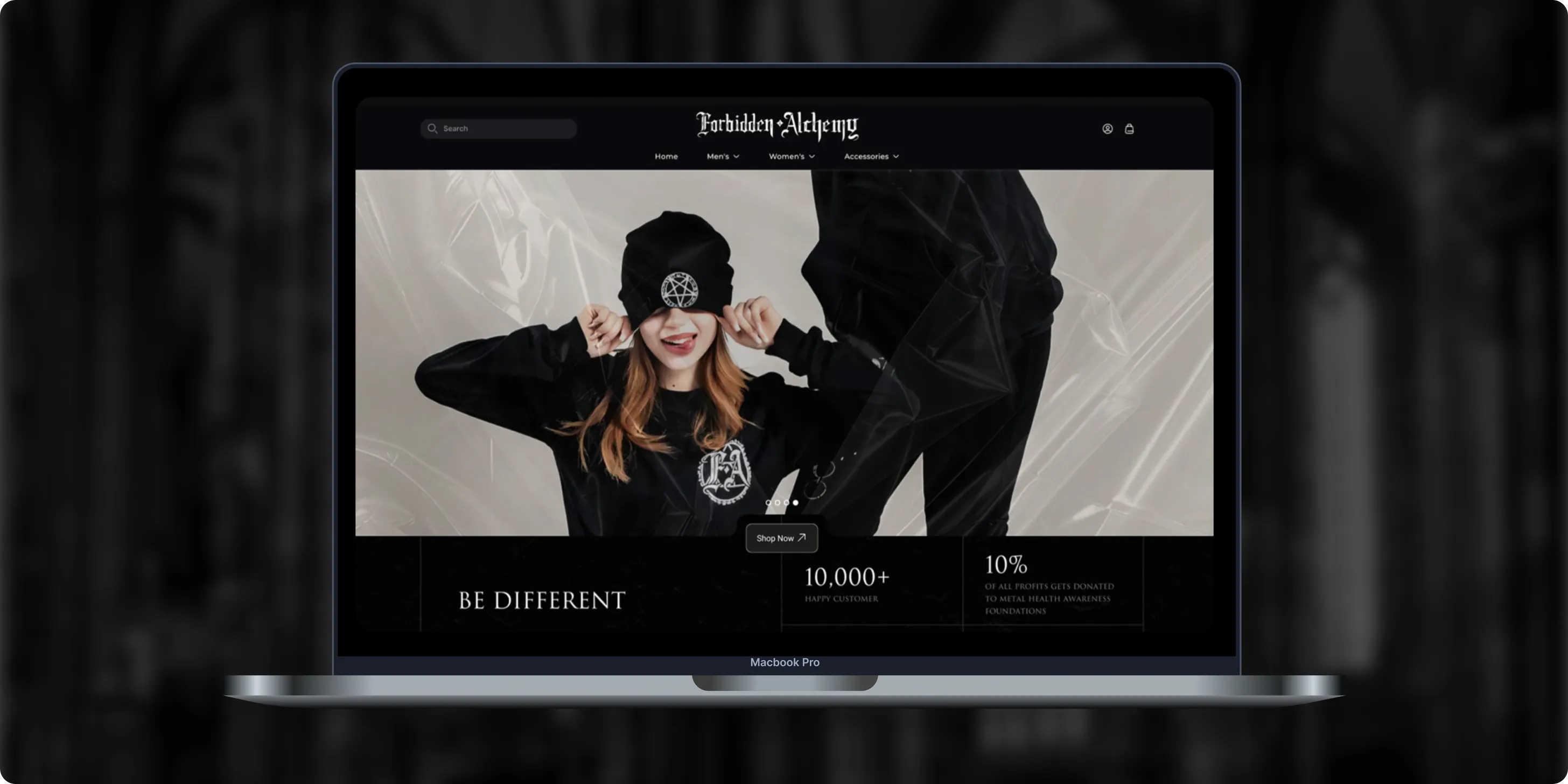
Forbidden Alchemy is an alternative fashion brand creating dark, provocative clothing for the metalhead community, with 10% of profits donated to mental health awareness. Its mostly mobile audience struggled with a store that was hard to navigate and weak on functionality.- +44%Revenue Month Over Month
- 86%Design Satisfaction
- 2.8XUser Retention Growth
Altera
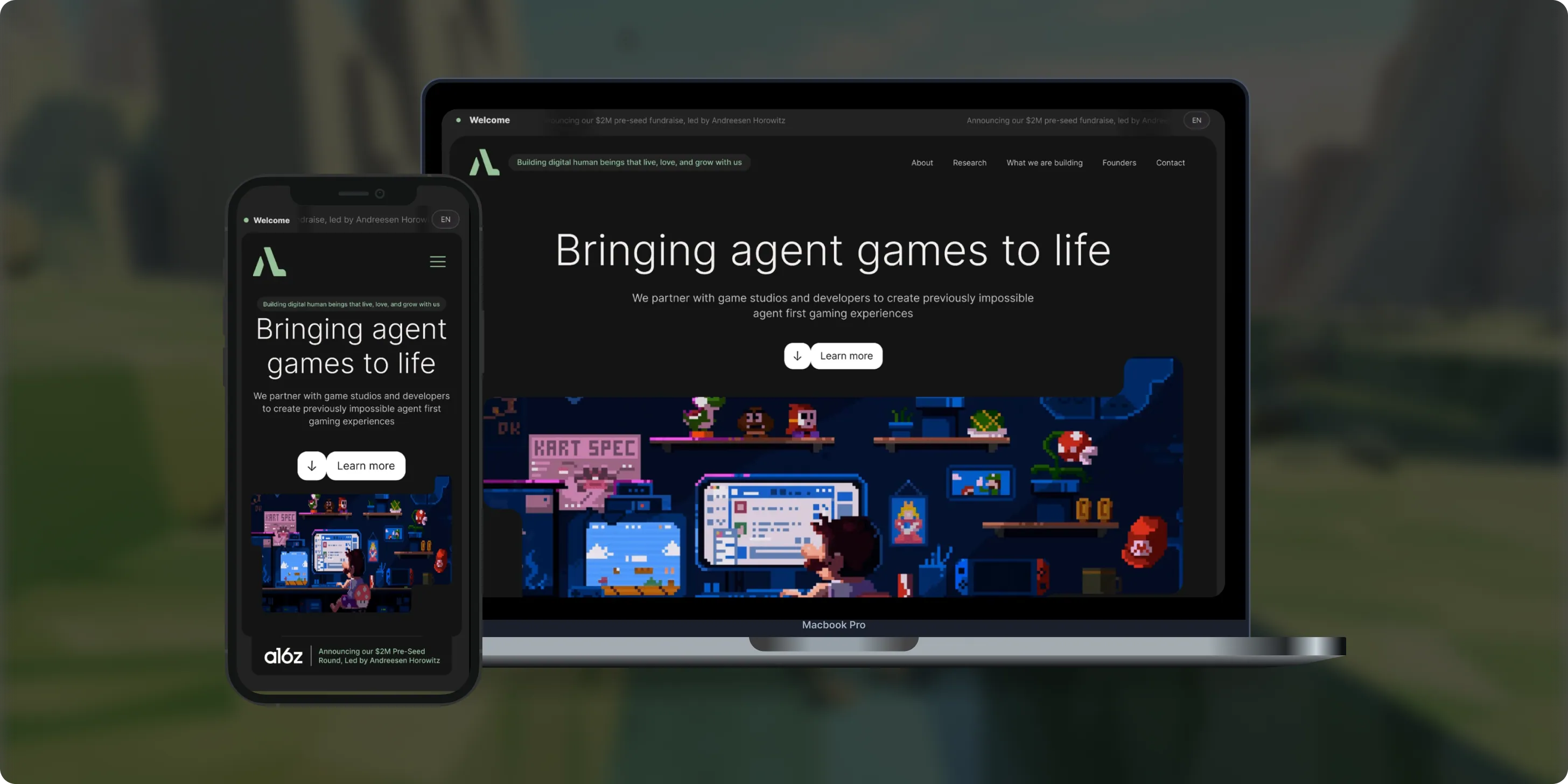
Altera builds on decades of computational neuroscience research to create digital human beings for gaming. Backed by a $2M pre-seed round led by Andreessen Horowitz, the team needed a landing page that could explain complex agent technology to players, partners, and investors.- 98%Dynamic Customization
- 100%Streamlined Navigation
- $2MPre-Seed Round
- Real Estate
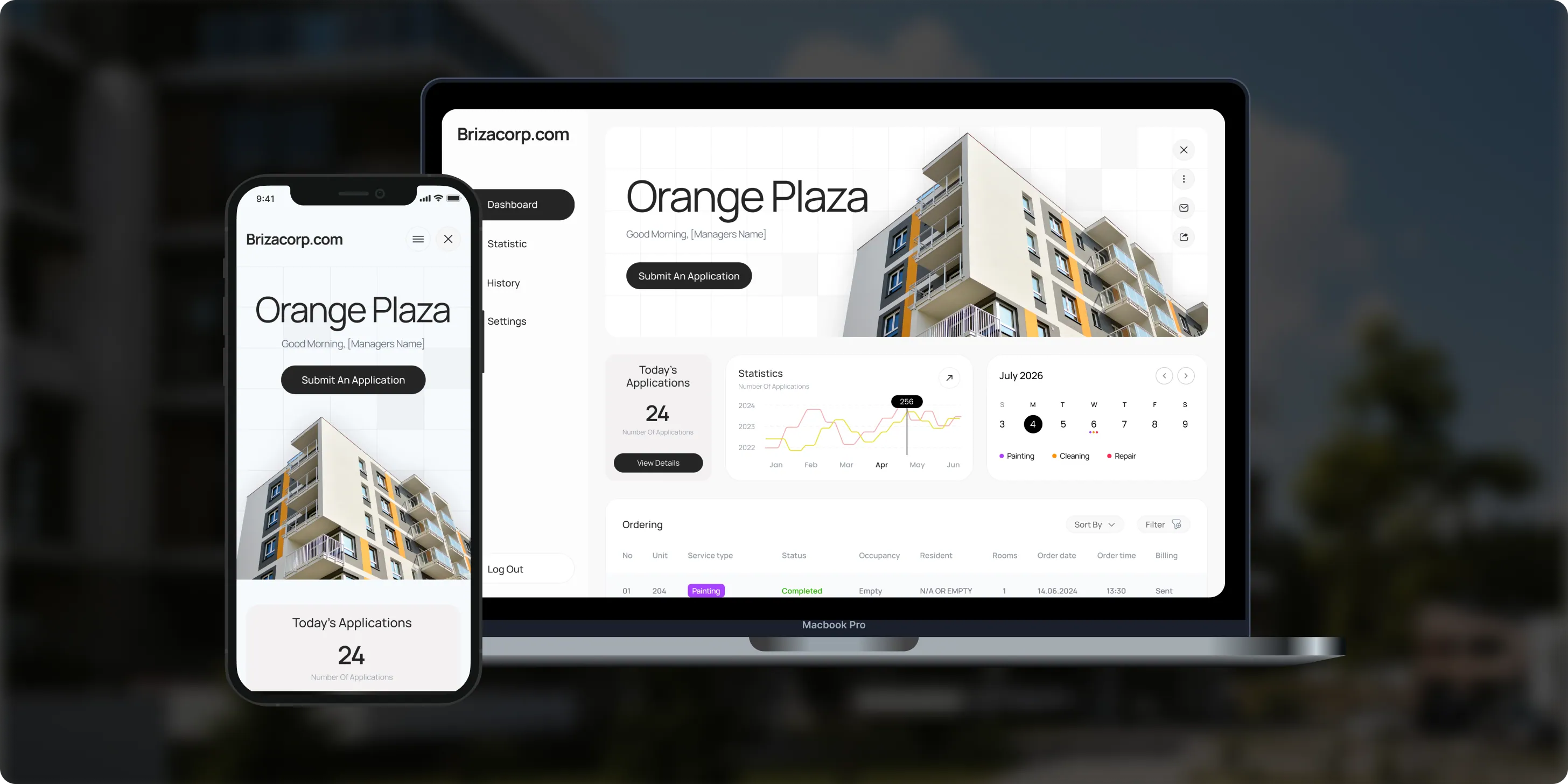
Brizacorp
Brizacorp manages residential properties and coordinates the staff who handle painting, cleaning, and repair requests. Its team tracked work across messengers, phone calls, e-mail, and paper planners, with no single place to manage requests or measure performance.- 98%Application Stability
- 95%Utilization Rate
- 30%Faster Task Completion
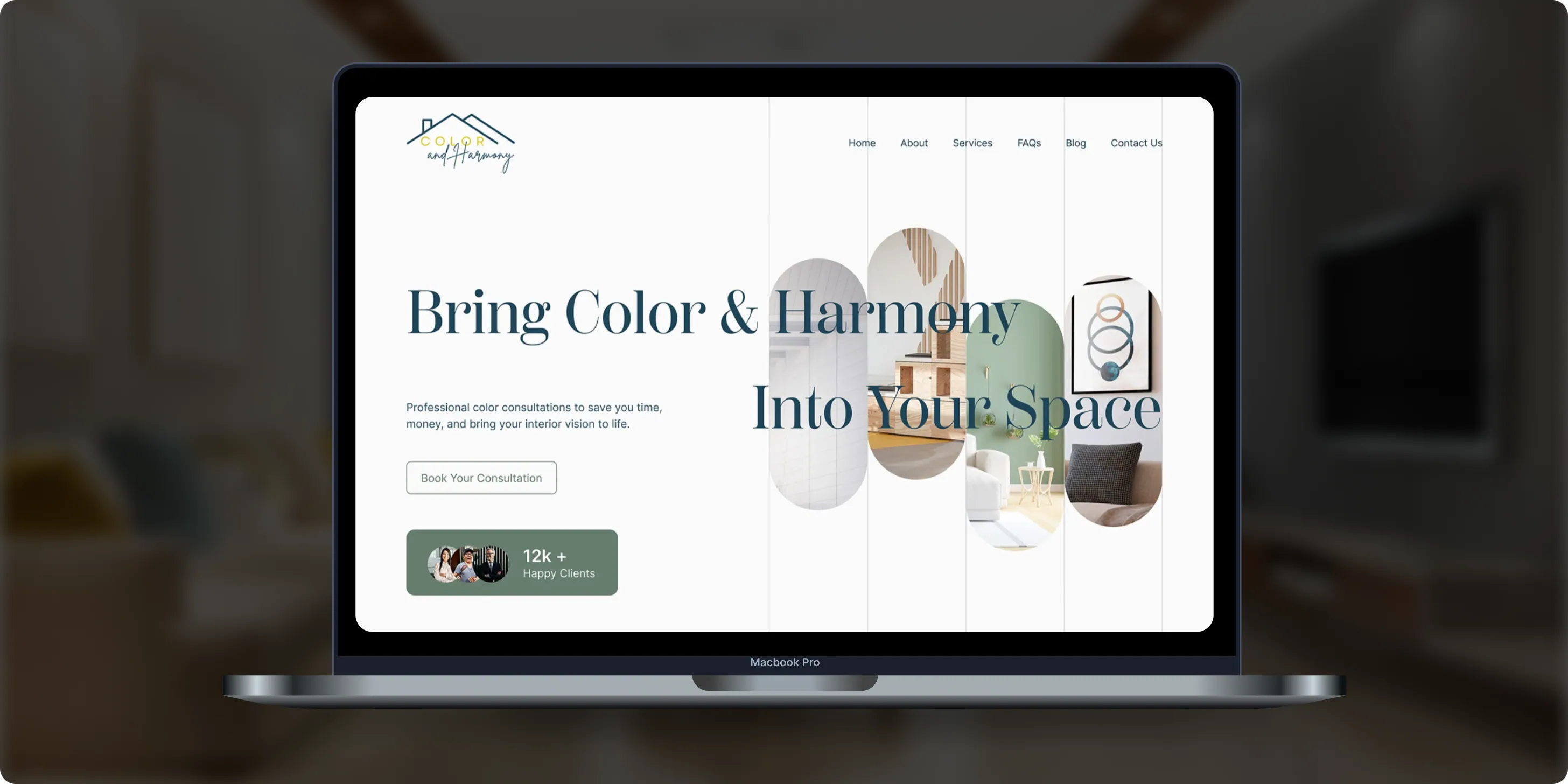
Color & Harmony
Color & Harmony is a Kentucky-based color consulting studio led by certified color strategist Diana Cartaya. The studio needed a website that reflects its refined aesthetic, showcases its portfolio, and explains a science-based color process in simple language.- 45%Conversion Rate Increase
- 50%Higher User Engagement
- 2Months to Launch
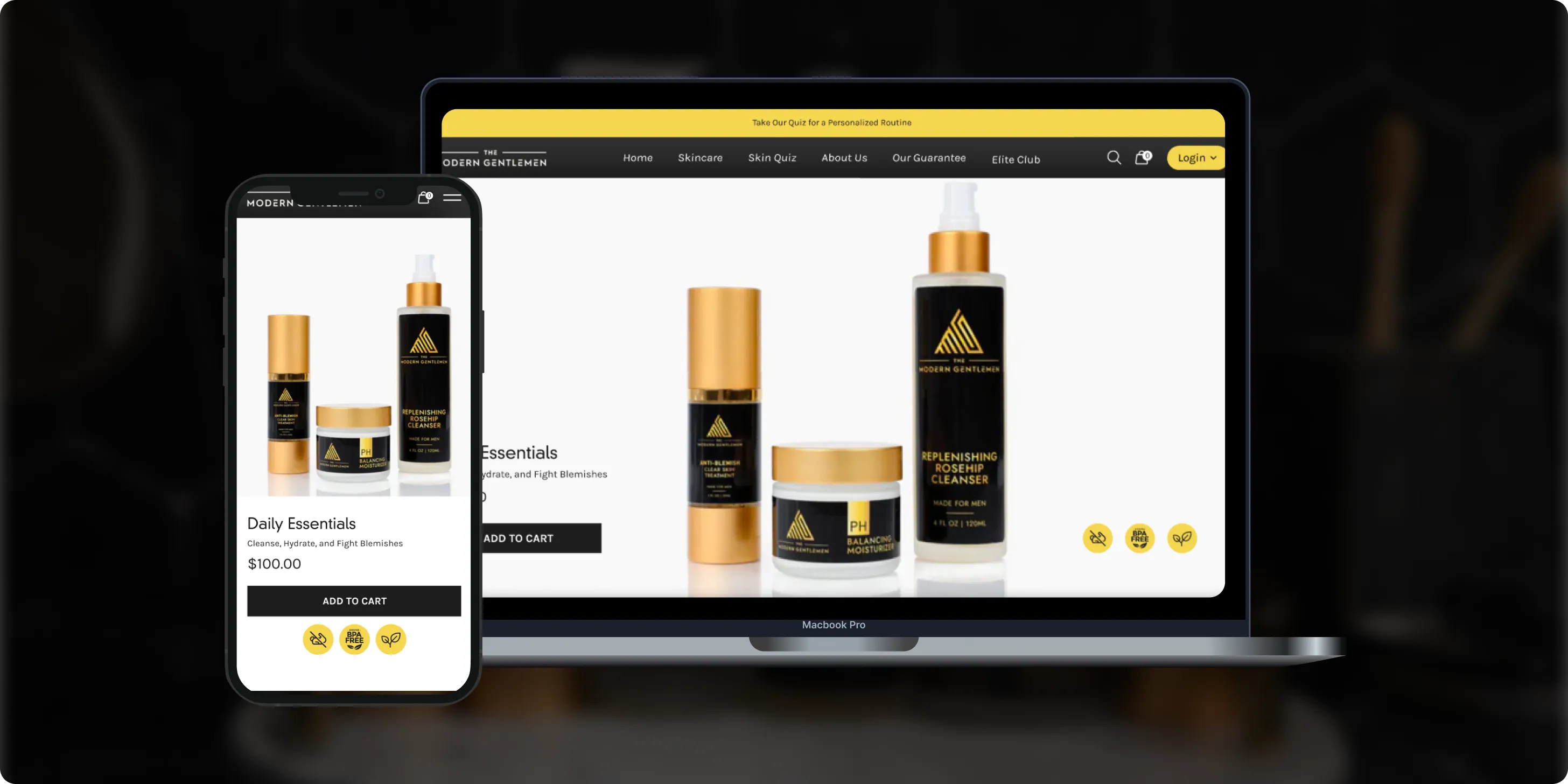
The Modern Gentlemen
The Modern Gentlemen sells premium men's skincare featured in Men's Health, GQ, and Men's Journal. Its customers wanted an efficient routine, but generic product suggestions and limited skincare knowledge made choosing the right products hard.- 30%Increase in Conversions
- 25%Higher Customer Retention
- 92%Mobile Purchases
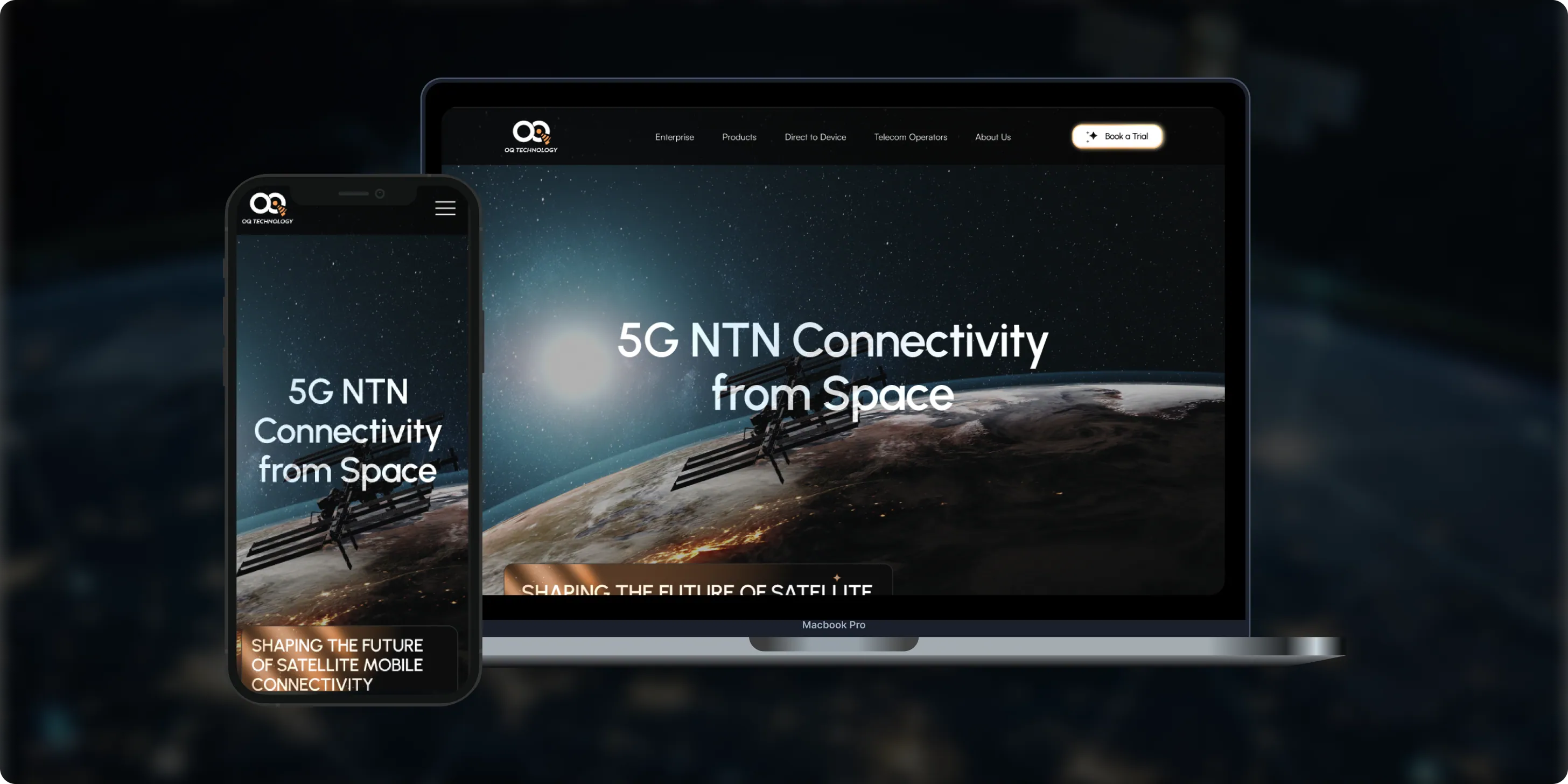
OQ Technology
OQ Technology connects IoT devices, machines, and people anywhere on the planet through its satellite network, serving energy, maritime, logistics, agriculture, and mobile operators. Its website made it hard to explore products and reach pricing plans.- 4Pricing Plans Clarified
- 3Dedicated User Flows
- 1Unified Platform
- Real Estate
- Finance
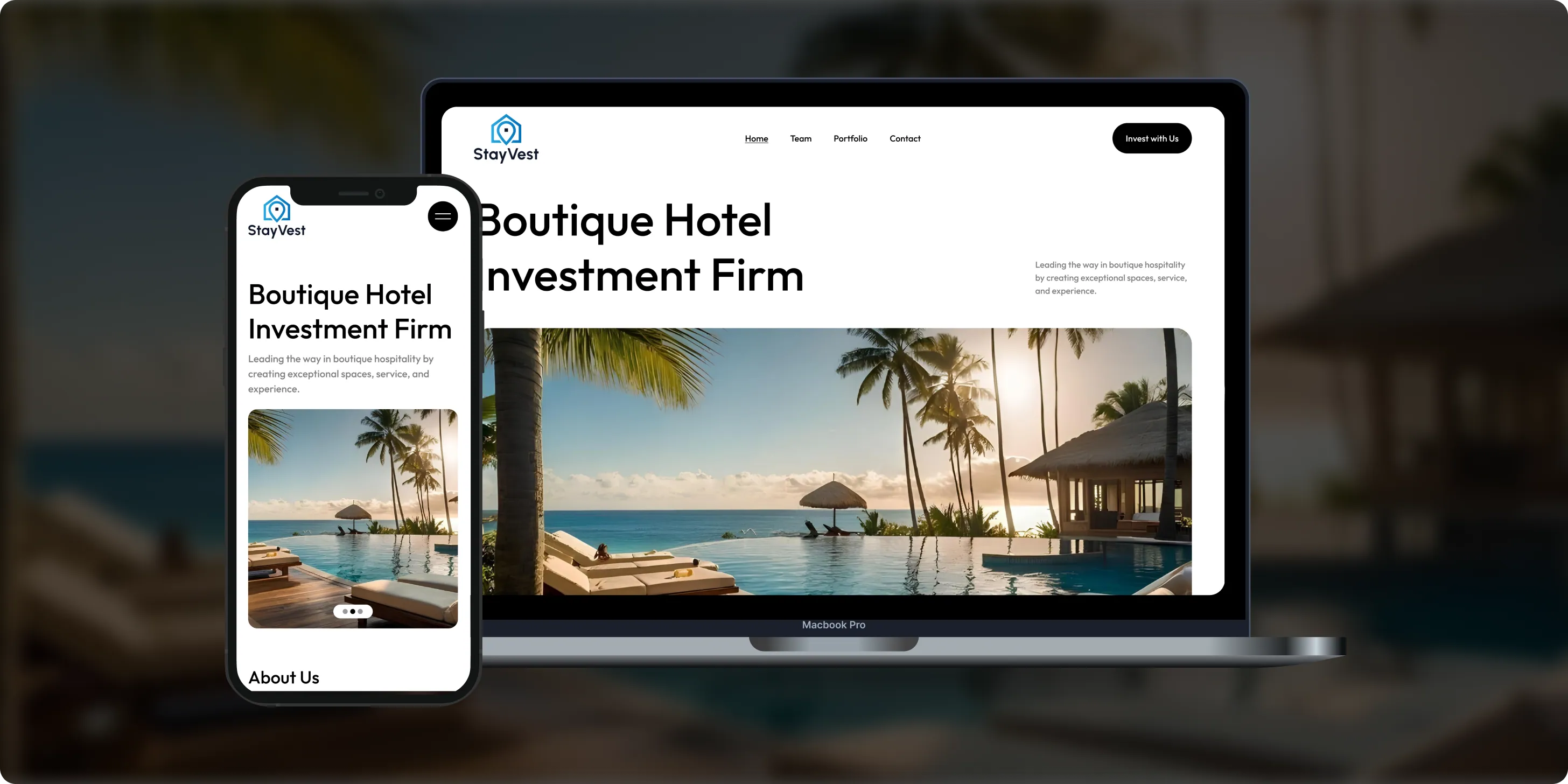
Stay Vest
Stay Vest is a private real estate investment firm that acquires, renovates, and operates boutique hotels for cash flow, tax benefits, and equity gain. It needed a platform that explains its strategy and earns the trust of passive investors.- 1,500+Guest Stays
- 200+Rooms Managed
- 5States Covered
Bokeyno Motorsports
Bokeyno Motorsports is the leading mobile installer of vertical doors for high-performance cars. This Shopify website isn’t just about services—it’s a bold statement of power, style, and expertise. With a sharp layout, strong visuals, and real-world case studies, the site delivers all the information car enthusiasts need to book confidently and instantly.- 54%Booking Requests
- 43%Lead Conversion
- 32%Qualified Inquiries

ai document processing platform
A comprehensive talent solution designed to help companies attract, hire, and retain top talent more effectively. The platform combines AI-powered recruitment technology with employee financial wellbeing programs, enabling smarter hiring decisions while supporting employees’ financial stability and long-term engagement.- 62%Faster Processing Time
- 78%Less Manual Work
- 35%Improved Accuracy

WHAT CLIENTS SAY
Independently verified reviews from real clients on Clutch.co


Client Story
Real feedback from
FMY Orthodontics

“Their perseverance and solution-oriented mindset. SoftDoes consistently found ways to make things work, added features we had not originally envisioned, and never became frustrated. It felt like working with a true partner who cared about the success of our practice.”
Dan Merwin
DDS, MS -- President, FMY Orthodontics

Client Story
Real feedback from
Prior Authorization AI
“Every time I sent a request, if there was anything that didn't work, they were able to turn it around quickly. Even when there were no updates yet, they always reached out to let me know they were working on it.”
Joseph Oluwo
Founder of Prior Authorization AI


Client Story
Real feedback from
WOVEN
“What stood out most was their commitment to understanding our needs before presenting solutions.”
Danna Pastran
Administrative Operations Manager, WOVEN

Client Story
Real feedback from
Grand Central Language Services
“The site performs as intended and provides the foundation for our company's digital presence.”
Joe Goldstein
QA Manager, Grand Central Language Services


Client Story
Real feedback from
DineMate
“They go above and beyond.”
Eric Snead
CEO, DineMate "Dating Connecting Platform"
WHAT CHANGED IN PRACTICE
Clients didn’t stay because of promises. They stayed because delivery became predictable, ownership was clear, and the product kept moving forward after launch.
- 01Direct Access to Senior Engineers
You work directly with the designers and engineers who create your screens. We do not hand your project off to junior staff or hide behind non-technical account managers. When you need a change, you discuss it directly with the person who arranges the layout and writes the styling. Direct communication stops misunderstandings before they cause delays in your schedule. Traditional agencies waste days passing messages through multiple intermediate departments. Working straight with our senior specialists means your technical questions get resolved accurately within hours.
- 02Predictable Delivery
Project schedules stay on track when timelines reflect practical software experience rather than sales promises. SoftDoes organizes design work into focused two week sprints with working results you can review at each stage. You inspect interactive components and layout updates on shared project boards as work happens. Our team audits your current software, user feedback, and technical limits before drawing final layouts. Upfront preparation stops scope creep before production starts and keeps everyone focused on primary goals. You always know what is finished and what comes next on the project calendar without surprise delays.
- 03Built to Last Past Launch
Software screens need to hold up as your business adds new features over time. Our team creates modular design systems with reusable components and clear styling rules. Quick visual patches create messy inconsistencies that frustrate users and slow down future updates. We organize every layout so your internal developers can maintain and update screens without confusion. Systematic design foundations adapt to future software additions without requiring expensive redesigns. Your investment creates an enduring digital tool that serves your business through years of operation.
- 04No Babysitting Required
Company executives do not have time to micromanage external contractors through everyday design choices. Our senior team reviews your operational procedures, studies technical requirements, and creates finished screens independently. We spot awkward layouts and confusing buttons early, before anything reaches your development team. Rather than asking for guidance on basic visual choices, we bring finished work with clear reasoning behind each decision. You set the business goals while our team takes full responsibility for screen clarity and ease of use. Independent execution lets your internal staff focus completely on running your core business operations.
Technologies We Use
DESIGN TOOLS
VISUAL DESIGN
PROTOTYPING


COLLABORATION & WORKFLOW


























Frequently Asked Questions
Everything you need to know about working with SoftDoes. Can’t find an answer?
How we communicate during user interface design projects in Lakewood, CO?
You talk directly with the senior designers who work on your screens. When businesses hire us for Lakewood user interface consulting, we skip non-technical project managers completely. You see active screen files, component updates, and revision notes on shared boards as work happens. We run live walkthrough sessions every two weeks so you inspect interactive screens rather than static presentations. When a question comes up, the designer working on your project answers it on the same business day.
What types of UI projects are a good fit for SoftDoes?
Our team handles design projects of any length, scope, and complexity level. Companies seeking UI prototyping services in Lakewood hire us for quick two-week audits to fix a confusing checkout flow just as readily as multi-month system redesigns. We welcome small assignments to fix a single workflow alongside complete design system rollouts for large software platforms. Some clients bring us in to create interactive prototypes for an upcoming board presentation or investor meeting. Others work with us across several quarters to create unified design systems for large software suites. Our team adjusts our technical capacity to match your immediate operational goals and deadlines.
Do you design for specific platforms or cross-platform solutions?
Our team creates dedicated mobile screens as well as unified multi platform layouts. When companies need Lakewood mobile user interface design, we create clean layouts tailored to touch gestures and small screens. Desktop screens get equal attention, with clear tables and quick keyboard navigation for power users. We connect these environments using shared design rules, ensuring your colors, fonts, and buttons stay uniform on every device. Your staff and customers enjoy a familiar experience whether they log in from a smartphone or an office computer.
How many revision rounds are included in the UI design process?
When creating web UI design in Lakewood, Colorado, we work in two-week agile sprints where review happens continuously. We do not lock you into arbitrary revision limits that stop progress when practical adjustments are needed. You inspect and comment on evolving layouts during regular sprint sessions before visual styles become final. If user testing reveals a better way to structure a form, our team updates the layout in the next sprint. Written milestone notes keep all adjustments clear and aligned with your launch schedule.
What happens after the new interface goes live?
Putting new screens into production is the start of observing how real people use the software. SoftDoes hands over complete component libraries, style documentation, and front-end assets on day one. Some clients keep our senior team on monthly retainers to refine screens based on customer feedback and usage patterns. Other organizations prefer managing updates with their in-house software developers right away. In those cases, our designers run detailed walkthrough sessions so your engineers understand how to update every screen component.
Will we own the code and IP for our UI design?
Your company owns all design files, component libraries, typography setups, and visual assets outright. SoftDoes transfers full administrative control of design files and production assets as soon as you approve project milestones. We never charge recurring licensing fees, royalties, or extra ownership surcharges for the work we do. All icon sets, style tokens, and layout files belong exclusively to your company. You have complete legal freedom to modify, reuse, or commercialize the designs however you see fit.
How SoftDoes differs from a typical design agency in Lakewood, Colorado?
Instead of managing junior agency contractors through local UI designers in Lakewood, companies choose SoftDoes to work directly with senior design engineers. Many creative agencies focus only on artistic decoration while ignoring practical front-end programming limits. Our designers come from technical backgrounds, which means every layout we create translates cleanly into real code. We never push generic visual templates or add bloated layers of administrative overhead. You collaborate directly with technical specialists who care about daily ease of use and software performance.
How do you price UI design projects?
Project costs depend on screen complexity and the collaboration model your company chooses. Fixed milestone agreements give you predictable budgets and firm completion dates for projects with clearly defined requirements. Flexible monthly retainers work better for organizations needing ongoing interface updates, user testing, or continuous prototyping. We review user flows, component counts, and project timelines before active design work begins. You receive straightforward invoicing with zero hidden agency markups or surprise fees.
Industrial IoT Development Services: Building Smart Factory Solutions with SoftDoes
Data Science
Factories across the U.S. and Canada still run on disconnected machines, paper logs, and reactive maintenance schedules. Industrial IoT development services close that gap by connecting factory equipment with software analytics and cloud computing, turning raw machine signals into decisions that reduce cost and increase output. This article covers what it takes to build a smart factory, from sensors and edge gateways to AI powered predictive maintenance, and how SoftDoes delivers these projects for North American manufacturers.
How to Build an AI Tutor in 2026: Architecture, Cost, and Implementation Guide
AI
AI tutors are the most requested feature of 2026 across higher education and corporate training. The global online tutorial system market is projected to reach $23.6B by 2027, and organizations across the U.S. and Canada are racing to figure out how to build an AI tutor that actually works. This article is a practical guide. It covers architecture, instructional design, cost, compliance, and the decisions you need to make before writing a single line of code.
Education App Development Cost in 2026: Complete Breakdown for U.S. & Canada
EdTech
If you are planning to build an education app for the U.S. or Canadian market, the first question on your mind is probably how much does it cost. The answer depends on what you are building, who you are building it for, and how complex the final product needs to be. This guide breaks down everything that influences education app development cost in 2026 so you can plan your budget with confidence.