
U.S.-Based
AI for government teams buried in permits, records requests and calls
Permit files, public records requests and resident calls queue up for the same small teams. We build AI that reads, sorts and drafts, and every decision stays with a named public employee.
$7,000
Government AI build, from
10K+
Employees at our largest reviewing client, a government agency
5.0
Clutch rating from 40 reviews
























How a public records request moves through the build
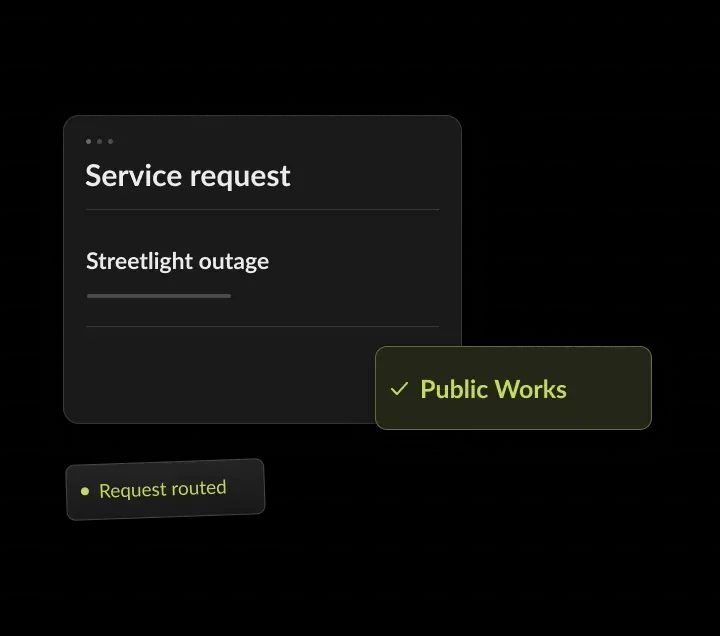
One records request: the AI gathers the records, a records officer reviews and the request is logged.
A records request arrives
A resident submits a request through the portal or by email.
AI gathers the records
It searches record systems, collects matches and flags likely exemptions.
A records officer reviews
They confirm each record, apply redactions and approve the release.
The request is logged
The response, release set and deadline status are saved with a full log.
Government AI solutions, in short
- Kansas City metro software and AI company
- AI for state and local government agencies
- We automate permit intake, public records requests, resident service and caseworker paperwork, with audit logs and staff sign-off on every decision
- Builds start at $7,000, and you own all the code

AI reads and drafts. A named employee decides.
- 01Build priceFrom $7,000. Pilots start at $7,000 and production rollouts at $13,000. Model usage is billed at cost. AI implementation cost
- 02Who it's forState, county and city governments: IT, operations and program leaders who need AI that stands up to records and audit rules. AI governance and compliance
What AI in government does today
AI in government reads, sorts and drafts the paperwork behind public services: permit files, records requests, resident questions and case notes. A named public employee reviews each draft and makes every decision. Public teams handle the same request types every day, under rules that are already written down. That makes the work a good fit for AI, as long as a person stays accountable for each outcome.
Four jobs AI does well in public service
Reading
Applications, attachments, emails and scanned records, sorted by type and checked for missing items.
Searching
Record systems and shared drives, for documents that match a request or a resident's question.
Drafting
Letters, case notes, minutes and replies, written from your templates and approved content.
Routing
Each item sent to the right queue, with a short summary for the employee who picks it up.



AI next to the rules-based workflows you already run
A rules-based workflow moves a form once its fields are filled in. AI adds the reading. It understands an attached PDF, an email or a scanned letter, then fills those fields for staff to check.
What stays with public employees
Decisions on permits, benefits, releases and denials stay with staff. So do exemptions, appeals and anything a resident may challenge. The AI prepares the file, and a named employee signs it. To see where your department stands, take our AI readiness quiz.
GovTech AI, connected to the systems you run
The AI reads from your permitting, records and case systems and writes drafts where staff review them.
Built for public records, audits and procurement
Ready for audits and council questions
Public-sector AI has to stand up to records requests, audits and council questions. Every build ships with these controls. See AI governance and compliance, our AI policy template, AI red teaming and AI training for employees.
A named employee approves
A named employee approves every decision, denial and release, and the AI only drafts and sorts.
Logged under your retention schedule
Every AI read, draft and change is logged and kept under your records retention schedule.
Your cloud tenant
Data stays in your own cloud tenant, including government cloud regions where your policy requires them.
Residents are told
Residents are told when they are talking to an AI assistant, with a path to a person.
Procurement documents first
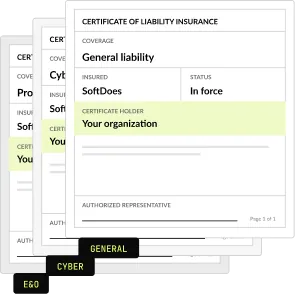
Procurement receives our NDA before the first call and our certificate of insurance on request.
Rules government AI must meet: records, accessibility and security
Government AI has to meet the same records, accessibility and security rules as any other public system. We plan each build around four of them: public records law, the ADA web rule, federal AI policy and your security framework.
Our AI governance framework guide explains the NIST framework in more depth. Human services teams that handle health records can also read our HIPAA-compliant AI guide. This summary points to official sources for planning, not legal advice. Your counsel and records officer decide how each rule applies.
AI in local government, service by service
Five public services where AI does the reading and drafting, and staff make every call.
Permit and license intake
AI checks applications for missing documents and basic code items before a reviewer opens the file. Writes to: your permitting system, such as Accela or Tyler EnerGov. For example, a deck permit arrives without a site plan. The AI flags the gap, and a permit tech sends the applicant one request for it.
Public records requests
AI searches record systems, gathers responsive documents and flags likely exemptions for a records officer. Writes to: your request system, such as GovQA or NextRequest. For example, a request asks for a year of emails about a road project. The AI gathers the matches and marks likely exemptions for the records officer.
Resident questions and 311
An AI assistant answers resident questions from your approved web pages and opens service requests for staff. Writes to: your 311 or CRM system. For example, a resident asks when bulk trash pickup runs. The assistant answers from the approved sanitation page and opens a missed-pickup request for staff. See AI chatbot development.
Caseworker documentation
AI drafts case notes, eligibility summaries and letters from interviews and documents for caseworker review. Writes to: your case management system. For example, after an eligibility interview, the AI drafts the case note and a list of missing documents. The caseworker edits both and signs the note.
Meeting minutes and agenda packets
AI drafts minutes and agenda packets from recordings and staff reports for the clerk to edit and publish. Writes to: your agenda management system. For example, after a council meeting, the AI drafts minutes from the recording, with each motion and vote listed for the clerk to check.
Public program and permit work in production
Two AI builds from our case studies, and the record behind them, led by a government agency with 10K+ employees.

- Healthcare
Prior Authorization AI
Prior Authorization AI is a healthcare automation startup building AI-powered tools to streamline prior authorization for Medicare and Medicaid medical transportation providers in New Jersey.- 16Weekly hours saved
- 63%Admin time reduced
- 43%Fewer submission errors

- Startup
- Real Estate
Our Haus AI
A finance professional turned founder built Our Haus AI, an AI-powered collaborative workspace where homeowners and contractors scope, bid, contract, and document renovation projects together. SoftDoes took her prototype and made it production-ready.- 10XMVP scope delivered
- 2+years Ongoing partnership
- 1Fully owned Platform

- Real Estate
The building buyer
The Building Buyer is a Florida-based real estate investment firm co-founded by Dylan Troiano and Charles Hanlin. They acquire single-family, multifamily, and commercial properties across South Florida and beyond, with a focus on motivated seller opportunities.- 18Weekly hours saved
- 2+Years Ongoing partnership
- 1Fully owned Platform

- Healthcare
CareInTouch
CareInTouch is a Bay Area home health agency providing skilled nursing and therapy services to patients referred from hospitals and clinics. With over 100 staff, they operate in one of the most complex and compliance-driven healthcare markets in the country.- 40% Reduction In Billing Errors
- 100+Staff Operations Managed
- 0Missed Compliance Deadlines

- Startup
Sparkle The Cleaning Service
Sparkle The Cleaning Service is a Detroit-area residential cleaning company with 10 years in business, connecting homeowners with vetted, insured independent cleaners through a subscription-based marketplace platform.- 75% Platform Transparency
- 2XPlatform Growth
- 40%Higher User Retention

- Healthcare
FMY Orthodontics
FMY Orthodontics, a multi-location practice in West Tennessee, partnered with SoftDoes to replace a spreadsheet-based financial workflow with a custom web platform. The goal was to simplify how staff present treatment financing while allowing patients and families to review and complete decisions remotely.- 60%Workflow Reduction
- 75%Remote Adoption
- 5Locations Aligned

- Real Estate
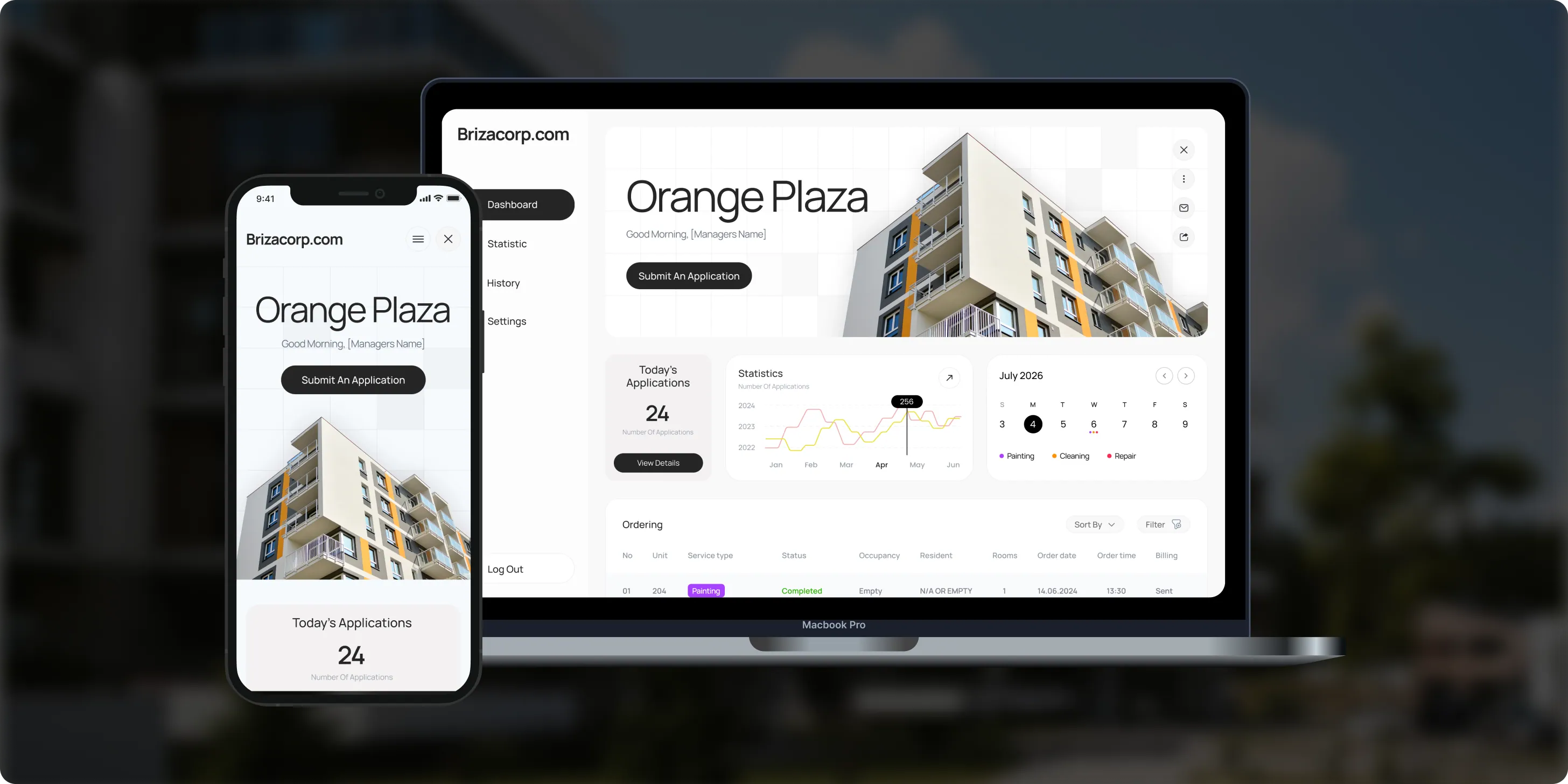
Brizacorp
Brizacorp manages residential properties and coordinates the staff who handle painting, cleaning, and repair requests. Its team tracked work across messengers, phone calls, e-mail, and paper planners, with no single place to manage requests or measure performance.- 98%Application Stability
- 95%Utilization Rate
- 30%Faster Task Completion
Risks of AI in government, and how we handle them
The main risks are wrong answers, unfair outcomes, exposed records, a lost audit trail, data leaving your control and model changes. Each gets a control before launch.

How to choose a government AI vendor
Choose a vendor that keeps decisions with your staff, data in your tenant and every AI step in a log. Ask these questions before you sign.
Questions to ask, and what a good answer includes
- Who makes the final decision? A named employee approves every decision, denial and release, and the AI only drafts and sorts.
- Where will resident data live? In your own cloud tenant, including government cloud regions if your policy requires them.
- What is logged, and for how long? Every AI read, draft and change, kept under your records retention schedule.
- How will you test it before launch? A test set built from your own past files, with a pass mark agreed in writing.
- How will residents know it is AI? A notice at the start of every conversation, and a path to a person at any point.
- Who owns the code and data? Your government owns all code, data and IP.
- What paperwork comes first? Our NDA before the first call, and a certificate of insurance on request.
The ROI of government AI solutions: a worked example
Government AI pays back when the staff hours it frees cost more than the build and upkeep. The example below uses permit intake and assumed numbers, so swap in your own. Example math with assumed numbers, not a client result. At these numbers, the build pays back in under two months. Model usage is billed at cost on your own accounts, and it depends on volume and model choice. The math counts staff hours only. Shorter waits for applicants are a second gain it leaves out. Enter your permit technicians' hours and loaded cost in the AI ROI calculator, and your monthly application count in the LLM cost calculator. Before launch, set a baseline: our guide on how to measure AI ROI shows how. See the full price list on our AI agent development cost page.
Questions about AI for government
Systems, risks, cost and procurement. Can't find your answer?
What AI system does the government use?
There is no single system. Government agencies use workspace assistants such as Microsoft Copilot, ChatGPT, Claude and Gemini for staff writing and research. They also run AI inside specific systems: permitting, records requests, 311 and case management. Many government agencies publish inventories of their AI uses. SoftDoes builds the second kind, wired into the systems you already run.
What are the disadvantages of using AI in government?
The main risks are wrong answers, unfair outcomes, privacy leaks and decisions nobody can explain to a resident. Each one has a control. A named employee approves decisions, and every AI step is logged. Models are tested for errors and bias before launch, and data stays in your own cloud tenant.
How should a city or county start with AI?
Pick one service with a long queue and a clear rule set, such as permit intake or records requests. Write an AI use policy, then pilot with staff review on every output. Our AI readiness assessment ranks the options in 2 weeks for $2,500, credited to the first build.
How much does AI for government cost?
Industry AI builds start at $7,000. A pilot starts at $7,000, a production rollout at $13,000, and an AI agent that works across three or more systems at $13,000. Maintenance starts at $500 a month, and model usage and hosting are billed at cost on your own accounts.
Can government AI run in a government cloud?
Yes. We deploy in your own cloud tenant, including government cloud regions where your security policy requires them. Models run through services inside that cloud, under your own vendor contracts. For departments that need models on their own servers, our private AI service covers that setup and its hosting costs.
Do residents know they are talking to AI?
Yes. Our AI assistants say they are AI at the start of every conversation and offer a path to a person at any point. They answer only from your approved pages and documents, and every conversation is logged. Staff review the logs and update the approved content when residents ask something new.
Can you work within government procurement?
Yes. Procurement receives our NDA before the first call and our certificate of insurance on request. We price every phase in writing before work starts, and you own all code and data. Our largest reviewing client is a government agency with more than 10,000 employees, and our largest reviewed project had a $200K+ budget.
Which governments are using AI?
Federal agencies list their AI uses in public. Under OMB memo M-25-21, most federal agencies inventory their AI use cases at least once a year. They post a public version online. The Defense Department and the intelligence community are excluded. Cities and counties set their own rules and can apply AI to permits, records requests, 311 and casework.
How can AI be used in local government?
AI fits local government work that is high in volume and follows written rules. Good starting points are permit intake, public records requests, resident questions and 311, caseworker notes and meeting minutes. In each one the AI reads and drafts, and a named employee decides. Start with the queue that has the longest backlog.
What government jobs will AI replace?
In our builds, AI takes over tasks, not public jobs. It does the reading, sorting and first drafts in roles such as permit technician, records clerk and caseworker. Decisions, resident conversations and accountability stay with staff. A named employee approves every decision, denial and release, and the time saved can go to backlogs and residents.
Do public records laws apply to AI logs and drafts?
They can. AI prompts, drafts and logs may count as public records under your state's law. Your records officer should review the design before launch. Our builds log every AI read, draft and change and keep the logs under your retention schedule. Releases still go through a records officer, who applies redactions and approves them.
Do resident-facing AI assistants have to meet accessibility rules?
Usually, yes, for state and local governments. The Justice Department's ADA Title II rule makes WCAG 2.1 Level AA the standard for their web content and mobile apps. Limited exceptions apply. Governments of 50,000 or more people must comply by April 26, 2027, and smaller ones and special districts by April 26, 2028.
Updated · Reviewed by Orest Andrusyshyn, Founder and CEO