
U.S.-Based
AI claims processing for insurers, MGAs and TPAs
Every claim arrives as emails, photos, PDFs and phone notes that someone has to read and re-key. We build AI that reads the file, fills your claims system and drafts the summary, while adjusters keep every decision.
$7,000
Claims build, from
40
AI projects delivered since 2020
5.0
Clutch rating from 40 reviews
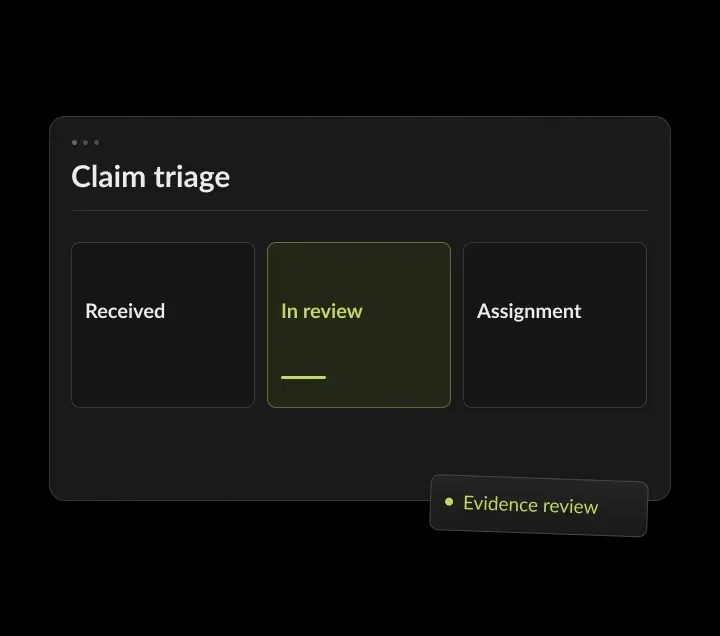
























How a new claim moves through the build
One new claim: the AI builds the file, an adjuster reviews and the claims system updates.
A loss is reported
An email, web form or call note arrives with photos and documents.
AI builds the claim file
It extracts policy, loss and party details and flags what is missing.
An adjuster reviews
They confirm the facts, set the reserve and decide next steps.
The claims system updates
The claim, documents and summary land in your core system, with a log.
AI claims processing, in short
- Kansas City metro software and AI company
- AI claims processing for insurers, MGAs and third-party administrators
- The AI reads loss reports, documents and photos, fills the claims system and drafts adjuster summaries for review
- Claims builds start at $7,000, and you own all the code

Every claim file built. Every decision with an adjuster.
- 01Build priceFrom $7,000. Extraction for claim forms and bills starts at $5,000. An AI agent across 3 or more systems, such as claims, policy and payments, starts at $13,000. Intelligent document processing
- 02Who it's forClaims leaders: insurers, MGAs and TPAs with claim files spread across email, PDFs and a core system. See our guide on AI use cases by industry
What is AI claims processing?
AI claims processing uses AI models to read the documents in a claim file, pull out the facts and check them against the policy. It drafts summaries and letters for adjusters, who keep every coverage, reserve and payment decision.
What a claims AI build includes
System connections
Connections to your claims system, policy system and document store, through their APIs or your integration layer.
Document reading
Document reading for PDFs, photos, estimates and bills, with each field linked to its source page.
Your rules and templates
Your claim rules and letter templates, written down and tested before launch.
A review screen
A review screen where adjusters accept, edit or reject each AI draft.
A full log
A log of every AI read, score and draft, with the model version and the adjuster who acted.
Cost limits
Cost limits and alerts, so model usage stays inside the budget you set.





The first pass, done by AI
A claim arrives as emails, photos, PDFs, estimates and call notes. Today an adjuster or a claims assistant reads each one and re-keys the facts into the claims system. AI does that first pass, so the adjuster starts from a complete, sourced file.
AI vs rules-based claims automation
A rules engine follows fixed if-then logic on structured fields. AI reads what rules cannot: a repair estimate, a police narrative, a medical bill or a photo. In our builds, your written rules still decide which claims AI may fast-track, and adjusters decide the rest.
Types of claims automation we build
Five claims builds, what each one does and where it fits. The price shows where each one starts on our price list. Model usage and hosting are billed at cost on your own accounts. Maintenance starts at $500 a month. Our AI development cost guide shows full budgets.

Policyholder chatbot on your documents
Answers claim status and process questions from your approved content. Fits when policyholders call for the same answers every day.
Document extraction
Reads claim forms, bills and estimates, then writes checked fields. Fits when staff retype documents into the claims system. See document extraction.
Claims workflow AI
Builds the claim file, checks coverage and drafts summaries across 1 or 2 systems. Fits when one claim type eats adjuster hours.
Claims voice agent
Takes first notice of loss by phone and opens the claim. Fits when loss reports arrive by phone, including after hours. See the claims voice agent page.
AI agent across 3 or more systems
Works across claims, policy and payment systems, with approval steps. Fits when a claim type spans several systems.
AI in insurance, connected to your claims stack
The AI reads where claim information arrives and writes where adjusters already work.
Claims decisions stay with your adjusters
A record of every decision
Claims AI touches regulated decisions and personal data. Every build ships with these controls, so compliance can show how each decision was made. See AI governance and compliance, AI agent evaluation, AI red teaming and our Colorado AI Act guide.
No denial by AI alone
AI never denies or reduces a claim alone: an adjuster makes every adverse decision.
Everything logged
Every AI read, score and draft is logged with the model version and the adjuster who acted on it.
Tested for unfair outcomes
Claims models are tested for errors and unfair outcomes before launch, and again after each change.
Your cloud account
Claimant data stays in your own cloud account, encrypted, behind role-based access.
HIPAA for health claims
Health claims run on HIPAA-compliant infrastructure, under a business associate agreement.
Claims automation, step by step
Five steps of the claim where AI does the reading and adjusters keep the judgment.
First notice of loss intake
AI reads the loss report from email, web forms or call notes and opens a complete claim. Writes to: your claims system, such as Guidewire ClaimCenter or Duck Creek. For example, a policyholder emails photos of a burst pipe and a plumber's invoice. The AI opens the claim with the policy, loss date and documents attached.
Document and photo review
AI sorts police reports, estimates, bills and photos, and pulls the key fields from each. Writes to: the claim file, with every field linked to its source page. For example, a 40-page medical file arrives on an auto injury claim. The AI sorts bills from records and lists each provider, date and amount with its page number. See intelligent document processing.
Coverage and missing-information checks
AI compares the loss with the policy and lists what is missing before an adjuster opens the file. Writes to: the adjuster's task list. For example, a water damage claim arrives without the mitigation invoice. The AI adds a task for the adjuster and drafts the document request.
Adjuster summaries and letters
AI drafts the claim summary, status updates and document requests for the adjuster to edit and send. Writes to: claim notes and your correspondence system. For example, the AI drafts a one-page claim summary and a status letter. The adjuster changes one sentence and sends both from the claims system.
Fraud and leakage flags
AI scores each claim against your fraud rules and routes high scores to your special investigations unit. Writes to: the SIU referral queue. For example, two claims share a phone number and a repair shop with past referrals. The AI scores both against your rules and sends them to the SIU queue with its reasons.
How a claims AI build runs
Four steps, starting with one claim type and your written rules. Adjusters stay in charge at every step.
We map one claim type end to end, such as auto glass or water damage, and write down your rules and letters. Your claims team sees the plan and a fixed price before any code. You get a written plan and fixed price.
We build on a branch and test the AI on past claim files with known outcomes. Accuracy is measured field by field against what adjusters recorded. You get a working build and test results.
Your compliance team reviews the data flow, the logs and the fairness tests. The claims build must pass the agreed test set before release. You get documentation for your AI program.
We release to one adjuster team first. Adjusters accept or edit every AI draft while we track accuracy and handling time, then widen the release. You get a live workflow and runbook.
AI builds running in production
Two AI builds from our case studies: document intake in a regulated workflow, and AI scopes and bids for renovations.

- Healthcare
Prior Authorization AI
Prior Authorization AI is a healthcare automation startup building AI-powered tools to streamline prior authorization for Medicare and Medicaid medical transportation providers in New Jersey.- 16Weekly hours saved
- 63%Admin time reduced
- 43%Fewer submission errors

- Startup
- Real Estate
Our Haus AI
A finance professional turned founder built Our Haus AI, an AI-powered collaborative workspace where homeowners and contractors scope, bid, contract, and document renovation projects together. SoftDoes took her prototype and made it production-ready.- 10XMVP scope delivered
- 2+years Ongoing partnership
- 1Fully owned Platform

- Real Estate
The building buyer
The Building Buyer is a Florida-based real estate investment firm co-founded by Dylan Troiano and Charles Hanlin. They acquire single-family, multifamily, and commercial properties across South Florida and beyond, with a focus on motivated seller opportunities.- 18Weekly hours saved
- 2+Years Ongoing partnership
- 1Fully owned Platform

- Healthcare
CareInTouch
CareInTouch is a Bay Area home health agency providing skilled nursing and therapy services to patients referred from hospitals and clinics. With over 100 staff, they operate in one of the most complex and compliance-driven healthcare markets in the country.- 40% Reduction In Billing Errors
- 100+Staff Operations Managed
- 0Missed Compliance Deadlines

- Startup
Sparkle The Cleaning Service
Sparkle The Cleaning Service is a Detroit-area residential cleaning company with 10 years in business, connecting homeowners with vetted, insured independent cleaners through a subscription-based marketplace platform.- 75% Platform Transparency
- 2XPlatform Growth
- 40%Higher User Retention

- Healthcare
FMY Orthodontics
FMY Orthodontics, a multi-location practice in West Tennessee, partnered with SoftDoes to replace a spreadsheet-based financial workflow with a custom web platform. The goal was to simplify how staff present treatment financing while allowing patients and families to review and complete decisions remotely.- 60%Workflow Reduction
- 75%Remote Adoption
- 5Locations Aligned

- Real Estate
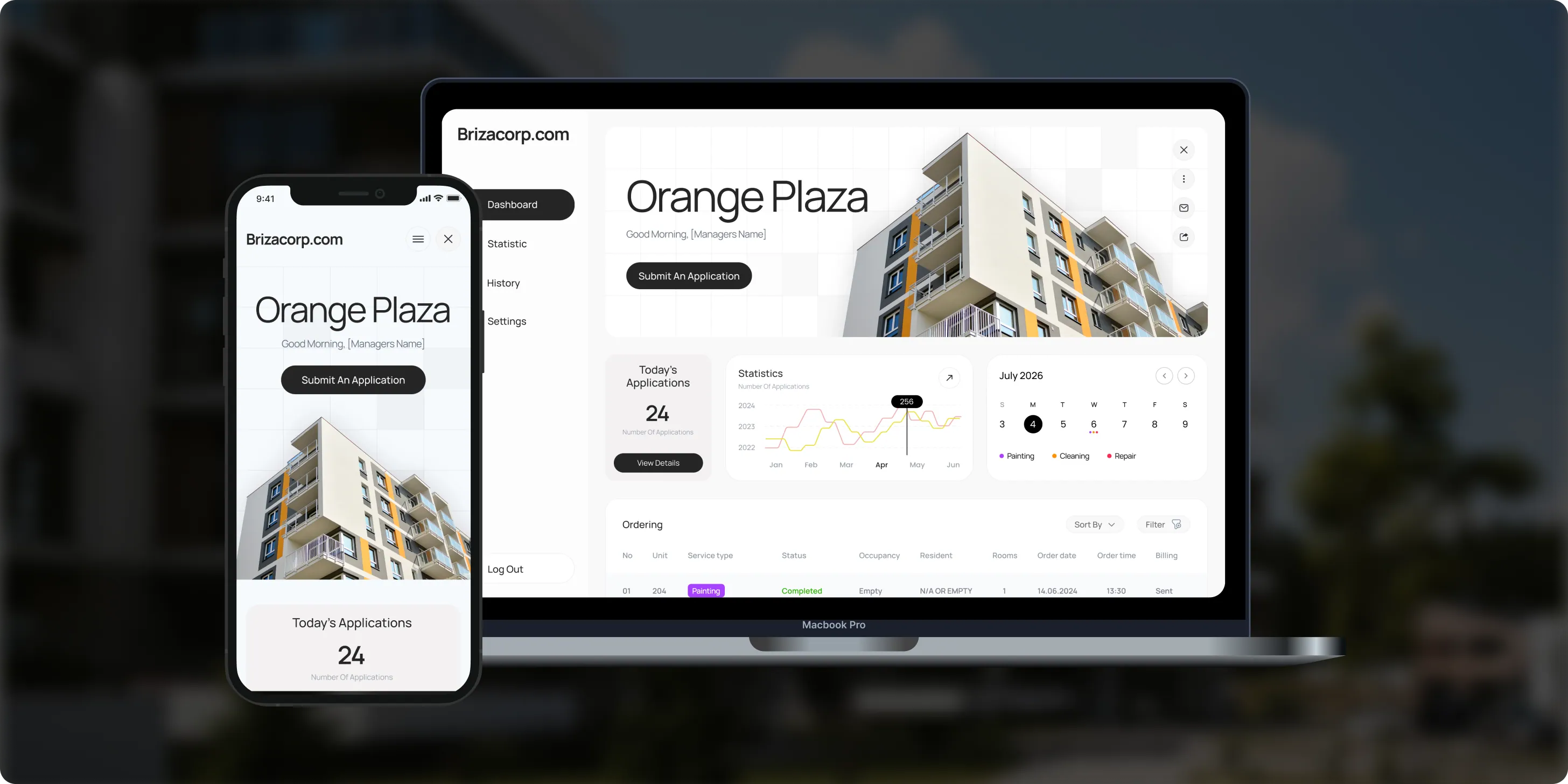
Brizacorp
Brizacorp manages residential properties and coordinates the staff who handle painting, cleaning, and repair requests. Its team tracked work across messengers, phone calls, e-mail, and paper planners, with no single place to manage requests or measure performance.- 98%Application Stability
- 95%Utilization Rate
- 30%Faster Task Completion
Risks in AI claims processing, and how we handle them
The main risks are wrong extractions, unfair outcomes, AI overreach, data exposure, misleading fraud scores and model changes. Each gets a control before go-live.

AI in insurance: the rules claims AI must meet
Insurance regulators in states such as Connecticut and Colorado expect insurers to govern the AI they use, including AI from vendors. Your claims AI should leave a record that shows how each decision was made.
What the build gives your compliance team
- A written description of each AI step: what it reads, what it produces and who acts on it
- A log of every AI read, score and draft, with the model version and the adjuster's decision
- Test results for accuracy and unfair outcomes, before launch and after each change
- Documentation for your AI program file, since AI built by a vendor still falls under your program
- Notice wording in letter templates, where your state or your own policy calls for it
What Connecticut and Colorado expect
Connecticut's Insurance Department expects insurers there to keep a written program for AI systems that make or support decisions. Bulletin MC-25, issued February 26, 2024, says the program should cover claim administration, payment and fraud detection, and AI built by a third party. It should also address testing for errors, bias and unfair discrimination. Colorado's SB21-169 holds insurers accountable for testing external consumer data, algorithms and predictive models for unfair discrimination against protected classes. Amended Regulation 10-1-1, effective October 15, 2025, sets governance and risk management requirements for life, private passenger auto and health benefit plan insurers. In practice, that means knowing where AI touches a claim, testing it, and keeping records that show who decided what.
Help with the program itself
AI governance and compliance helps you write the program itself, and AI red teaming tests a build before launch. For Colorado's separate AI law, see our Colorado AI Act guide.
How to choose an AI claims processing partner
Choose a builder that writes into your claims system, keeps adjusters in charge and gives compliance a full record. Ask these questions before you sign.
Questions to ask, and what a good answer includes
- Where does the AI write? Into your claims system, as fields, notes and tasks, with your audit trail intact.
- What can the AI decide alone? Only what your written rules allow, and never a denial or reduction.
- How will you prove accuracy? A test set from your past claims, with field-level results before launch.
- What will our compliance team receive? A description of each AI step, logs, test results and fairness checks.
- Who owns the code and connectors? You do, in your repository and your cloud account.
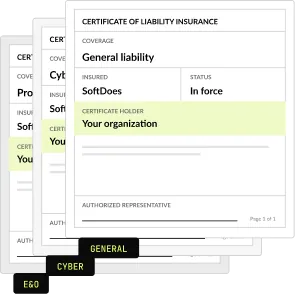
- What paperwork comes first? An NDA before the first call, and a certificate of insurance on request.
AI claims processing ROI: a worked example
Claims AI pays back when the adjuster and assistant hours it frees cost more than the build, maintenance and model usage. The example below uses assumed numbers for intake and file review, so swap in your own. Example math with assumed numbers, not a client result. At these numbers, the build pays back in about two months, before model usage. A build across 3 or more systems starts at $13,000, which moves payback to three or four months. Enter your claims staff hours and loaded cost in the AI ROI calculator, and your monthly claim count in the LLM cost calculator. After release we track handling time and accuracy on live claims, so you see the real saving next to this estimate.
Questions about AI claims processing
How it works, decisions, cost and data. Can't find your answer?
How does AI claims processing work?
The AI reads each new claim as it arrives: the loss report, photos, estimates and bills. It extracts the facts, checks them against the policy, lists what is missing and drafts a summary. An adjuster reviews the file and makes every decision. Then the AI writes the approved data into your claims system, with a log.
Can AI deny a claim on its own?
Not in our builds. The AI can recommend fast-track payment for simple claims that meet your written rules, but any denial or reduction goes to an adjuster. Each AI recommendation is logged with its reasons. That record lets your compliance team show a regulator or a claimant exactly how a decision was made.
How much does AI claims processing cost?
Industry AI builds start at $7,000. Document extraction for claim forms and bills starts at $5,000, and an AI agent that works across three or more systems starts at $13,000. Maintenance starts at $500 a month. Model usage is billed at cost on your account. Any project can start with Project Discovery: $490, credited to the build.
Does it work with Guidewire or Duck Creek?
Yes. We connect through the claims system's APIs where your setup includes them, and through your integration layer or database where it does not. The AI writes claim fields, notes and tasks the same way an adjuster would. Your existing workflows, reports and audit trail stay in place, and you own every connector.
What is claims automation?
Claims automation moves routine claim work out of manual hands: intake, document sorting, data entry, status letters and simple payments. Rules engines handled part of this for years. AI adds the ability to read unstructured documents, photos and notes, so more of each claim file is ready before an adjuster opens it.
Can AI help with health insurance claims?
Yes. For health plans and TPAs, the AI reads claim forms, itemized bills and medical records, checks them against plan rules and flags missing documentation. Health claims run on HIPAA-compliant infrastructure under a business associate agreement. Our healthcare AI page covers the provider side of the same workflow.
Is claimant data safe with the AI?
Claimant data stays in your own cloud account, encrypted in transit and at rest, behind role-based access. The model sees only the fields a task needs, and every AI read and write is logged. Our NDA is executed before the first call, and procurement receives our certificate of insurance on request.
Is AI taking over claims adjuster jobs?
No. In our builds, AI takes the reading, re-keying and first drafts, and adjusters keep coverage, reserve and payment decisions. The change is in how adjusters spend the day: less time assembling files, and more time on judgment, negotiation and claimants who need a person. Any denial or reduction still goes through an adjuster.
What software can I use for claims management?
Claims management runs on a core claims system, such as Guidewire ClaimCenter, Duck Creek, Majesco, Sapiens or one you built. AI claims processing does not replace it. It sits beside your claims system, reads documents and drafts the work, then writes approved data back. You keep your system of record, your reports and your audit trail.
What is the best AI for insurance?
It depends on the task. Ready-made products fit narrow jobs that many insurers share. A custom build fits when the AI must follow your rules, write into your claims system and leave a record your compliance team controls. We start with the claim type that costs the most adjuster hours, then reuse the same controls for the next one.
How long does an AI claims project take?
It depends on the claim type, your claims system's APIs and your compliance review. We set the scope, price and schedule for your first claim type in a written plan before the build starts. Claims teams can begin with Project Discovery for $490, credited to the build. Starting with one claim type keeps the first release small and easy to measure.
Can the AI read photos and scanned documents?
Yes. It reads photos, scans and PDFs, and every extracted field links back to its page, so an adjuster can check it against the original. Poor images and unclear handwriting are flagged for a person instead of guessed. We measure accuracy on your own past claim files before launch, field by field.
Do claimants have to be told that AI is used?
It depends on the state and your own policies. Connecticut's bulletin, for example, expects an insurer's AI program to address notice to consumers that AI systems are in use. Letters the AI drafts go out from an adjuster after review, and we add notice wording to the templates wherever your compliance team requires it.
Updated · Reviewed by Orest Andrusyshyn, Founder and CEO