User Interface Design in
Chesapeake,
VA
User Interface Design in
Chesapeake,
VA
SoftDoes is a UI design company in Chesapeake, VA, that turns cluttered product interfaces into clear, responsive systems. Your users adopt faster, your support load drops.
Let's build together.
Talk with a senior engineer about your product idea, architecture, and what it would take to build it.
90+
Active Client Partnerships
80+ Person
Product & Engineering Team
100%
Your Code & IP Ownership
U.S.-Led
Delivery & Accountability
Services we offer
- 01User Interface Design
> PRECISE INTERFACES FOR COMPLEX PRODUCTS <
User interface design means turning screens full of competing controls into layouts where visual hierarchy directs user attention to the right action at the right time. Our UI designers restructure dashboards, internal tools, and data heavy applications so that every button, input, and toggle has a clear purpose and the result feels user friendly. The business problem is straightforward: when interfaces are cluttered or inconsistent, users miss calls to action, abandon forms, or misuse features entirely. Chesapeake teams come to us when they need modern web and mobile interfaces without rewriting their entire stack, and our UI process often moves through discovery, user flows, high fidelity design, and developer ready files while staying aligned with existing brand and visual identity guidelines. Mobile first thinking also improves user experience and supports SEO rankings across responsive layouts.
- Screen architecture audits
- Component level interface design
- Design systems for product teams
- Responsive web and app layouts
- Accessible visual states and controls
> DESIGN SYSTEMS THAT DO NOT DRIFT <
SoftDoes sets up design systems with shared components, tokens, and documented usage rules so that every screen in a product looks and behaves the same way, supporting a consistent user experience across screens and different screen sizes. Design systems ensure a consistent look across platforms, and organizations using design systems achieve faster time to market because teams stop redesigning the same button four different ways. We collaborate directly with in house teams in Chesapeake to keep UI patterns practical, not theoretical. Design tokens centralize design attributes for consistency, and we document states and usage so engineers can implement responsive web design basics without guesswork, including fluid grids as one of the essential components because layout elements resize based on percentages, plus media queries in CSS to apply different styles for different devices in a website or web design system.
- Token based color and type
- Reusable UI kits in FIGMA
- Versioned component libraries
- Engineer friendly handoff specs
- 02User Experience Design
> FLOWS THAT MATCH REAL USER BEHAVIOR <
User experience design is about how people actually move through a product, not just how screens look when standing still. We map full user journeys from first sign in through advanced tasks and edge cases to improve the overall user experience and check whether each flow supports task completion and success. Through workshops and remote sessions with Chesapeake teams, we capture real user behavior to understand how users interact with the product and what user expectations are, then test prototypes with real users before committing to full production. Agencies should utilize user testing, wireframing, and design thinking during the design process, and our UX work uses analytics and testing to provide insights that lead to interface changes, not static diagrams that sit in a folder.
- User journey mapping
- Task and workflow analysis
- Low and high fidelity prototypes
- Usability testing with real users
- Iteration based on performance metrics
- 03Product Design Services
> FROM IDEA TO USABLE PRODUCT INTERFACE <
Product design connects the gap between a vision and a usable product interface by defining scope, prioritizing core features, and setting interface strategy before anyone opens a design tool, with software development realities in view. We cover concept definition, feature prioritization, and roadmap creation because the most common problem we see is scattered ideas with vague requirements and no clear MVP, and those early choices need alignment with development teams from the start. Chesapeake founders and operations leaders work with us to turn concepts into testable interfaces, plan for integration with existing systems, and shape clear roadmaps. We support both first releases and major redesigns of existing products, and custom software development often starts here when standard tools cannot match the way a company actually works. MVP development helps validate core hypotheses with minimal features so teams learn fast before committing larger resources.
- Product discovery workshops
- MVP interface definition
- Feature and screen prioritization
- Design for mobile app development
- Visual identity alignment for products
> PRECISE INTERFACES FOR COMPLEX PRODUCTS <
User interface design means turning screens full of competing controls into layouts where visual hierarchy directs user attention to the right action at the right time. Our UI designers restructure dashboards, internal tools, and data heavy applications so that every button, input, and toggle has a clear purpose and the result feels user friendly. The business problem is straightforward: when interfaces are cluttered or inconsistent, users miss calls to action, abandon forms, or misuse features entirely. Chesapeake teams come to us when they need modern web and mobile interfaces without rewriting their entire stack, and our UI process often moves through discovery, user flows, high fidelity design, and developer ready files while staying aligned with existing brand and visual identity guidelines. Mobile first thinking also improves user experience and supports SEO rankings across responsive layouts.
- Screen architecture audits
- Component level interface design
- Design systems for product teams
- Responsive web and app layouts
- Accessible visual states and controls
> DESIGN SYSTEMS THAT DO NOT DRIFT <
SoftDoes sets up design systems with shared components, tokens, and documented usage rules so that every screen in a product looks and behaves the same way, supporting a consistent user experience across screens and different screen sizes. Design systems ensure a consistent look across platforms, and organizations using design systems achieve faster time to market because teams stop redesigning the same button four different ways. We collaborate directly with in house teams in Chesapeake to keep UI patterns practical, not theoretical. Design tokens centralize design attributes for consistency, and we document states and usage so engineers can implement responsive web design basics without guesswork, including fluid grids as one of the essential components because layout elements resize based on percentages, plus media queries in CSS to apply different styles for different devices in a website or web design system.
- Token based color and type
- Reusable UI kits in FIGMA
- Versioned component libraries
- Engineer friendly handoff specs

PRODUCTS BUILT ACROSS INDUSTRIES
Finance
Clear data views and secure transaction flows define effective financial interfaces. Design systems keep every dashboard and report consistent across desktop and phone.
Healthcare
Patient facing portals and staff tools require error resistant flows and user experience design that accounts for accessibility at every step. Clarity in these interfaces directly affects outcomes.
Education
Learning platforms and instructor dashboards perform best when navigation is simple. Responsive design ensures learners on different devices get the same quality of access.
Construction
Field crews rely on interfaces that work outdoors, on smaller screens, under pressure. Mobile app development for task tracking and reporting demands visual clarity and fast interactions.
Technology
Complex tools with deep feature sets need simple surfaces. Design systems help in house product teams maintain consistency as the platform expands across releases and adapts to emerging technologies.
Startups
Fast MVP interfaces with React Native choices let early stage teams test ideas and adapt. User interface design focused on core features gets products to real users quickly.
Compliance
Interfaces that guide users through strict, sequential steps reduce errors and support audits. User experience design in regulated contexts makes the right action the obvious one.
Energy
Dashboards and monitoring views that present complex data in understandable layouts are essential. Responsive design systems ensure operators access critical information from any device.


Transparency at each stage
Discovery & Alignment
Defined goals and a precise roadmap ensure your vision is realized without unexpected pivots or hidden costs.
Technical Strategy
Senior engineers select the optimal tech stack with clear architectural reasoning for long-term scalability.
Iterative Development
Gain real-time access to code and staging environments with regular demos to track every milestone as it happens.
Careful Testing
Receive transparent QA, security, and performance audits to ensure a flawless and stable launch every time.
Deployment & Support
Stay in total control with full documentation and proactive monitoring to keep your systems running at peak performance.
Start Your UI Design Project
Ready to build user interfaces that drive results? Whether you`re launching a new product or redesigning an existing platform, we bring senior engineering talent and a user centered design approach. Contact us to discuss project details and see how we can help you engage users and exceed expectations.

Numbers Don’t Lie
Recent projects showcasing how we design, engineer, and deliver production-ready software solutions.

- Startup
- Real Estate
Our Haus AI
A finance professional turned founder built Our Haus AI, an AI-powered collaborative workspace where homeowners and contractors scope, bid, contract, and document renovation projects together. SoftDoes took her prototype and made it production-ready.- 10XMVP scope delivered
- 2+years Ongoing partnership
- 1Fully owned Platform

- Finance
- Energy
Deepwater Insights
Deepwater Insights delivers proprietary alternative data and niche research on the offshore drilling and energy sector to institutional investors, family offices, and high-net-worth individuals who require coverage that larger firms don't provide.- 100%Brand Continuity
- 2Platform Distribution
- 100%Paywall-Ready Content

- Real Estate
The building buyer
The Building Buyer is a Florida-based real estate investment firm co-founded by Dylan Troiano and Charles Hanlin. They acquire single-family, multifamily, and commercial properties across South Florida and beyond, with a focus on motivated seller opportunities.- 18Weekly hours saved
- 2+Years Ongoing partnership
- 1Fully owned Platform

- Education
- Non-Profit
WOVEN & NICE
Woven is a Spring Valley, NY nonprofit running the NICE program (New Training Inclusive Community Environment) in four Rockland County schools. Their team supports students through restorative practices, mediation, and professional development for teachers and administrators.- 4Schools Served
- 4Weeks to Launch
- 1STTime on Upwork

- Healthcare
CareInTouch
CareInTouch is a Bay Area home health agency providing skilled nursing and therapy services to patients referred from hospitals and clinics. With over 100 staff, they operate in one of the most complex and compliance-driven healthcare markets in the country.- 40% Reduction In Billing Errors
- 100+Staff Operations Managed
- 0Missed Compliance Deadlines

- Startup
Sparkle The Cleaning Service
Sparkle The Cleaning Service is a Detroit-area residential cleaning company with 10 years in business, connecting homeowners with vetted, insured independent cleaners through a subscription-based marketplace platform.- 75% Platform Transparency
- 2XPlatform Growth
- 40%Higher User Retention

- Startup
DineMate
DineMate is a Maryland-based dating and connecting platform built around verified profiles, restaurant reservations, and prepaid dining experiences. Founded to bring back authenticity to how people meet and connect.- 60% Time Saved
- 99%System Reliability
- 40%Higher User Retention

- Healthcare
Prior Authorization AI
Prior Authorization AI is a healthcare automation startup building AI-powered tools to streamline prior authorization for Medicare and Medicaid medical transportation providers in New Jersey.- 16Weekly hours saved
- 63%Admin time reduced
- 43%Fewer submission errors

- Education
Grand Central Language Services
Grand Central Language Services provides translation and interpretation for organizations operating in complex, multilingual environments. As demand grew, internal workflows became harder to manage. SoftDoes built a custom platform to streamline coordination, improve visibility, and support scalable operations.- 72%Workflow Reduction
- 48%Coordination Reduction
- 83%Visibility Increase

- Healthcare
FMY Orthodontics
FMY Orthodontics, a multi-location practice in West Tennessee, partnered with SoftDoes to replace a spreadsheet-based financial workflow with a custom web platform. The goal was to simplify how staff present treatment financing while allowing patients and families to review and complete decisions remotely.- 60%Workflow Reduction
- 75%Remote Adoption
- 5Locations Aligned

Forbidden Alchemy
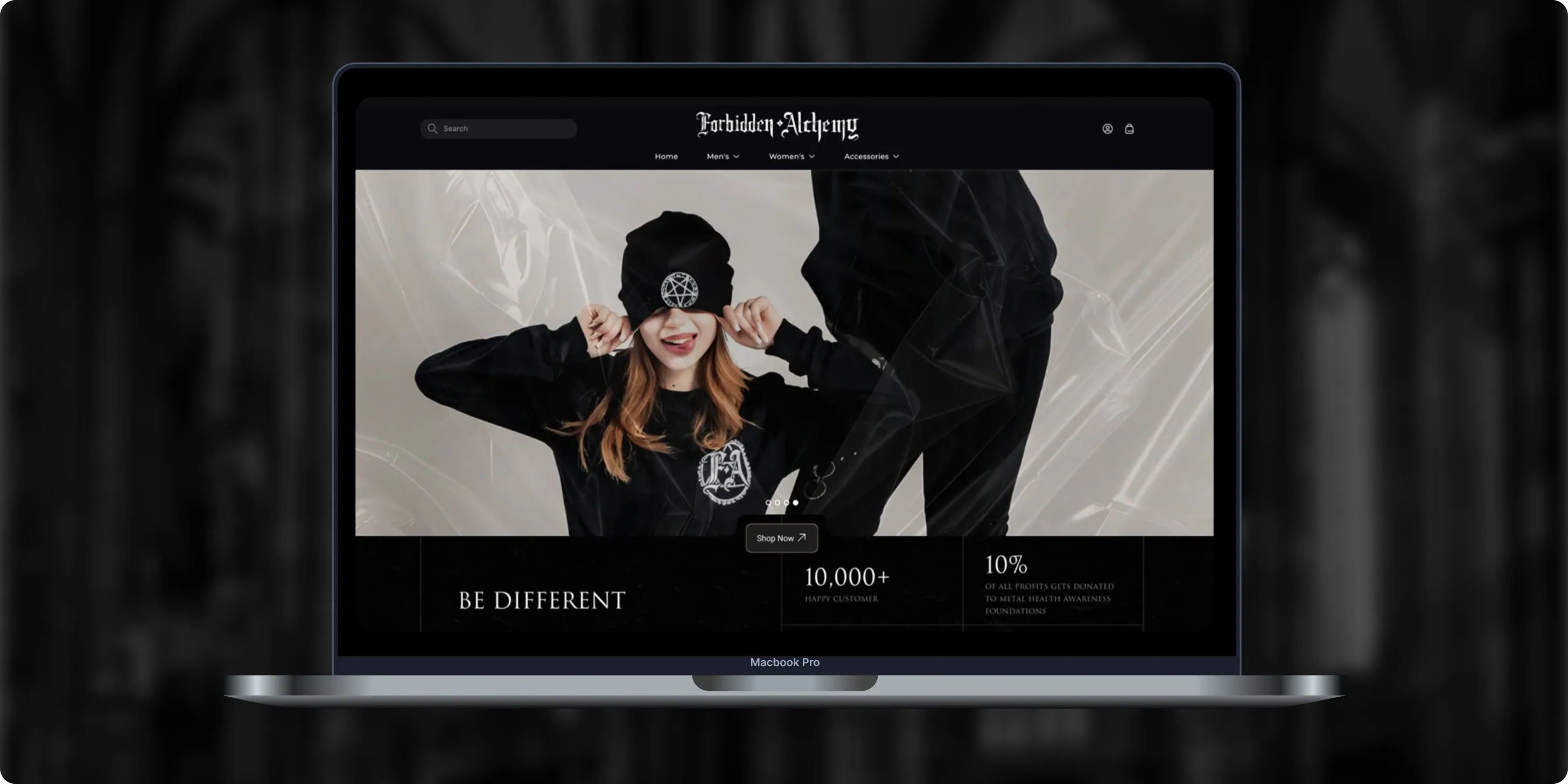
Forbidden Alchemy is an alternative fashion brand creating dark, provocative clothing for the metalhead community, with 10% of profits donated to mental health awareness. Its mostly mobile audience struggled with a store that was hard to navigate and weak on functionality.- +44%Revenue Month Over Month
- 86%Design Satisfaction
- 2.8XUser Retention Growth
Altera
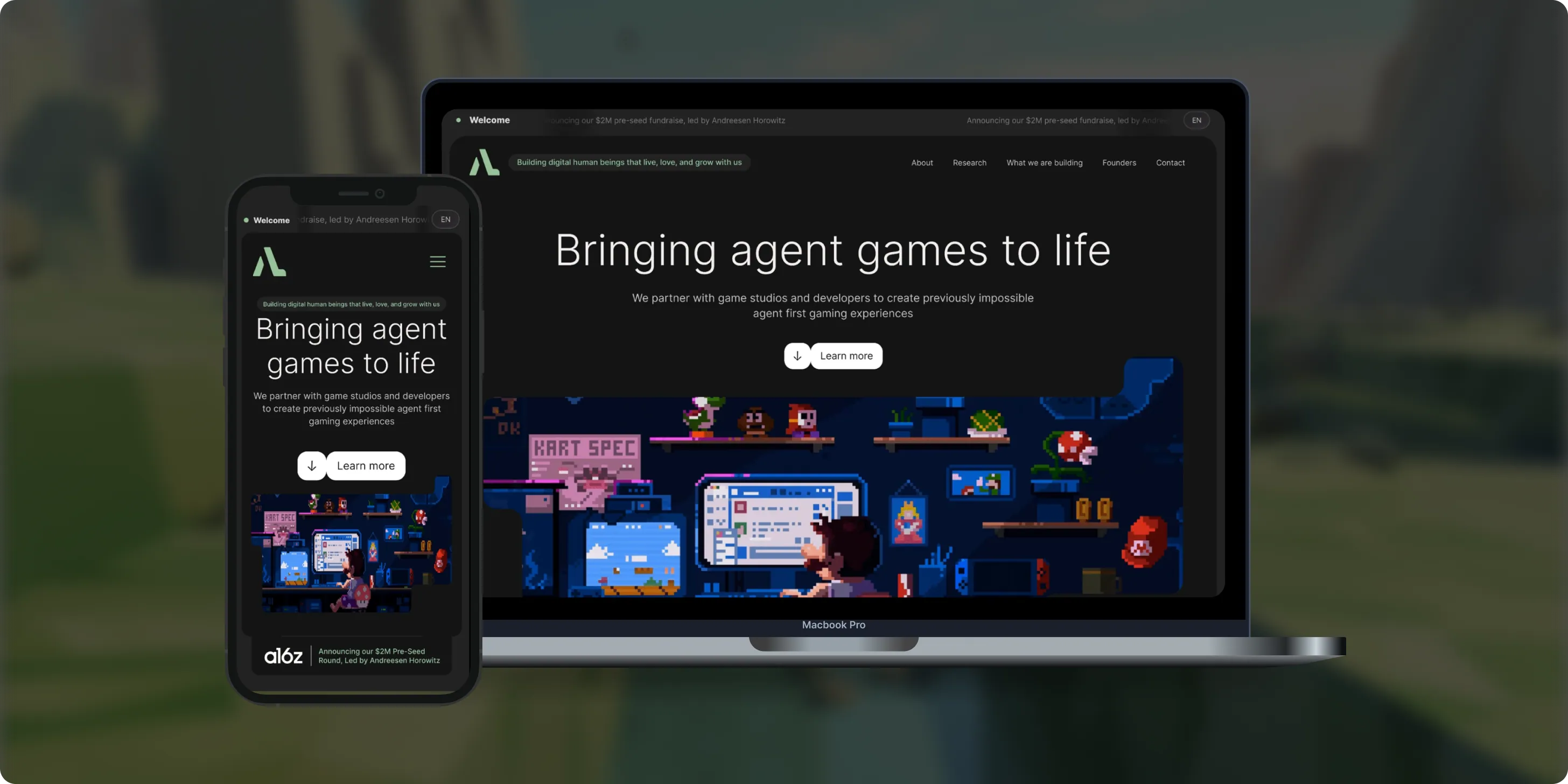
Altera builds on decades of computational neuroscience research to create digital human beings for gaming. Backed by a $2M pre-seed round led by Andreessen Horowitz, the team needed a landing page that could explain complex agent technology to players, partners, and investors.- 98%Dynamic Customization
- 100%Streamlined Navigation
- $2MPre-Seed Round
- Real Estate
Brizacorp
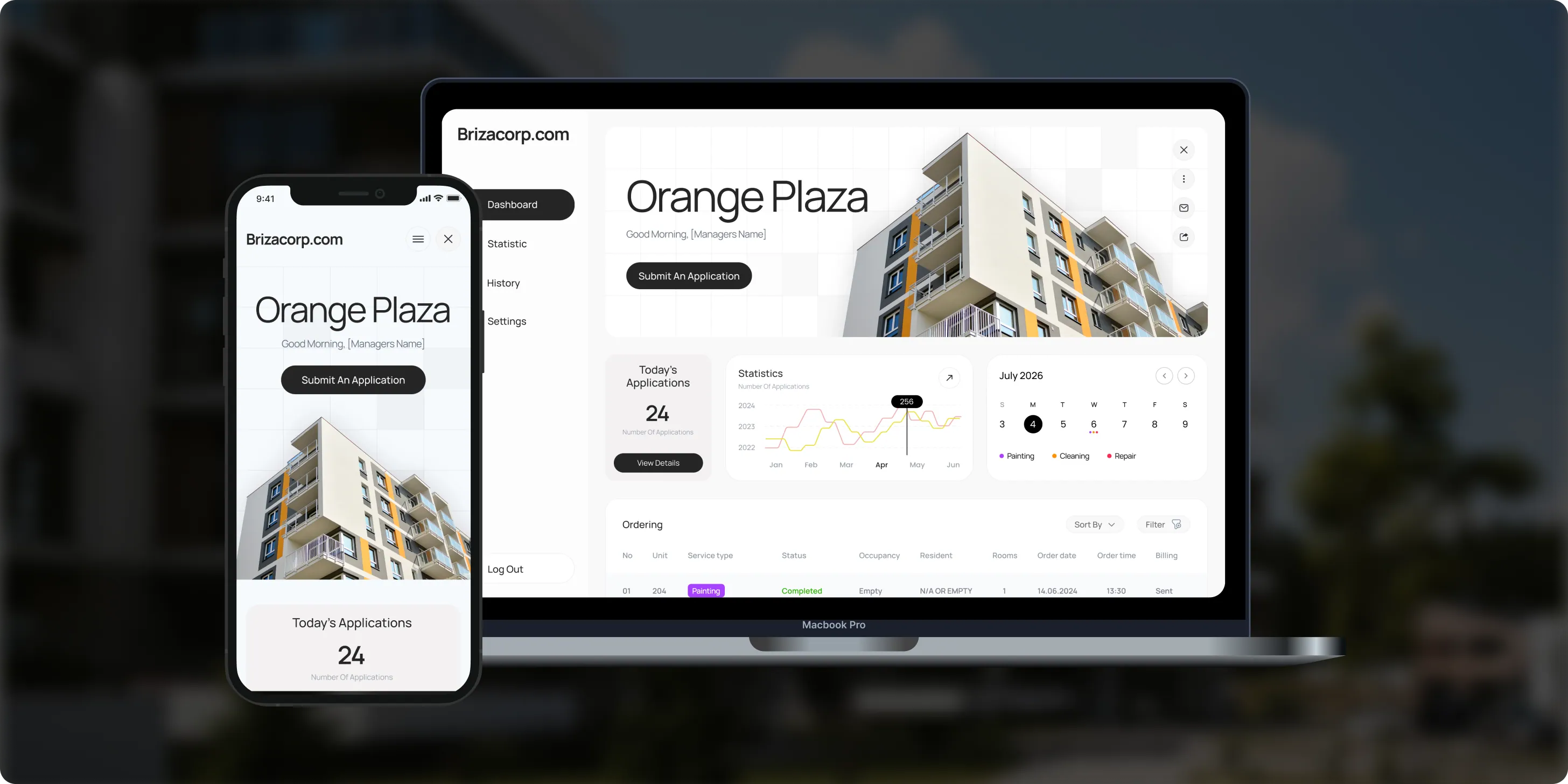
Brizacorp manages residential properties and coordinates the staff who handle painting, cleaning, and repair requests. Its team tracked work across messengers, phone calls, e-mail, and paper planners, with no single place to manage requests or measure performance.- 98%Application Stability
- 95%Utilization Rate
- 30%Faster Task Completion
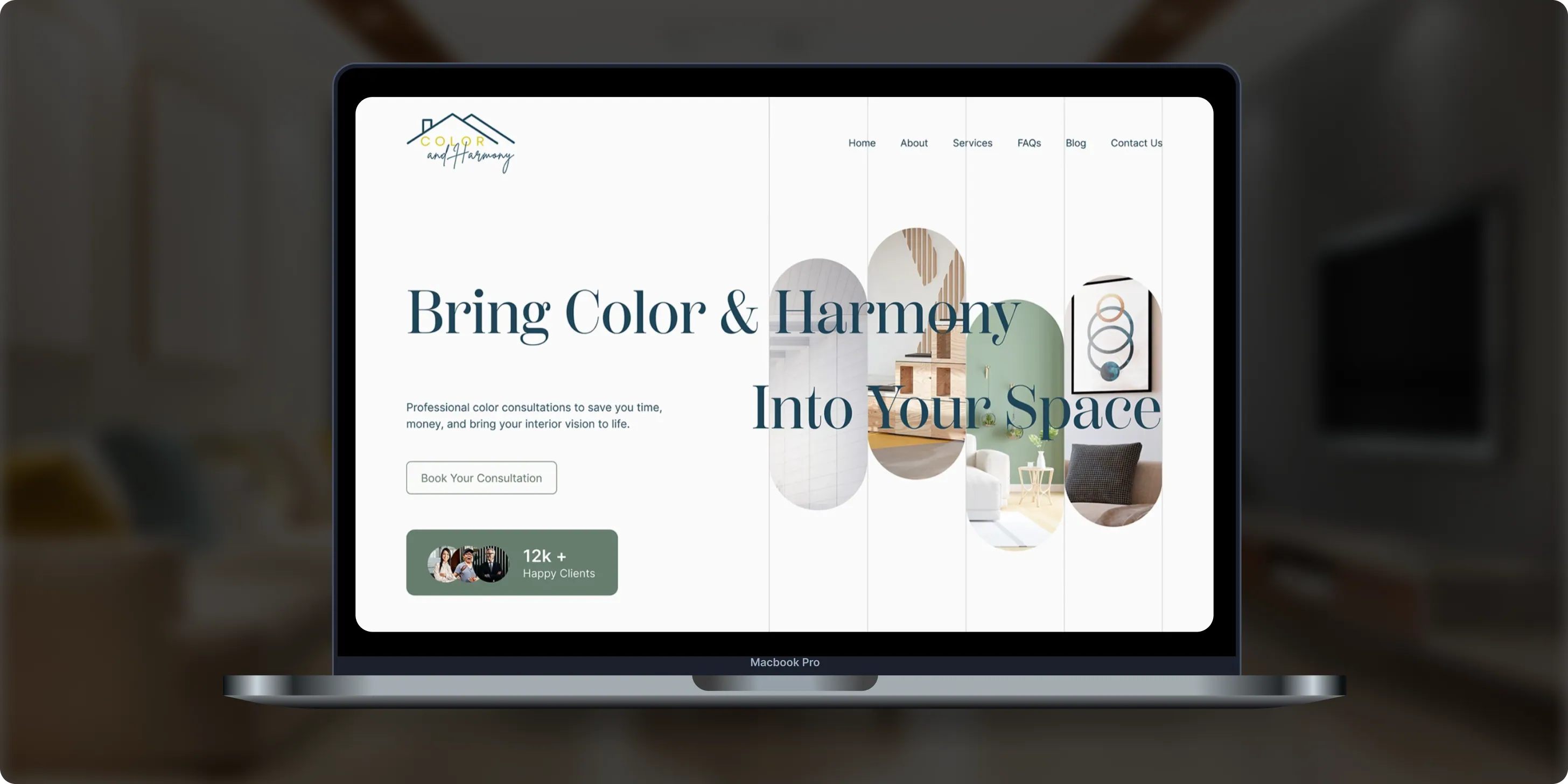
Color & Harmony
Color & Harmony is a Kentucky-based color consulting studio led by certified color strategist Diana Cartaya. The studio needed a website that reflects its refined aesthetic, showcases its portfolio, and explains a science-based color process in simple language.- 45%Conversion Rate Increase
- 50%Higher User Engagement
- 2Months to Launch
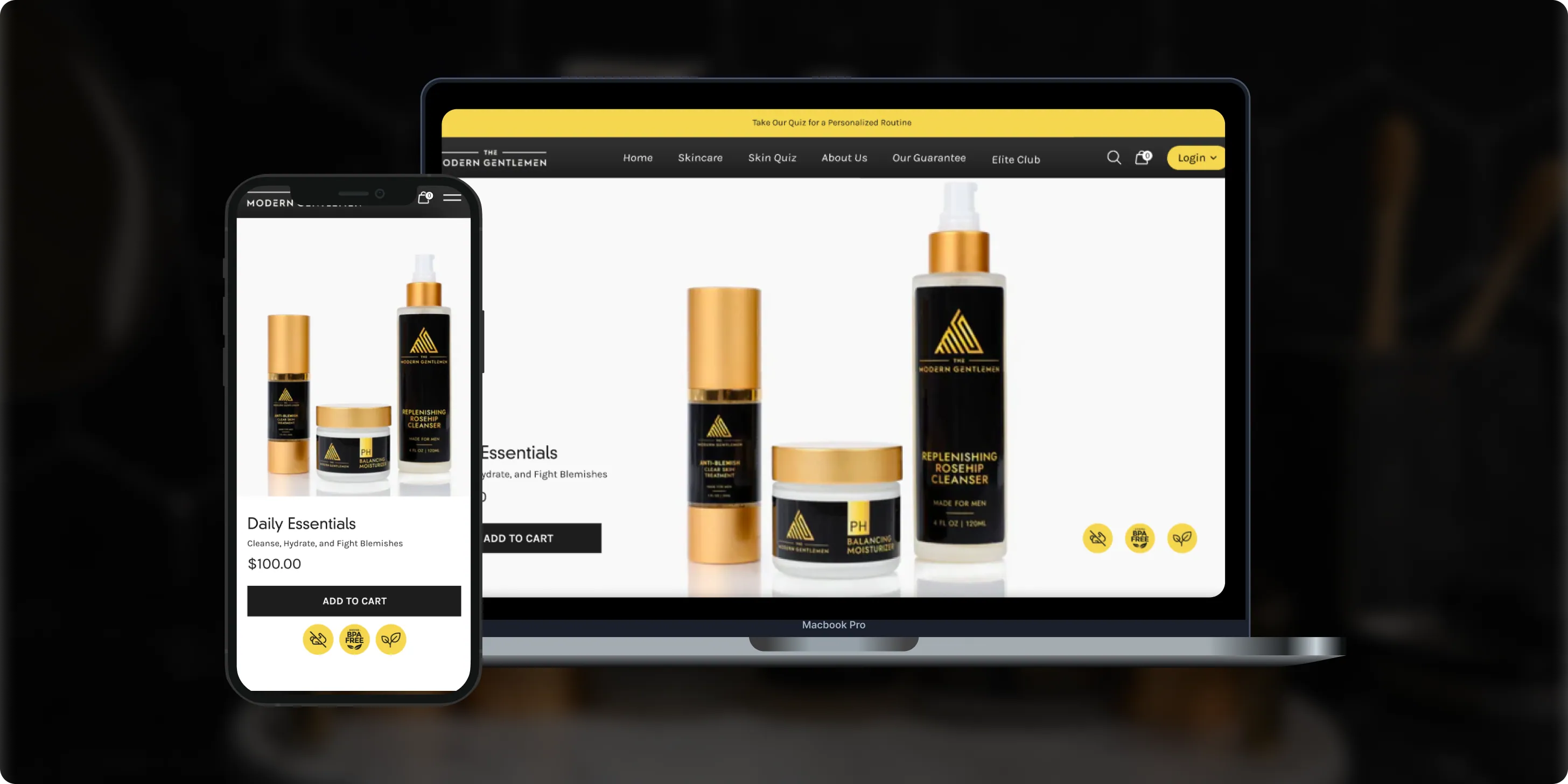
The Modern Gentlemen
The Modern Gentlemen sells premium men's skincare featured in Men's Health, GQ, and Men's Journal. Its customers wanted an efficient routine, but generic product suggestions and limited skincare knowledge made choosing the right products hard.- 30%Increase in Conversions
- 25%Higher Customer Retention
- 92%Mobile Purchases
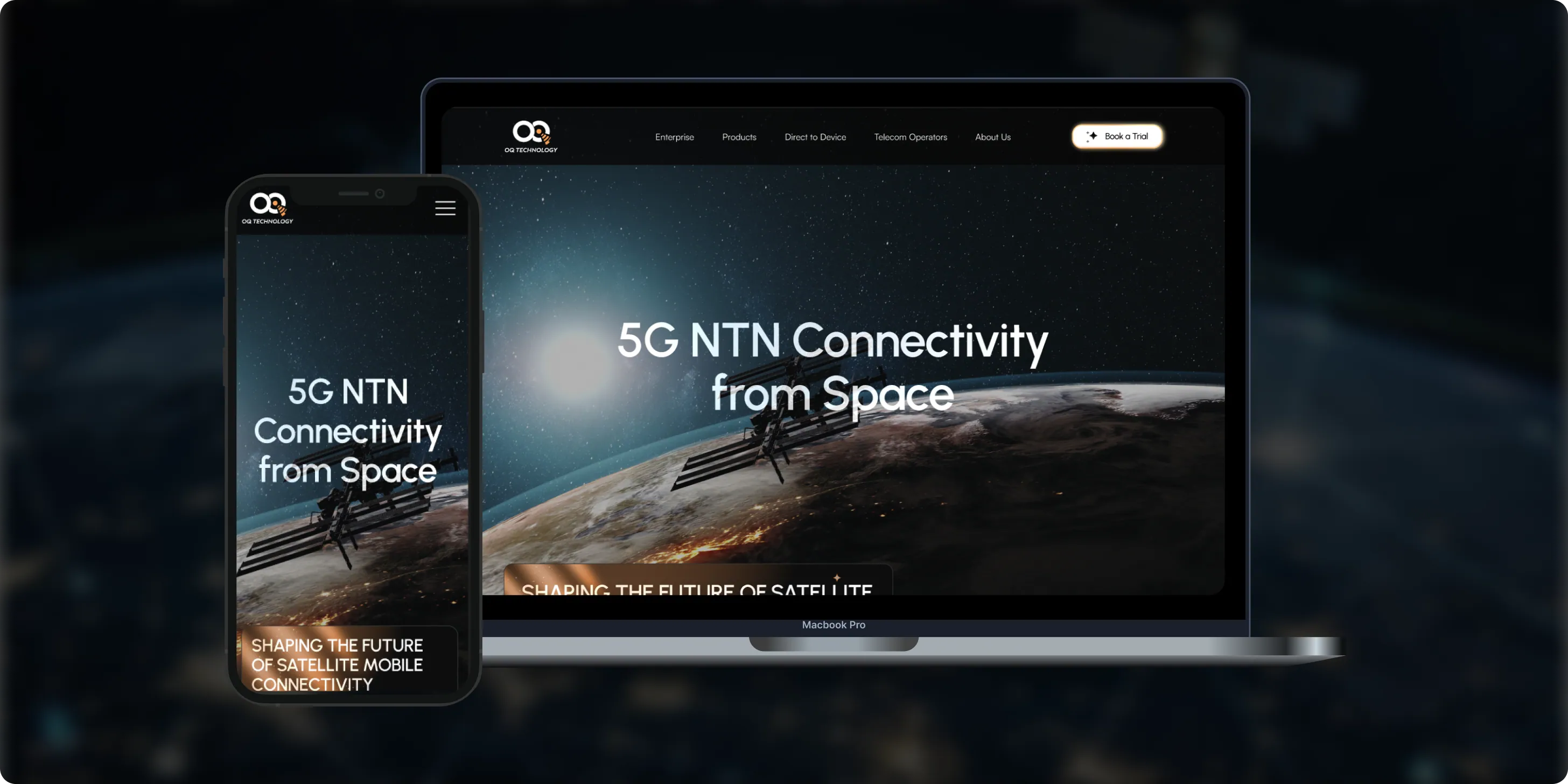
OQ Technology
OQ Technology connects IoT devices, machines, and people anywhere on the planet through its satellite network, serving energy, maritime, logistics, agriculture, and mobile operators. Its website made it hard to explore products and reach pricing plans.- 4Pricing Plans Clarified
- 3Dedicated User Flows
- 1Unified Platform
- Real Estate
- Finance
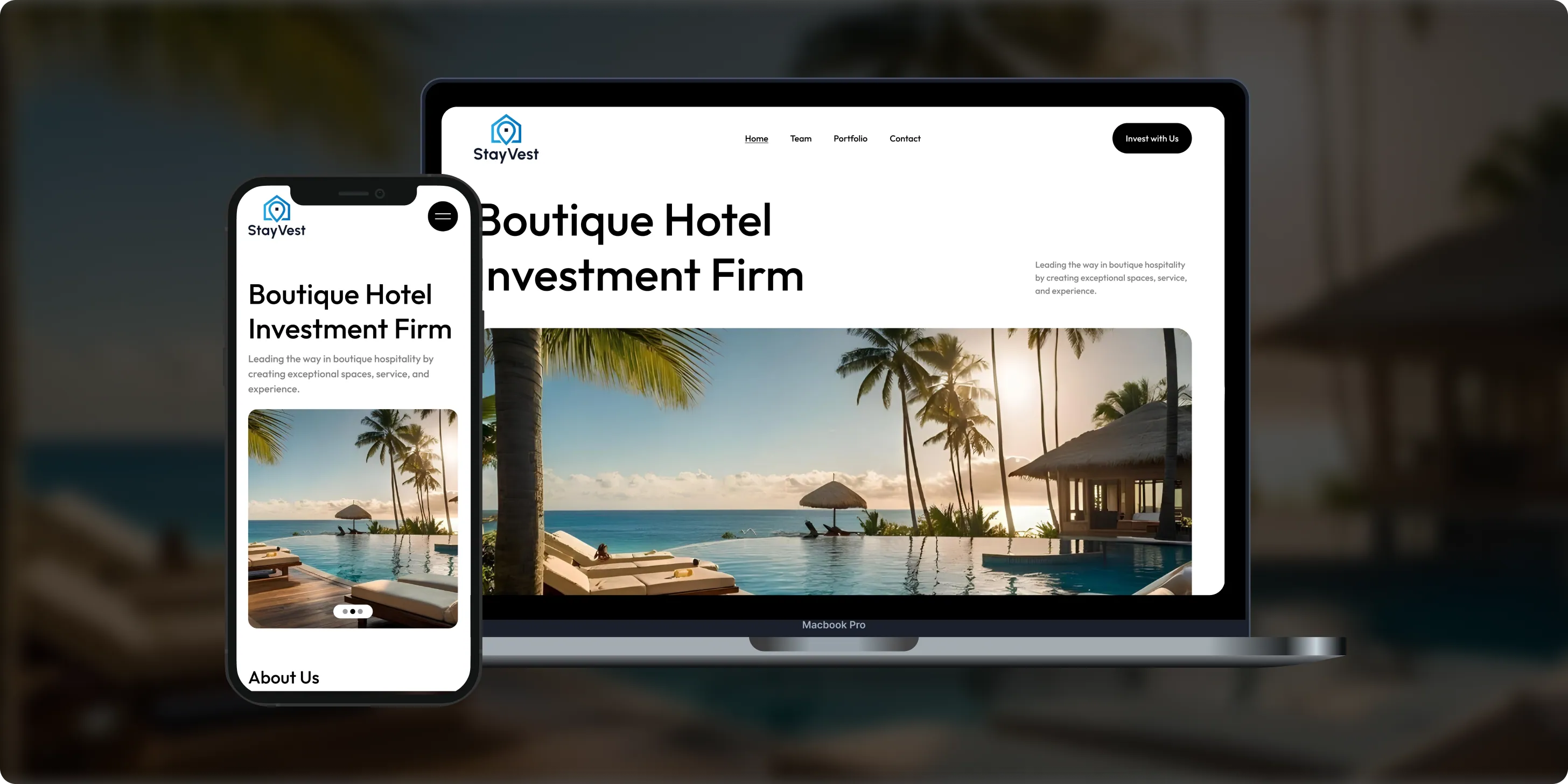
Stay Vest
Stay Vest is a private real estate investment firm that acquires, renovates, and operates boutique hotels for cash flow, tax benefits, and equity gain. It needed a platform that explains its strategy and earns the trust of passive investors.- 1,500+Guest Stays
- 200+Rooms Managed
- 5States Covered
Bokeyno Motorsports
Bokeyno Motorsports is the leading mobile installer of vertical doors for high-performance cars. This Shopify website isn’t just about services—it’s a bold statement of power, style, and expertise. With a sharp layout, strong visuals, and real-world case studies, the site delivers all the information car enthusiasts need to book confidently and instantly.- 54%Booking Requests
- 43%Lead Conversion
- 32%Qualified Inquiries

ai document processing platform
A comprehensive talent solution designed to help companies attract, hire, and retain top talent more effectively. The platform combines AI-powered recruitment technology with employee financial wellbeing programs, enabling smarter hiring decisions while supporting employees’ financial stability and long-term engagement.- 62%Faster Processing Time
- 78%Less Manual Work
- 35%Improved Accuracy

WHAT CLIENTS SAY
Independently verified reviews from real clients on Clutch.co


Client Story
Real feedback from
FMY Orthodontics

“SoftDoes consistently found ways to make things work, added features we had not originally envisioned, and never became frustrated. It felt like working with a true partner who cared about the success of our practice.”
Dan Merwin
DDS, MS, President, FMY Orthodontics

Client Story
Real feedback from
Prior Authorization AI
“Every time I sent a request, if there was anything that didn't work, they were able to turn it around quickly. Even when there were no updates yet, they always reached out to let me know they were working on it.”
Joseph Oluwo
Founder of Prior Authorization AI


Client Story
Real feedback from
WOVEN
“What stood out most was their commitment to understanding our needs before presenting solutions.”
Danna Pastran
Administrative Operations Manager, WOVEN

Client Story
Real feedback from
Grand Central Language Services
“The site performs as intended and provides the foundation for our company's digital presence.”
Joe Goldstein
QA Manager, Grand Central Language Services


Client Story
Real feedback from
DineMate
“They go above and beyond.”
Eric Snead
CEO, DineMate "Dating Connecting Platform"
WHAT CHANGED IN PRACTICE
Clients didn’t stay because of promises. They stayed because delivery became predictable, ownership was clear, and the product kept moving forward after launch.
- 01Direct Access to Senior Engineers
When you work with SoftDoes, you talk to the people doing the work. Our senior designers and engineers handle architecture questions around design systems, responsive design, component structure, and continuous integration directly, with close attention to how evolving technologies affect implementation quality. There is no account manager reinterpreting your requirements. Top tier design teams align their work with business goals, ensuring practical impact, and that alignment happens faster when the conversation is between peers. For teams in Chesapeake that already have technical depth, this matters. They need a UI design company in Chesapeake, VA, that offers colleagues, not intermediaries. Cross platform versatility is important for modern UI and UX design, and allowing designers to work closely with engineers and modern tools supports better collaboration across multiple platforms without inflating scope.
- 02Predictable Delivery
SoftDoes uses milestones, visual checkpoints, and prototype reviews to keep UI and product design work on track. We share early interactive mockups so teams see the direction before full design systems are set, which eliminates the unpleasant surprise of a big reveal that misses the mark. Every assumption about breakpoints, content density, and navigation hierarchy is tracked and recorded. This clarity helps Chesapeake leaders plan launches, coordinate internal training, and schedule regular updates to their user base. Clear communication of project milestones and processes is vital for effective agency performance, and we treat that as a baseline, not a bonus. Responsive design is one example where this predictability matters most, because testing across various screen sizes on real devices is how teams support a seamless user experience. That work includes checks on mobile devices as well as larger layouts to fix issues before release, not a last minute scramble.
- 03Built to Last Past Launch
Our UI design, design systems, and product decisions are documented so they stay maintainable long after launch day. We write down how components work, which tokens control which properties, and how patterns should extend when new features arrive so teams can preserve a consistent experience over time. User experience optimization cycles continue as long as the product is active, and we set teams up to continue that work independently. Accessibility, performance, and structural clarity are priorities from the start, with responsive images and optimizing images included in performance planning, not afterthoughts checked in a final sprint. Large files can slow a website or product interface on mobile devices, so image handling needs attention early. We align with engineering constraints so interfaces remain practical as products evolve, because code that looked good in a prototype but breaks under real load is a liability. This is product design agency level thinking applied to day two realities, not just the excitement of a first release.
- 04No Babysitting Required
Once goals, constraints, and priorities are clear, SoftDoes operates with high autonomy. We manage our own design backlog, reviews, and handoffs while keeping clients informed through concise, decision oriented updates, and integration ensures connected workflows that reduce support burden later. Busy founders and CTOs in Chesapeake should not spend their time directing pixel adjustments. We proactively identify UX risks, interface debt, and inconsistent responsive behavior, including unique challenges that appear in workflows before launch, before these turn into user complaints or support load. Instead of requesting constant direction, we ask precise questions that move decisions forward. A strong design partner connects design to measurable business outcomes such as conversion rates, and that connection requires initiative, not hand holding.
Technologies We Use
 Figma
 Sketch
 Adobe XD
 Photoshop
 Framer




















Frequently Asked Questions
Everything you need to know about working with SoftDoes. Can’t find an answer?
What is WCAG?
WCAG, the Web Content Accessibility Guidelines, is the W3C standard for making websites and apps usable by people with disabilities. It covers color contrast, text alternatives, keyboard use and clear page structure, grouped into levels A, AA and AAA. Chesapeake companies building public-facing interfaces often target level AA. Read more about our user interface design.
How do you design a user interface?
Designing a user interface starts with the tasks people need to finish, then moves through wireframes, a clickable prototype, visual design and testing with real users. Each round removes confusing steps before code is written. For a Chesapeake company, involving the staff who will use the screens daily catches problems early. See our user interface design services.
What is mobile-first responsive design?
Mobile-first responsive design means planning the layout for small phone screens first, then expanding it for tablets and desktops. Starting small forces a team to keep only the content and actions that matter. Chesapeake businesses whose customers browse mostly on phones gain the most, and one codebase adapts to every screen width. Learn more about our UI design work.
How long does it take to build an app prototype?
An app prototype or proof of concept usually takes a few weeks, depending on the number of screens, working features and rounds of feedback. For Chesapeake projects, SoftDoes runs a 2–4 day discovery that sets the exact timeline before design begins. Read about our user interface design services.
How can a UI designer improve your project?
A UI designer improves a project by making screens easier to understand, reducing user errors and keeping layouts consistent across the product. Finished designs also speed up development, since engineers build from clear specs instead of guessing. For Chesapeake companies, the payoff shows in fewer abandoned forms and shorter staff training. See our user interface design work.
Which UI design projects pay off fastest for defense contractors in Chesapeake?
For defense contractors in Chesapeake, UI work pays off fastest on internal tools staff use every day, such as maintenance logs, inspection forms and parts lookup screens. Clearer layouts cut data entry errors and training time. Dashboards for program managers are another quick win. Any screen touching controlled data still has to respect CMMC requirements. See our defense tech software work.
How should UI design for Chesapeake companies handle consent under the Virginia Consumer Data Protection Act?
Under the Virginia Consumer Data Protection Act, UI for covered Chesapeake companies should ask for clear opt-in consent before processing sensitive data. It should also offer simple opt-outs from targeted ads, sale and profiling. Screens should also let people access, correct, delete or get a copy of their data. Avoid pre-checked boxes. This is not legal advice. See our user interface design work.
Oil and Gas Software Development Cost: Complete 2026 Guide
Energy
Development costs for oil and gas software can range from $30,000 to several million dollars, depending on scope, integrations, and regulatory burden. This guide breaks down every major cost factor so U.S. and Canadian operators can budget accurately, compare vendor proposals, and avoid the overruns that plague projects built without clear data.
Energy Software Development for Modern Utilities and Clean Power
Energy
Custom energy software development helps U.S. and Canadian utilities, IPPs, ESCOs, and retail energy providers cut operating costs, improve grid reliability, and accelerate the shift to clean power. Whether you run a regional electric cooperative or a national renewable energy portfolio, the right software turns fragmented data into operational clarity and gives your teams the tools to act in real time.
How to Build Legal Case Management Software: A Practical Guide for Modern Law Firms
EdTech, Web development
If you're planning to build legal case management software for the U.S. or Canadian market, the opportunity is real and the demand is growing. A 13% increase in case management software usage from 2021 to 2022 shows that more firms are moving away from disconnected tools and toward centralized platforms. But building something that law firms will actually adopt means getting the details right, from workflows and compliance to billing and AI. This guide walks you through every major decision, module, and technical consideration involved in building a legal case management platform that works.