
U.S.-Based
Claude implementation and Anthropic consulting
You get one Claude workspace on Team or Enterprise, with single sign-on and written data rules. We connect it to your systems, then train each team on its own work.
$5,000
Claude rollout from
40
AI projects delivered since 2020
5.0
Clutch rating from 40 reviews
























How Claude runs after the rollout
One security questionnaire: Claude drafts from past replies, the engineer checks every answer, and the result is filed for next time.
A security questionnaire arrives
A sales engineer asks Claude to answer it from past replies.
Claude drafts the answers
It searches earlier questionnaires in Google Drive through a connector.
The engineer reviews each answer
They fill gaps and open every file Claude cites.
The answers are filed
They go to the deal folder, so the next questionnaire starts there.
Claude implementation, in short
- Claude Partner Network member
- Software and AI company in the Kansas City metro
- We roll out Claude Team and Claude Enterprise for mid-market companies
- Rollouts from $5,000, with licenses billed by Anthropic

Sign in. Connect. Train.
- 01Rollout priceFrom $5,000: covers the workspace, single sign-on, data rules, 2 connectors and 2 training sessions, with seats paid to Anthropic. AI implementation cost
- 02Plans and seatsTeam or Enterprise: seat prices, usage billing and the limits of each Claude plan, in one guide. Claude Enterprise pricing
What is Claude implementation?
Claude implementation, also called Anthropic or Claude consulting, turns Claude licenses into a company tool people use safely. It covers the workspace, sign-in, data rules, connectors, training and a review once teams are using it. Anthropic sells two company plans, Claude Team for 2 to 150 people and Claude Enterprise for stricter controls.
What teams use Claude for
Long documents
Reading long contracts, reports and policies, then answering questions about them.
Drafts in your style
Drafting proposals, briefs and client emails in your company's own style.
Connected tools
Searching connected tools such as Google Drive, Slack and Microsoft 365.


Where Claude Code and Cowork fit
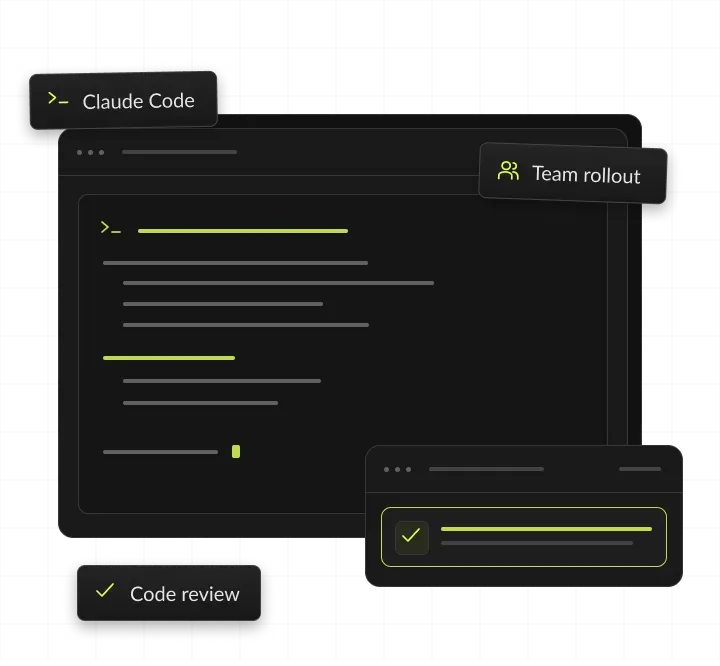
Every Team and Enterprise seat includes Claude Code and Cowork, so the rollout decides who uses them. Engineers hand Claude Code bug fixes, tests and migrations, while Cowork runs multi-step tasks in chosen files and tools. Our Claude Cowork for business guide and our Claude Code for teams page cover each tool in depth.
What the license leaves to you
A Claude license opens the workspace, but it leaves sign-in, data rules, connectors and training to you. A rollout covers all of that before the first person in your company logs in.
Claude rollout plan by company size
Head count decides the plan, the sign-up method and how many waves the rollout needs. Enterprise starts at 20 seats and Team stops at 150, so between those numbers both plans fit. At any size, Claude Code and Cowork go first to teams with a clear use. Anthropic notes that agentic work uses significantly more tokens than standard chat. Seat limits from claude.com/pricing; groups and waves from Anthropic's Claude Enterprise consumption guide, both read November 24, 2026.

2 to 19 people
Plan: Claude Team, since Enterprise needs at least 20 seats. Access: email invites, or single sign-on with accounts created at first login. Rollout: one wave, setup, then training for each team on its own work.
20 to 150 people
Plan: Team, or Enterprise when security needs SCIM, audit logs or retention controls. Access: single sign-on, with SCIM on Enterprise. Rollout: a first group of teams, then the rest after the 30-day review.
More than 150 people
Plan: Enterprise, since Team stops at 150 seats; sales-assisted from 50 seats. Access: SCIM, with groups synced from your identity provider. Rollout: waves by job function, starting with 4 to 6 groups.
When a Claude rollout pays off
A Claude rollout pays off when many people read, write or analyze long documents every day.
Companies that call us about Claude usually see several of these signs first:
- People already pay for personal Claude accounts and expense them.
- Teams work with long files, such as contracts, research or technical manuals.
- Engineers want Claude Code, and other teams want Claude with clear company rules.
- Security asks for single sign-on, audit logs and retention rules before approving AI.
When to wait
If the job is updating records inside your systems, an AI agent fits better than a chat workspace. If data cannot leave your own cloud, look at private AI instead. If your company runs on Microsoft 365 or Google Workspace, compare Microsoft Copilot and Gemini Enterprise first.
What to prepare before the first call
Head count by team, and the teams that start first; your identity provider, plus an admin who can set up SSO; the two systems to connect first, such as Google Drive or Slack; and data that must never go into Claude, in your own words. Take the AI readiness quiz to check your data, systems and people before you buy seats for everyone.
What a Claude rollout includes
Six pieces of work, each checked with your IT and security owners before launch.
Workspace and single sign-on
We set up the organization, verify your domain and connect your identity provider. On Enterprise, SCIM then adds and removes people whenever your directory changes. For example, staff use their usual company login, and anyone IT removes loses access.
Data rules people can follow
Plain rules on which data may go into Claude, written on one page and matched by settings we configure. For example, contracts may go into a project, but patient records and card numbers never go into any chat.
Connectors to your systems
Two connectors are included, such as Google Drive or Microsoft 365, and staff sign in with their own accounts. For example, finance connects Microsoft 365, and Claude sees only the files each person can already open.
Claude Code and Cowork for the right teams
Every seat includes both tools, so we agree who uses them and set spend limits first. For example, engineering gets Claude Code on day one, and operations tries Cowork on its weekly vendor report.
Training by team
Two live sessions built on each team's own documents and tasks, plus a shared library of prompts that worked. For example, legal practices on last quarter's contract reviews and keeps the prompts that worked.
A review after 30 days
We read usage analytics by team, then recommend which teams, connectors and seats to add, change or drop. For example, support barely uses Claude, so we add ticket summary prompts before you buy more seats.
Team or Enterprise: which Claude plan fits your rollout
Both plans include single sign-on, admin controls, connectors, Claude Code and Cowork for every seat. Choose Enterprise when your security team needs SCIM, audit logs or custom data retention.
Plan details from claude.com/pricing and the Claude Help Center, read November 24, 2026, and rechecked with you before setup. Our Claude Enterprise pricing guide works through the seat and usage math.
Claude Enterprise deployment, step by step
Four steps take you from the first call to every team working in Claude. Claude Team rollouts follow the same path, with invites in place of SCIM.
We list your teams, data and risks, then recommend Team or Enterprise in writing. Setup starts only after you approve the plan and the fixed price. You get a written rollout plan and data rules.
We configure single sign-on, roles, connectors and access to Claude Code and Cowork. Each connector is tested from a member account before anyone else gets it. You get a working organization, documented.
Two live sessions use each team's own files and data rules, so practice matches the real job. Prompts that work go into a shared library that each team keeps and updates. You get a prompt library for each team.
We read usage analytics and team feedback, then plan the next teams and connectors. You get a short written report on what to widen, change or turn off: an adoption report and next steps.
Systems we connect Claude to
Where Anthropic's directory has a connector, we use it; where it has none, we build a custom MCP server. Each app has its own setup page, such as Claude for Microsoft 365, Claude for Slack and Claude for HubSpot. The full list of apps, plus custom MCP server work, sits under Claude integrations.
Claude admin and security settings checklist
We configure these settings in every Claude organization, in this order, before the first team signs in. Rows marked Enterprise only are not available to companies on the Team plan.
Settings from claude.com/pricing and the Claude Help Center, read November 24, 2026. Each choice goes into the admin runbook that your team keeps after launch.
What you get from a Claude rollout
Your admins can run Claude on their own from the first day after launch. Every setting, rule and connector is written down, and each team keeps its own prompt library.




Claude rollout ROI: a worked example
A Claude rollout pays back when the hours saved are worth more than the seats and setup. Only the Team seat price below comes from Anthropic; every other number is assumed. Example math with assumed numbers, not a client result. Saved time is worth about eight times the seat cost here, and the rollout pays back in month one. The real risk is adoption, so every rollout includes training by team and a 30-day review. On Enterprise, add usage at API rates to the seat cost, since the seat fee covers access only. Try your own head count and hours in the AI ROI calculator. Claude's usage analytics show real activity by team, so the 30-day review tests this estimate against facts.
How we measure Claude adoption after launch
Weekly active seats and team output
We measure adoption by weekly active seats and team output, read from Claude's own usage analytics. The 30-day review compares those numbers with the goals in your rollout plan.
What keeps people using Claude
A named sponsor in leadership, and one champion in each team who collects questions. Data rules on one page, explained in the first training session. A prompt library each team owns and keeps adding to. Claude Academy courses, such as Claude 101 and AI Fluency, for people who learn alone.
Anthropic's consumption guide advises reviewing group usage weekly at first, then monthly, so we set that schedule with your admins.
Signal, and what we do
Few weekly active members in a team: retrain that team on one real task from its own work
Assigned seats with no activity: reassign idle seats before you buy more
Few people using projects: build a shared project around the team's main documents
A connector with few users: check sign-in and permissions, then show one task that needs it
Low Claude Code accept rate: pair engineers with the team's most active users
Few Cowork sessions per day: agree on one recurring task each Cowork team hands off
Members often at their spend limit: check the work first, then raise limits where it shows value, as Anthropic advises
Survey answers that name a blocker: fix the blocker, then ask the same question again

Risks in a Claude rollout, and how we handle them
We name each risk in the rollout plan, along with the setting, rule or test that covers it.

How we keep data safe in Claude
Your data stays under your agreement with Anthropic, which does not train on Team or Enterprise content by default. We add single sign-on, scoped connectors and written data rules on top.
Health data and company-wide rules
For health data, eligible Enterprise organizations can turn on a HIPAA-ready configuration and accept a BAA in settings. Our guide to HIPAA-compliant AI covers what else to check before patient data goes in. For company-wide rules that cover every AI tool, see AI governance and compliance.
Owners add connectors
Only Owners, or on Enterprise a role you choose, can add connectors for the company.
Delegated permissions
Connectors such as Microsoft 365 use delegated permissions, so people only reach data they can already open.
Approval per tool
Each connector tool can be set to always allow, need approval or stay blocked.
Audit logs and retention
On Enterprise, Anthropic lists audit logs, the Compliance API and custom retention with a 30-day minimum.
AI work in production
The engineers who roll out Claude also build AI into live business systems. Below are two of those builds from our case studies, with our review record.

- Healthcare
Prior Authorization AI
Prior Authorization AI is a healthcare automation startup building AI-powered tools to streamline prior authorization for Medicare and Medicaid medical transportation providers in New Jersey.- 16Weekly hours saved
- 63%Admin time reduced
- 43%Fewer submission errors

- Startup
- Real Estate
Our Haus AI
A finance professional turned founder built Our Haus AI, an AI-powered collaborative workspace where homeowners and contractors scope, bid, contract, and document renovation projects together. SoftDoes took her prototype and made it production-ready.- 10XMVP scope delivered
- 2+years Ongoing partnership
- 1Fully owned Platform

- Real Estate
The building buyer
The Building Buyer is a Florida-based real estate investment firm co-founded by Dylan Troiano and Charles Hanlin. They acquire single-family, multifamily, and commercial properties across South Florida and beyond, with a focus on motivated seller opportunities.- 18Weekly hours saved
- 2+Years Ongoing partnership
- 1Fully owned Platform

- Healthcare
CareInTouch
CareInTouch is a Bay Area home health agency providing skilled nursing and therapy services to patients referred from hospitals and clinics. With over 100 staff, they operate in one of the most complex and compliance-driven healthcare markets in the country.- 40% Reduction In Billing Errors
- 100+Staff Operations Managed
- 0Missed Compliance Deadlines

- Startup
Sparkle The Cleaning Service
Sparkle The Cleaning Service is a Detroit-area residential cleaning company with 10 years in business, connecting homeowners with vetted, insured independent cleaners through a subscription-based marketplace platform.- 75% Platform Transparency
- 2XPlatform Growth
- 40%Higher User Retention

- Healthcare
FMY Orthodontics
FMY Orthodontics, a multi-location practice in West Tennessee, partnered with SoftDoes to replace a spreadsheet-based financial workflow with a custom web platform. The goal was to simplify how staff present treatment financing while allowing patients and families to review and complete decisions remotely.- 60%Workflow Reduction
- 75%Remote Adoption
- 5Locations Aligned

- Real Estate
Brizacorp
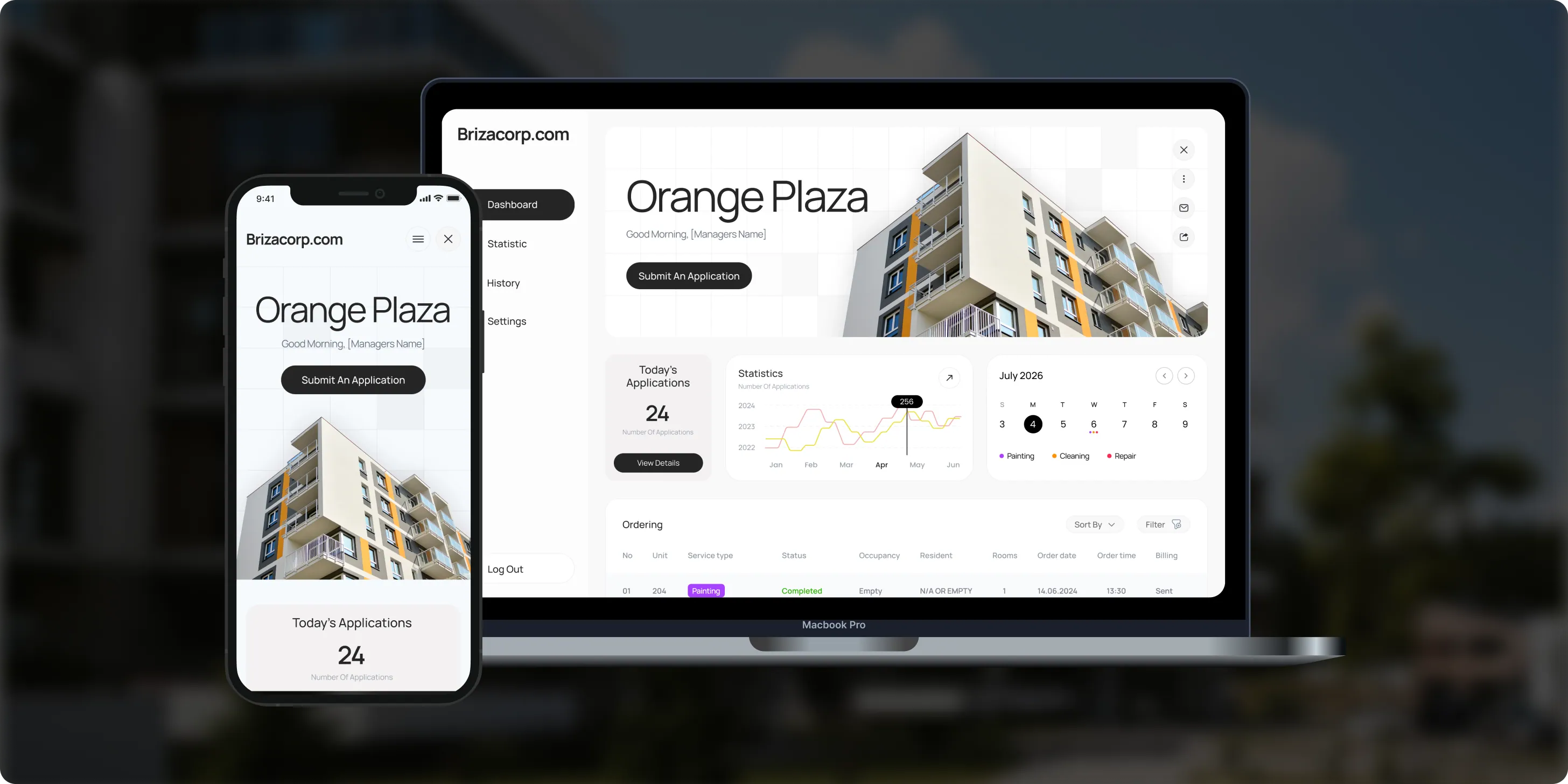
Brizacorp manages residential properties and coordinates the staff who handle painting, cleaning, and repair requests. Its team tracked work across messengers, phone calls, e-mail, and paper planners, with no single place to manage requests or measure performance.- 98%Application Stability
- 95%Utilization Rate
- 30%Faster Task Completion
How to choose a Claude partner for your rollout
Put these questions to any Anthropic partner or Claude consultant before you sign. A partner worth hiring answers every one of these questions in writing.
Anthropic's Services Track ranks partner firms in three tiers: Select, Preferred and Global Premier. Tiers depend on certified staff, customers in production and public customer stories. New firms start at Registered, and Anthropic's public directory lists each firm's tier, team and references.
For a longer checklist, read How to choose an AI consultant, a chapter of our free AI Playbook.
Questions to ask, and what a good answer includes
- Are you in the Claude Partner Network? A plain yes or no, with the status named, such as Claude Partner Network member.
- Team or Enterprise: which do we need? A recommendation tied to your needs for SCIM, audit logs, retention and a BAA.
- Who owns the organization and licenses? You do: seats billed by Anthropic on your account, with your own people as owners.
- How will connectors be scoped and tested? By team, and tested from member accounts before launch.
- Who gets Claude Code and Cowork? Named teams with a reason, plus spend limits and tool permissions agreed first.
- How will staff be trained? Live sessions on each team's own work, plus a prompt library they keep.
- Who writes our data rules? The partner drafts them with your security owner, on one page that settings enforce.
- What happens after launch? A usage review with written next steps, and support terms with a stated price.
What the rollout costs
You agree on one fixed price for the rollout before any work starts. Claude seats and usage are billed by Anthropic on your own account. We never resell seats: Claude licenses and usage are billed by Anthropic on your account. The AI readiness assessment takes 2 weeks, and its fee is credited to the first build. See AI implementation cost.
Workspace rollout
Single sign-on, data rules, 2 connectors, 2 training sessions
From $5,000
Each extra ready connector
Scoped by team and tested
$1,500 per app
Custom integration or MCP server
Connects Claude to your system
From $4,000
Claude Code for teams
Setup plus a 2-day course
From $4,500
AI training
Half-day workshop, full day or 6-week program
$2,500 / $4,000 / $12,000
AI readiness assessment
2 weeks, credited to the first build
$2,500 fixed
Maintenance
After launch
From $500 a month

How a Claude rollout differs from ChatGPT and Copilot rollouts
All three rollouts follow the same four steps, but the setup work lands in different places. Vendor details from claude.com/pricing, learn.chatgpt.com and Microsoft Learn, read November 24, 2026. To compare features and prices, read Claude vs ChatGPT for business and Copilot vs ChatGPT Enterprise vs Claude.

Most setup time goes to app access, and moving custom GPTs to plugins before they retire.
- SAML SSO on Business; SCIM on Enterprise
- Apps limited to the connected account's permissions
- Codex, included in Business and Enterprise
- Not trained on business data by default

Most setup time goes to data rules, connectors, and who gets Claude Code and Cowork.
- SSO on Team and Enterprise; SCIM on Enterprise only
- Connectors that each person signs in to with their own account
- Claude Code, included in every seat
- Not trained on your data by default on Team and Enterprise

Most setup time goes to fixing SharePoint and OneDrive oversharing before licenses go out.
- A Microsoft Entra ID work account and a Copilot license for each user
- Microsoft Graph content the user can at least view
- GitHub Copilot, licensed separately
- Prompts and Graph data are not used to train foundation models
Why companies roll out Claude with SoftDoes
Companies choose SoftDoes because we are a Claude Partner Network member that also builds on the Claude API.

- 01
Claude Partner Network member
We roll out Claude and build on the Claude API as a member of Anthropic's partner network.
- 02
Vendor documents first
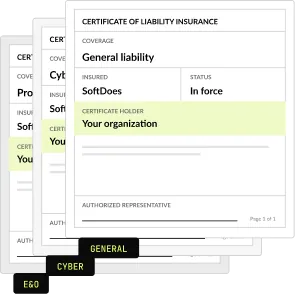
Procurement gets our NDA and certificate of insurance before the first call.
- 03
You own the setup
Clients own all code and IP, including any custom MCP server we write for Claude.
- 04
OpenAI Registered Partner
We also roll out ChatGPT, so we can test both tools on your real tasks before you choose.
- 05
40 AI projects since 2020
Delivered since 2020, from document extraction to prior authorizations filed through Medicare's API.
- 06
Rated 5.0 on Clutch
5.0 from 40 client reviews, and more than half of the reviewers are founders, executives or department heads.
Claude rollouts by industry
Every rollout follows the same steps, shaped around each field's documents, clients and rules.
Healthcare
Policy questions, staff letters and training material, with patient data kept out unless a BAA is in place.
Financial services
Research summaries, client letters and policy answers, under data rules your compliance team signs.
Legal
Contract review, research memos and intake notes, with a lawyer approving anything a client sees.
Real estate
Listing copy, lease questions and market summaries drawn from your own files.
Construction
Bid summaries, scopes of work and safety plans drafted from project documents.
Accounting
Client emails, engagement letters and research notes, with client data rules set first.


Questions about Claude implementation
Plans, cost, data and choosing a partner. Need something else answered?
Does Anthropic do consulting?
Yes, in part. In May 2026, Anthropic announced a new AI services company with Blackstone, Hellman & Friedman and Goldman Sachs. Its engineers work with Anthropic staff to bring Claude into the operations of mid-sized companies. Anthropic also supports partner firms through the Claude Partner Network, and SoftDoes is a Claude Partner Network member.
Is SoftDoes an Anthropic partner?
Yes. SoftDoes is a Claude Partner Network member that rolls out Claude and builds on the Claude API. Anthropic backs the Claude Partner Network with a $100 million investment in partner training, technical support and shared marketing.
What does a Claude consultant do?
A Claude consultant turns Claude licenses into a setup your whole company can use safely. The work covers the plan choice, single sign-on, data rules, connectors and training for each team. A good consultant also reviews usage after launch and tells you what to change.
Can our IT team roll out Claude without a partner?
Yes, if you are a small company with simple needs and one admin. Anthropic's help center covers setup, and Claude Academy courses such as Claude 101 teach everyday use. A partner pays off when you need SCIM, written data rules and connectors scoped by team. It also helps when several teams need training, Claude Code and spend limits at once.
How much does a Claude rollout cost?
You pay two separate costs: Anthropic's seats and usage, and our fixed rollout fee. Anthropic lists Claude Team standard seats at $20 a seat a month, billed annually. Enterprise costs $20 a seat a month billed annually, plus usage at API rates. Our rollout is from $5,000, and our Claude Enterprise pricing guide breaks down each plan.
Can we move from Claude Team to Enterprise later?
Yes. Anthropic lets you upgrade an existing Team organization, keeping chat history, projects, shared content, members and roles. A self-serve upgrade needs at least 20 seats and cannot be reversed. Raise any Team spend limit before go-live, because everyone loses access once the organization limit is reached. Some features, such as skills, start switched off on Enterprise until an admin turns them back on.
Do all our teams need Claude Code and Cowork?
Not always. Every Team and Enterprise seat includes both, so the real question is who should use them. On Enterprise, role-based access lets us limit Cowork to the teams with a clear use. Cowork uses more capacity than chat, so we agree on spend limits before it goes live.
Can Claude connect to our company systems?
Yes. Anthropic's Connectors Directory covers Google Drive, Slack, Microsoft 365 and more, and staff sign in with their own accounts. Extra ready connectors cost $1,500 per app, and a custom integration or MCP server is from $4,000. Our Claude integrations page lists every app we connect, with setup notes.
What is Claude Projects and how does it work?
A Claude project is a self-contained workspace with its own chat history, knowledge base and instructions. Files in the knowledge base give context to every chat in that project. On Team and Enterprise, project owners give chosen people, or the whole organization, view or edit access. On paid plans, Claude switches to retrieval as knowledge grows, which expands capacity up to 10 times.
Does Anthropic train its models on our business data?
Not by default. Anthropic's pricing page says it does not train models on Team or Enterprise content by default. The rollout adds what the plan cannot: staff data rules, matching settings and connectors scoped by team. For data that must stay in your own cloud, see our private AI service.
What happens to Claude access when someone leaves?
It depends on how people are provisioned, which differs between Team and Enterprise. On Enterprise, SCIM removes people automatically once IT removes them in your identity provider. On Team, removed users can no longer sign in, but they keep a seat until an admin removes them.
Can we bring staff's personal Claude accounts into the company workspace?
Yes, on Enterprise. Enterprise admins can claim the personal Claude accounts that use your company email address. First, your domain must be verified, SSO enforced, org creation restricted and JIT or SCIM turned on. Each person then has 30 days to bring chats, projects and files across, or to start fresh. Domain capture cannot be reversed, so we turn it on only after you approve it in writing.
How long does a Claude rollout take?
It depends on your seat count, your identity setup and how many teams start first. We fix the scope, price and schedule in a written plan before setup begins. Companies unsure where to start can book our AI readiness assessment: $2,500 fixed, 2 weeks, credited to the first build.
Should we choose Claude, ChatGPT or Microsoft Copilot?
The right tool depends on where your work lives and what each team does all day. We roll out Claude, ChatGPT, Microsoft Copilot and Gemini, so we can test them on your tasks first. Our Claude vs ChatGPT for business guide and our Copilot, ChatGPT and Claude comparison set them side by side.
Can we use Claude with patient data?
Only with the right plan, the right configuration and a signed BAA in place. Eligible Enterprise organizations can enable a HIPAA-ready configuration and accept a BAA from organization settings. The new unified chat and Cowork experience is not yet available for HIPAA-ready organizations. Our guide to HIPAA-compliant AI lists the other checks to make before go-live.
Updated · Reviewed by Orest Andrusyshyn, Founder and CEO